
Modrinth · Fabric, Forge, NeoForge, Quilt
No Chat Reports auf deinem Minecraft Server
No Chat Reports läuft auf Minecraft Servern mit Fabric oder Forge oder NeoForge oder Quilt. Bestell deinen Server, stell den Loader im Panel ein und installiere die Mod mit einem Klick im Mod-Browser.
Makes chat unreportable (where possible)
- Downloads
- 62.8M
- Autor
- Aizistral
- Loader
- Fabric, Forge, NeoForge, Quilt
- Minecraft
- 1.19 – 26.3
- Aktualisiert
- –
Screenshots
So sieht No Chat Reports aus


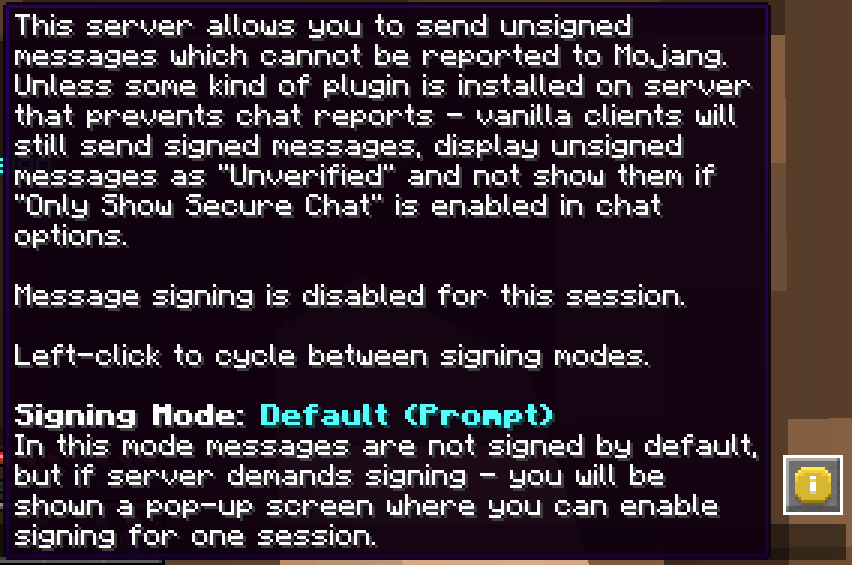
Bilder: No Chat Reports auf Modrinth, vom Projektteam veröffentlicht.
Einrichtung
No Chat Reports auf dem Server installieren
Server und Spieler brauchen denselben Loader und dieselbe Minecraft-Version. Sichere die Welt, bevor du Mods hinzufügst oder aktualisierst.
- 01
Konfigurieren
4 GB RAM sind vorausgewählt. Laufzeit und Add-ons wählst du selbst, bezahlt wird per Kreditkarte oder PayPal.
- 02
Loader einstellen
Stell im Panel die Serversoftware auf Fabric oder Forge oder NeoForge oder Quilt und wähl die passende Minecraft-Version, zum Beispiel 26.3.
- 03
Mod installieren
Such im Mod-Browser nach „No Chat Reports“ und installiere die Version für deinen Loader. Alternativ lädst du die .jar per SFTP in den Ordner mods. Erforderliche Abhängigkeiten stehen auf der Projektseite.
- 04
Verbinden
No Chat Reports ist auf dem Client optional. Spieler verbinden sich über die Serveradresse aus dem Panel.
- Auf dem Server
- Optional
- Auf dem Client
- Optional
- Loader
- Fabric, Forge, NeoForge, Quilt
- Minecraft
- 26.3, 26.2, 26.1.2 +33 weitere
- Lizenz
- Do What The F*ck You Want To Public License
Das Panel
Mods installieren, Fehler finden.
Echte Screenshots aus dem Mado Panel. Beides ist bei jedem Minecraft Server enthalten.
Mod-Browser
Modrinth und CurseForge direkt im Panel.
Der Browser filtert nach deiner Minecraft-Version. Mods installierst du mit einem Klick, ohne .jar-Dateien hochzuladen.

KI-Crash-Analyse
Wenn ein Mod crasht, liest die Analyse das Log.
Mods scheitern oft an einer falschen Loader-Version, Java-Version oder fehlenden Abhängigkeit. Die Analyse nennt eine wahrscheinliche Ursache und einen Lösungsvorschlag.

Versionen
Veröffentlichte Versionen
Nimm die Datei, die zu Loader und Minecraft-Version deines Servers passt. Server und Spieler brauchen dieselbe Version.
No Chat Reports · Modrinth- No Chat Reports Fabric-MC26.3-v2.21.320. November 2026Minecraft 26.3 · Fabric
- No Chat Reports NeoForge-MC26.3-v2.21.320. November 2026Minecraft 26.3 · NeoForge
- No Chat Reports Forge-MC26.3-v2.21.320. November 2026Minecraft 26.3 · Forge
- No Chat Reports Fabric-MC26.2-v2.20.520. November 2026Minecraft 26.2 · Fabric
- No Chat Reports NeoForge-MC26.2-v2.20.520. November 2026Minecraft 26.2 · NeoForge
Originalbeschreibung des Projektautors
No Chat Reports


This mod strips cryptographic signatures which are attached to every chat message sent from 1.19 and onwards. Removing them makes it impossible to track and associate your chat messages with your Minecraft client, and, by extension, Microsoft account.
As of 1.19.1, it also disables Player Chat Reporting
Please notice that, while I am aware of Guardian and certain other exploits that allow you to counteract reporting systems on the client against the will of the server, I am consciously choosing to not integrate them as part of this mod. No Chat Reports will only remain effective on the client side if the server allows it to be. If you do not like servers that enforce chat signing and fully support chat reporting - I advise to simply not play on them.
Also, while there are many plugins out there that "borrow" the name and even icon of NoChatReports, please be aware that I have not authored any of them and cannot say how well they do their job.
Installation and Usage:
NoChatReports supports both Fabric and Forge, just download the version for your respective modloader and game version. It can be installed on either the client, server, or on both sides, and will function differently depending on which sides it is present on:
If the server does require you to sign messages and you are on either 1.19.1 or 1.19.2, you will not be able to join the server unless you agree to send signed messages (NoChatReports will supply a warning screen), if you are on 1.19.3 or higher, you will still be able to join the server, but will not be able to use chat-related commands (other commands do still work)
2. Only Server: Clients will still attach signatures when sending messages to the server, but the server will strip them before relaying them to other players. This way chat reporting will not work for any players that join. You can enable the conversion of player to system messages in the config, to prevent players without the mod from seeing them as "Not Secure"
As of 1.20.2 the server cannot disable the "unsigned messages" warning on the client. It can only be disabled if the client has NoChatReports (or a similar mod) installed.
3. Both Client and Server: Signatures will be stripped on the client side before sending messages to the server, which will not attempt to verify message signatures. Chat reporting and "Only Show Secure Chat" will not function, and players will be notified that those features are disabled by the mod when trying to use them.
Although NoChatReports can function when it is only present on one of either sides, NoChatReports can be configured to demand itself to be installed on the respective other side in order to play. This way you can install it on the server and require all clients that join to have NoChatReports installed, but you can also leave it server-only if you prefer.
Additionally, if installed on the client, NoChatReports will disable Telemetry (similar to what No Telemetry does).
To make sure that your server is compatible with NoChatReports, you can take a look at this part of the wiki.
Configuration
The configuration files are located in the NoChatReports subfolder of the default config folder.
NCR-Client.json stores Client-Side settings
NCR-Common.json stores Server-Side settings
NCR-Encryption.json stores Chat Encryption settings (Only effective on the client)
NCR-ServerPreferences.json stores Per-Server Signing Modes
You can find more information here.
Chat Encryption
I have put together a video dedicated to Chat Encryption, watching it will help you to learn how it is used (and whether you should): https://www.youtube.com/watch?v=e7RzNP32k-s
Documentation:
You can find documentation and other information relevant to this mod on the wiki. It currently features the following articles:
- Configuration Files
- Protecting Server Players
- How to Get Safe Server Status
- I Got Banned!
- To Encrypt or Not to Encrypt
- The Realms Question
For Developers:
If you develop your own mod, plugin or other server software that in some way prevents chat reports, you can make clients with No Chat Reports installed recognize servers running your software as safe. I wrote a small article about this. For clarification or further inquiries - contact me via Discord, link in "External resources".
Reasoning:
See my videos for an explanation of how message signatures and chat reporting work in the game, their failures and the reasoning behind the creation of this mod:
No Chat Reports Server crasht beim Start – was tun?
Häufige Ursachen: Loader- oder Minecraft-Version passen nicht zur Mod-Datei, eine Abhängigkeit fehlt oder der RAM reicht nicht. Such im Log (latest.log) nach „OutOfMemoryError“, „Mixin“ oder fehlenden Mods. Bei Mado wertet die KI-Crash-Analyse das Log aus und schlägt eine Ursache vor. Loader und Version änderst du im Panel.
Mit welchem Loader läuft No Chat Reports?
Laut Modrinth unterstützt No Chat Reports Fabric, Forge, NeoForge, Quilt für Minecraft 26.3, 26.2, 26.1.2. Forge- und Fabric-Dateien sind nicht untereinander austauschbar: Wähl einen Loader für Server und Clients.
Wie viel RAM braucht ein Server mit No Chat Reports?
Als Orientierung 3–4 GB für einen Server mit dieser Mod. Das ist eine Schätzung, keine gemessene Mindestanforderung. Weitere Mods, viele Spieler und große Sichtweiten brauchen mehr. Ob eine Mod die Tick-Zeit belastet, siehst du mit dem spark-Profiler.
Ähnliche Mods
Beliebte Mods aus derselben Kategorie
 Server-fähig

Simple Voice Chat
von henkelmax
A working voice chat in Minecraft!
 Nur Client

Chat Heads
von dzwdz
See who you're chatting with!
 Nur Client

Essential Mod
von SparkUniverse
Enhance your Minecraft with one simple mod. Host worlds for free, chat with friends, and so much more!
 Nur Client

More Chat History
von JackFred
Increases the maximum length of chat history.
Bereit für deinen Server mit No Chat Reports?
4 GB RAM ab 8,00 € im Monat. 35 % auf den 1. Monat mit MADO35.