
AxolotlClient - Customizable HUD & Client QoL Features
The most configurable HUD mod combined with everything else you might need to play - Your mod for the optimal PvP experience.
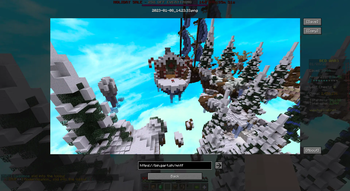
Screenshots



Über diese Mod
AxolotlClient
Your customizable alternative to popular pvp clients like Lunar/Badlion and Feather/Dawn.
Features
Features include:
- Friends system
- Freelook (Disabled on some servers)
- Nametag
- Beacon Beams
- Low Fire / Low Shield
- Hit Color
- Screenshot Manager
- Screenshot uploading
- Zoom
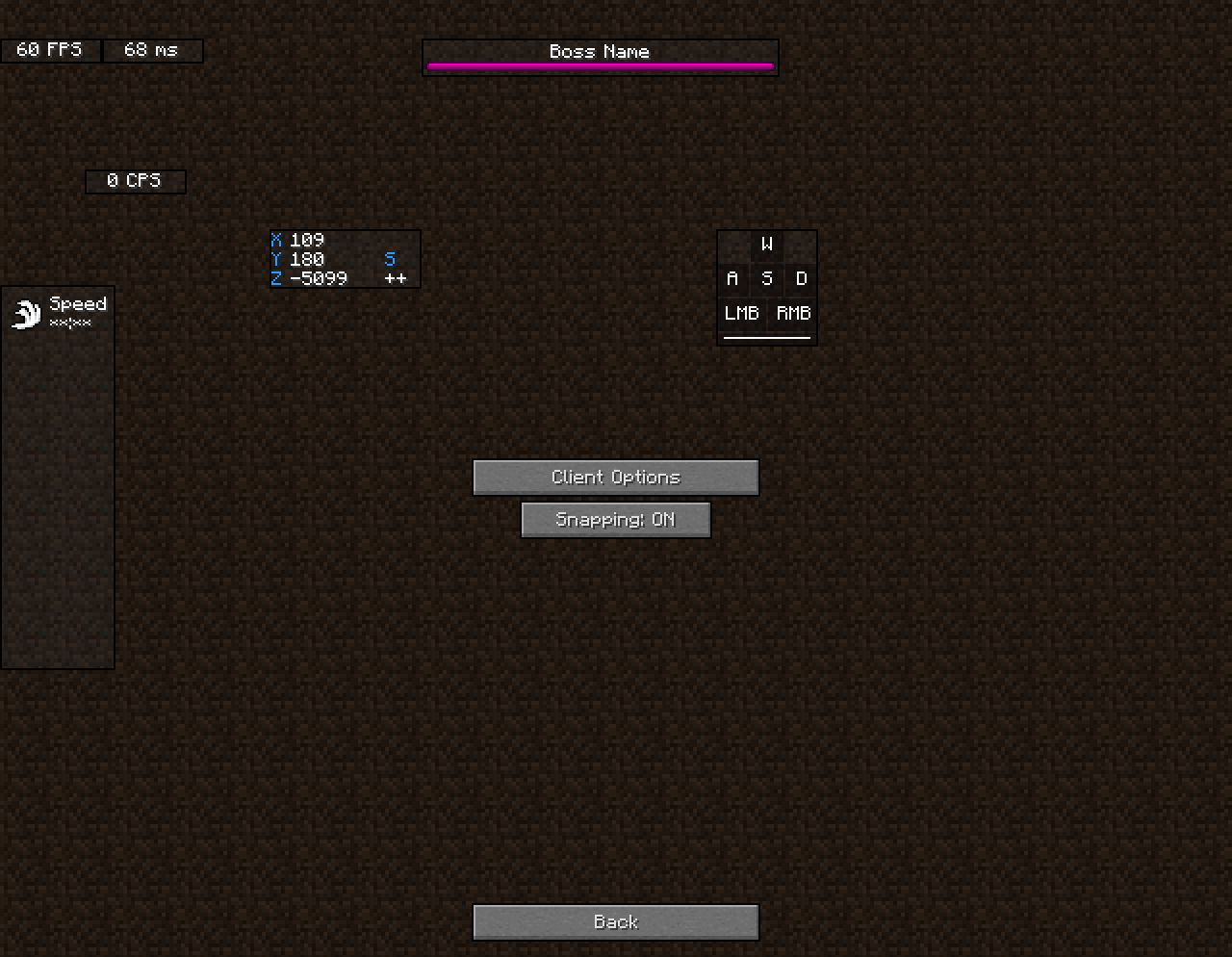
- Various Hud Modules (port/integration of KronHUD)
- including, but not limited to:
- Ping
- FPS
- CPS
- Armor
- Potions
- Keystrokes
- ToggleModifiers
- Server IP
- Icon
- Speed
- Scoreboard
- Crosshair
- Coordinates
- ActionBar
- BossBar
- Arrow
- Item Update
- Pack Display
- Real Time
- Hotbar
- Memory
- PlayerCount
- Compass
- TPS (Ticks per second)
- Player
- Chat (1.8.9 only)
- including, but not limited to:
- Hypixel Features
- AutoGG / GF / GLHF
- LevelHead
- Nick Hider
- Skyblock
- AutoTip
- AutoBoop
- Custom Block Outlines
- Time Changer
- Fullbright
- Motion Blur
- TNT Time
- Scrollable Tooltips
- Particles
- Discord RPC
- Custom Badges
- and many more!
Dependencies
Before downloading, please also download the respective API package for your version:
| Minecraft Version | 1.8.9 | >= 1.16 | >= 1.19 |
|---|---|---|---|
| AxolotlClient <= 3.0.6 | Legacy Fabric API | Fabric API | QSL |
| AxolotlClient >= 3.1.0 | OSL and legacy-lwjgl3
|
Fabric API
|
Fabric API |
Disclaimers
Disclaimers
We do not endorse nor support cheats/hacks. If you feel like one or more options packaged by this mod could be regarded as one of the above, please let us know and we'll remove said options or prevent people from using them.
A pvp client in the context used above are launcher + game modifications combinations widely used on popular servers such as Hypixel and others. This is not meant in the context of cheats and/or hacks.
Some features of this mod require communication to a backend located at https://api.axolotlclient.com. The usage of these features is governed by our Terms of Service and Privacy policy, available here. You will be asked for your consent to these terms before said features are enabled.
Credits
Credits
Credit to these wonderful people who create open-source mods.
DarkKronicle, the creator of KronHUD on which the hud modules in this mod are based.
AMereBagatelle, the author of the wonderful FabricSkyBoxes mod.
Verfügbare Versionen
AxolotlClient - Customizable HUD & Client QoL Features auf deinem Client installieren
Mod-Loader lokal installieren
Installiere fabric für deine lokale Minecraft-Version.
Passende Datei herunterladen
Wähle die AxolotlClient - Customizable HUD & Client QoL Features-Datei für fabric und Minecraft 26.2.
Mod installieren
Lege die .jar-Datei in deinem lokalen .minecraft/mods-Ordner ab und starte Minecraft neu. Eine Installation auf dem Server ist nicht nötig.
Kompatibilität
Mod-Loader
Minecraft-Versionen
26.2, 26.1.2, 26.1.1 (+24 weitere)
Server-seitig
✗ Nicht unterstütztEmpfohlener RAM
4 GB(min. 3 GB)Häufige Fragen
Muss AxolotlClient - Customizable HUD & Client QoL Features auf dem Minecraft Server installiert werden?
Nein. Modrinth kennzeichnet AxolotlClient - Customizable HUD & Client QoL Features serverseitig als nicht unterstützt. Installiere die Mod nur im lokalen Minecraft-Mods-Ordner. Dein Server kann unverändert bleiben, sofern die Mod-Seite keine zusätzliche Abhängigkeit nennt.
Welche Version und welchen Loader braucht AxolotlClient - Customizable HUD & Client QoL Features?
Nutze eine Datei für fabric, legacy-fabric, ornithe, quilt und exakt deine Minecraft-Version. Unterstützte Versionen sind unter anderem 26.2, 26.1.2, 26.1.1. Loader-Dateien sind nicht untereinander austauschbar.
AxolotlClient - Customizable HUD & Client QoL Features funktioniert nicht – was kann ich prüfen?
Prüfe zuerst Minecraft-Version, Loader-Version und erforderliche Abhängigkeiten. Lege die .jar-Datei im lokalen .minecraft/mods-Ordner ab und entferne ältere Duplikate. Da die Mod clientseitig ist, löst mehr Server-RAM dieses Problem nicht.
Ähnliche Mods






Minecraft Server für deine Gruppe
AxolotlClient - Customizable HUD & Client QoL Features bleibt auf deinem Client. Hoste dazu eine kompatible Welt für deine Mitspieler.
Details
- Lizenz
- GNU Lesser General Public License v3.0 or later
- Server-seitig
- Nicht unterstützt