BadOptimizations
Optimization mod that focuses on things other than rendering
Über diese Mod
BadOptimizations
A collection of mostly micro optimizations that add up to something bigger!
What does it do?
Multiple things:
- Avoid updating lightmap
Updating lightmap textures are one of the most expensive parts of the client tick. During each tick, the client will do vector math to calculate lightmaps for blocks and the sky, then upload that new texture to the GPU. However, this can be completely avoided and cached if nothing affecting block brightness has changed. This mod will cancel lightmap updates if nothing that changes block brightness (e.g. gamma slider, potion effects, dimension) has changed. - Don't do debug logic if we don't need to
Minecraft has four debug renderers that can be activated with a debug server: bees, game events, game test and villager AI. Even if there's nothing to process, the logic for these debug renderers are still executed. This mod will only execute them if debug is enabled and there is data from the server to process. - Sky color calculation optimizations (1.21.10 and below)
Minecraft uses a cubic color sampler every frame to calculate the current sky color. This function loops 216 times to factor in surrounding biomes, even if all surrounding biomes are identical or have identical sky colors. This mod makes the color sampler only used if you are between biomes with different sky colors, and caches it for each tick. Otherwise, a shorter, simpler and faster sky color calculation is used.
That's a few of them, at least. You can disable any optimization in the config file if you need to.
How much does it help?
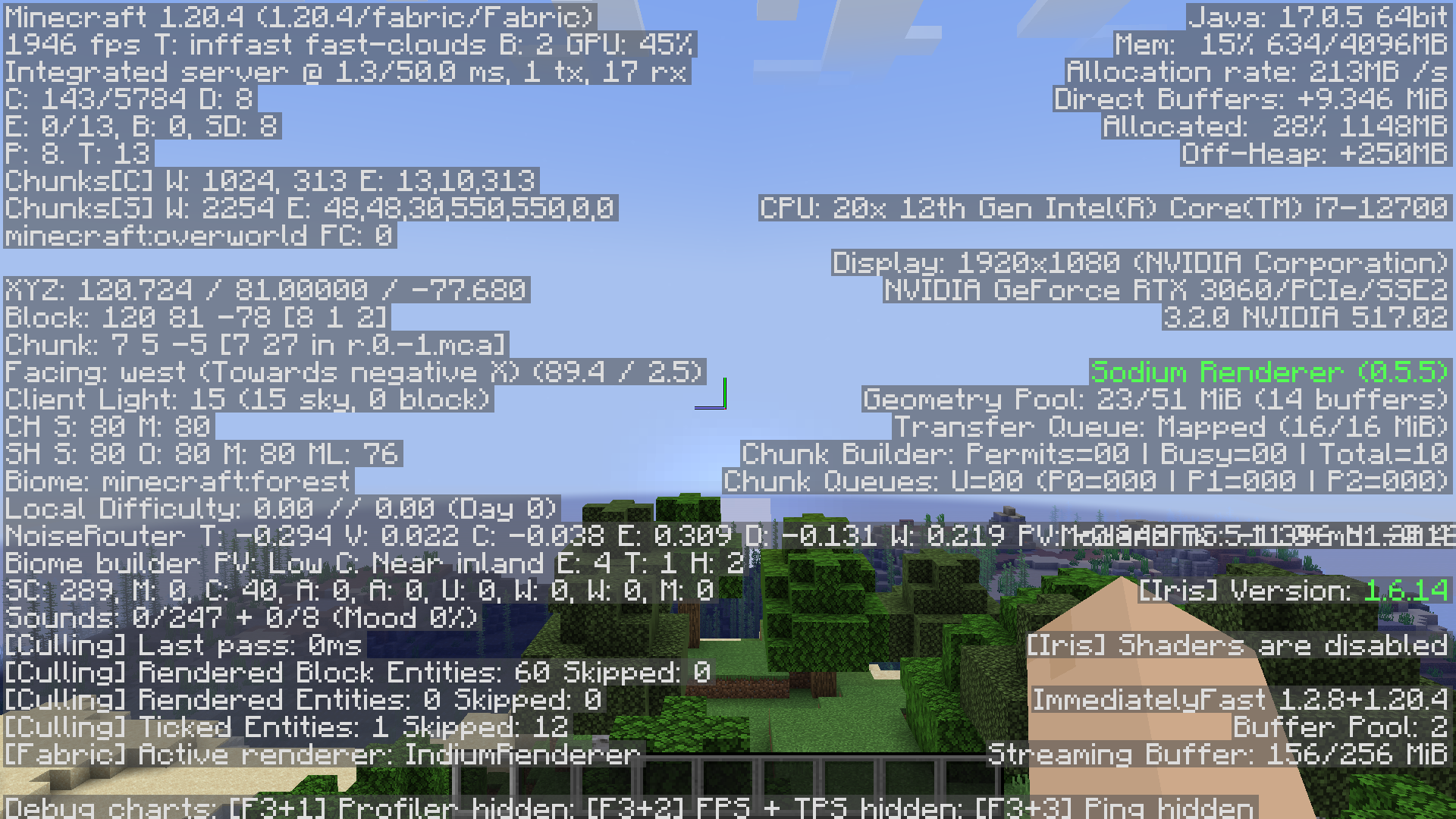
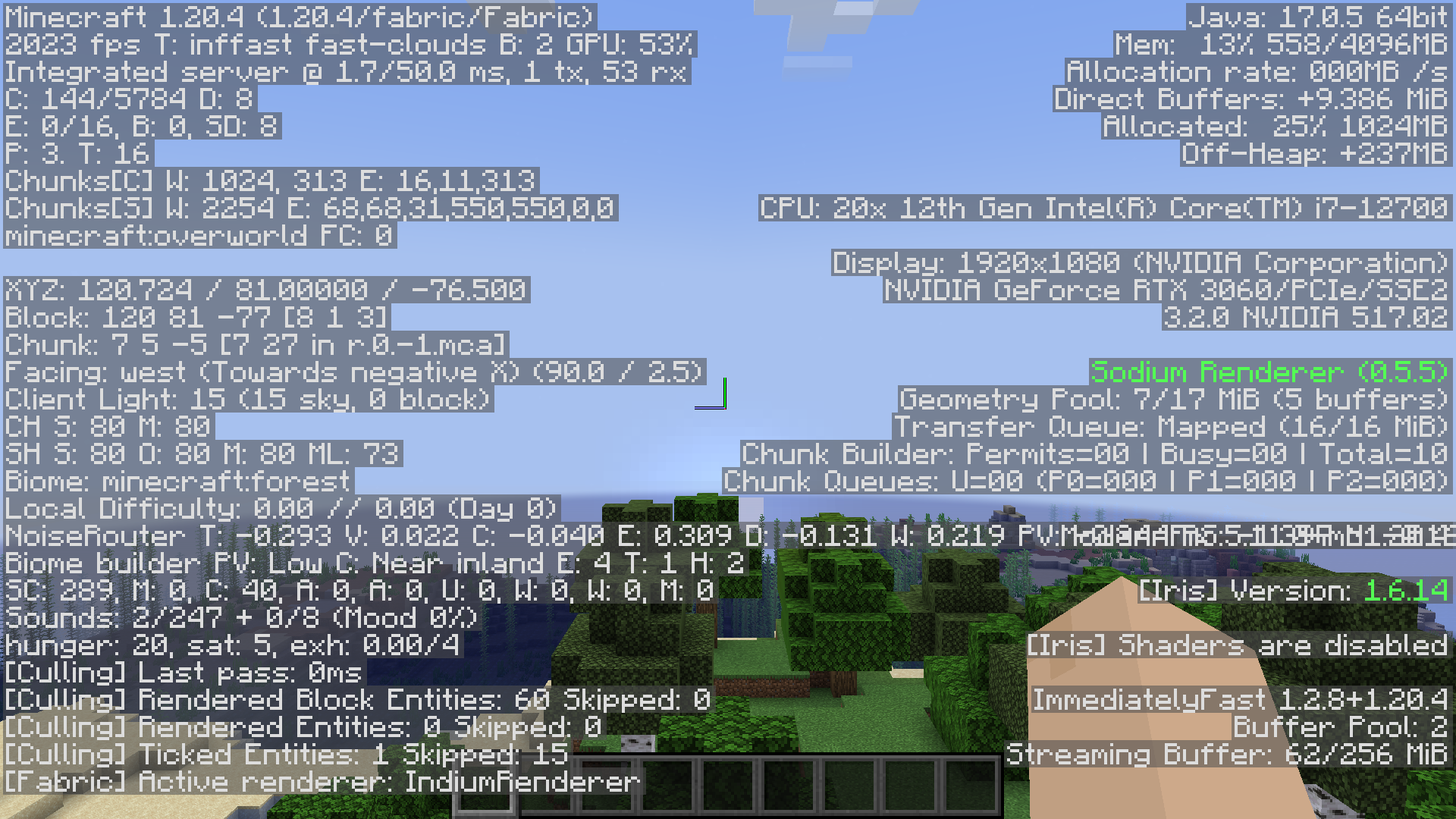
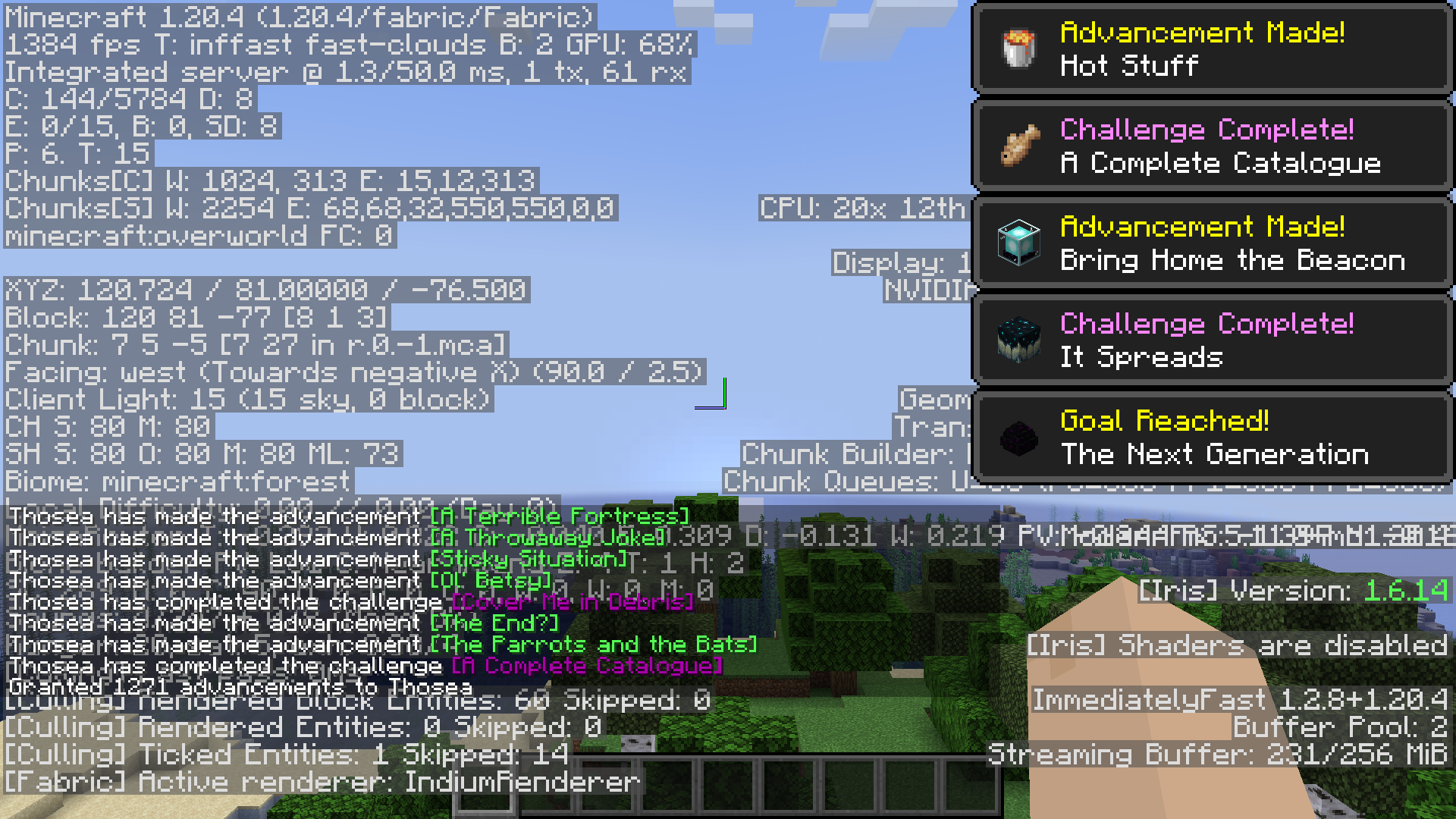
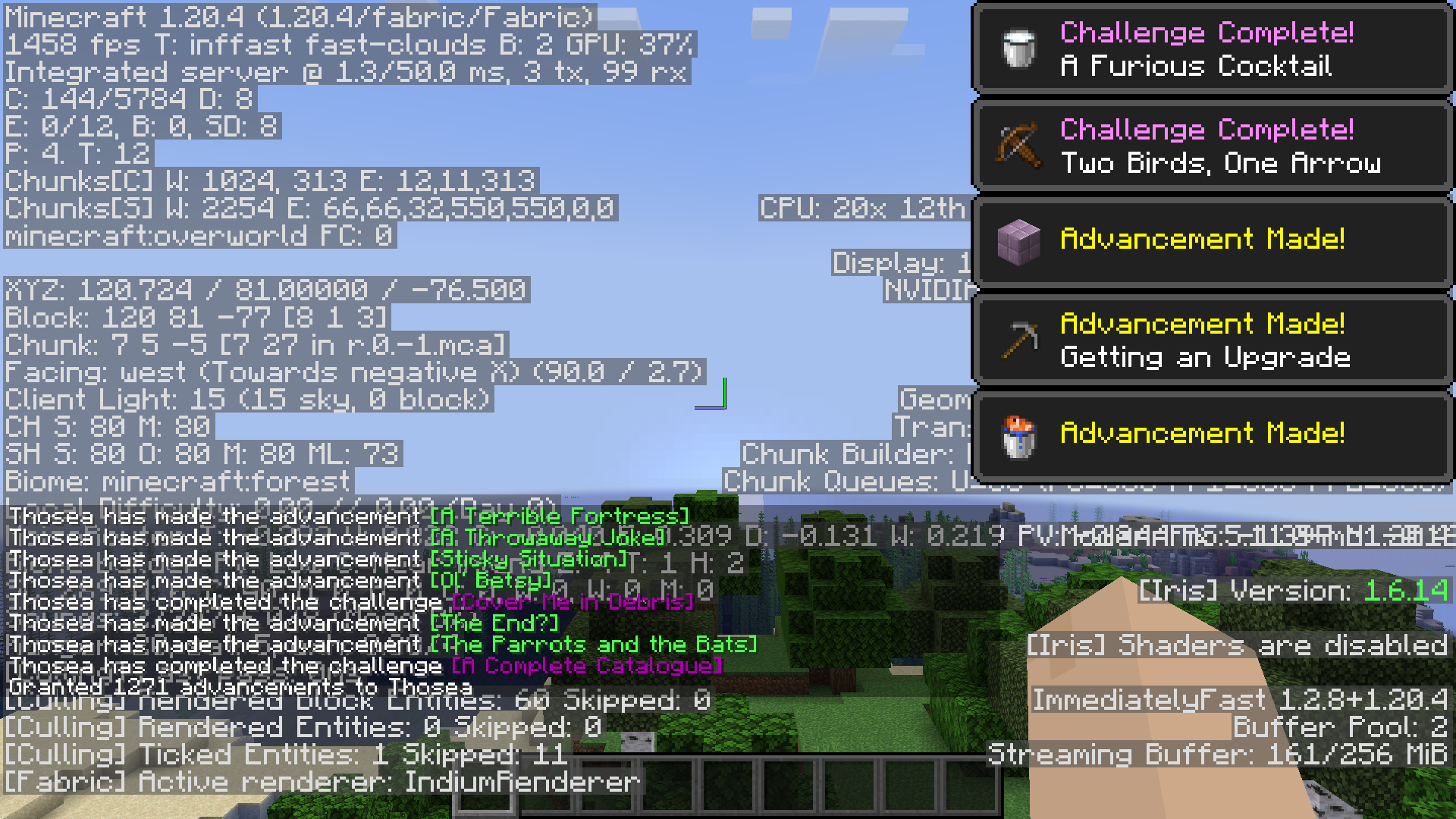
Depends on your system and luck, but on my own PC, an RTX 3060, intel i7 12700 and 4GB of allocated ram on Fabulously Optimized:
Without toasts, it goes from 1926-1955 FPS:
To 2008-2023 FPS:
And with toasts, it goes from 1351-1384 FPS:
To 1414-1458 FPS:
My mod is incompatible!
You can mark your mod as incompatible with specific BadOptimizations options. If your mod is present, BadOptimizations will automatically disable the specific options you specify.
You can also add hooks that tell BadOptimizations when the lightmap or sky color needs to be updated instead of adding a hard incompatibility to the caching optimizations.
Dependencies?
None.
(Also available on CurseForge, if that's your thing.)
Verfügbare Versionen
BadOptimizations auf deinem Client installieren
Mod-Loader lokal installieren
Installiere fabric für deine lokale Minecraft-Version.
Passende Datei herunterladen
Wähle die BadOptimizations-Datei für fabric und Minecraft 26.3.
Mod installieren
Lege die .jar-Datei in deinem lokalen .minecraft/mods-Ordner ab und starte Minecraft neu. Eine Installation auf dem Server ist nicht nötig.
Kompatibilität
Mod-Loader
Minecraft-Versionen
26.3, 26.2, 26.1.2 (+24 weitere)
Server-seitig
✗ Nicht unterstütztEmpfohlener RAM
4 GB(min. 3 GB)Häufige Fragen
Muss BadOptimizations auf dem Minecraft Server installiert werden?
Nein. Modrinth kennzeichnet BadOptimizations serverseitig als nicht unterstützt. Installiere die Mod nur im lokalen Minecraft-Mods-Ordner. Dein Server kann unverändert bleiben, sofern die Mod-Seite keine zusätzliche Abhängigkeit nennt.
Welche Version und welchen Loader braucht BadOptimizations?
Nutze eine Datei für fabric, forge, neoforge und exakt deine Minecraft-Version. Unterstützte Versionen sind unter anderem 26.3, 26.2, 26.1.2. Loader-Dateien sind nicht untereinander austauschbar.
BadOptimizations funktioniert nicht – was kann ich prüfen?
Prüfe zuerst Minecraft-Version, Loader-Version und erforderliche Abhängigkeiten. Lege die .jar-Datei im lokalen .minecraft/mods-Ordner ab und entferne ältere Duplikate. Da die Mod clientseitig ist, löst mehr Server-RAM dieses Problem nicht.
Ähnliche Mods


Minecraft Server für deine Gruppe
BadOptimizations bleibt auf deinem Client. Hoste dazu eine kompatible Welt für deine Mitspieler.