Bedrock Skins
Allows Bedrock Edition and Legacy Console Edition skin packs to be used natively on Java Edition!
Screenshots

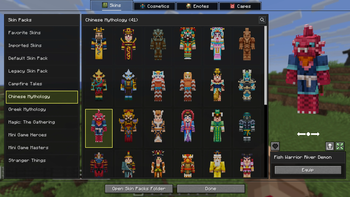
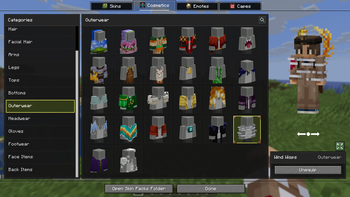
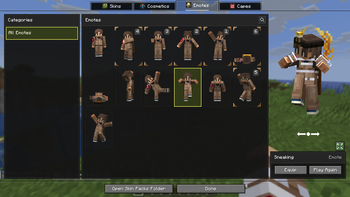
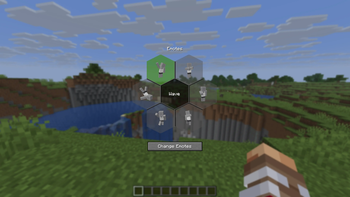
Über diese Mod
Bedrock Skins
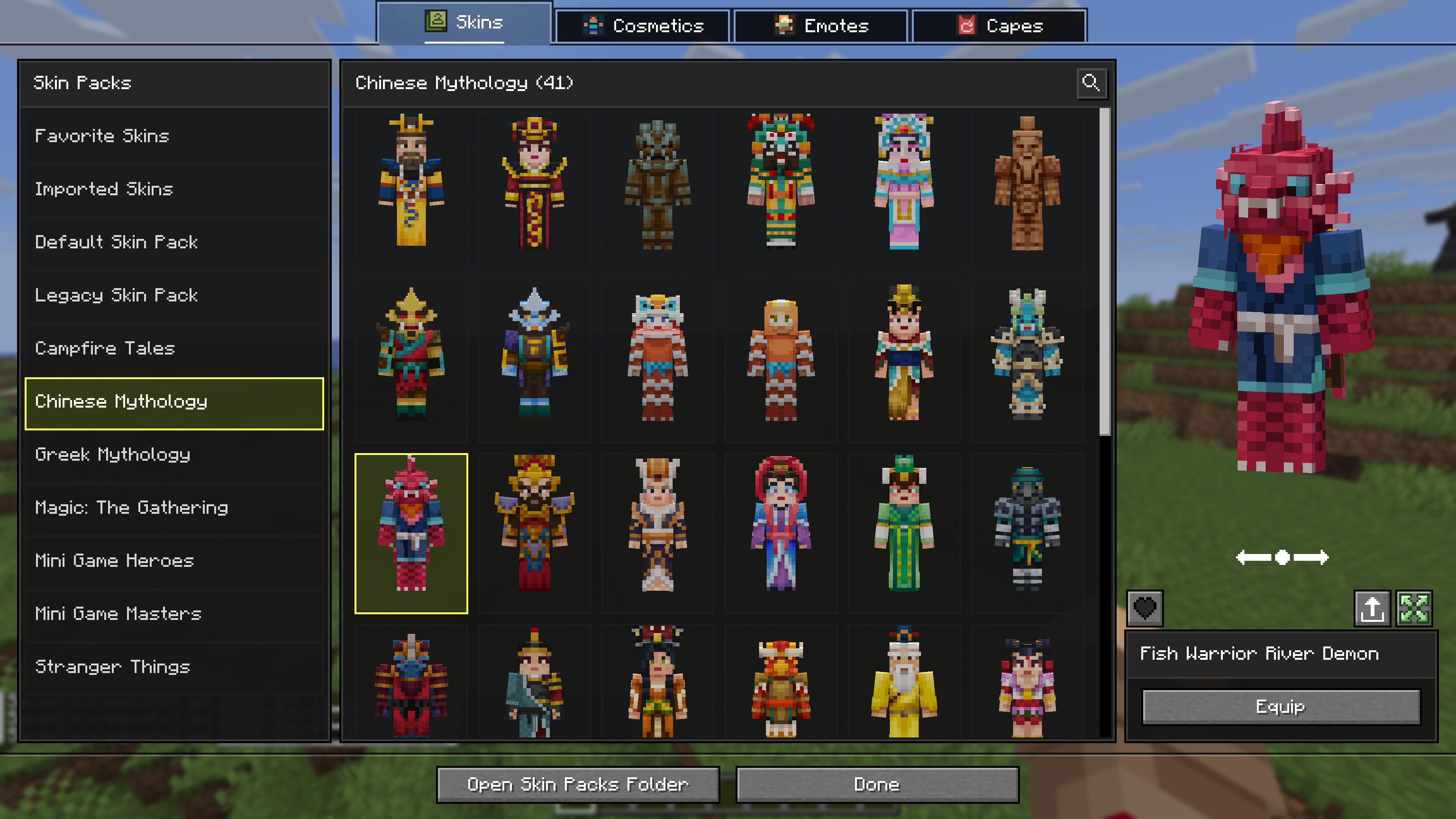
This mod allows you to load and render skins from Bedrock Edition and Legacy Console Edition Skin Packs natively. It enables fully custom 3D geometry, unique skin animations, as well as high-resolution textures.
Features
- Native Bedrock Geometry: Natively supports standard Bedrock JSON geometry files, allowing for complex, custom 3D models.
- Custom Animations & HD Textures: Fully supports unique skin animations and high-resolution textures included in skin packs.
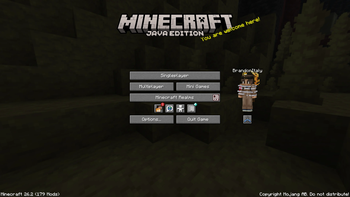
- Wardrobe Screen: Access the wardrobe screen by pressing
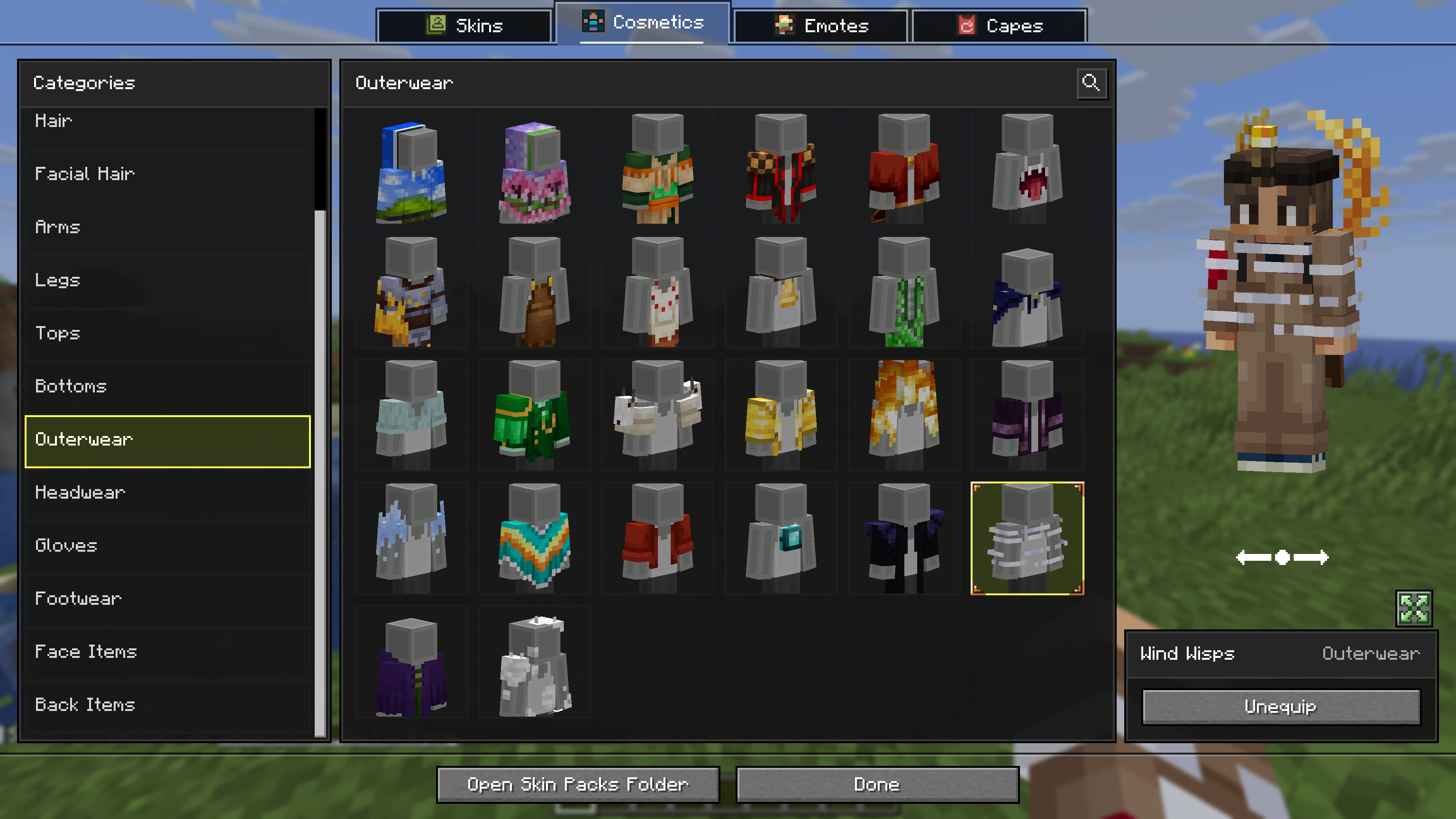
K, or via the buttons added directly to both the Main Menu and the Pause Screen. Browse your installed packs and cosmetics, preview skins, and manage your favorites. - Paper Doll Render: Features a paper doll render of your currently selected skin in the Main Menu and the Pause Screen, right above the change skin button.
- Legacy4J Compatibility: Enjoy native support for the Legacy4J mod.
Downloading Skin Packs
Additional skin packs can be downloaded with the following resource pack.
Adding Skin Packs
- Run the game once to generate the
skin_packsfolder in your main game directory (e.g.,.minecraft/skin_packs). - Place your Bedrock Edition skin pack folders directly into this directory.
- Ensure your pack folder contains a
skins.jsonfile. If your skins utilize custom models, ageometry.jsonfile is also required.Example:
.minecraft/skin_packs/MyCustomPack/skins.json
Adding Cosmetics
- Run the game once to generate the
personafolder in your main game directory (e.g.,.minecraft/persona). - Ensure your cosmetic folder contains a
.meta.jsonfile. - Place your Bedrock Edition cosmetic folders directly into this directory.
Example:
.minecraft/persona/steve_shirt/steve_shirt.meta.json

Verfügbare Versionen
Bedrock Skins auf dem Server installieren
Server bestellen
Bestelle einen Minecraft Java Server mit mindestens 3 GB RAM (4 GB empfohlen).
fabric Loader setzen
Wähle im Panel unter "Egg" den fabric-Loader und die passende Minecraft-Version (26.3).
Mod installieren
Öffne den Mod-Browser im Dashboard und suche nach "Bedrock Skins". Klicke "Installieren" – fertig! Alternativ: Lade die .jar via SFTP in den /mods Ordner.
Kompatibilität
Mod-Loader
Minecraft-Versionen
26.3, 26.2, 26.1.2 (+5 weitere)
Server-seitig
~ OptionalEmpfohlener RAM
4 GB(min. 3 GB)Häufige Fragen
Bedrock Skins Server crasht beim Start – was tun?
Häufigste Ursache: falsche fabric-Version oder zu wenig RAM. Prüfe im Server-Log (latest.log), ob ein "OutOfMemoryError" oder "Mixin"-Fehler auftritt. Bei Mado Hosting: Stelle sicher, dass mindestens 3 GB RAM zugewiesen sind und der Loader zur Mod-Version passt (26.3). Über das Panel kannst du den Loader mit einem Klick wechseln.
Ist Bedrock Skins mit fabric und neoforge und quilt kompatibel?
Bedrock Skins unterstützt offiziell fabric, neoforge, quilt für Minecraft 26.3, 26.2, 26.1.2. Im Mado Dashboard werden inkompatible Loader-Kombinationen automatisch erkannt.
Server laggt mit Bedrock Skins – wie optimiere ich die Performance?
Empfohlener RAM: 4 GB (+1 GB pro 8 Spieler). Prüfe mit /spark profiler, ob Bedrock Skins den meisten Tick-Time verbraucht. Häufige Fixes: Server-View-Distance auf 8-10 reduzieren, bei Forge "performant" oder "starlight" als Zusatz-Mod installieren. Bei Mado Hosting läuft dein Server auf NVMe-SSDs mit dedizierten CPU-Kernen für minimale Latenz.
Ähnliche Mods






Modded Server mieten
Installiere Bedrock Skins mit nur einem Klick auf deinem Server.