
Better Mods Button
Your mods button, your way. Where you want it, and how you want it!
Screenshots
Über diese Mod




📖 About:
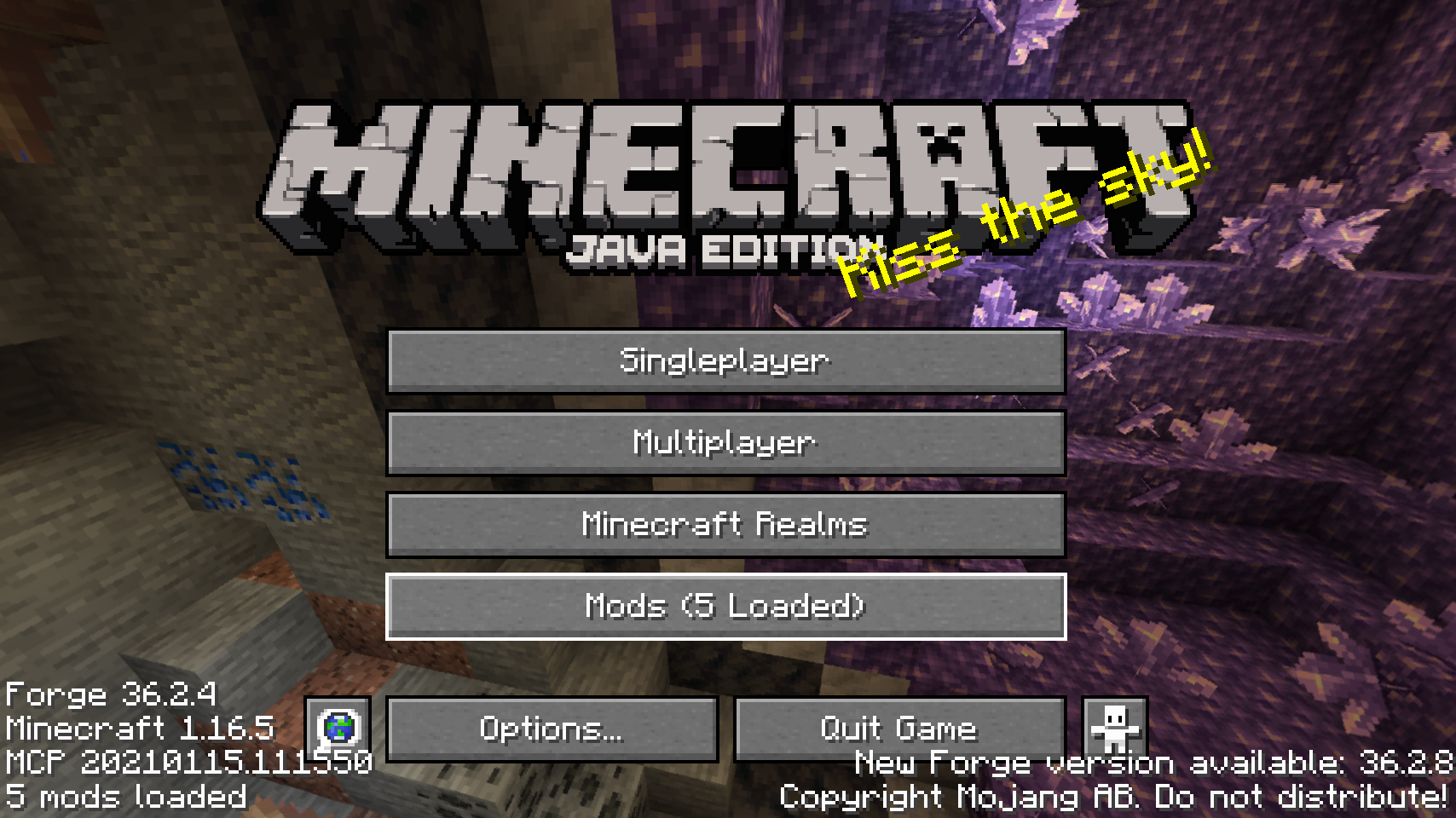
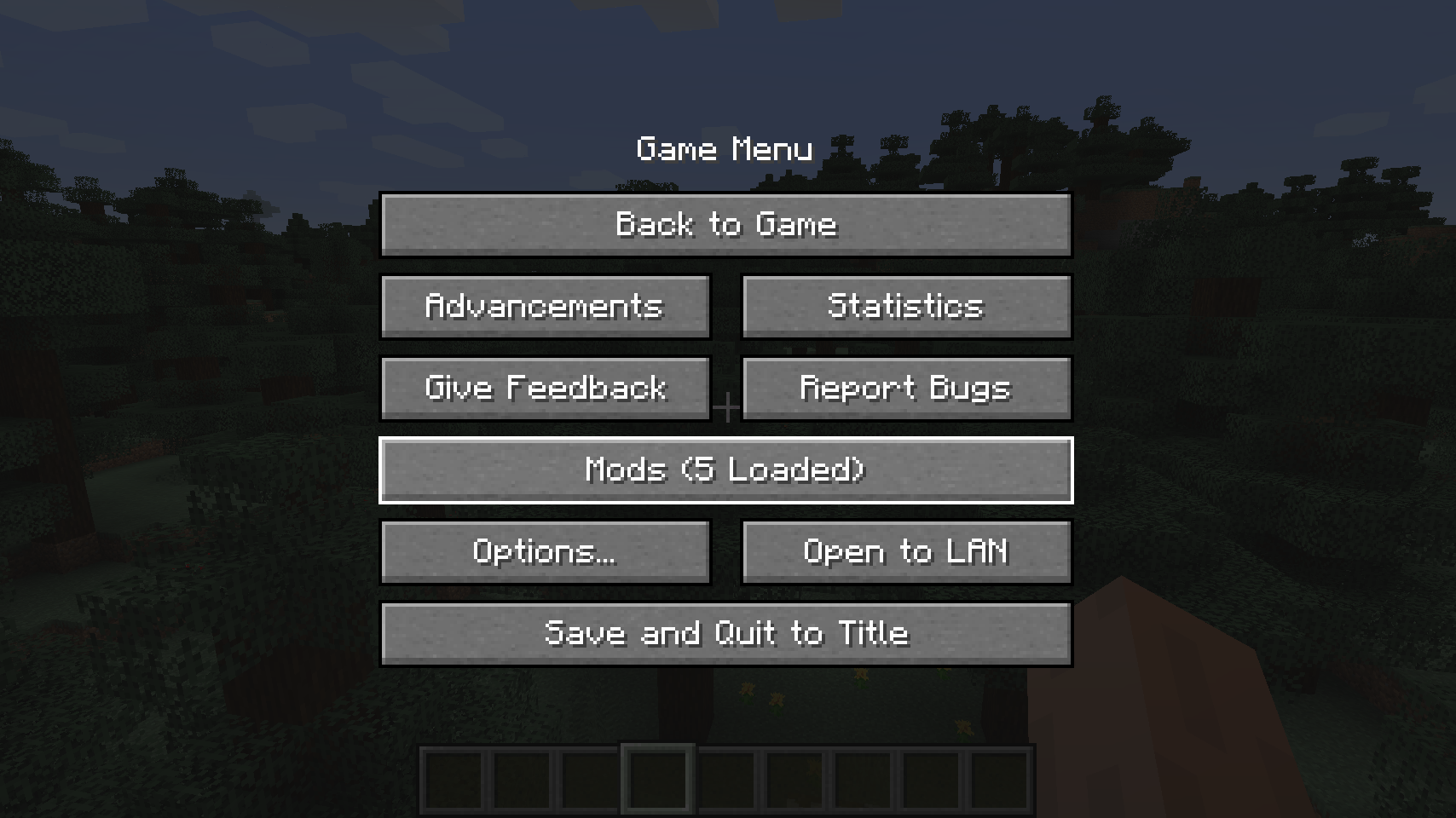
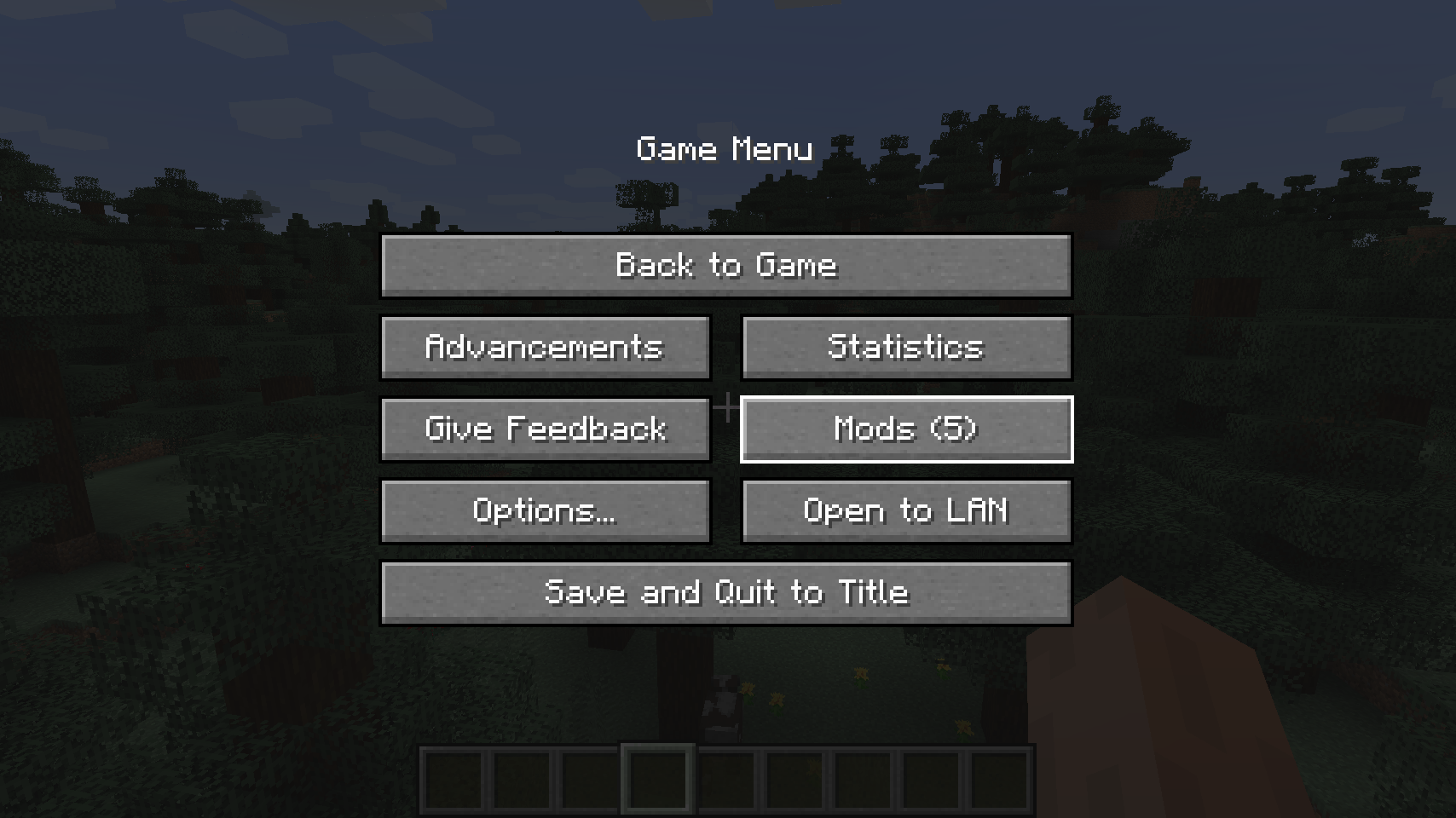
Better Mods Button adds the mods button back to the pause screen as in Forge versions prior to Minecraft 1.13, so it can be used to easily access in-game mod configuration (when available).
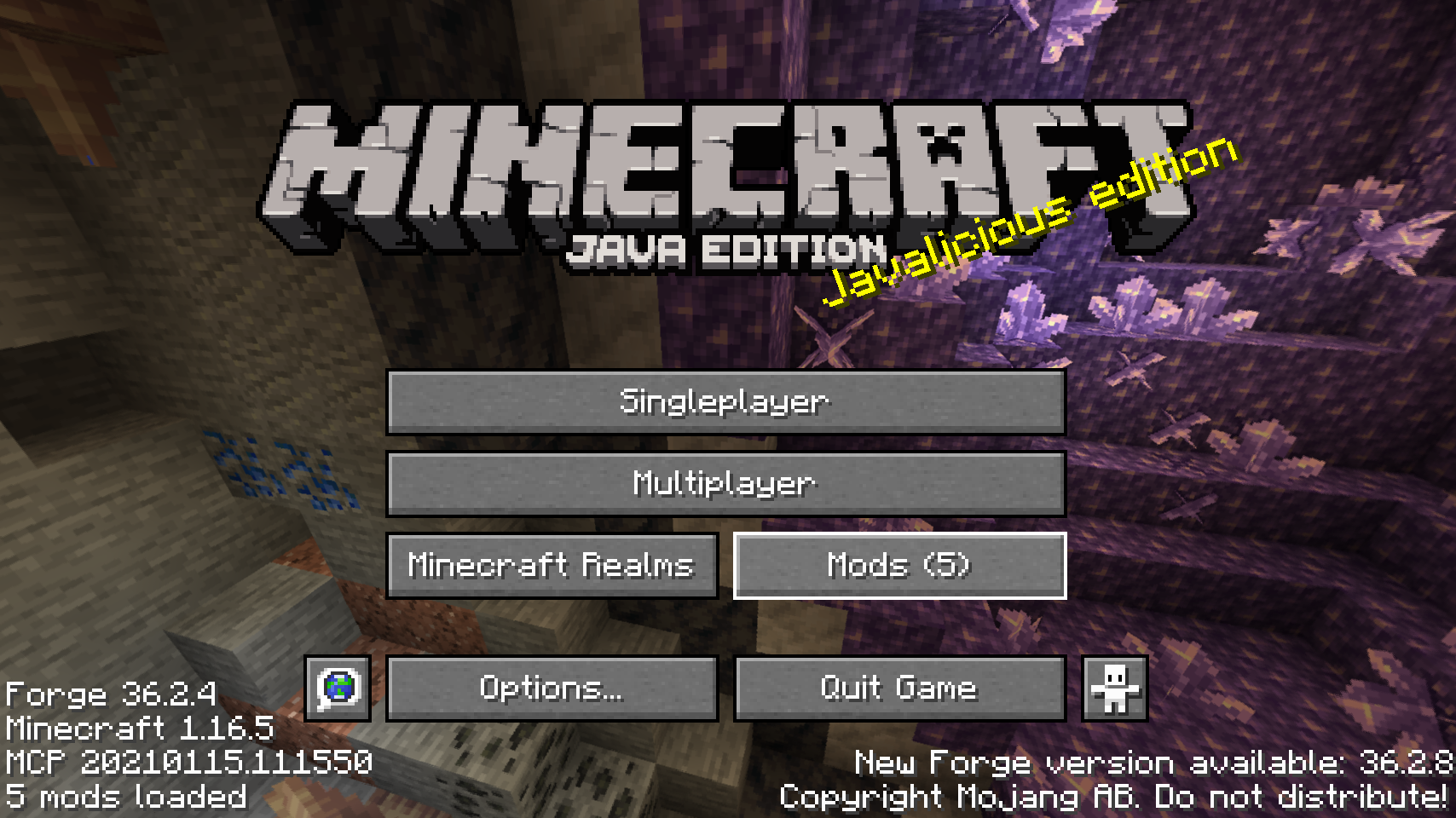
As a bonus, there are plenty of options for where and how exactly you want your mods button to be shown on screen (heavily inspired by Mod Menu). Showing a total mod count, as well as toggling the update notification glyph are both supported.
📷 Media:
 |
 |
|
| Default mods button on title screen | One of the alternative mods button placements | |
 |
 |
|
| Default mods button on pause menu | An alternative placement for the pause screen | |
 |
||
| Another alternative pause screen button placement | ||
💡 FAQ:
Q: How do I configure this mod?
A: Install my Config Menus for Forge mod and do it directly in-game!
Q: What about a Fabric port?
A: Use Mod Menu by ProspectorDev instead.
🏆 Credits:
Developing Better Mods Button was helped and inspired by:
- ProspectorDev for inspiring most of the configuration options for this mod from their Mod Menu mod







 |
 |
|
 |
 |
|
 |
 |
|
 |
 |
|
 |
 |
|
Verfügbare Versionen
Better Mods Button auf deinem Client installieren
Mod-Loader lokal installieren
Installiere forge für deine lokale Minecraft-Version.
Passende Datei herunterladen
Wähle die Better Mods Button-Datei für forge und Minecraft 26.1.2.
Mod installieren
Lege die .jar-Datei in deinem lokalen .minecraft/mods-Ordner ab und starte Minecraft neu. Eine Installation auf dem Server ist nicht nötig.
Kompatibilität
Mod-Loader
Minecraft-Versionen
26.1.2, 26.1.1, 26.1 (+20 weitere)
Server-seitig
✗ Nicht unterstütztEmpfohlener RAM
4 GB(min. 3 GB)Häufige Fragen
Muss Better Mods Button auf dem Minecraft Server installiert werden?
Nein. Modrinth kennzeichnet Better Mods Button serverseitig als nicht unterstützt. Installiere die Mod nur im lokalen Minecraft-Mods-Ordner. Dein Server kann unverändert bleiben, sofern die Mod-Seite keine zusätzliche Abhängigkeit nennt.
Welche Version und welchen Loader braucht Better Mods Button?
Nutze eine Datei für forge, neoforge und exakt deine Minecraft-Version. Unterstützte Versionen sind unter anderem 26.1.2, 26.1.1, 26.1. Loader-Dateien sind nicht untereinander austauschbar.
Better Mods Button funktioniert nicht – was kann ich prüfen?
Prüfe zuerst Minecraft-Version, Loader-Version und erforderliche Abhängigkeiten. Lege die .jar-Datei im lokalen .minecraft/mods-Ordner ab und entferne ältere Duplikate. Da die Mod clientseitig ist, löst mehr Server-RAM dieses Problem nicht.
Ähnliche Mods




![[ETF] Entity Texture Features](https://cdn.modrinth.com/data/BVzZfTc1/af683d206d50b05258d865b0d6e4aa2f2cee12f2_96.webp)

Minecraft Server für deine Gruppe
Better Mods Button bleibt auf deinem Client. Hoste dazu eine kompatible Welt für deine Mitspieler.