
Better Statistics Screen
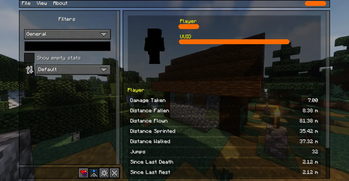
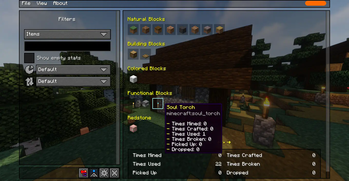
A Minecraft mod that improves the statistics screen and makes it more useful.
Screenshots

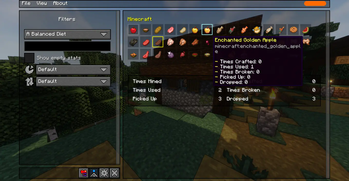
Über diese Mod





A Minecraft mod that improves the statistics screen and makes it more useful.
(The thumbnail screenshot features Biomes O' Plenty, Complementary Shaders, and Bare Bones)
Introduction
The vanilla statistics screen is a mess, harder to read and navigate, and lacks features like proper search and filtering functionalities, making it harder to find what you're looking for. The goal of this mod is to make it easier to navigate and find the specific statistics you are looking for, especially when your world has dozens or hundreds of entries to keep track of.
Key features
- 🔍 Searching, filtering, sorting, and grouping statistics
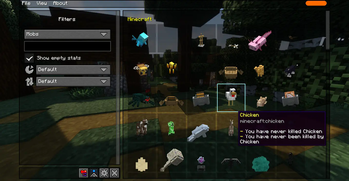
- 📊 Item and mob statistics are shown in a nice and clean visual grid
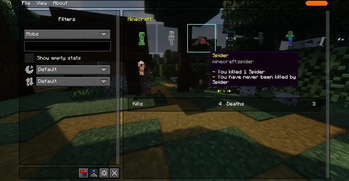
- 🖥️ Mobs are visually rendered on the screen because it looks nicer und makes finding them faster
- 📂 Saving and loading statistics files, as well as a tabbed interface for viewing multiple files
- 🌐 Sharing statistics with your friends and anyone else you'd like
- ⚙️ Optional
/statisticscommand, for integrating statistics into commands and data-packs
Dependencies
This mod depends on some other mods that first need to be installed before this mod can be installed. Those dependencies are as follows:
- 🧵 Fabric API - Only if running on Fabric. Not required on NeoForge.
- 🖥 TCDCommons API - Powers the GUI interface of this mod
Verfügbare Versionen
Better Statistics Screen auf dem Server installieren
Server bestellen
Bestelle einen Minecraft Java Server mit mindestens 3 GB RAM (4 GB empfohlen).
fabric Loader setzen
Wähle im Panel unter "Egg" den fabric-Loader und die passende Minecraft-Version (26.3).
Mod installieren
Öffne den Mod-Browser im Dashboard und suche nach "Better Statistics Screen". Klicke "Installieren" – fertig! Alternativ: Lade die .jar via SFTP in den /mods Ordner.
Kompatibilität
Mod-Loader
Minecraft-Versionen
26.3, 26.2, 26.1.2 (+31 weitere)
Server-seitig
~ OptionalEmpfohlener RAM
4 GB(min. 3 GB)Häufige Fragen
Better Statistics Screen Server crasht beim Start – was tun?
Häufigste Ursache: falsche fabric-Version oder zu wenig RAM. Prüfe im Server-Log (latest.log), ob ein "OutOfMemoryError" oder "Mixin"-Fehler auftritt. Bei Mado Hosting: Stelle sicher, dass mindestens 3 GB RAM zugewiesen sind und der Loader zur Mod-Version passt (26.3). Über das Panel kannst du den Loader mit einem Klick wechseln.
Ist Better Statistics Screen mit fabric und forge und neoforge und quilt kompatibel?
Better Statistics Screen unterstützt offiziell fabric, forge, neoforge, quilt für Minecraft 26.3, 26.2, 26.1.2. Achtung: Forge- und Fabric-Mods sind NICHT untereinander kompatibel – wähle einen Loader und bleibe dabei. Im Mado Dashboard werden inkompatible Loader-Kombinationen automatisch erkannt.
Server laggt mit Better Statistics Screen – wie optimiere ich die Performance?
Empfohlener RAM: 4 GB (+1 GB pro 8 Spieler). Prüfe mit /spark profiler, ob Better Statistics Screen den meisten Tick-Time verbraucht. Häufige Fixes: Server-View-Distance auf 8-10 reduzieren, bei Forge "performant" oder "starlight" als Zusatz-Mod installieren. Bei Mado Hosting läuft dein Server auf NVMe-SSDs mit dedizierten CPU-Kernen für minimale Latenz.
Ähnliche Mods




![[ETF] Entity Texture Features](https://cdn.modrinth.com/data/BVzZfTc1/af683d206d50b05258d865b0d6e4aa2f2cee12f2_96.webp)

Modded Server mieten
Installiere Better Statistics Screen mit nur einem Klick auf deinem Server.