
Better Statistics Screen
A Minecraft mod that improves the statistics screen and makes it more useful.
Screenshots

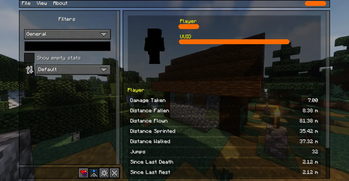
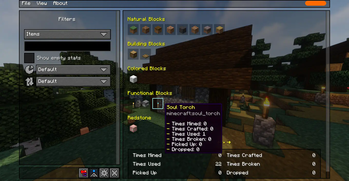
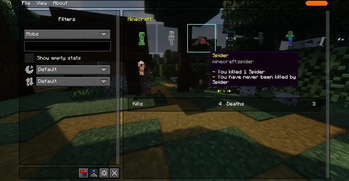
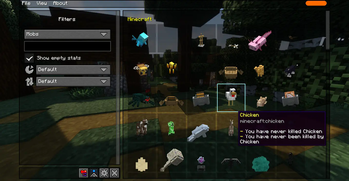
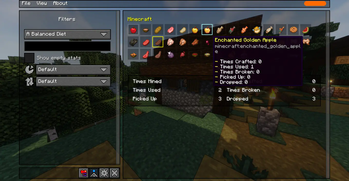
About this Mod





A Minecraft mod that improves the statistics screen and makes it more useful.
(The thumbnail screenshot features Biomes O' Plenty, Complementary Shaders, and Bare Bones)
Introduction
The vanilla statistics screen is a mess, harder to read and navigate, and lacks features like proper search and filtering functionalities, making it harder to find what you're looking for. The goal of this mod is to make it easier to navigate and find the specific statistics you are looking for, especially when your world has dozens or hundreds of entries to keep track of.
Key features
- 🔍 Searching, filtering, sorting, and grouping statistics
- 📊 Item and mob statistics are shown in a nice and clean visual grid
- 🖥️ Mobs are visually rendered on the screen because it looks nicer und makes finding them faster
- 📂 Saving and loading statistics files, as well as a tabbed interface for viewing multiple files
- 🌐 Sharing statistics with your friends and anyone else you'd like
- ⚙️ Optional
/statisticscommand, for integrating statistics into commands and data-packs
Dependencies
This mod depends on some other mods that first need to be installed before this mod can be installed. Those dependencies are as follows:
- 🧵 Fabric API - Only if running on Fabric. Not required on NeoForge.
- 🖥 TCDCommons API - Powers the GUI interface of this mod
Available Versions
How to Install Better Statistics Screen on Your Server
Order Server
Order a Minecraft Java server with at least 3 GB RAM (4 GB recommended).
Set fabric Loader
In the panel under "Egg", select the fabric loader and matching Minecraft version (26.3).
Install Mod
Open the mod browser in the dashboard and search for "Better Statistics Screen". Click "Install" – done! Alternatively, upload the .jar via SFTP to the /mods folder.
Compatibility
Mod Loaders
Minecraft Versions
26.3, 26.2, 26.1.2 (+31 more)
Server-side
~ OptionalRecommended RAM
4 GB(min. 3 GB)Frequently Asked Questions
Better Statistics Screen server crashes on startup – what to do?
Most common cause: wrong fabric version or insufficient RAM. Check the server log (latest.log) for "OutOfMemoryError" or "Mixin" errors. With Mado Hosting: ensure at least 3 GB RAM is allocated and the loader matches the mod version (26.3). You can switch loaders with one click in the panel.
Is Better Statistics Screen compatible with fabric and forge and neoforge and quilt?
Better Statistics Screen officially supports fabric, forge, neoforge, quilt for Minecraft 26.3, 26.2, 26.1.2. Note: Forge and Fabric mods are NOT cross-compatible – pick one loader and stick with it. The Mado dashboard automatically detects incompatible loader combinations.
Server lagging with Better Statistics Screen – how to optimize performance?
Recommended RAM: 4 GB (per 8 players). Use /spark profiler to check if Better Statistics Screen consumes the most tick time. Common fixes: reduce server view-distance to 8-10, install "performant" or "starlight" as supplementary mods on Forge. With Mado Hosting, your server runs on NVMe SSDs with dedicated CPU cores for minimal latency.
Similar Mods




![[ETF] Entity Texture Features](https://cdn.modrinth.com/data/BVzZfTc1/af683d206d50b05258d865b0d6e4aa2f2cee12f2_96.webp)

Rent Modded Server
Install Better Statistics Screen with just one click on your server.