
Modrinth · Fabric, Forge, NeoForge, Quilt
Blooming Biosphere auf deinem Minecraft Server
Blooming Biosphere läuft auf Minecraft Servern mit Fabric oder Forge oder NeoForge oder Quilt. Bestell deinen Server, stell den Loader im Panel ein und installiere die Mod mit einem Klick im Mod-Browser.
An overworld biome overhaul, enhancing vanilla's feel with new detail and vegetation
- Downloads
- 382.6K
- Autor
- hhumanoid
- Loader
- Fabric, Forge, NeoForge, Quilt
- Minecraft
- 1.20 – 26.1.2
- Aktualisiert
- –
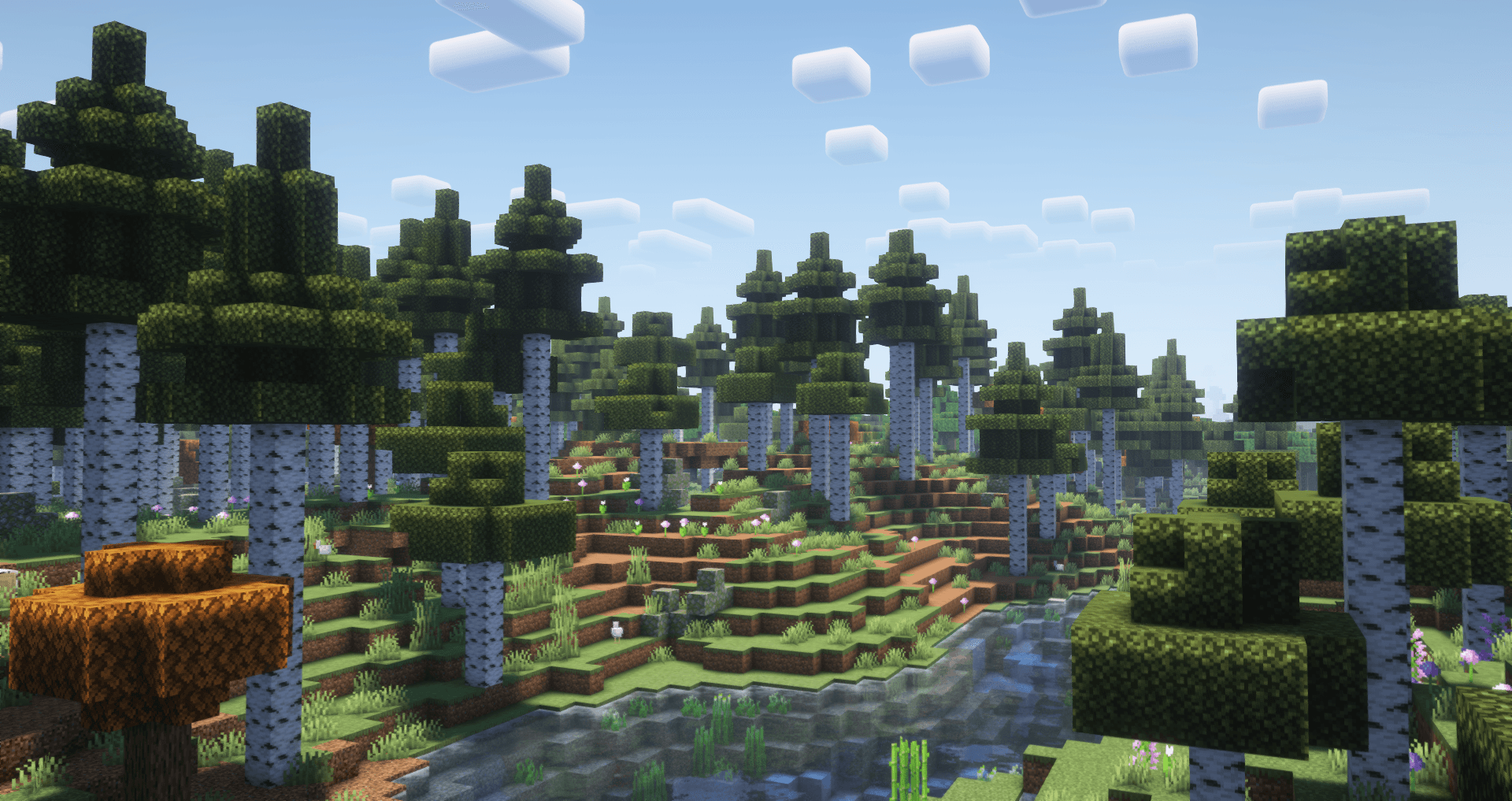
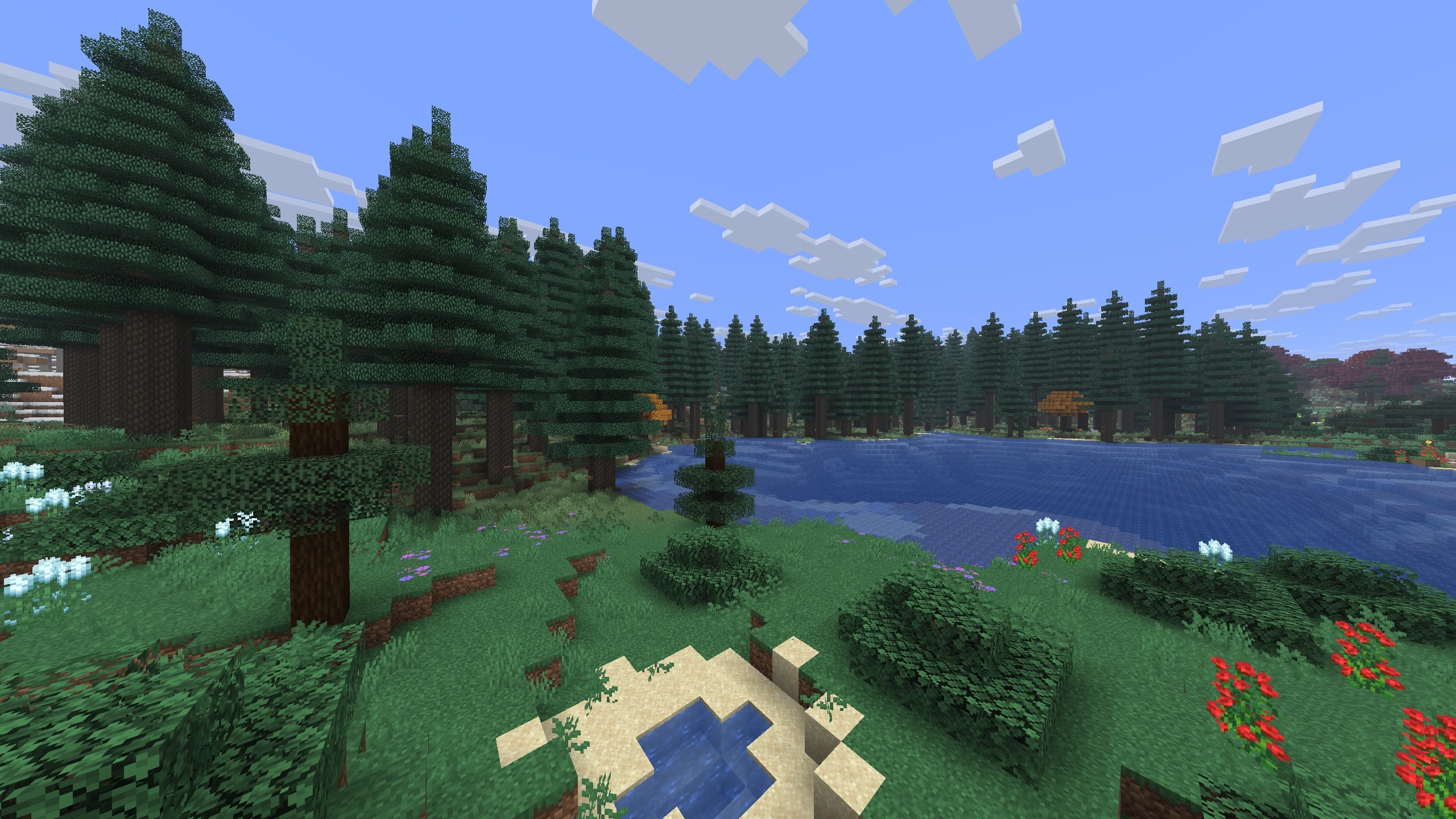
Screenshots
So sieht Blooming Biosphere aus


Bilder: Blooming Biosphere auf Modrinth, vom Projektteam veröffentlicht.
Einrichtung
Blooming Biosphere auf dem Server installieren
Server und Spieler brauchen denselben Loader und dieselbe Minecraft-Version. Sichere die Welt, bevor du Mods hinzufügst oder aktualisierst.
- 01
Konfigurieren
6 GB RAM sind vorausgewählt. Laufzeit und Add-ons wählst du selbst, bezahlt wird per Kreditkarte oder PayPal.
- 02
Loader einstellen
Stell im Panel die Serversoftware auf Fabric oder Forge oder NeoForge oder Quilt und wähl die passende Minecraft-Version, zum Beispiel 26.1.2.
- 03
Mod installieren
Such im Mod-Browser nach „Blooming Biosphere“ und installiere die Version für deinen Loader. Alternativ lädst du die .jar per SFTP in den Ordner mods. Erforderliche Abhängigkeiten stehen auf der Projektseite.
- 04
Verbinden
Blooming Biosphere ist auf dem Client optional. Spieler verbinden sich über die Serveradresse aus dem Panel.
- Auf dem Server
- Erforderlich
- Auf dem Client
- Optional
- Loader
- Fabric, Forge, NeoForge, Quilt
- Minecraft
- 26.1.2, 26.1.1, 26.1 +15 weitere
- Lizenz
- Creative Commons Attribution Non Commercial Share Alike 4.0 International
Das Panel
Mods installieren, Fehler finden.
Echte Screenshots aus dem Mado Panel. Beides ist bei jedem Minecraft Server enthalten.
Mod-Browser
Modrinth und CurseForge direkt im Panel.
Der Browser filtert nach deiner Minecraft-Version. Mods installierst du mit einem Klick, ohne .jar-Dateien hochzuladen.

KI-Crash-Analyse
Wenn ein Mod crasht, liest die Analyse das Log.
Mods scheitern oft an einer falschen Loader-Version, Java-Version oder fehlenden Abhängigkeit. Die Analyse nennt eine wahrscheinliche Ursache und einen Lösungsvorschlag.

Versionen
Veröffentlichte Versionen
Nimm die Datei, die zu Loader und Minecraft-Version deines Servers passt. Server und Spieler brauchen dieselbe Version.
Blooming Biosphere · Modrinth- 1.1.1419. Mai 2026Minecraft 26.1, 26.1.1, 26.1.2 · Fabric, Forge, NeoForge, Quilt
- Blooming Biosphere 1.1.1419. Mai 2026Minecraft 26.1, 26.1.1, 26.1.2 · datapack
- 1.1.1216. Dezember 2025Minecraft 1.21.10, 1.21.11, 1.21.6, 1.21.7, 1.21.8, 1.21.9 · Fabric, Forge, NeoForge, Quilt
- 1.1.1216. Dezember 2025Minecraft 1.21.10, 1.21.11, 1.21.6, 1.21.7, 1.21.8, 1.21.9 · datapack
- 1.1.1119. Oktober 2025Minecraft 1.21.10, 1.21.5, 1.21.6, 1.21.7, 1.21.8, 1.21.9 · Fabric, Forge, NeoForge, Quilt
Originalbeschreibung des Projektautors

🌱 Overview
An overworld worldgen datapack, aiming to upgrade the detail and atmosphere of each of the overworld's biomes while still staying close to the vanilla aesthetic. This overhauls every overworld biome and adds 7 brand new biomes!
Additionally, this only uses vanilla blocks, which means that vanilla clients can join a server with it without having to install it themselves.
🍄 Features
- Diverse biome generation with details like fallen logs, boulders, coarse dirt, stone formations, and unique flowers for every biome.
- Vastly improved trees for each biome, with a variety of variants
- 7 brand new biomes added, complementing the overworld's existing biomes
- New stone-lined cliff formations, making previous dirt cliffs now made of stone
- Improved biome placement for biomes such as swamps and mangrove swamps, which now spawn more reliably closer to the ocean.
- Gameplay impacts: find naturally spawning green frogs in rainforests, pale gardens in frozen regions, mycelium patches underground, and packed mud in jungles.
- Improved colors for the sky, fog, grass, and foliage of biomes.
- Attention to detail, with every corner of the overworld being given more polish and each biome standing out from each other.
⛰️ +Tectonic
Download the Blooming Biosphere & Tectonic Compatibility to use the two packs together. Make sure the Compatibility pack is placed above blooming biosphere and tectonic in your pack order!
Note: Without compatibility, BB and Tectonic can work together with BB above tectonic, but many tectonic features may be lost
🎥 Showcase
🎥 Check out the trailer!
🌲 Growing Trees / Saplings
For added functionality to grow trees from this pack using saplings, download the addon Custom Biome Saplings
Also compatible with Tectonic
Compatiblity
- No new blocks! Works on vanilla and can be placed on just server-side
- Overrides biome layout to add/modify biomes, meaning this is incompatible with other biome changing datapacks/mods unless they have specific compat or you use a blending tool (like terrablender)

Questions/support for Blooming Biosphere are open to ask on the limesplatus discord:
Blooming Biosphere Server crasht beim Start – was tun?
Häufige Ursachen: Loader- oder Minecraft-Version passen nicht zur Mod-Datei, eine Abhängigkeit fehlt oder der RAM reicht nicht. Such im Log (latest.log) nach „OutOfMemoryError“, „Mixin“ oder fehlenden Mods. Bei Mado wertet die KI-Crash-Analyse das Log aus und schlägt eine Ursache vor. Loader und Version änderst du im Panel.
Mit welchem Loader läuft Blooming Biosphere?
Laut Modrinth unterstützt Blooming Biosphere Fabric, Forge, NeoForge, Quilt für Minecraft 26.1.2, 26.1.1, 26.1. Forge- und Fabric-Dateien sind nicht untereinander austauschbar: Wähl einen Loader für Server und Clients.
Wie viel RAM braucht ein Server mit Blooming Biosphere?
Als Orientierung 4–6 GB für einen Server mit dieser Mod. Das ist eine Schätzung, keine gemessene Mindestanforderung. Weitere Mods, viele Spieler und große Sichtweiten brauchen mehr. Ob eine Mod die Tick-Zeit belastet, siehst du mit dem spark-Profiler.
Ähnliche Mods
Beliebte Mods aus derselben Kategorie
 Server-fähig

TerraBlender
von Adubbz
A library mod for adding biomes in a simple and compatible manner!
 Server-fähig

Biomes O' Plenty
von Forstride
Adds 50+ unique biomes to enhance your world, with new trees, flowers, and more!
 Server-fähig

Cobblemon
von CobbledStudios
A Pokémon mod for Fabric and NeoForge
 Server-fähig

YUNG's API
von YUNGNICKYOUNG
Library mod for YUNG's mods.
Bereit für deinen Server mit Blooming Biosphere?
6 GB RAM ab 12,00 € im Monat. 35 % auf den 1. Monat mit MADO35.