
Modrinth · Fabric, Forge, NeoForge, Quilt
Blooming Biosphere on your Minecraft server
Blooming Biosphere runs on Minecraft servers with Fabric or Forge or NeoForge or Quilt. Order your server, set the loader in the panel and install the mod with one click in the mod browser.
An overworld biome overhaul, enhancing vanilla's feel with new detail and vegetation
- Downloads
- 382.6K
- Author
- hhumanoid
- Loader
- Fabric, Forge, NeoForge, Quilt
- Minecraft
- 1.20 – 26.1.2
- Updated
- –
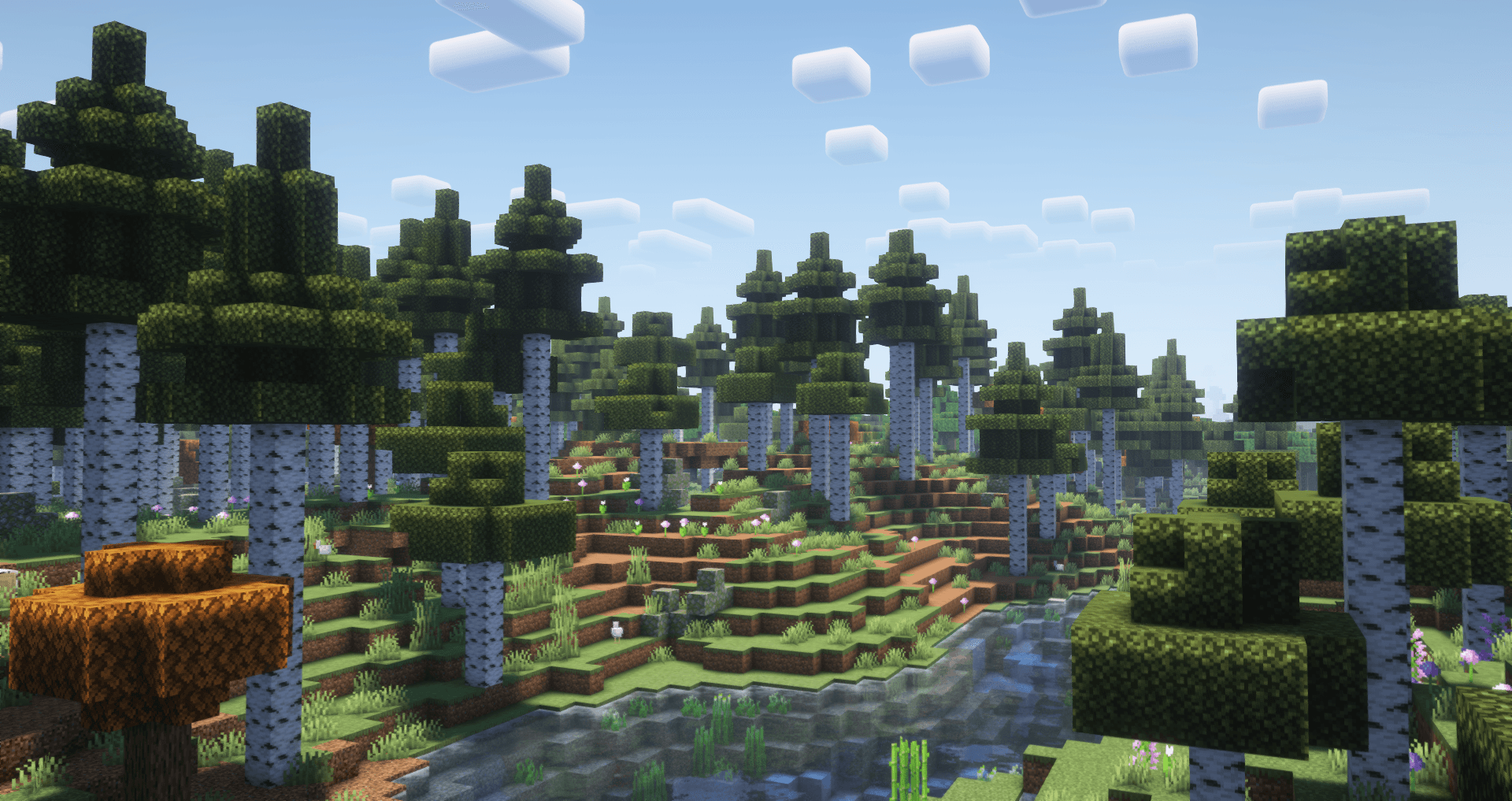
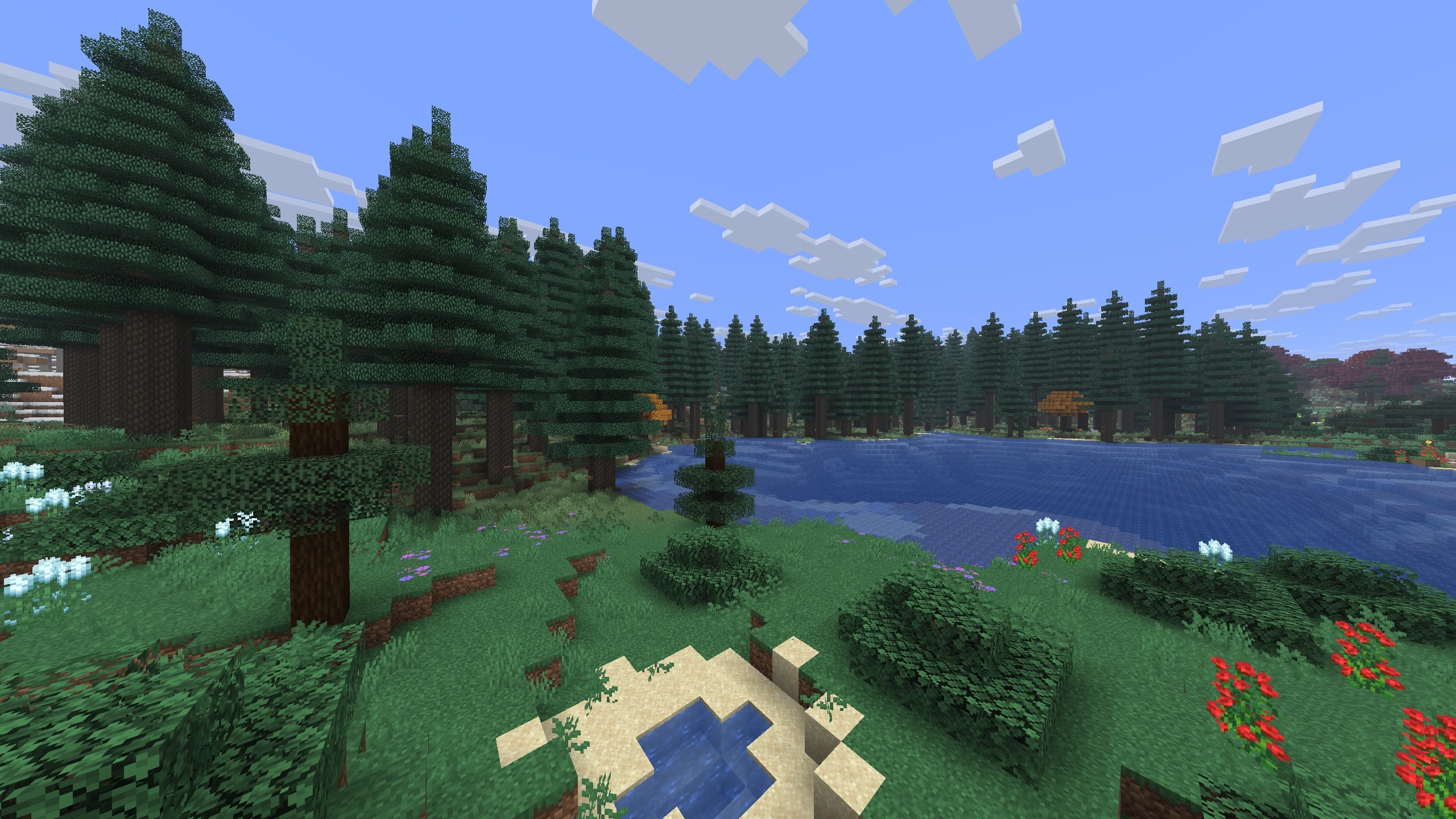
Screenshots
What Blooming Biosphere looks like


Images: Blooming Biosphere on Modrinth, published by the project team.
Setup
Install Blooming Biosphere on your server
The server and players need the same loader and Minecraft version. Back up the world before adding or updating mods.
- 01
Configure
6 GB of RAM is preselected. You choose the term and add-ons and pay by credit card or PayPal.
- 02
Set the loader
In the panel, set the server software to Fabric or Forge or NeoForge or Quilt and choose the matching Minecraft version, for example 26.1.2.
- 03
Install the mod
Search the mod browser for “Blooming Biosphere” and install the release for your loader. Alternatively, upload the .jar to the mods folder via SFTP. Required dependencies are listed on the project page.
- 04
Connect
Blooming Biosphere is optional on the client. Players connect using the server address from the panel.
- On the server
- Required
- On the client
- Optional
- Loader
- Fabric, Forge, NeoForge, Quilt
- Minecraft
- 26.1.2, 26.1.1, 26.1 +15 more
- License
- Creative Commons Attribution Non Commercial Share Alike 4.0 International
The panel
Install mods, find errors.
Real screenshots from the Mado panel. Both come with every Minecraft server.
Mod browser
Modrinth and CurseForge, right in the panel.
The browser filters by your Minecraft version. Install mods with one click, without uploading .jar files.

AI crash analysis
When a mod crashes, the analyzer reads the log.
Mods often fail on a wrong loader version, Java version or missing dependency. The analyzer names a likely cause and suggests a fix.

Releases
Published releases
Pick the file that matches your server’s loader and Minecraft version. The server and players need the same release.
Blooming Biosphere · Modrinth- 1.1.14May 19, 2026Minecraft 26.1, 26.1.1, 26.1.2 · Fabric, Forge, NeoForge, Quilt
- Blooming Biosphere 1.1.14May 19, 2026Minecraft 26.1, 26.1.1, 26.1.2 · datapack
- 1.1.12December 16, 2025Minecraft 1.21.10, 1.21.11, 1.21.6, 1.21.7, 1.21.8, 1.21.9 · Fabric, Forge, NeoForge, Quilt
- 1.1.12December 16, 2025Minecraft 1.21.10, 1.21.11, 1.21.6, 1.21.7, 1.21.8, 1.21.9 · datapack
- 1.1.11October 19, 2025Minecraft 1.21.10, 1.21.5, 1.21.6, 1.21.7, 1.21.8, 1.21.9 · Fabric, Forge, NeoForge, Quilt
Original description by the project author

🌱 Overview
An overworld worldgen datapack, aiming to upgrade the detail and atmosphere of each of the overworld's biomes while still staying close to the vanilla aesthetic. This overhauls every overworld biome and adds 7 brand new biomes!
Additionally, this only uses vanilla blocks, which means that vanilla clients can join a server with it without having to install it themselves.
🍄 Features
- Diverse biome generation with details like fallen logs, boulders, coarse dirt, stone formations, and unique flowers for every biome.
- Vastly improved trees for each biome, with a variety of variants
- 7 brand new biomes added, complementing the overworld's existing biomes
- New stone-lined cliff formations, making previous dirt cliffs now made of stone
- Improved biome placement for biomes such as swamps and mangrove swamps, which now spawn more reliably closer to the ocean.
- Gameplay impacts: find naturally spawning green frogs in rainforests, pale gardens in frozen regions, mycelium patches underground, and packed mud in jungles.
- Improved colors for the sky, fog, grass, and foliage of biomes.
- Attention to detail, with every corner of the overworld being given more polish and each biome standing out from each other.
⛰️ +Tectonic
Download the Blooming Biosphere & Tectonic Compatibility to use the two packs together. Make sure the Compatibility pack is placed above blooming biosphere and tectonic in your pack order!
Note: Without compatibility, BB and Tectonic can work together with BB above tectonic, but many tectonic features may be lost
🎥 Showcase
🎥 Check out the trailer!
🌲 Growing Trees / Saplings
For added functionality to grow trees from this pack using saplings, download the addon Custom Biome Saplings
Also compatible with Tectonic
Compatiblity
- No new blocks! Works on vanilla and can be placed on just server-side
- Overrides biome layout to add/modify biomes, meaning this is incompatible with other biome changing datapacks/mods unless they have specific compat or you use a blending tool (like terrablender)

Questions/support for Blooming Biosphere are open to ask on the limesplatus discord:
Blooming Biosphere server crashes on startup – what to do?
Common causes: the loader or Minecraft version does not match the mod file, a dependency is missing, or RAM is too low. Check the log (latest.log) for “OutOfMemoryError”, “Mixin” or missing mods. At Mado, the AI crash analysis reads the log and suggests a cause. You can change the loader and version in the panel.
Which loader does Blooming Biosphere run on?
According to Modrinth, Blooming Biosphere supports Fabric, Forge, NeoForge, Quilt for Minecraft 26.1.2, 26.1.1, 26.1. Forge and Fabric files are not interchangeable: pick one loader for the server and clients.
How much RAM does a server with Blooming Biosphere need?
As guidance, 4–6 GB for a server with this mod. This is an estimate, not a measured minimum. More mods, many players and long view distances need more. The spark profiler shows whether a mod is costing tick time.
Similar mods
Popular mods in the same category
 Server-ready

TerraBlender
by Adubbz
A library mod for adding biomes in a simple and compatible manner!
 Server-ready

Biomes O' Plenty
by Forstride
Adds 50+ unique biomes to enhance your world, with new trees, flowers, and more!
 Server-ready

Cobblemon
by CobbledStudios
A Pokémon mod for Fabric and NeoForge
 Server-ready

YUNG's API
by YUNGNICKYOUNG
Library mod for YUNG's mods.
Ready for your server with Blooming Biosphere?
6 GB of RAM from €12.00 per month. 35% off your first month with MADO35.