
Click Signs
Create custom highway & street signs for city building and more!
Screenshots


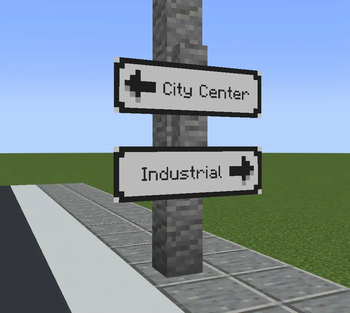
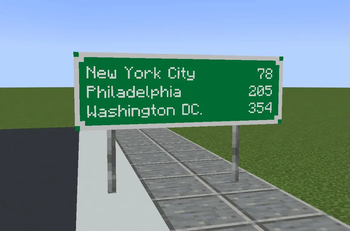
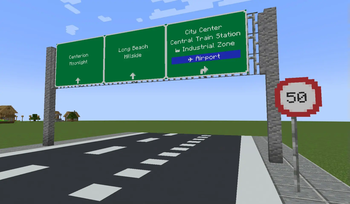
Über diese Mod
What is ClickSigns?
ClickSigns is a simple fabric mod that lets you create custom highway & street signs. Even though the main focus is street signs, you can create any type of image that can dynamically have text on it ingame. Ideal for building cities and towns!
- Make your own road signs (Resourcepack Guide): Wiki
- P.S: There will be more and more road signs added through regular updates & extensions

How to: Create & Edit Road Signs
To craft a Road Sign, put 8 iron ingots around any sign:
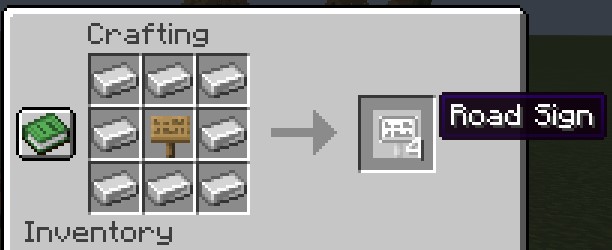
Then, place it on a wall, on iron bars or anywhere you'd like, then click on the road sign to access the edit menu:
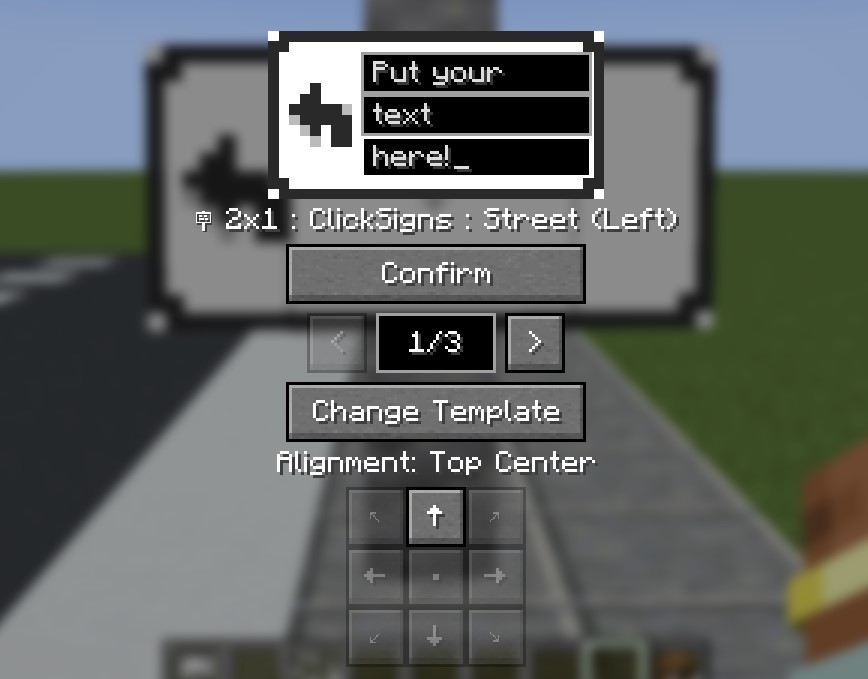
- Fill in your text like on the image.
- Use the arrows to change between different variants (aka. color schemes) of this template.
- Use the alignment buttons to change the alignment of the sign.
- Make sure to click CONFIRM once you're done. Your changes won't be saved if you don't.
- Click Change Template to browse through all the various templates.
How to: Changing The Road Sign Template
- After you click Change Template, you will be welcomed by this screen:
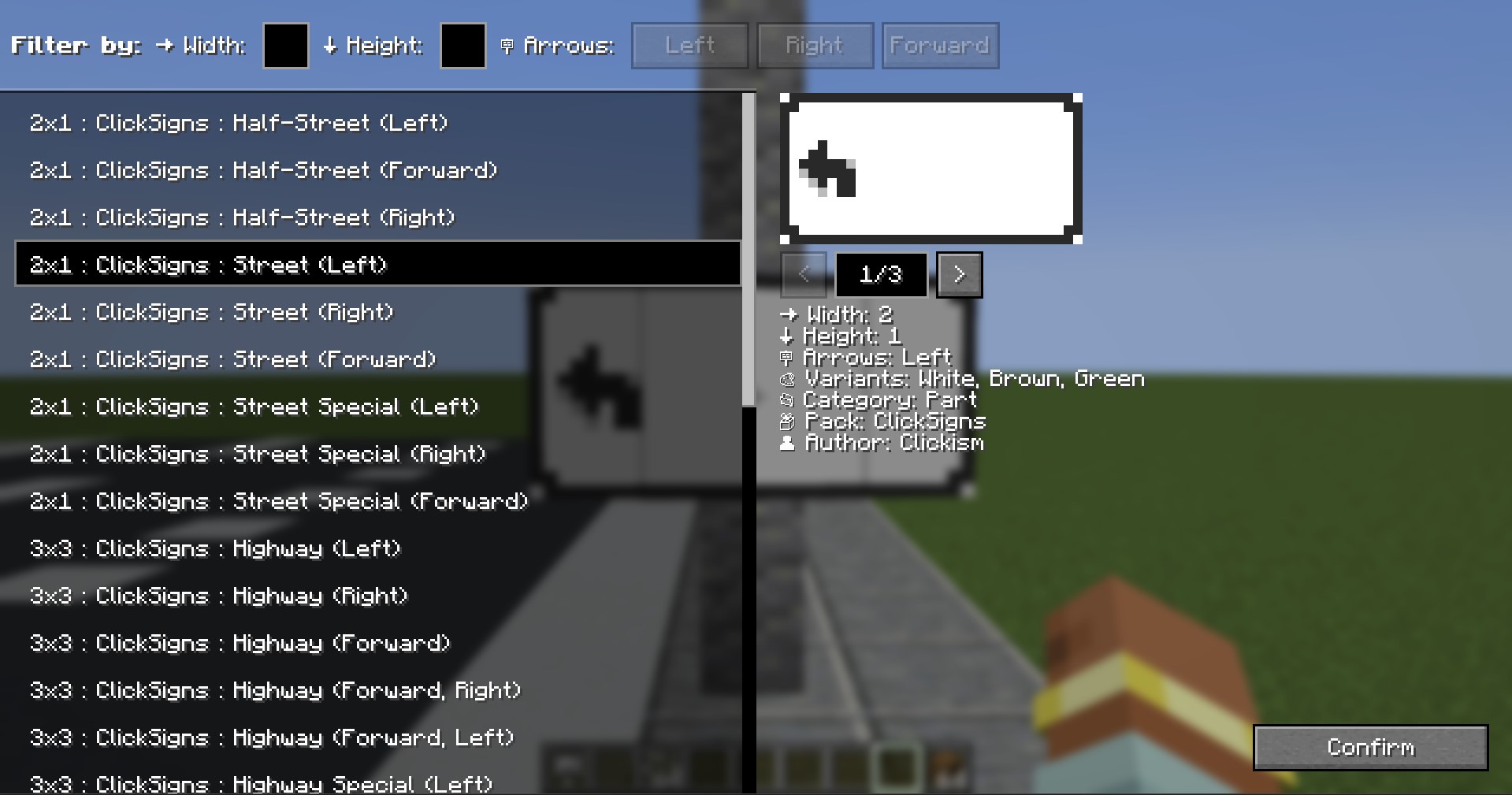
- On the left side, you have a list of all the templates you have installed.
- The templates are displayed in the format: "Width x Height : Pack : Name : (Details)"
- On the right side, you have all the details regarding the selected template.
- You can use the arrows to look at different variants here as well.
- Using Filters: To use the filters, either click on the direction you want, or input the width/height you're searching. If you for example select both Left and Forward, it will only show you the sign templates that have both directions.
How to: Custom Road Signs
- You can't find a certain road sign template you want? Make it yourself!
- The template system is fully modular and client-side through resourcepacks!.
- That means, you can create or install custom resourcepacks to have access to new road sign templates. These don't have to be installed on the server, but other players would need to have the same resourcepack installed in order to see them.
Contact & Feedback
Contact me on GitHub: Github/Clickism
Verfügbare Versionen
Click Signs auf dem Server installieren
Server bestellen
Bestelle einen Minecraft Java Server mit mindestens 3 GB RAM (4 GB empfohlen).
fabric Loader setzen
Wähle im Panel unter "Egg" den fabric-Loader und die passende Minecraft-Version (26.3).
Mod installieren
Öffne den Mod-Browser im Dashboard und suche nach "Click Signs". Klicke "Installieren" – fertig! Alternativ: Lade die .jar via SFTP in den /mods Ordner.
Kompatibilität
Mod-Loader
Minecraft-Versionen
26.3, 26.2, 26.1.2 (+10 weitere)
Server-seitig
✓ ErforderlichEmpfohlener RAM
4 GB(min. 3 GB)Häufige Fragen
Click Signs Server crasht beim Start – was tun?
Häufigste Ursache: falsche fabric-Version oder zu wenig RAM. Prüfe im Server-Log (latest.log), ob ein "OutOfMemoryError" oder "Mixin"-Fehler auftritt. Bei Mado Hosting: Stelle sicher, dass mindestens 3 GB RAM zugewiesen sind und der Loader zur Mod-Version passt (26.3). Über das Panel kannst du den Loader mit einem Klick wechseln.
Ist Click Signs mit fabric und forge und neoforge kompatibel?
Click Signs unterstützt offiziell fabric, forge, neoforge für Minecraft 26.3, 26.2, 26.1.2. Achtung: Forge- und Fabric-Mods sind NICHT untereinander kompatibel – wähle einen Loader und bleibe dabei. Im Mado Dashboard werden inkompatible Loader-Kombinationen automatisch erkannt.
Server laggt mit Click Signs – wie optimiere ich die Performance?
Empfohlener RAM: 4 GB (+1 GB pro 8 Spieler). Prüfe mit /spark profiler, ob Click Signs den meisten Tick-Time verbraucht. Häufige Fixes: Server-View-Distance auf 8-10 reduzieren, bei Forge "performant" oder "starlight" als Zusatz-Mod installieren. Bei Mado Hosting läuft dein Server auf NVMe-SSDs mit dedizierten CPU-Kernen für minimale Latenz.
Ähnliche Mods

![[ETF] Entity Texture Features](https://cdn.modrinth.com/data/BVzZfTc1/af683d206d50b05258d865b0d6e4aa2f2cee12f2_96.webp)
![[EMF] Entity Model Features](https://cdn.modrinth.com/data/4I1XuqiY/6e5bbd0d06b1741bfdab6c0cfab6de8fdaf0064c_96.webp)



Modded Server mieten
Installiere Click Signs mit nur einem Klick auf deinem Server.