
Cobblebase
Palworld-style Pokemon base management for Cobblemon. Job system with unique per-Pokemon skills, abilities, and base mechanics.
Screenshots
Über diese Mod
Cobblebase
Palworld-style base management for Cobblemon — assign jobs, watch Pokemon work, build the ultimate base.
✨ Overview
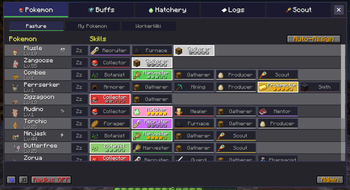
Cobblebase transforms the Pasture Block into a living, breathing Pokemon base. Every Pokemon species has hand-crafted job skills and proficiency levels — not based on type, but on identity. A Charizard fills lava cauldrons and guards your base. An Alakazam mentors your entire team. A Mew recruits legendaries.
- 💎 1,367 Pokemon with unique skill assignments (996 hand-crafted + 371 Fakemon)
- ⚡ 43 jobs across 10 categories
- ⭐ Proficiency 1-5 per skill — faster cooldowns, better loot, wider range
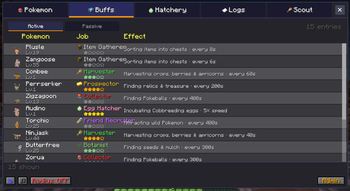
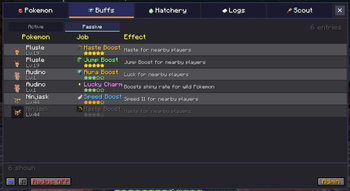
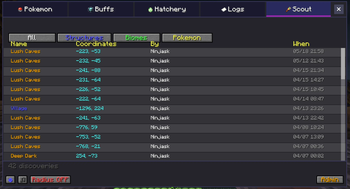
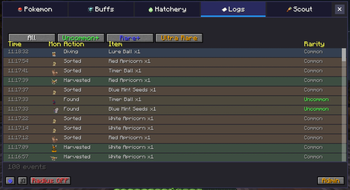
- 🎮 Tabbed GUI — Skills, Buffs, Logs, and Discovery panels
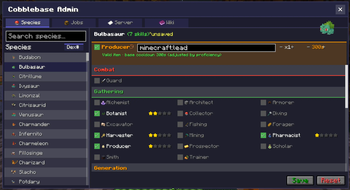
- 🔧 Admin GUI — Edit species skills, jobs config, and loot tables live in-game (
/cobblebase admin) - 🍱 Loot Editor — change item drops for any job without writing a datapack, with autocomplete and
#tagbulk-add - 🔒 Multiplayer ready — Pasture lock, owner-only notifications
- 🛡️ Fully customizable via Cloth Config and JSON datapacks


🌐 Online Tools
- 📚 Full Documentation — Guides for every feature
- 📊 Species Database — Browse & edit all 1,367 Pokemon
- 🔧 Datapack Generator — Create custom skill datapacks
🌾 Jobs
| Category | Jobs |
|---|---|
| 🌾 Gathering | Harvester, Fishing, Mining, Producer |
| 🔍 Finding | Alchemist, Pharmacist, Architect, Excavator, Botanist, Collector, Scholar, Chef, Trainer, Armorer, Prospector, Smith |
| ⚔️ Combat | Guard |
| 💚 Support | Healer, Mentor |
| ✨ Buffs | Speed, Strength, Resistance, Night Vision, Water Breathing, Jump, Haste, Saturation, Aura Boost |
| 🌟 Legendary | Lucky Charm (shiny boost), Growth Aura, Extinguisher |
| 📦 Logistics | Item Gatherer |
| 🔭 Exploration | Scout |
| 🌿 Environmental | Irrigator, Lava/Water/Snow Fill, Furnace Fuel, Brew Fuel |
| 🤝 Recruiting | Friend Recruiter, Legendary Recruiter |
🛠️ In-Game Admin GUI
Open with /cobblebase admin. OP-only.
- Species tab — edit any species' skill set, search the full registry, sort by Pokedex number / A-Z / Z-A, filtered to mons your server actually has loaded
- Jobs tab — per-job cooldown, search radius, and enable/disable. Compact category sidebar with hover tooltips for every job
- Loot tab — edit any bundled loot table live. Per-job sidebar with rarity tabs (Common / Uncommon / Rare / Ultra Rare), item icon preview, autocomplete suggestions for item ids and item tags, bulk add via
#namespace:tag(e.g.#c:ores,#minecraft:logs), on/off toggle for default items, save / reset - Wiki tab — quick links to docs, the species database, the datapack generator, and the Discord
All edits persist in the world save and broadcast live to other players — no restart needed.
🎵 Immersion
- 🚶 Idle wandering (15 block radius)
- 🌙 Working mons sleep at night and wake up at sunrise to resume their job
- 🔇 Mute button + cry cooldown (60s per Pokemon)
- 🔄 Stuck detection + escape from solid blocks (clipping recovery)
- 🍃 Leaves escape — Pokemon drop to ground from tree canopies
🎨 Supported Fakemon Packs
Built-in skill assignments for 6 Fakemon packs (371 species):
- 🐾 Lively Mons (59)
- 🔥 Alatias AFP (87)
- ⚡ Laser's Pack (53)
- 🎭 Wilbayan's Fakemons (37)
- 👶 Baby Legends (22) — baby forms of legendaries, inherit their evolution target's skills with prof -1
- 👽 Extra Paradox Mons (27) — paradox alternates with ultra-rare-tier curated skills
Not using one of these? Use /cobblebase admin to assign skills manually — or build a datapack with the generator.
📥 Requirements
- Minecraft 1.21.1 · Cobblemon 1.7.0+ · Cloth Config (required)
- Fabric Language Kotlin (Fabric) or Kotlin for Forge 5.x (NeoForge)
Verfügbare Versionen
Cobblebase auf dem Server installieren
Server bestellen
Bestelle einen Minecraft Java Server mit mindestens 3 GB RAM (4 GB empfohlen).
fabric Loader setzen
Wähle im Panel unter "Egg" den fabric-Loader und die passende Minecraft-Version (26.1.2).
Mod installieren
Öffne den Mod-Browser im Dashboard und suche nach "Cobblebase". Klicke "Installieren" – fertig! Alternativ: Lade die .jar via SFTP in den /mods Ordner.
Kompatibilität
Mod-Loader
Minecraft-Versionen
26.1.2, 26.1.1, 26.1 (+11 weitere)
Server-seitig
✓ ErforderlichEmpfohlener RAM
4 GB(min. 3 GB)Häufige Fragen
Cobblebase Server crasht beim Start – was tun?
Häufigste Ursache: falsche fabric-Version oder zu wenig RAM. Prüfe im Server-Log (latest.log), ob ein "OutOfMemoryError" oder "Mixin"-Fehler auftritt. Bei Mado Hosting: Stelle sicher, dass mindestens 3 GB RAM zugewiesen sind und der Loader zur Mod-Version passt (26.1.2). Über das Panel kannst du den Loader mit einem Klick wechseln.
Ist Cobblebase mit fabric und neoforge kompatibel?
Cobblebase unterstützt offiziell fabric, neoforge für Minecraft 26.1.2, 26.1.1, 26.1. Im Mado Dashboard werden inkompatible Loader-Kombinationen automatisch erkannt.
Server laggt mit Cobblebase – wie optimiere ich die Performance?
Empfohlener RAM: 4 GB (+1 GB pro 8 Spieler). Prüfe mit /spark profiler, ob Cobblebase den meisten Tick-Time verbraucht. Häufige Fixes: Server-View-Distance auf 8-10 reduzieren, bei Forge "performant" oder "starlight" als Zusatz-Mod installieren. Bei Mado Hosting läuft dein Server auf NVMe-SSDs mit dedizierten CPU-Kernen für minimale Latenz.
Ähnliche Mods



![[TaCZ] Timeless and Classics Zero](https://cdn.modrinth.com/data/SzzJttH8/fd27766d2bb8390d284696b1dbd358f87e081439_96.webp)


Modded Server mieten
Installiere Cobblebase mit nur einem Klick auf deinem Server.