
Modrinth · Fabric
CobbleCuisine auf deinem Minecraft Server
CobbleCuisine läuft auf Minecraft Servern mit Fabric. Bestell deinen Server, stell den Loader im Panel ein und installiere die Mod mit einem Klick im Mod-Browser.
Snacks and treats for your Cobblemon adventures!
- Downloads
- 5.7M
- Autor
- fyre520
- Loader
- Fabric
- Minecraft
- 1.21.1
- Aktualisiert
- –
Screenshots
So sieht CobbleCuisine aus
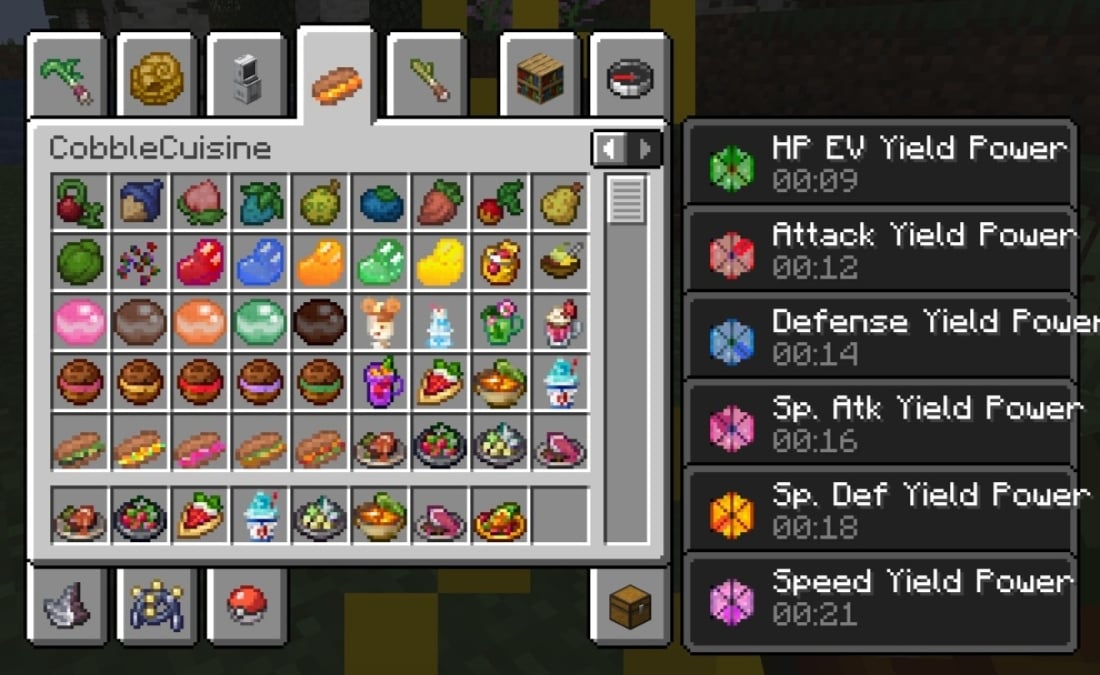
 New Powers in v1.1: EV Yield Powers
 New in 2.2.0: Mixers for making Shakes and Drinks
 New in 2.2.0: Sauces with new Seasoning Effects
 New in 2.0.0: Salads and Tera Type Sandwiches
 New in 2.0.0: Golden Candied Berries and New Curries
Bilder: CobbleCuisine auf Modrinth, vom Projektteam veröffentlicht.
Einrichtung
CobbleCuisine auf dem Server installieren
Server und Spieler brauchen denselben Loader und dieselbe Minecraft-Version. Sichere die Welt, bevor du Mods hinzufügst oder aktualisierst.
- 01
Konfigurieren
4 GB RAM sind vorausgewählt. Laufzeit und Add-ons wählst du selbst, bezahlt wird per Kreditkarte oder PayPal.
- 02
Loader einstellen
Stell im Panel die Serversoftware auf Fabric und wähl die passende Minecraft-Version, zum Beispiel 1.21.1.
- 03
Mod installieren
Such im Mod-Browser nach „CobbleCuisine“ und installiere die Version für deinen Loader. Alternativ lädst du die .jar per SFTP in den Ordner mods. Erforderliche Abhängigkeiten stehen auf der Projektseite.
- 04
Verbinden
Alle Spieler installieren CobbleCuisine in derselben Version lokal und verbinden sich über die Serveradresse aus dem Panel.
- Auf dem Server
- Erforderlich
- Auf dem Client
- Erforderlich
- Loader
- Fabric
- Minecraft
- 1.21.1
- Lizenz
- MIT License
Das Panel
Mods installieren, Fehler finden.
Echte Screenshots aus dem Mado Panel. Beides ist bei jedem Minecraft Server enthalten.
Mod-Browser
Modrinth und CurseForge direkt im Panel.
Der Browser filtert nach deiner Minecraft-Version. Mods installierst du mit einem Klick, ohne .jar-Dateien hochzuladen.

KI-Crash-Analyse
Wenn ein Mod crasht, liest die Analyse das Log.
Mods scheitern oft an einer falschen Loader-Version, Java-Version oder fehlenden Abhängigkeit. Die Analyse nennt eine wahrscheinliche Ursache und einen Lösungsvorschlag.

Versionen
Veröffentlichte Versionen
Nimm die Datei, die zu Loader und Minecraft-Version deines Servers passt. Server und Spieler brauchen dieselbe Version.
CobbleCuisine · ModrinthOriginalbeschreibung des Projektautors
This mod is an addon for Cobblemon 1.6, 1.7, and 1.8 that adds a number of food items to the game, such as Curries, Sandwiches and Shakes. These foods give various Cobblemon-themed effects and boosts to the player and their Cobblemon.
Foods and Drinks Added:
As of v1.2.1, the added foods are of the following types. All items use a mix of vanilla Minecraft ingredients as well as items from Cobblemon, such as Berries.
Curries, Sandwiches and Other Dishes : 🍲
Inspired by the games, these are food items that, apart from healing, allow you to make certain Types of Pokemon spawns more likely by giving you special Spawn Effects when consumed. These foods give you Type Spawn Effects, Egg Group Spawn Effects, EV Yield Spawn Effects, IV Spawn Effects, Shiny Spawn Effects, and Size Spawn Effects. 2.2.0 adds Herd Effects and Alpha Effects.
Roasted Berries 🍉:
Roast wild Berries on a campfire to gain effects and heal hearts, but don't overdo them - sometimes they might have bad effects! The 18 type damage reducing berries + Enigma berry when roasted allow for Tera Type Spawns.
- Poke Puffs and Malasadas: 🍩
These are food items from the games that can be used to raise the Friendship of your Pokemon. While all Poke Puffs will have an identical Friendship boost, the Friendship boost from Malasadas will depend on the Pokemon's nature.
Poke Beans: 🫘
Poke Beans come in different colours (Red, Blue, Green, Yellow and Orange). Bean Seeds can be obtained from Short Grass, and can be planted to grow into Beanstalks. Beans can also be found inside Chests in Villages.
Along with other ingredients, Beans are used to make the new food items added in this update. Beans, Poke Puffs and Malasadas are normally usable on owned Pokemon, but they can also be consumed by the player if sneaking, with all of them giving unique Effects.
Drinks and Shakes: 🍹
Berry Shakes that boost Pokemon EVs when consumed. The amount of EVs boosted depends on the Berries used. Also includes the Fruit Punch from Scarlet / Violet, Protein Smoothie from Pokemon Sleep, and four Drinks from Cafe ReMix:
- Teddiursa Iced Coffee 🥤
- Lilligant Floral Tea 🥤
- Miltank Mix Au Lait 🥤
- Bouncy Brionne Soda 🥤
Salads and Sauces:
Four Salad items made with Sauces that boost or reduce the chances of Herds or Alpha Pokemon spawning. The Sauces can also be used as seasonings to apply the same boosts to other foods. Deluxe Sauces also have other seasoning exclusive effects: increase Duration of any effect, increase Hidden Ability chances.
Boosts and Effects Added:
As of 2.2.0, the following Effects are implemented by the foods from this mod:
Type Spawn Power 🔥 : Spawn Pokemon of specific Types.
Egg Group Spawn Power 🪺 : Spawn Pokemon from all the Egg Groups.
Tera Type Spawn Power : Spawn Pokemon with specific Tera Types.
EV Yield Power ⚔️ : Spawn Pokemon with EV Yields of specific Stats; an effect for each Stat.
IV Power 🧬 : Spawn Pokemon with higher IVs.
Shiny Power ✨ : Increased chance to spawn Shiny Pokemon.
Exp Power 📈 : Increased Experience Gain for the entire party
Catch Power 🎊 : Increased Catch Rates.
Size Spawn Power 🔎 : Spawn larger or smaller sized Pokemon.
Herd Spawn Power:
Spawn herds more or less frequently.
Alpha Spawn Power:
Spawn Alphas more or less frequently.
Addon Packs (Not Updated):
Works on NeoForge with Sinytra Connector and Fabric Language Kotlin
Recipes Documentation (outdated)
Effect durations and effectiveness can be configured through Mod Menu.
Combine Effects from different foods to make hunting for specific Pokemon easier! (Note: You must be in the proper biome; for example, eating food that spawns Ice types inside a fiery biome will have no effect!)
Still in beta, make backups of your worlds before installing.
Credits to the amazing Cobblemon developers!
CobbleCuisine Server crasht beim Start – was tun?
Häufige Ursachen: Loader- oder Minecraft-Version passen nicht zur Mod-Datei, eine Abhängigkeit fehlt oder der RAM reicht nicht. Such im Log (latest.log) nach „OutOfMemoryError“, „Mixin“ oder fehlenden Mods. Bei Mado wertet die KI-Crash-Analyse das Log aus und schlägt eine Ursache vor. Loader und Version änderst du im Panel.
Mit welchem Loader läuft CobbleCuisine?
Laut Modrinth unterstützt CobbleCuisine Fabric für Minecraft 1.21.1.
Wie viel RAM braucht ein Server mit CobbleCuisine?
Als Orientierung 3–4 GB für einen Server mit dieser Mod. Das ist eine Schätzung, keine gemessene Mindestanforderung. Weitere Mods, viele Spieler und große Sichtweiten brauchen mehr. Ob eine Mod die Tick-Zeit belastet, siehst du mit dem spark-Profiler.
Ähnliche Mods
Beliebte Mods aus derselben Kategorie
 Server-fähig

AppleSkin
von squeek502
Food/hunger-related HUD improvements
 Server-fähig

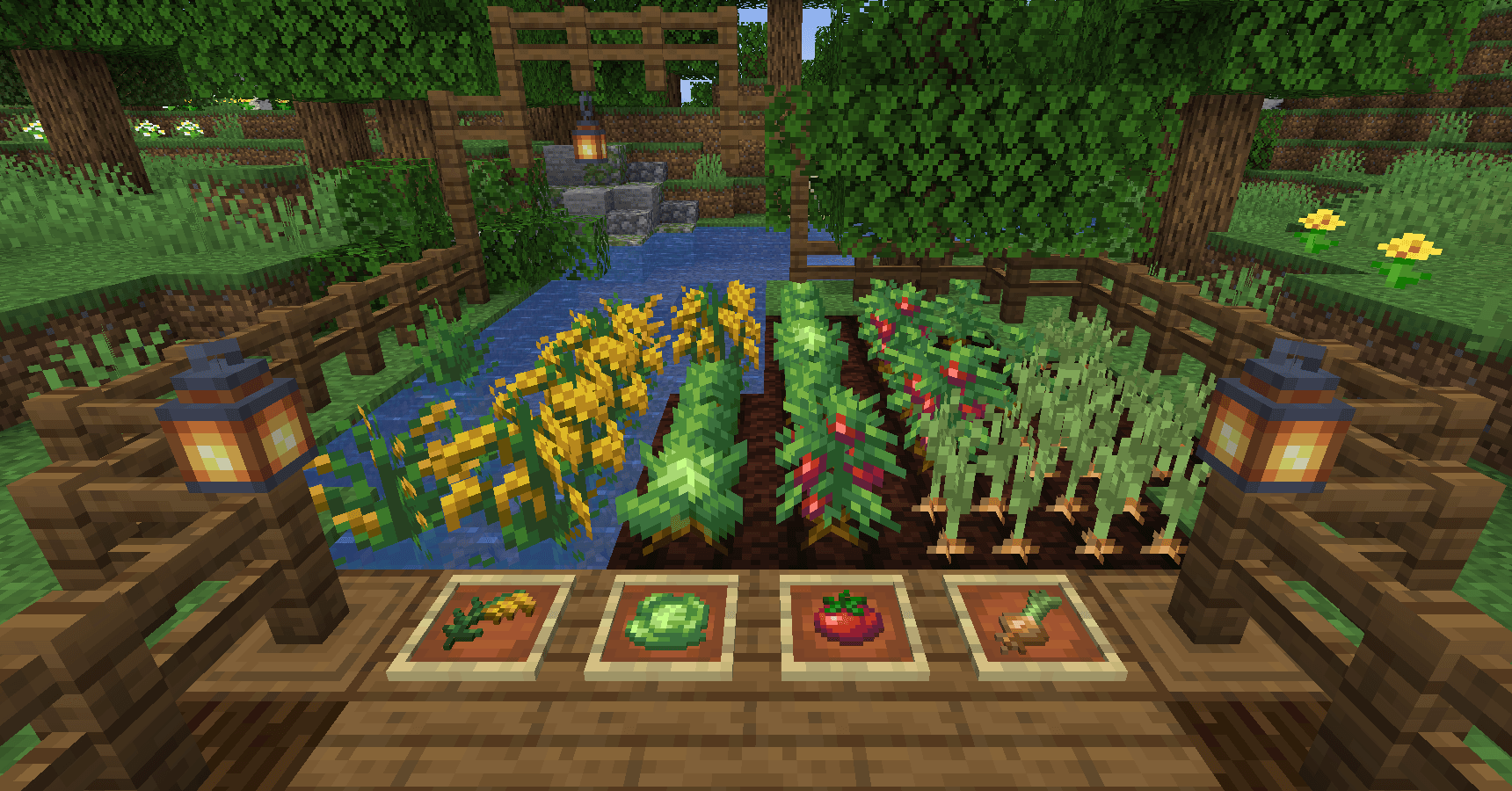
Farmer's Delight
von vectorwing
A cozy expansion to farming and cooking!
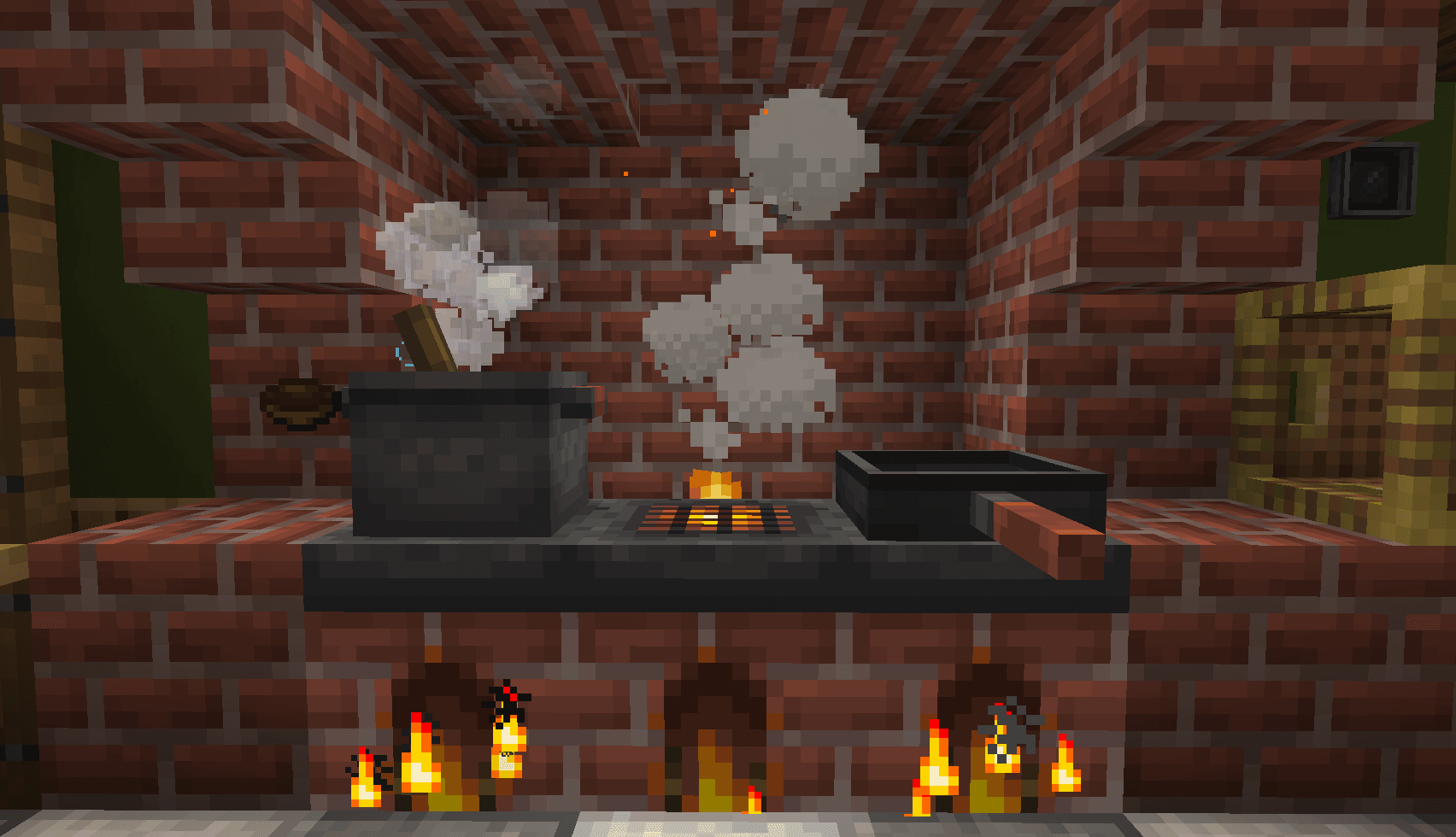 Server-fähig

Farmer's Delight Refabricated
von Cassian
Modern Fabric port of the cooking and farming mod, "Farmer's Delight"
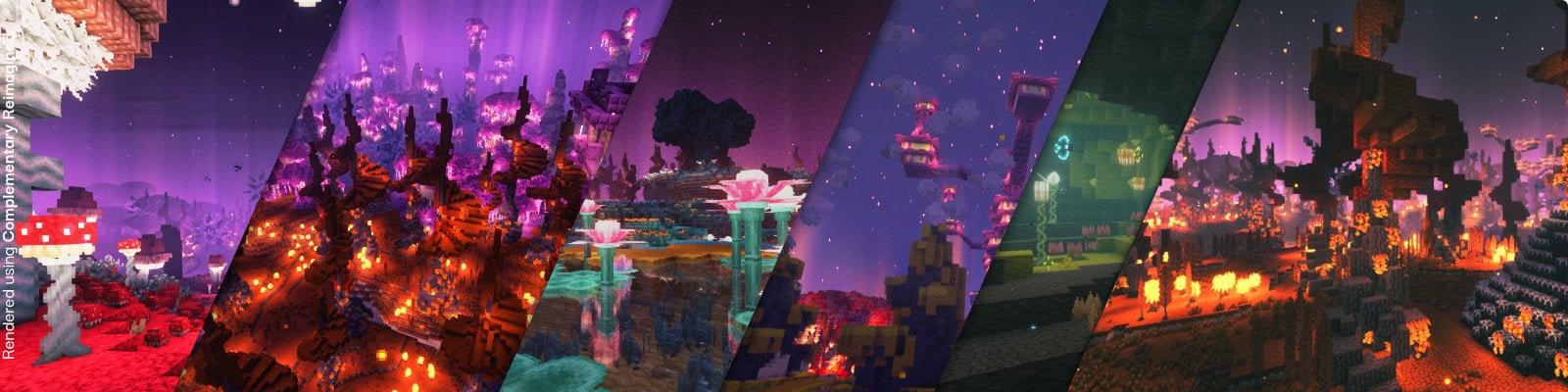 Server-fähig

BetterEnd
von quiqueck
New Biomes, mysterious rituals and Mobs for your End
Bereit für deinen Server mit CobbleCuisine?
4 GB RAM ab 8,00 € im Monat. 35 % auf den 1. Monat mit MADO35.