![CobbleDollars [Cobblemon Addon]](https://cdn.modrinth.com/data/s7N7AsqL/684040a264fc1d7f9b856ec5d2da39767398c7ad.png)
CobbleDollars [Cobblemon Addon]
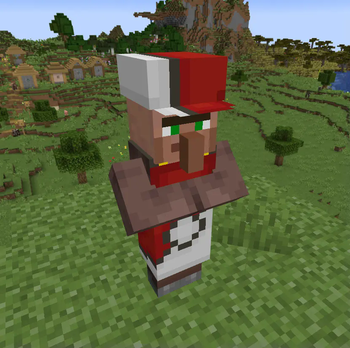
CobbleDollars adds Money and Merchants to Cobblemon
Screenshots
Über diese Mod
This mod adds money and Merchants for Cobblemon.
Dependencies:
- Kotlin For Forge (forge & NeoForge)
- Fabric API (fabric only)
- Architectury API (1.5.2 & lower only)
- Cobblemon
If you'd like to support me, I have a Patreon <3.
Feel free to add my mods to your modpacks!
How to use the mod
- To earn money you have to kill wild pokémons, you'll earn a certain amount depending on their level.
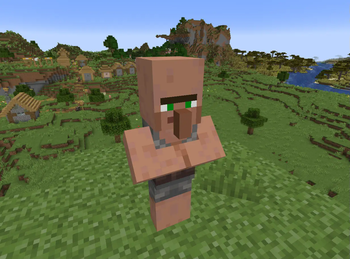
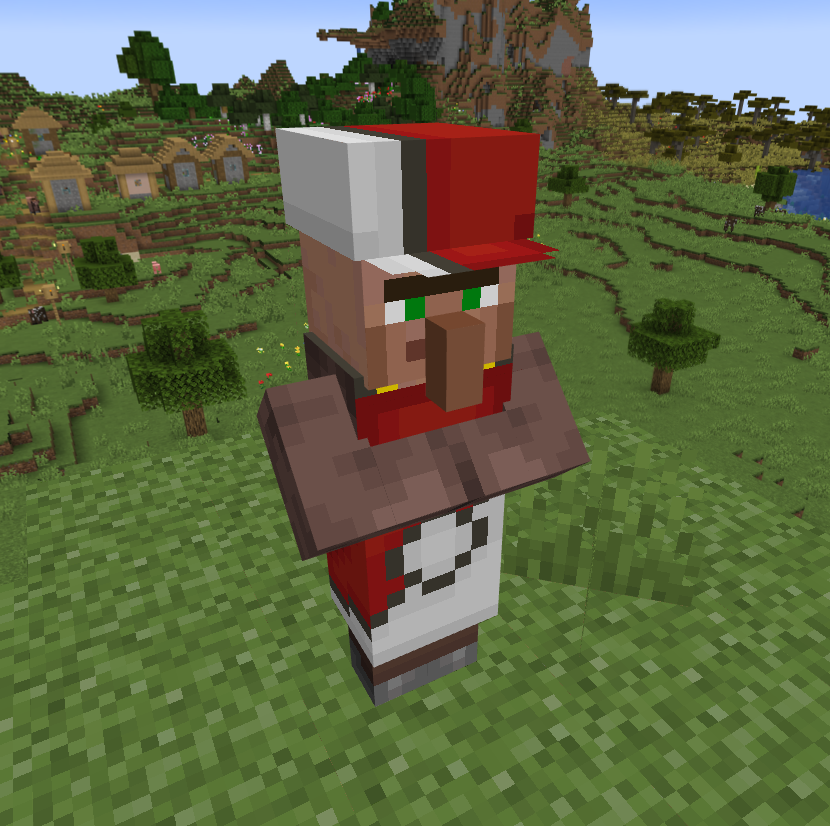
- The merchant spawns in overworld villages, just like vanilla villagers (~8%).
- Vanilla Villagers can obtain the CobbleMerchant profession with a Display Case block from Cobblemon
- The merchant follow the player if you hold a pokéball.
The Merchant Menus
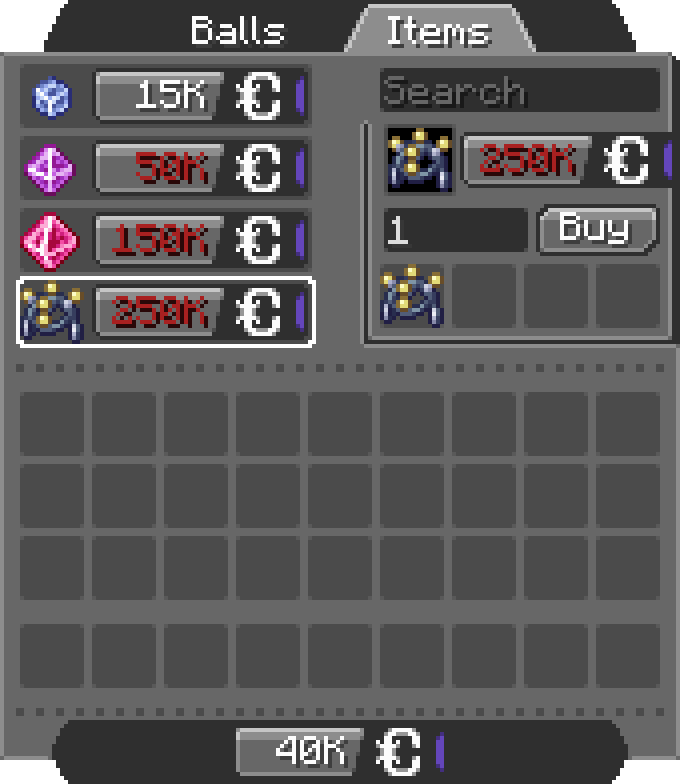
The Shop
- By Right Clicking the merchant:
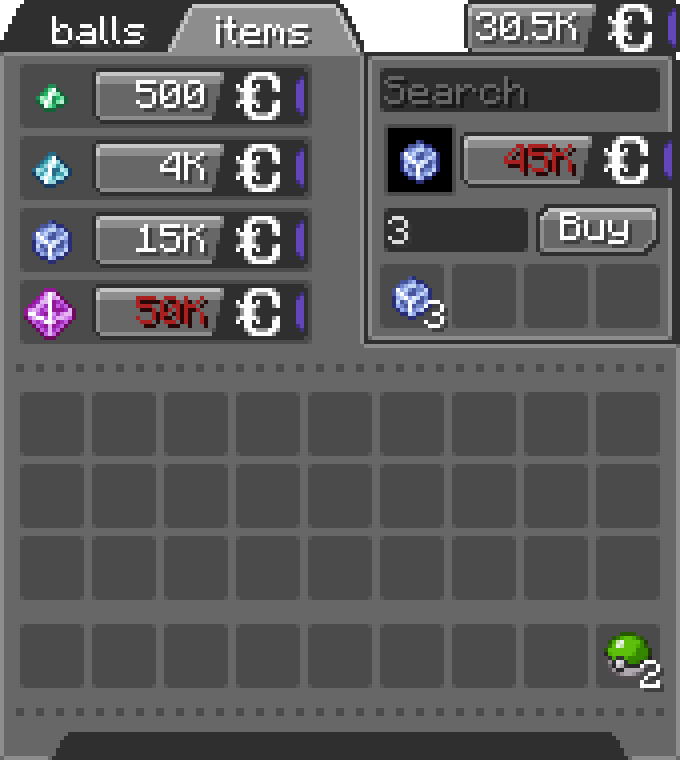
- You can scroll in the list, search for items, set the amount (MAX 256) and click the Buy button (you can see the total price on the right of the preview item) ! (if you don't have enough CobbleDollars the price will be red)
- You can switch between the configured tabs, each one offer different items.
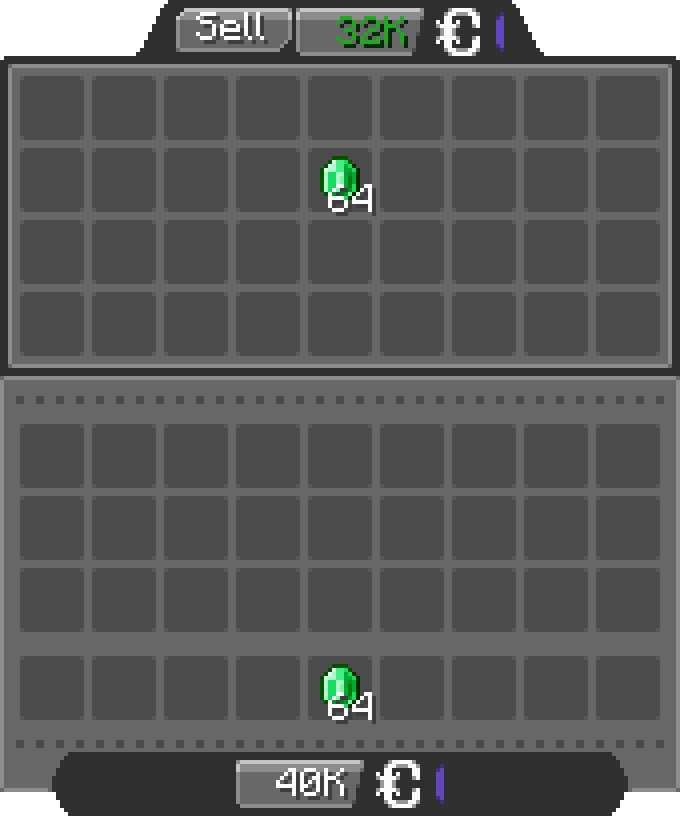
The Bank
- By Shift + Right Clicking the merchant:
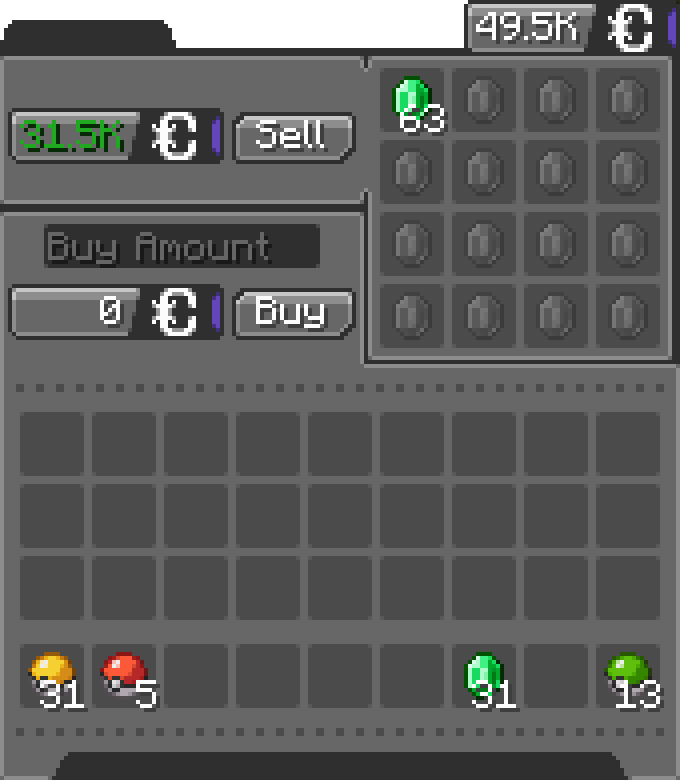
- You can insert any items allowed by the config in the bank inventory, the merchant will buy the items for the configured price (by default 1 Emerald = 500 CobbleDollars).
Configuration
The configuration files are located under "[Minecraft files or Server location]\config\cobbledollars"
Client
You can choose the position of the money overlay:
- top left
- top right
- bottom left
- bottom right (default)
Common
Shop
You can configure which items the merchant sells, for example:
2.X.X:
{
  "defaultShop": [
    {
      "Poké Balls": [
        {
          "item": "cobblemon:poke_ball",
          "price": 2000
        }
      ]
    },
    {
      "Items": [
        {
          "item": "minecraft:stick",
          "price": 250000
        },
        {
          "item": "create:cogwheel",
          "price": 100
        }
      ]
    }
  ]
}
1.5.X:
{
  "merchantShop": {
    "balls": {
      "cobblemon:poke_ball": 2000
    },
    "items": {
      "minecraft:stick": 250000,
      "create:cogwheel": 100
    }
  }
}
Before 1.5:
{
  "merchantBalls": {
    "cobblemon:poke_ball": 2000
  },
  "merchantItems": {
    "minecraft:stick": 250000,
    "create:cogwheel": 100
  }
}
Here they will sell
- Pokéballs for 2k CobbleDollars each under the category "Balls"
- Sticks for 250k CobbleDollars each and Cogwheels from the mod Create for 100 CobbleDollars each under the category "Items"
Bank
You can configure the items accepted in the bank and for what price:
2.X.X:
{
  "bank": [
    {
      "item": "minecraft:emerald",
      "price": 500
    },
    {
      "item": "cobblemon:red_apricorn",
      "price": 2500
    }
  ]
}
1.5.X:
{
  "bankItems": {
    "minecraft:emerald": 500,
    "cobblemon:red_apricorn": 2500
  }
}
Here the bank accept
- Emeralds for 500 CobbleDollars each
- Red Apricorns for 2.5k each
You can even put items from other mods.
Permissions
- cobbledollars
- cobbledollars.reload
- cobbledollars.leaderboard
- cobbledollars.leaderboard.update
- cobbledollars.cobbledollars
- cobbledollars.cobbledollars.give
- cobbledollars.cobbledollars.pay
- cobbledollars.cobbledollars.query
- cobbledollars.cobbledollars.remove
- cobbledollars.cobbledollars.set
- cobbledollars.cobblemerchant
- cobbledollars.cobblemerchant.edit
- cobbledollars.cobblemerchant.open
- cobbledollars.cobblemerchant.open.bank
- cobbledollars.cobblemerchant.open.shop
Verfügbare Versionen
CobbleDollars [Cobblemon Addon] auf dem Server installieren
Server bestellen
Bestelle einen Minecraft Java Server mit mindestens 3 GB RAM (4 GB empfohlen).
fabric Loader setzen
Wähle im Panel unter "Egg" den fabric-Loader und die passende Minecraft-Version (1.21.1).
Mod installieren
Öffne den Mod-Browser im Dashboard und suche nach "CobbleDollars [Cobblemon Addon]". Klicke "Installieren" – fertig! Alternativ: Lade die .jar via SFTP in den /mods Ordner.
Kompatibilität
Mod-Loader
Minecraft-Versionen
1.21.1, 1.20.1
Server-seitig
✓ ErforderlichEmpfohlener RAM
4 GB(min. 3 GB)Häufige Fragen
CobbleDollars [Cobblemon Addon] Server crasht beim Start – was tun?
Häufigste Ursache: falsche fabric-Version oder zu wenig RAM. Prüfe im Server-Log (latest.log), ob ein "OutOfMemoryError" oder "Mixin"-Fehler auftritt. Bei Mado Hosting: Stelle sicher, dass mindestens 3 GB RAM zugewiesen sind und der Loader zur Mod-Version passt (1.21.1). Über das Panel kannst du den Loader mit einem Klick wechseln.
Ist CobbleDollars [Cobblemon Addon] mit fabric und forge und neoforge kompatibel?
CobbleDollars [Cobblemon Addon] unterstützt offiziell fabric, forge, neoforge für Minecraft 1.21.1, 1.20.1. Achtung: Forge- und Fabric-Mods sind NICHT untereinander kompatibel – wähle einen Loader und bleibe dabei. Im Mado Dashboard werden inkompatible Loader-Kombinationen automatisch erkannt.
Server laggt mit CobbleDollars [Cobblemon Addon] – wie optimiere ich die Performance?
Empfohlener RAM: 4 GB (+1 GB pro 8 Spieler). Prüfe mit /spark profiler, ob CobbleDollars [Cobblemon Addon] den meisten Tick-Time verbraucht. Häufige Fixes: Server-View-Distance auf 8-10 reduzieren, bei Forge "performant" oder "starlight" als Zusatz-Mod installieren. Bei Mado Hosting läuft dein Server auf NVMe-SSDs mit dedizierten CPU-Kernen für minimale Latenz.
Ähnliche Mods




Modded Server mieten
Installiere CobbleDollars [Cobblemon Addon] mit nur einem Klick auf deinem Server.