
Modrinth · Fabric
CobbleFoods auf deinem Minecraft Server
CobbleFoods läuft auf Minecraft Servern mit Fabric. Bestell deinen Server, stell den Loader im Panel ein und installiere die Mod mit einem Klick im Mod-Browser.
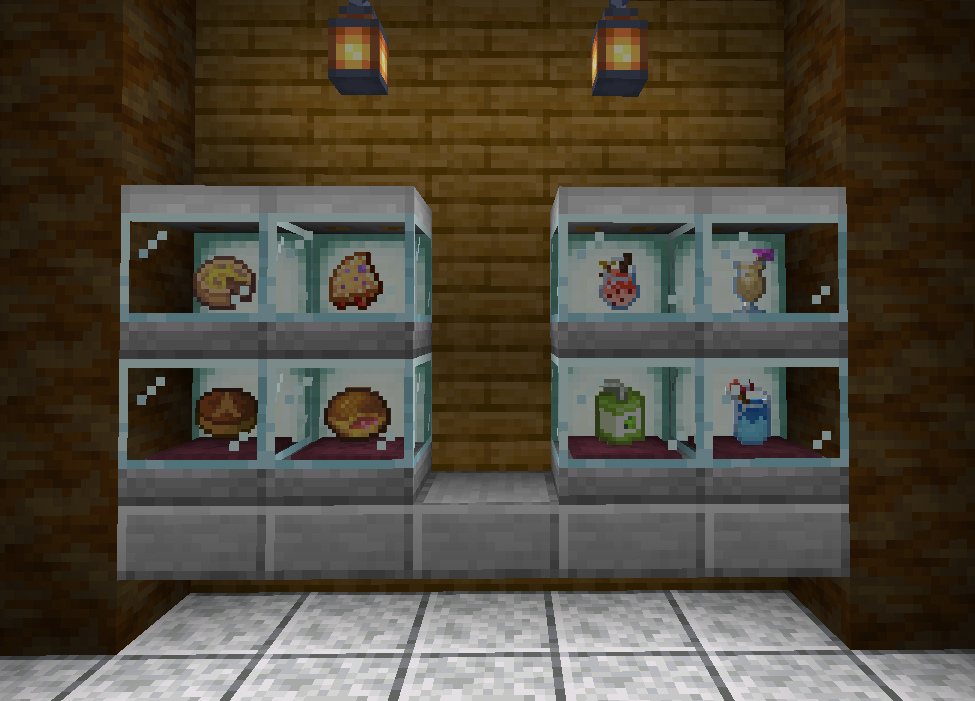
Adds a few berry-based food items, as well as local specialties, for Cobblemon
- Downloads
- 42.3K
- Autor
- Blue_Azul
- Loader
- Fabric
- Minecraft
- 1.20.1
- Aktualisiert
- –
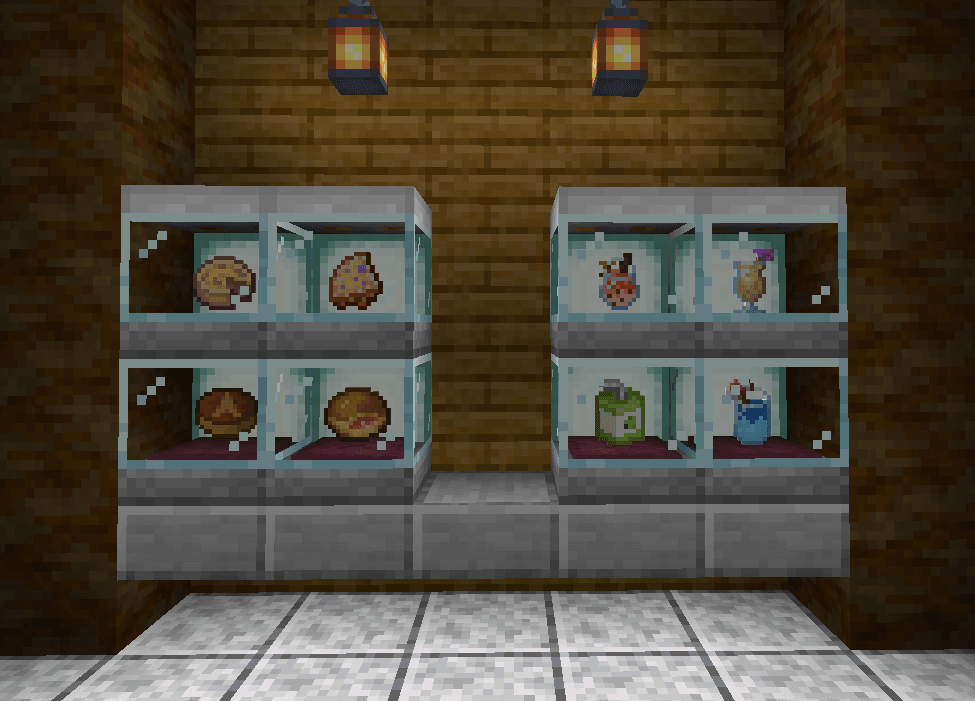
Screenshots
So sieht CobbleFoods aus


Bilder: CobbleFoods auf Modrinth, vom Projektteam veröffentlicht.
Einrichtung
CobbleFoods auf dem Server installieren
Server und Spieler brauchen denselben Loader und dieselbe Minecraft-Version. Sichere die Welt, bevor du Mods hinzufügst oder aktualisierst.
- 01
Konfigurieren
4 GB RAM sind vorausgewählt. Laufzeit und Add-ons wählst du selbst, bezahlt wird per Kreditkarte oder PayPal.
- 02
Loader einstellen
Stell im Panel die Serversoftware auf Fabric und wähl die passende Minecraft-Version, zum Beispiel 1.20.1.
- 03
Mod installieren
Such im Mod-Browser nach „CobbleFoods“ und installiere die Version für deinen Loader. Alternativ lädst du die .jar per SFTP in den Ordner mods. Erforderliche Abhängigkeiten stehen auf der Projektseite.
- 04
Verbinden
Alle Spieler installieren CobbleFoods in derselben Version lokal und verbinden sich über die Serveradresse aus dem Panel.
- Auf dem Server
- Erforderlich
- Auf dem Client
- Erforderlich
- Loader
- Fabric
- Minecraft
- 1.20.1
- Lizenz
- MIT License
Das Panel
Mods installieren, Fehler finden.
Echte Screenshots aus dem Mado Panel. Beides ist bei jedem Minecraft Server enthalten.
Mod-Browser
Modrinth und CurseForge direkt im Panel.
Der Browser filtert nach deiner Minecraft-Version. Mods installierst du mit einem Klick, ohne .jar-Dateien hochzuladen.

KI-Crash-Analyse
Wenn ein Mod crasht, liest die Analyse das Log.
Mods scheitern oft an einer falschen Loader-Version, Java-Version oder fehlenden Abhängigkeit. Die Analyse nennt eine wahrscheinliche Ursache und einen Lösungsvorschlag.

Versionen
Veröffentlichte Versionen
Nimm die Datei, die zu Loader und Minecraft-Version deines Servers passt. Server und Spieler brauchen dieselbe Version.
CobbleFoods · Modrinth- CobbleFoods 1.3.3-1.20.12. Februar 2025Minecraft 1.20.1 · Fabric
- CobbleFoods 1.3.2-1.20.119. Oktober 2024Minecraft 1.20.1 · Fabric
Originalbeschreibung des Projektautors
A side-mod for Cobblemon that aims at adding food items based mostly on berries.
It's just a fun, silly thing we made for a small server between friends, so don't expect it to be super serious or balanced. However I hope it can help add a bit more flavor to your world!
Features:
Roasted Berries
Can be made by cooking a Cobblemon berry in a Furnace, Smoker or Campfire. Now you can finally fulfill your dream of eating those berries yourself rather than only giving them to your Pokémon!
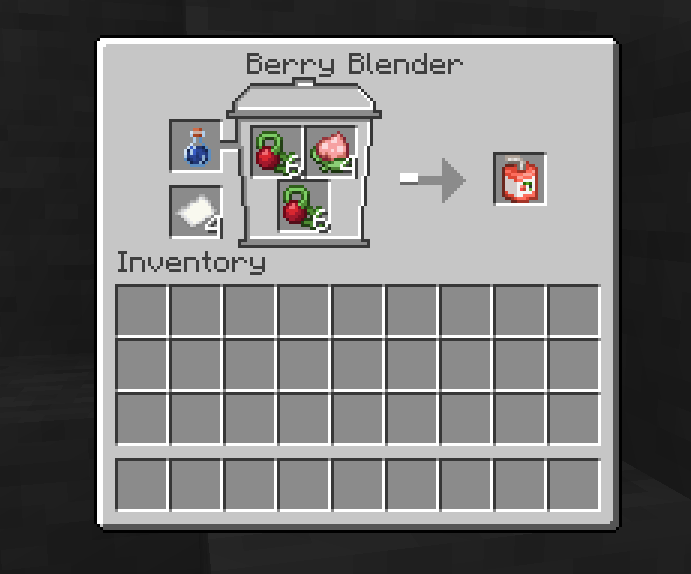
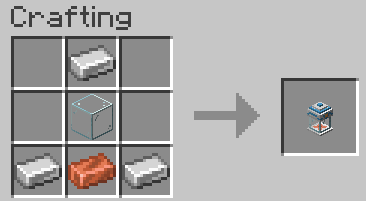
The Berry Blender
Crafted with three iron ingots, one glass block and one copper ingot, it allows for you to blend berries into many different drinks! If you can't figure out the recipes by yourself, the block also has REI compatibility!
Berry Juices
Made in the Berry Blender, with three of any berry, a water bottle, and a piece of paper! If you use two or more of a single type of berry, the resulting juice will may give a roughly equivalent effect to the one of the berry used, so be careful with some of them!
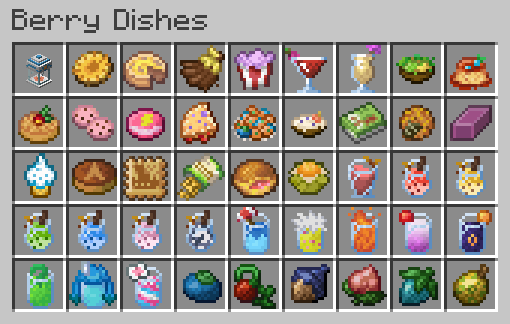
Custom Berry Dishes
Created to provide more uses for Cobblemon Berries and a better variety of unique food items. Not only they can help spice up your diet, some of them also give unique effects as well!
Apricorn Drinks
You can now mix and match Apricorns to make some Aprijuice, as well as Apricorn Milk Tea, which come in various colors!
Local Specialties
Another set of dishes coming straight from the Pokémon games! They can be obtained by trading with a new kind of Villager, explained below:
The Orchardist
A new type of Villager who works with the Berry Blender. They are slightly different as they use Poké from the Pokémon Mystery Dungeon series as currency, which you can also use to pile up on the ground and decorate your world with your wealth!
Custom Advancements
The mod adds two new advancements by default, but if you're into greater challenges, make sure to check out this complementary datapack that adds many more: CobbleFoods Advancements!
Supported Languages
The mod is currently fully supported in English, Italian and Portuguese! Along with partial support for Spanish, French and German.
Hope you enjoy it ^^
CobbleFoods Server crasht beim Start – was tun?
Häufige Ursachen: Loader- oder Minecraft-Version passen nicht zur Mod-Datei, eine Abhängigkeit fehlt oder der RAM reicht nicht. Such im Log (latest.log) nach „OutOfMemoryError“, „Mixin“ oder fehlenden Mods. Bei Mado wertet die KI-Crash-Analyse das Log aus und schlägt eine Ursache vor. Loader und Version änderst du im Panel.
Mit welchem Loader läuft CobbleFoods?
Laut Modrinth unterstützt CobbleFoods Fabric für Minecraft 1.20.1.
Wie viel RAM braucht ein Server mit CobbleFoods?
Als Orientierung 3–4 GB für einen Server mit dieser Mod. Das ist eine Schätzung, keine gemessene Mindestanforderung. Weitere Mods, viele Spieler und große Sichtweiten brauchen mehr. Ob eine Mod die Tick-Zeit belastet, siehst du mit dem spark-Profiler.
Ähnliche Mods
Beliebte Mods aus derselben Kategorie
 Server-fähig

AppleSkin
von squeek502
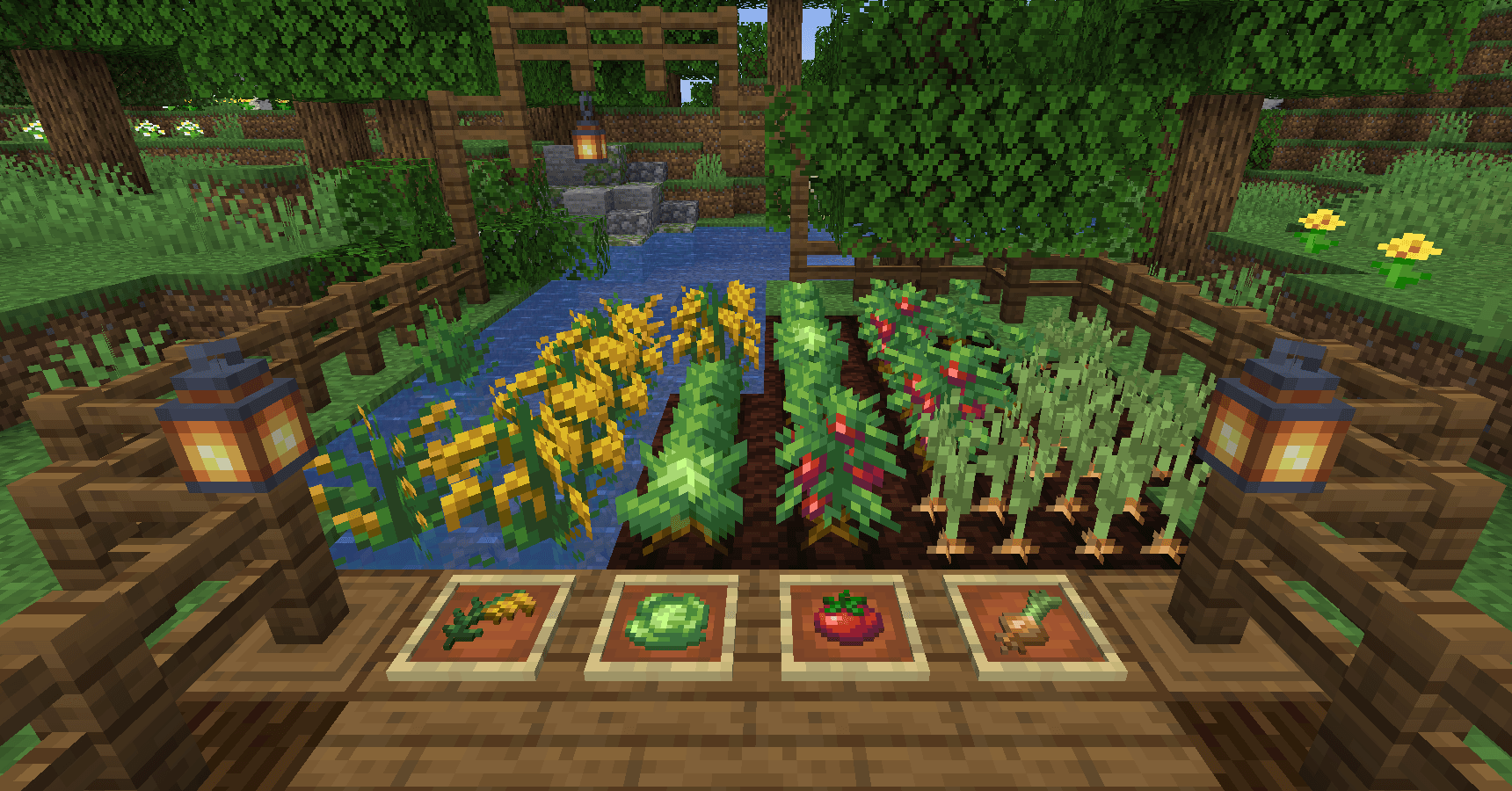
Food/hunger-related HUD improvements
 Server-fähig

Farmer's Delight
von vectorwing
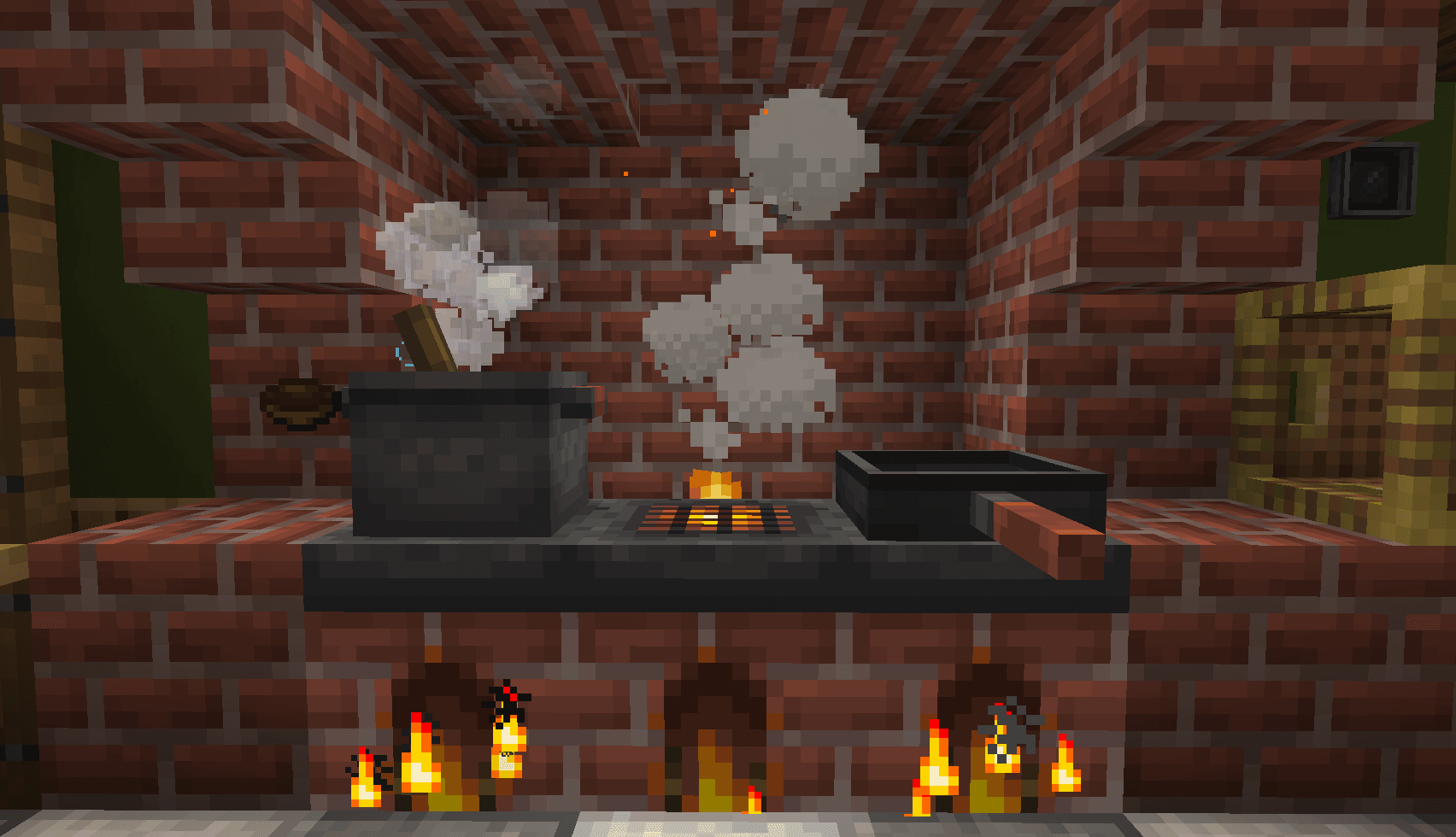
A cozy expansion to farming and cooking!
 Server-fähig

Farmer's Delight Refabricated
von Cassian
Modern Fabric port of the cooking and farming mod, "Farmer's Delight"
 Server-fähig

BetterEnd
von quiqueck
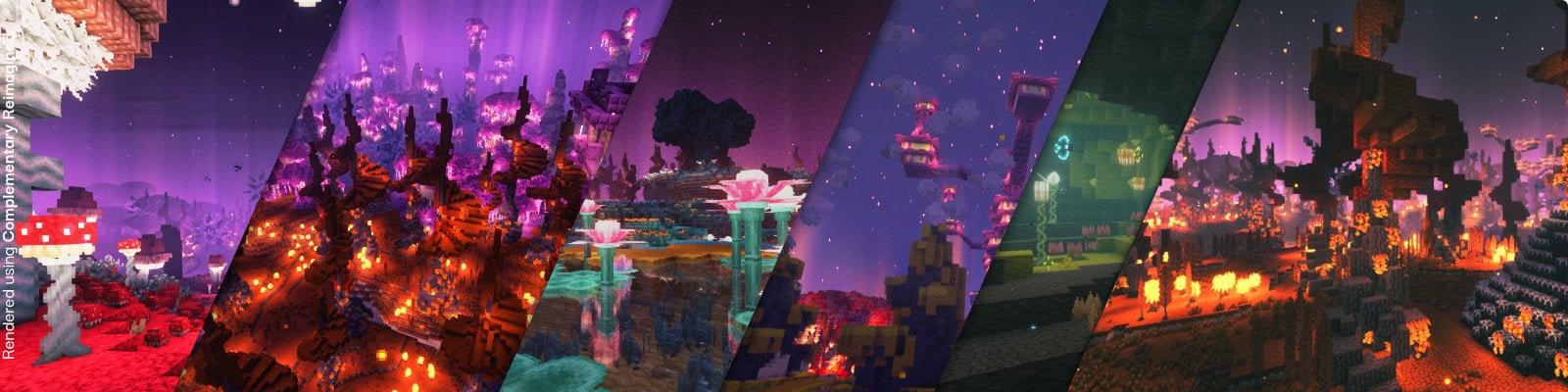
New Biomes, mysterious rituals and Mobs for your End
Bereit für deinen Server mit CobbleFoods?
4 GB RAM ab 8,00 € im Monat. 35 % auf den 1. Monat mit MADO35.