
Cobblemon: Create Industries (3D Production Models)
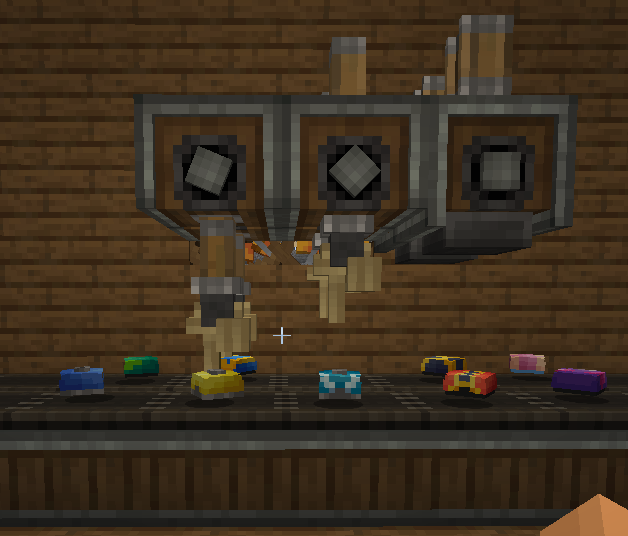
Create + Cobblemon : 3D Production of Balls, Candy, Mochi's.
Screenshots
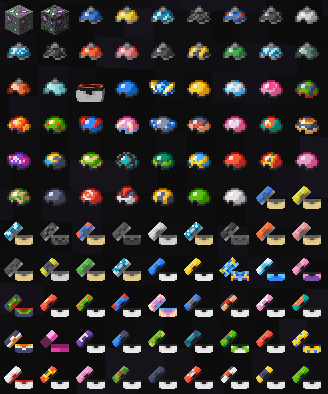
Über diese Mod
Cobblemon: Create Industries – A Cobblemon & Create Integration Mod
Balls 3D Models
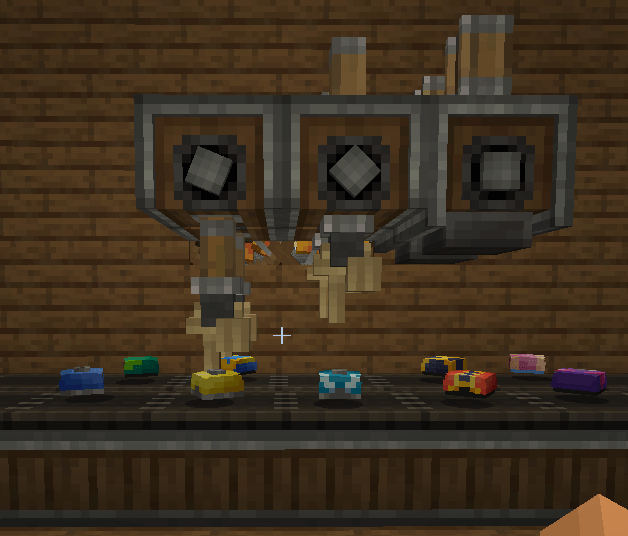
Cobblemon: Create Industries
Cobblemon: Create Industries adds automated crafting recipes and industrial processes for Cobblemon items using Create mechanics.
The mod was designed to make progression feel more immersive, allowing players to manufacture Pokémon items through machines, processing, and automated production lines.
Current Features
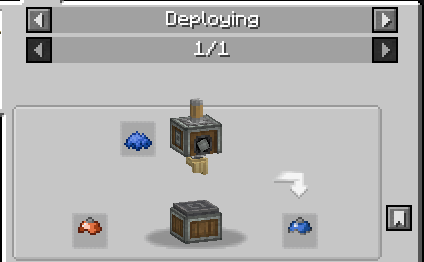
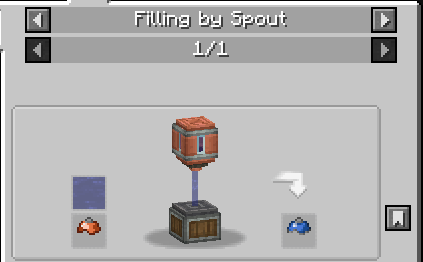
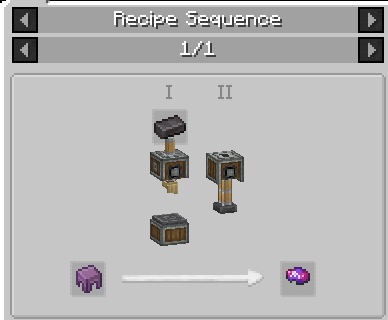
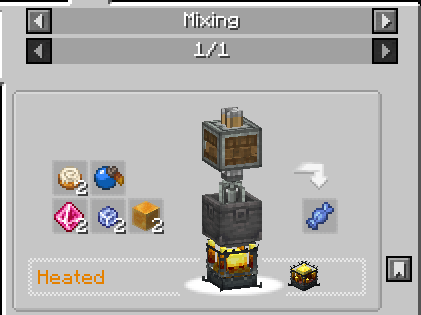
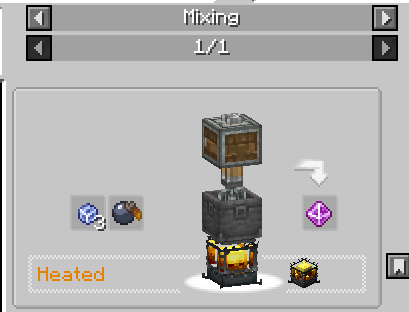
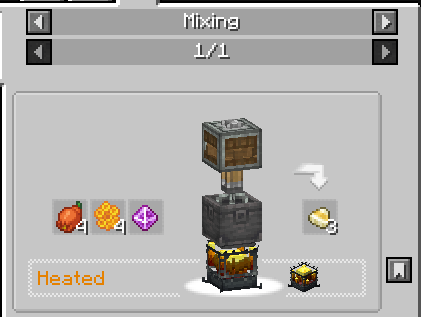
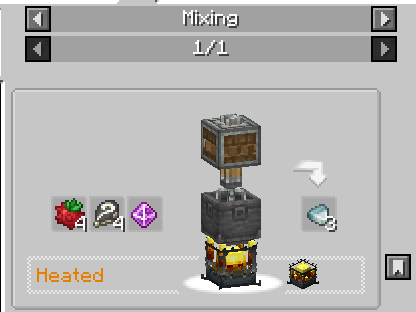
◽ **Poké Ball Manufacturing:** Produce Poké Balls using Create’s machines and automation systems. Recipes were redesigned to provide a more immersive and industrial progression experience within Cobblemon.
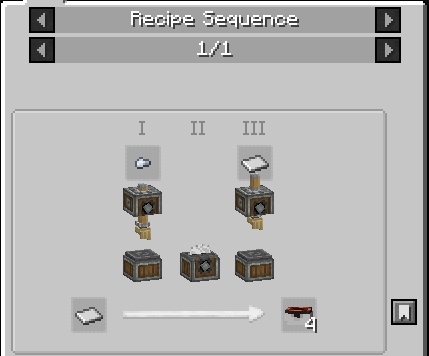
◽ **Poké Ball Lid Crafting:** Poké Ball lids can be manufactured through mechanical processing using Create equipment.
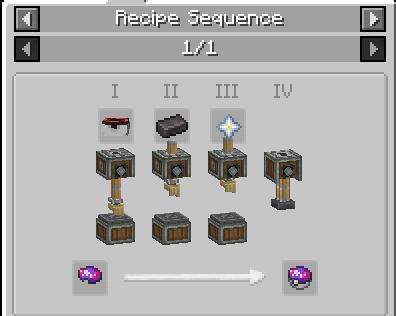
◽ **Ancient Poké Balls:** Ancient Poké Balls can also be crafted using automation and mechanical processing systems.
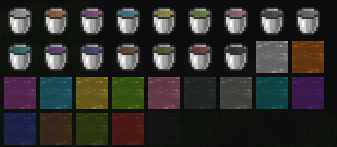
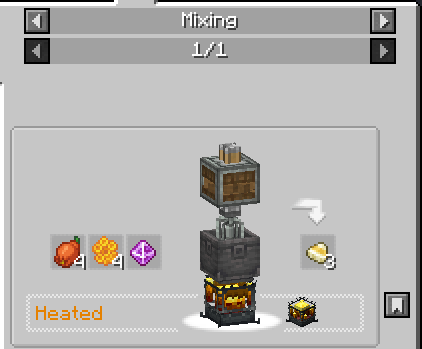
◽ **Pokémon Candies:** Create different types of candies to strengthen and evolve your Pokémon through industrial processes.
◽ **Mochis:** Produce Mochis using automated recipes fully integrated with Create mechanics.
◽ **Cobblemon Potions:** Automate potion production using mixing, processing, and Create machinery.
Everything is integrated with Create’s automation and processing systems.
If you enjoy automation, factories, and Cobblemon, this mod was made to enhance your experience.
Requirements:
◽ Cobblemon
◽ Create
◽Cobblemore Lib
Craft Balls
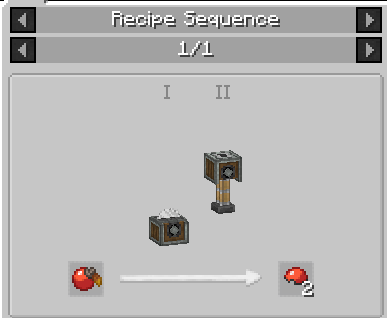
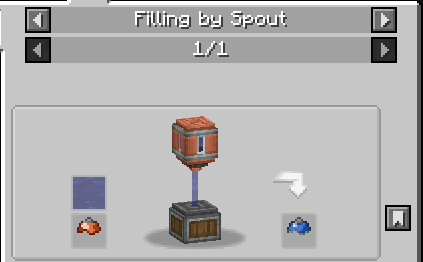
Craft Candy
Verfügbare Versionen
Cobblemon: Create Industries (3D Production Models) auf dem Server installieren
Server bestellen
Bestelle einen Minecraft Java Server mit mindestens 4 GB RAM (6 GB empfohlen).
fabric Loader setzen
Wähle im Panel unter "Egg" den fabric-Loader und die passende Minecraft-Version (1.21.1).
Mod installieren
Öffne den Mod-Browser im Dashboard und suche nach "Cobblemon: Create Industries (3D Production Models)". Klicke "Installieren" – fertig! Alternativ: Lade die .jar via SFTP in den /mods Ordner.
Kompatibilität
Mod-Loader
Minecraft-Versionen
1.21.1, 1.20.1
Server-seitig
✓ ErforderlichEmpfohlener RAM
6 GB(min. 4 GB)Häufige Fragen
Cobblemon: Create Industries (3D Production Models) Server crasht beim Start – was tun?
Häufigste Ursache: falsche fabric-Version oder zu wenig RAM. Prüfe im Server-Log (latest.log), ob ein "OutOfMemoryError" oder "Mixin"-Fehler auftritt. Bei Mado Hosting: Stelle sicher, dass mindestens 4 GB RAM zugewiesen sind und der Loader zur Mod-Version passt (1.21.1). Über das Panel kannst du den Loader mit einem Klick wechseln.
Ist Cobblemon: Create Industries (3D Production Models) mit fabric und forge und neoforge kompatibel?
Cobblemon: Create Industries (3D Production Models) unterstützt offiziell fabric, forge, neoforge für Minecraft 1.21.1, 1.20.1. Achtung: Forge- und Fabric-Mods sind NICHT untereinander kompatibel – wähle einen Loader und bleibe dabei. Im Mado Dashboard werden inkompatible Loader-Kombinationen automatisch erkannt.
Server laggt mit Cobblemon: Create Industries (3D Production Models) – wie optimiere ich die Performance?
Empfohlener RAM: 6 GB (+1 GB pro 5 Spieler). Prüfe mit /spark profiler, ob Cobblemon: Create Industries (3D Production Models) den meisten Tick-Time verbraucht. Häufige Fixes: Server-View-Distance auf 8-10 reduzieren, bei Forge "performant" oder "starlight" als Zusatz-Mod installieren. Bei Mado Hosting läuft dein Server auf NVMe-SSDs mit dedizierten CPU-Kernen für minimale Latenz.
Ähnliche Mods



![[TaCZ] Timeless and Classics Zero](https://cdn.modrinth.com/data/SzzJttH8/fd27766d2bb8390d284696b1dbd358f87e081439_96.webp)


Modded Server mieten
Installiere Cobblemon: Create Industries (3D Production Models) mit nur einem Klick auf deinem Server.