
Cobblemon: Create Industries (3D Production Models)
Create + Cobblemon : 3D Production of Balls, Candy, Mochi's.
Screenshots
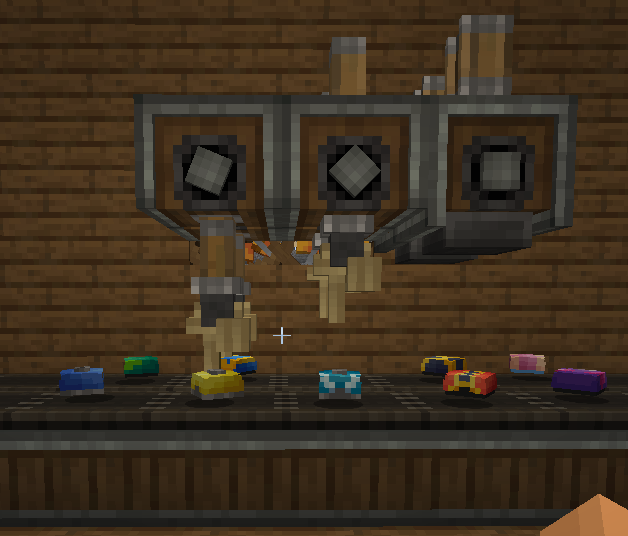
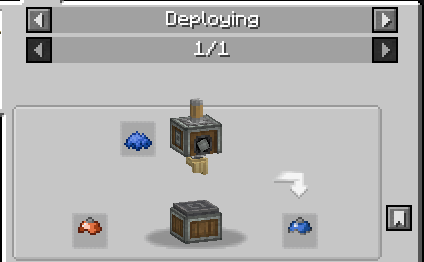
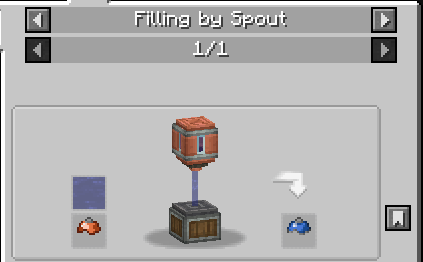
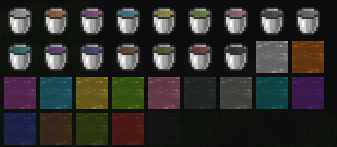
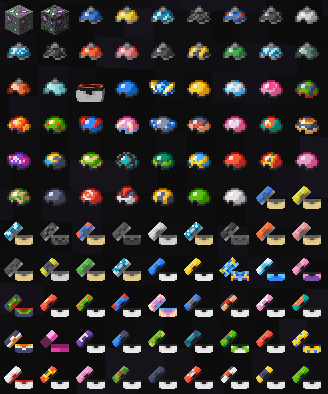
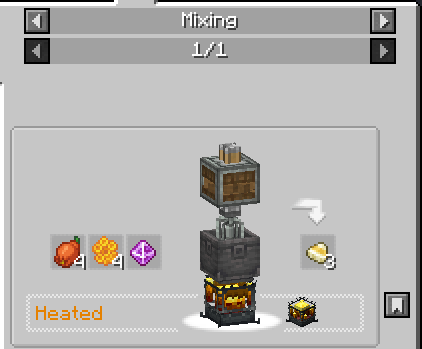
About this Mod
Cobblemon: Create Industries – A Cobblemon & Create Integration Mod
Balls 3D Models
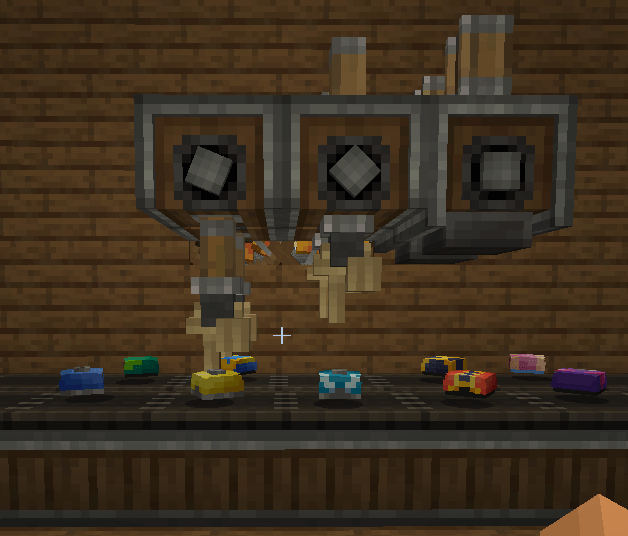
Cobblemon: Create Industries
Cobblemon: Create Industries adds automated crafting recipes and industrial processes for Cobblemon items using Create mechanics.
The mod was designed to make progression feel more immersive, allowing players to manufacture Pokémon items through machines, processing, and automated production lines.
Current Features
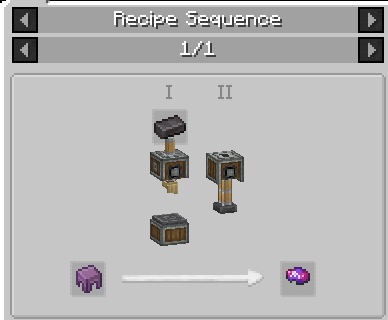
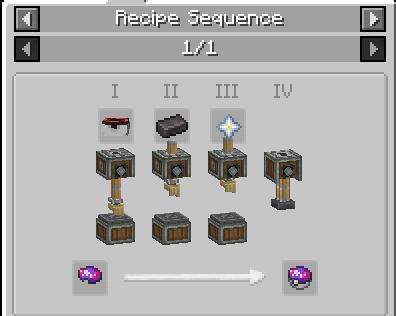
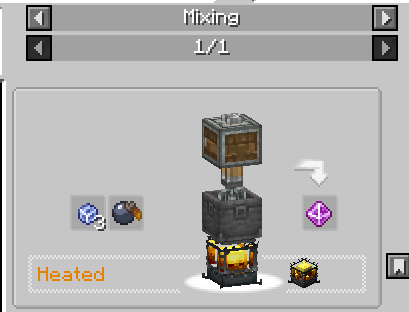
◽ **Poké Ball Manufacturing:** Produce Poké Balls using Create’s machines and automation systems. Recipes were redesigned to provide a more immersive and industrial progression experience within Cobblemon.
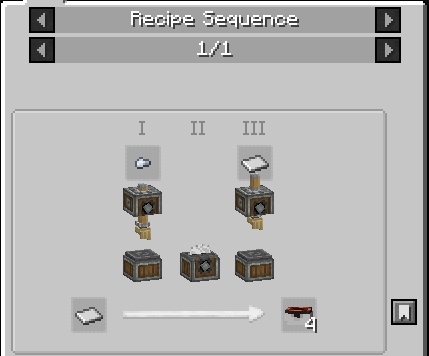
◽ **Poké Ball Lid Crafting:** Poké Ball lids can be manufactured through mechanical processing using Create equipment.
◽ **Ancient Poké Balls:** Ancient Poké Balls can also be crafted using automation and mechanical processing systems.
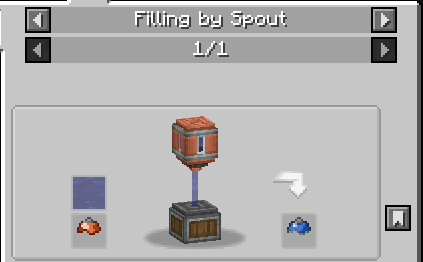
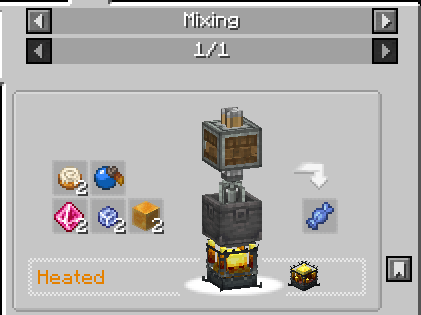
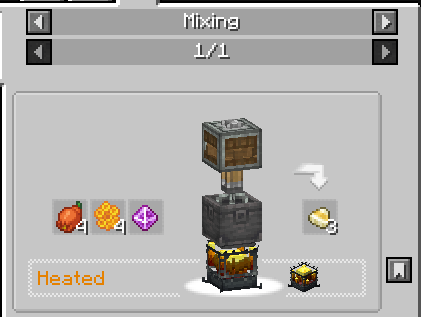
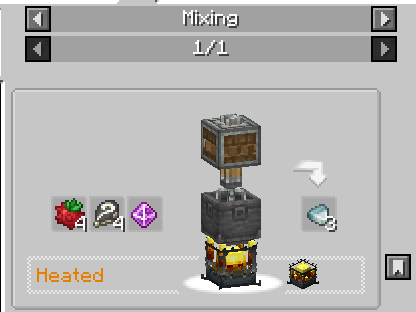
◽ **Pokémon Candies:** Create different types of candies to strengthen and evolve your Pokémon through industrial processes.
◽ **Mochis:** Produce Mochis using automated recipes fully integrated with Create mechanics.
◽ **Cobblemon Potions:** Automate potion production using mixing, processing, and Create machinery.
Everything is integrated with Create’s automation and processing systems.
If you enjoy automation, factories, and Cobblemon, this mod was made to enhance your experience.
Requirements:
◽ Cobblemon
◽ Create
◽Cobblemore Lib
Craft Balls
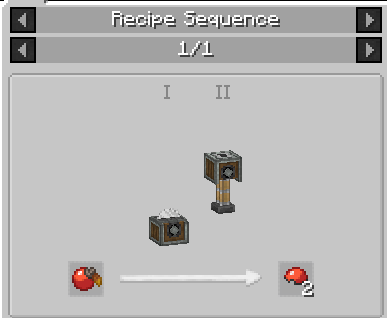
Craft Candy
Available Versions
How to Install Cobblemon: Create Industries (3D Production Models) on Your Server
Order Server
Order a Minecraft Java server with at least 4 GB RAM (6 GB recommended).
Set fabric Loader
In the panel under "Egg", select the fabric loader and matching Minecraft version (1.21.1).
Install Mod
Open the mod browser in the dashboard and search for "Cobblemon: Create Industries (3D Production Models)". Click "Install" – done! Alternatively, upload the .jar via SFTP to the /mods folder.
Compatibility
Mod Loaders
Minecraft Versions
1.21.1, 1.20.1
Server-side
✓ RequiredRecommended RAM
6 GB(min. 4 GB)Frequently Asked Questions
Cobblemon: Create Industries (3D Production Models) server crashes on startup – what to do?
Most common cause: wrong fabric version or insufficient RAM. Check the server log (latest.log) for "OutOfMemoryError" or "Mixin" errors. With Mado Hosting: ensure at least 4 GB RAM is allocated and the loader matches the mod version (1.21.1). You can switch loaders with one click in the panel.
Is Cobblemon: Create Industries (3D Production Models) compatible with fabric and forge and neoforge?
Cobblemon: Create Industries (3D Production Models) officially supports fabric, forge, neoforge for Minecraft 1.21.1, 1.20.1. Note: Forge and Fabric mods are NOT cross-compatible – pick one loader and stick with it. The Mado dashboard automatically detects incompatible loader combinations.
Server lagging with Cobblemon: Create Industries (3D Production Models) – how to optimize performance?
Recommended RAM: 6 GB (per 5 players). Use /spark profiler to check if Cobblemon: Create Industries (3D Production Models) consumes the most tick time. Common fixes: reduce server view-distance to 8-10, install "performant" or "starlight" as supplementary mods on Forge. With Mado Hosting, your server runs on NVMe SSDs with dedicated CPU cores for minimal latency.
Similar Mods



![[TaCZ] Timeless and Classics Zero](https://cdn.modrinth.com/data/SzzJttH8/fd27766d2bb8390d284696b1dbd358f87e081439_96.webp)


Rent Modded Server
Install Cobblemon: Create Industries (3D Production Models) with just one click on your server.