
Cobblemon TP-Pastures (No despawn for Pasture Block's)
Cobblemon Pasture Recall/Teleport Change
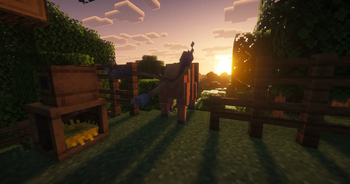
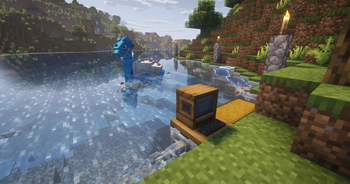
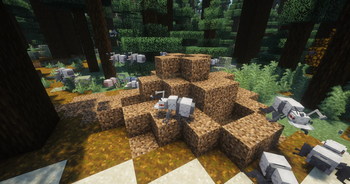
Screenshots

Über diese Mod
Cobblemon TP-Pastures
Prevents pastured Pokémon from being recalled to the PC when they wander too far away. Instead, they are teleported back near their Pasture Block.
The mod includes automatic radius configuration, safe landing detection, fall damage protection, configurable damage immunity, hazardous-state removal, optional teleport effects, and administrative commands.
It is available for both Fabric and NeoForge on Minecraft 1.21.1.
Server-side
This mod works in both singleplayer and multiplayer.
For multiplayer servers, this is a server-side mod, so it only needs to be installed on the server. Download the Fabric or NeoForge version that matches your server’s mod loader.
Why should you use it?
- Prevents your Pasture Block from suddenly becoming almost empty because Pokémon wandered too far away.
- Removes the need to trap your Pokémon with fences just to stop them from being recalled.
- Automatically adjusts the teleport radius based on Cobblemon’s configuration.
- Protects Pokémon from fall damage caused by teleporting them back.
- Protects pastured Pokémon from damage using a configurable whitelist or blacklist.
- Removes fire, drowning, and freezing states after teleporting.
- Improves compatibility with Cobbleworkers, allowing it to work more reliably.
- Lets you use pastured Pokémon more freely for decoration, zoos, safaris, farms, and similar builds.
You may also want to use Cobblemon: SafePastures, which protects your Pokémon from damage.
SafePastures is no longer necessary for damage protection because TP-Pastures now includes configurable damage immunity for Pokémon assigned to a Pasture Block.
Cobblemon 1.8.0 attempted to address pastured Pokémon despawning or running away, but Pokémon can still be recalled to the PC after leaving their allowed area. TP-Pastures is therefore still useful to prevent this behavior.
Dependencies
All versions require:
- Cobblemon 1.7.1+ (1.8.0 tested)
Fabric version:
- Fabric Loader 0.18.4+
- Fabric API 0.116.8+
NeoForge version:
- NeoForge 21.1+
Configuration
The config file is located here:
...\config\cobblemon_tp_pastures.json
Automatic radius configuration
By default, TP-Pastures automatically reads Cobblemon’s pastureMaxWanderDistance setting and subtracts the configured radiusMargin.
The default radiusMargin is 4.
Examples:
- Cobblemon radius
32→ TP-Pastures radius28 - Cobblemon radius
64→ TP-Pastures radius60
This means you normally only need to change Cobblemon’s pastureMaxWanderDistance. TP-Pastures automatically adjusts its effective teleport radius.
Cobblemon’s value can usually be found here:
...\config\cobblemon\main.json
Cobblemon 1.8.0 changed the default pastureMaxWanderDistance from 64 to 32. With automatic radius configuration enabled, TP-Pastures automatically changes its effective radius from 60 to 28.
If Cobblemon’s configuration cannot be read, maxPastureRadius is used as a fallback.
Manual radius configuration
To use a fixed radius instead, set:
"automaticRadius": false
TP-Pastures will then use the value configured under maxPastureRadius.
When using manual mode, always keep TP-Pastures’ maxPastureRadius lower than Cobblemon’s pastureMaxWanderDistance. Otherwise, Cobblemon may recall the Pokémon before TP-Pastures can teleport it back.
Using a larger pasture radius
When automatic radius configuration is enabled, you only need to increase Cobblemon’s pastureMaxWanderDistance.
For example:
"pastureMaxWanderDistance": 64
With the default radiusMargin of 4, TP-Pastures will automatically use an effective radius of 60.
You can change radiusMargin if you want TP-Pastures to teleport Pokémon sooner or later.
Updating from an older version
Existing config files are preserved when updating.
New settings are automatically added when the config is loaded. An old maxPastureRadius value may remain in the file, but it is only used as a fallback while automaticRadius is enabled.
You no longer need to manually change an old radius such as 54 to 28 when using automatic radius configuration.
Damage protection
By default, Pokémon currently assigned to a Pasture Block are protected from all damage.
Damage protection can be customized using:
invulnerablePasturedPokemondamageFilterModedamageTypes
Blacklist mode
BLACKLIST prevents the damage types listed under damageTypes.
The default wildcard configuration prevents all damage:
"damageFilterMode": "BLACKLIST",
"damageTypes": [
  "*"
]
You can replace * with individual Minecraft damage type IDs if only specific damage types should be prevented:
"damageTypes": [
  "minecraft:in_fire",
  "minecraft:on_fire",
  "minecraft:fall"
]
Whitelist mode
WHITELIST allows the damage types listed under damageTypes and prevents all other damage.
For example, this allows fall damage while preventing other damage:
"damageFilterMode": "WHITELIST",
"damageTypes": [
  "minecraft:fall"
]
Set invulnerablePasturedPokemon to false to disable general damage protection completely.
Teleport-related fall damage can still be prevented separately using preventTeleportFallDamage.
Commands
/tppastures— Displays the current configuration status./tppastures status— Displays the effective radius and enabled protection settings./tppastures reload— Reloads the configuration without restarting the server. Requires permission level 2 (server operator).
Default config
{
  "_automaticRadius_info": "If true, the teleport radius is automatically set to Cobblemon's pastureMaxWanderDistance minus radiusMargin. maxPastureRadius is used as a fallback if Cobblemon's config is unavailable. Default: true.",
  "automaticRadius": true,
  "_radiusMargin_info": "How many blocks are subtracted from Cobblemon's pastureMaxWanderDistance in automatic mode. Default: 4.",
  "radiusMargin": 4,
  "_maxPastureRadius_info": "Manual teleport radius and fallback for automatic mode. Must be lower than Cobblemon's pastureMaxWanderDistance. Default: 28.",
  "maxPastureRadius": 28,
  "_useHorizontalDistanceOnly_info": "If true, only horizontal (X/Z) distance is checked, ignoring height. Good for pastures near cliffs or multi-level farms. If false, full 3D sphere distance is used. Default: false.",
  "useHorizontalDistanceOnly": false,
  "_candidateTeleportAttempts_info": "How many random positions around the pasture block are tried when searching for a safe landing spot (solid ground + clear headroom). Higher values reduce the chance of landing inside a block, at a tiny performance cost. Default: 24.",
  "candidateTeleportAttempts": 24,
  "_fallbackYOffset_info": "If no safe position is found after candidateTeleportAttempts tries, the Pokémon is placed this many blocks directly above the pasture block as a last resort. Default: 1.5.",
  "fallbackYOffset": 1.5,
  "_debugLogging_info": "If true, nearby players see a chat message whenever a Pokémon is teleported back (e.g. 'Pikachu left tether box → (x, y, z)'). Default: false.",
  "debugLogging": false,
  "_serverLogging_info": "If true, teleport events are written to the server log. Disable this if the log spam is unwanted. Default: false.",
  "serverLogging": false,
  "_preventTeleportFallDamage_info": "If true, a Pokémon teleported back by TP-Pastures takes no fall damage from that teleport. Protection lasts until it lands. Default: true.",
  "preventTeleportFallDamage": true,
  "_invulnerablePasturedPokemon_info": "If true, damage to Pokémon currently assigned to a Pasture Block is filtered using damageFilterMode and damageTypes. Default: true.",
  "invulnerablePasturedPokemon": true,
  "_damageFilterMode_info": "BLACKLIST prevents the damage types listed in damageTypes. WHITELIST allows only the damage types listed in damageTypes. Use Minecraft damage type IDs such as minecraft:in_fire. Default: BLACKLIST.",
  "damageFilterMode": "BLACKLIST",
  "_damageTypes_info": "Damage type IDs used by damageFilterMode. The wildcard * matches every damage type. Default: [\"*\"] (all damage is prevented).",
  "damageTypes": [
    "*"
  ],
  "_clearHazardousStatesAfterTeleport_info": "If true, fire, drowning and freezing states are cleared after TP-Pastures teleports a Pokémon. Default: true.",
  "clearHazardousStatesAfterTeleport": true,
  "_teleportParticles_info": "If true, portal particles are shown at the old and new position when a Pokémon is teleported. Default: false.",
  "teleportParticles": false,
  "_teleportSounds_info": "If true, an Enderman teleport sound is played at the old and new position when a Pokémon is teleported. Default: false.",
  "teleportSounds": false
}
Support / Bug Reports
I currently do not use a dedicated platform for support or bug reports.
If you need help or want to report an issue, you can contact me on Discord:@datibrr
Verfügbare Versionen
Cobblemon TP-Pastures (No despawn for Pasture Block's) auf dem Server installieren
Server bestellen
Bestelle einen Minecraft Java Server mit mindestens 3 GB RAM (4 GB empfohlen).
fabric Loader setzen
Wähle im Panel unter "Egg" den fabric-Loader und die passende Minecraft-Version (1.21.1).
Mod installieren
Öffne den Mod-Browser im Dashboard und suche nach "Cobblemon TP-Pastures (No despawn for Pasture Block's)". Klicke "Installieren" – fertig! Alternativ: Lade die .jar via SFTP in den /mods Ordner.
Kompatibilität
Mod-Loader
Minecraft-Versionen
1.21.1
Server-seitig
✓ ErforderlichEmpfohlener RAM
4 GB(min. 3 GB)Häufige Fragen
Cobblemon TP-Pastures (No despawn for Pasture Block's) Server crasht beim Start – was tun?
Häufigste Ursache: falsche fabric-Version oder zu wenig RAM. Prüfe im Server-Log (latest.log), ob ein "OutOfMemoryError" oder "Mixin"-Fehler auftritt. Bei Mado Hosting: Stelle sicher, dass mindestens 3 GB RAM zugewiesen sind und der Loader zur Mod-Version passt (1.21.1). Über das Panel kannst du den Loader mit einem Klick wechseln.
Ist Cobblemon TP-Pastures (No despawn for Pasture Block's) mit fabric und neoforge kompatibel?
Cobblemon TP-Pastures (No despawn for Pasture Block's) unterstützt offiziell fabric, neoforge für Minecraft 1.21.1. Im Mado Dashboard werden inkompatible Loader-Kombinationen automatisch erkannt.
Server laggt mit Cobblemon TP-Pastures (No despawn for Pasture Block's) – wie optimiere ich die Performance?
Empfohlener RAM: 4 GB (+1 GB pro 8 Spieler). Prüfe mit /spark profiler, ob Cobblemon TP-Pastures (No despawn for Pasture Block's) den meisten Tick-Time verbraucht. Häufige Fixes: Server-View-Distance auf 8-10 reduzieren, bei Forge "performant" oder "starlight" als Zusatz-Mod installieren. Bei Mado Hosting läuft dein Server auf NVMe-SSDs mit dedizierten CPU-Kernen für minimale Latenz.
Ähnliche Mods

![[ETF] Entity Texture Features](https://cdn.modrinth.com/data/BVzZfTc1/af683d206d50b05258d865b0d6e4aa2f2cee12f2_96.webp)
![[EMF] Entity Model Features](https://cdn.modrinth.com/data/4I1XuqiY/6e5bbd0d06b1741bfdab6c0cfab6de8fdaf0064c_96.webp)



Modded Server mieten
Installiere Cobblemon TP-Pastures (No despawn for Pasture Block's) mit nur einem Klick auf deinem Server.