
CoffeeCraft
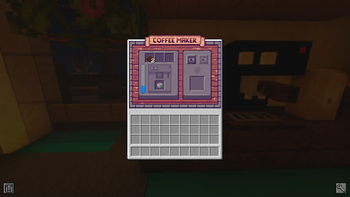
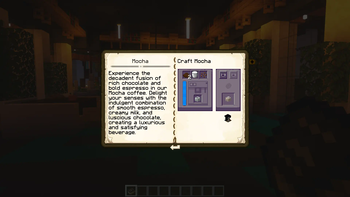
Welcome to CoffeeCraft, a mod offering a variety of coffee-making tools and blocks. Become the barista of your dreams! Explore coffee plants, create custom drinks and transform your seeds into delicious coffee.
Screenshots
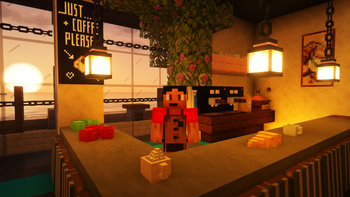
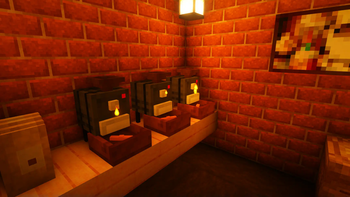
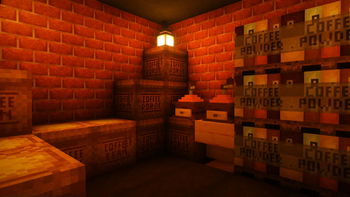
Über diese Mod
CoffeeCraft




Welcome to CoffeeCraft, a mod offering a variety of coffee-making tools and blocks. Become the barista of your dreams! Explore coffee plants, create custom drinks and transform your seeds into delicious coffee.
We're two French friends with a passion for Minecraft and modding. We set ourselves the challenge of creating our very first mod. It's the fruit of many hours of research, exchanging ideas and hard work. We're proud of the result and hope you like it.
Installation Requirements


Getting started
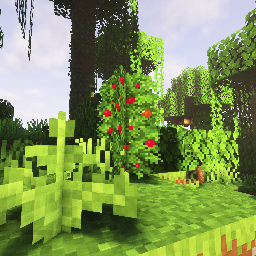
You'll find coffee plants in the jungle biomes :
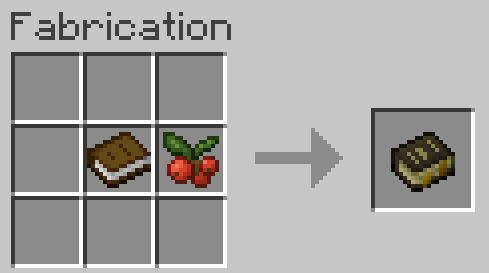
Craft Guide Book :
Aside from bug reports, suggestions and pull requests, you can contribute to the CoffeeCraft endeavors by supporting us financially. Please make donations only with the intent to **encourage the people who are working on content you enjoy playing, not to gain advantages over other players in regards to your feature suggestions or your in-game experience.

Patreon is a great option to contribute with a monthly payment. Your support will be credited at the top of the Project Page and you will be granted access to an exclusive chatroom on the coffeecraft Discord for hanging out with fellow enthusiastic coffeecraft patrons, as well as the team.

Alternatively, you can send us some love with a little one-time donation on Buy me a coffee.
Buymeacoffee is an online platform enabling content creators to receive donations from their audience to support their work.
We'd like to thank everyone that decides to donate, no matter how much. It is greatly appreciated that you put forth something to help us continue.
Please let us know of any bugs you encounter or leave a comment to help us improve your experience. Your feedback is invaluable to us. Thank you in advance!
Verfügbare Versionen
CoffeeCraft auf dem Server installieren
Server bestellen
Bestelle einen Minecraft Java Server mit mindestens 3 GB RAM (4 GB empfohlen).
forge Loader setzen
Wähle im Panel unter "Egg" den forge-Loader und die passende Minecraft-Version (1.20.1).
Mod installieren
Öffne den Mod-Browser im Dashboard und suche nach "CoffeeCraft". Klicke "Installieren" – fertig! Alternativ: Lade die .jar via SFTP in den /mods Ordner.
Kompatibilität
Mod-Loader
Minecraft-Versionen
1.20.1
Server-seitig
✓ ErforderlichEmpfohlener RAM
4 GB(min. 3 GB)Häufige Fragen
CoffeeCraft Server crasht beim Start – was tun?
Häufigste Ursache: falsche forge-Version oder zu wenig RAM. Prüfe im Server-Log (latest.log), ob ein "OutOfMemoryError" oder "Mixin"-Fehler auftritt. Bei Mado Hosting: Stelle sicher, dass mindestens 3 GB RAM zugewiesen sind und der Loader zur Mod-Version passt (1.20.1). Über das Panel kannst du den Loader mit einem Klick wechseln.
Ist CoffeeCraft mit forge kompatibel?
CoffeeCraft unterstützt offiziell forge für Minecraft 1.20.1. Im Mado Dashboard werden inkompatible Loader-Kombinationen automatisch erkannt.
Server laggt mit CoffeeCraft – wie optimiere ich die Performance?
Empfohlener RAM: 4 GB (+1 GB pro 8 Spieler). Prüfe mit /spark profiler, ob CoffeeCraft den meisten Tick-Time verbraucht. Häufige Fixes: Server-View-Distance auf 8-10 reduzieren, bei Forge "performant" oder "starlight" als Zusatz-Mod installieren. Bei Mado Hosting läuft dein Server auf NVMe-SSDs mit dedizierten CPU-Kernen für minimale Latenz.
Ähnliche Mods

![[ETF] Entity Texture Features](https://cdn.modrinth.com/data/BVzZfTc1/af683d206d50b05258d865b0d6e4aa2f2cee12f2_96.webp)
![[EMF] Entity Model Features](https://cdn.modrinth.com/data/4I1XuqiY/6e5bbd0d06b1741bfdab6c0cfab6de8fdaf0064c_96.webp)



Modded Server mieten
Installiere CoffeeCraft mit nur einem Klick auf deinem Server.