
Cognition
Formerly Experience Obelisk. Overhaul your minecraft experience with strange and arcane technologies
Screenshots
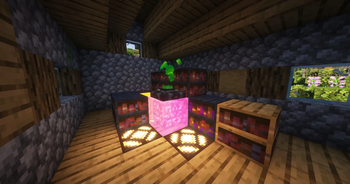
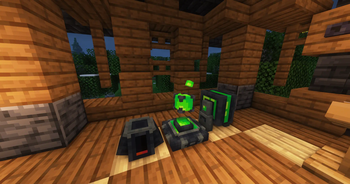
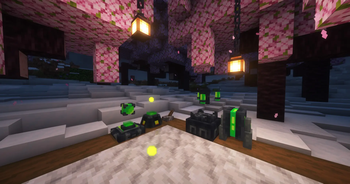
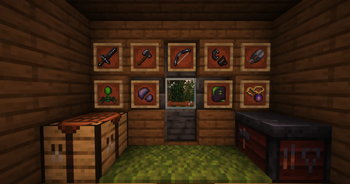
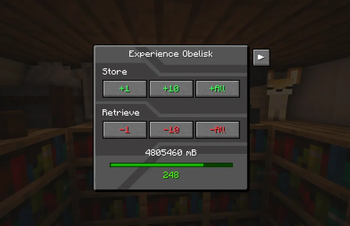
Über diese Mod
Experience Obelisk is now Cognition!
Cognition aims to overhaul player XP, by providing new ways to store, transport, and use it in weird and wonderful ways. Power all sorts of mystical machinery with Cognitium, best described as pure knowledge given corporeal form. As for now the content available is quite small, but much more is currently in the works!
View the wiki here for detailed information about this mod's contents
Important Info
⚠️ This project requires ⚠️
- Geckolib 3 for 1.18.2 and 1.19.2 versions
- Geckolib 4 for 1.20.1+ versions
- Additionally, as an optional dependency, you might want to install Curios API, which will allow you to wear items from this mod in curios slots.
For backward compatibility, the mod id remains "experienceobelisk", which is to say, should you need to obtain the IDs for anything in the game, they will be in the format "experienceobelisk:item_or_block_id" (UPDATE: The mod id is now "cognition" for v2.3.7-1.21.1 onwards). If you would like to report a bug or request a feature, please don't hesitate to do so at the github page.
Should you want updates on the mod, or just wanna chat, join the official Terrarium discord!
If you enjoyed this project feel free to check out my other mods:
Diagonalization - Place blocks on corners and vertices!
Acknowledgements:
- All block models were done by the extremely talented Squishy
- Thank you lazerdude for helping with playtesting!
- Prior to the release of v2.0.0, this mod was originally called "Experience Obelisk" and added a single block of the same name. It was intended to provide the functionality of EnderIO's experience obelisk to versions of Minecraft for which it was not available for at the time. Without EnderIO, this mod would not exist! Massive thanks to the EnderIO team for creating the mod we know and love.
Verfügbare Versionen
Cognition auf dem Server installieren
Server bestellen
Bestelle einen Minecraft Java Server mit mindestens 3 GB RAM (4 GB empfohlen).
forge Loader setzen
Wähle im Panel unter "Egg" den forge-Loader und die passende Minecraft-Version (1.21.5).
Mod installieren
Öffne den Mod-Browser im Dashboard und suche nach "Cognition". Klicke "Installieren" – fertig! Alternativ: Lade die .jar via SFTP in den /mods Ordner.
Kompatibilität
Mod-Loader
Minecraft-Versionen
1.21.5, 1.21.4, 1.21.3 (+8 weitere)
Server-seitig
✓ ErforderlichEmpfohlener RAM
4 GB(min. 3 GB)Häufige Fragen
Cognition Server crasht beim Start – was tun?
Häufigste Ursache: falsche forge-Version oder zu wenig RAM. Prüfe im Server-Log (latest.log), ob ein "OutOfMemoryError" oder "Mixin"-Fehler auftritt. Bei Mado Hosting: Stelle sicher, dass mindestens 3 GB RAM zugewiesen sind und der Loader zur Mod-Version passt (1.21.5). Über das Panel kannst du den Loader mit einem Klick wechseln.
Ist Cognition mit forge und neoforge kompatibel?
Cognition unterstützt offiziell forge, neoforge für Minecraft 1.21.5, 1.21.4, 1.21.3. Im Mado Dashboard werden inkompatible Loader-Kombinationen automatisch erkannt.
Server laggt mit Cognition – wie optimiere ich die Performance?
Empfohlener RAM: 4 GB (+1 GB pro 8 Spieler). Prüfe mit /spark profiler, ob Cognition den meisten Tick-Time verbraucht. Häufige Fixes: Server-View-Distance auf 8-10 reduzieren, bei Forge "performant" oder "starlight" als Zusatz-Mod installieren. Bei Mado Hosting läuft dein Server auf NVMe-SSDs mit dedizierten CPU-Kernen für minimale Latenz.
Ähnliche Mods





Modded Server mieten
Installiere Cognition mit nur einem Klick auf deinem Server.