Shield Fixes
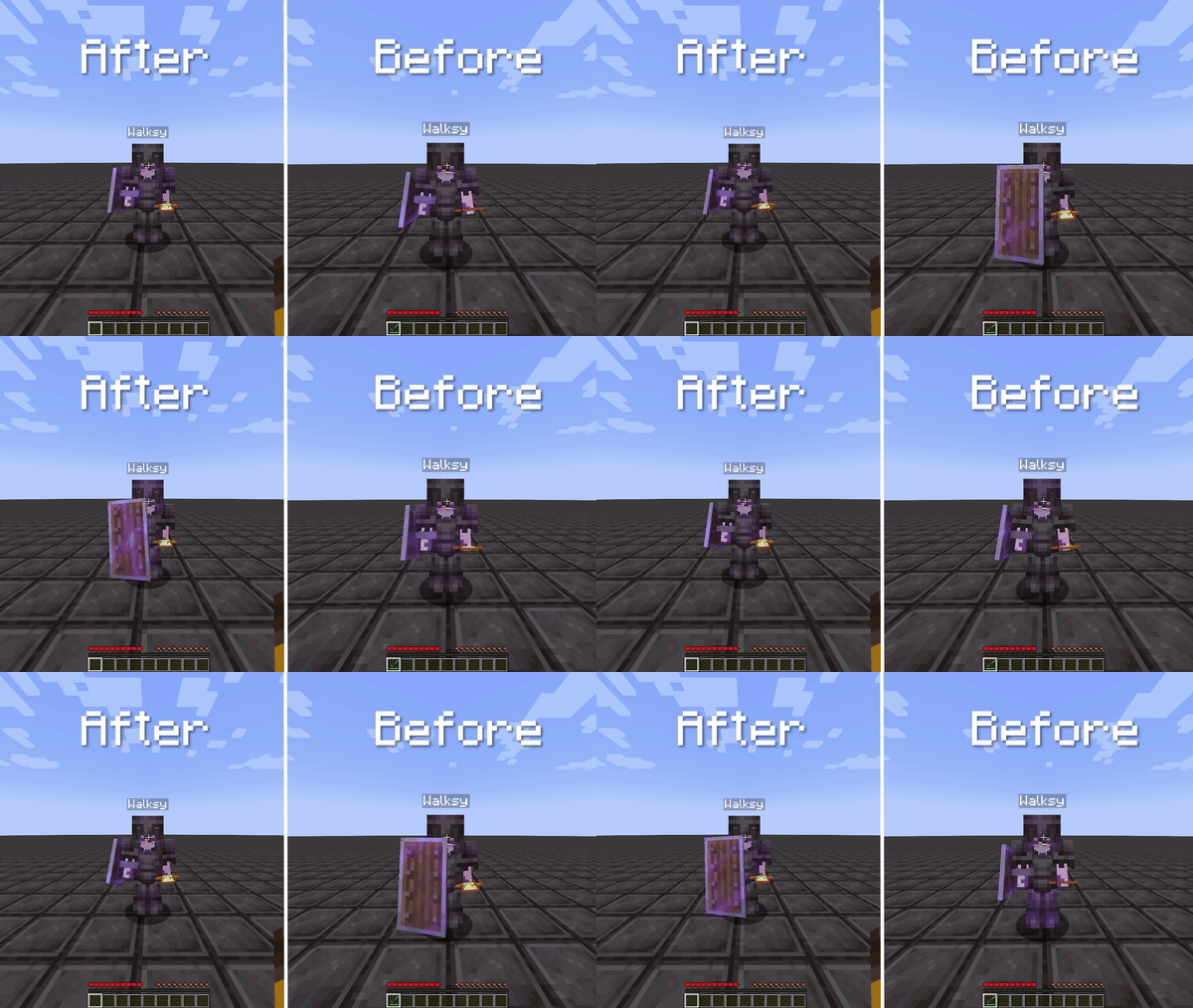
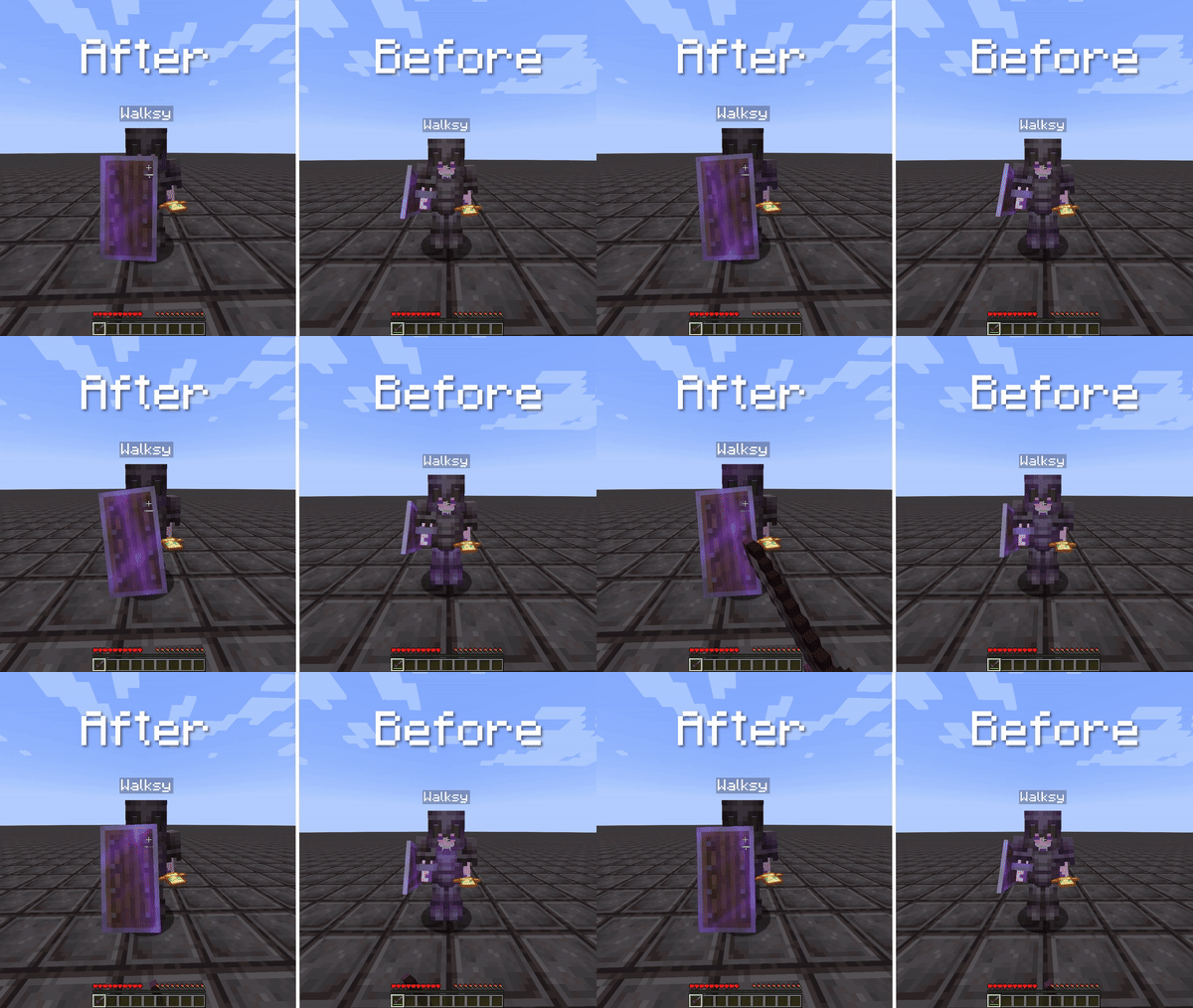
Resolves issues with shield sounds and corrects the animation glitch where the player's shield doesn't display blocking properly.
Screenshots
Über diese Mod
Complete Shield Fixes!
This mod addresses two Minecraft bugs related to shields. It resolves issues with shield sounds (https://bugs.mojang.com/browse/MC-105068)
and corrects the animation glitch where the player's shield doesn't display blocking properly (https://bugs.mojang.com/browse/MC-238293).
Information:
Shield Sounds
This mod adds shield sounds for the following events:
- If a player's shield gets disabled.
- If a player's shield is being hit / attacked by any damage source. This includes explosions and projectiles.
Shield Blocking
This mod fixes the animation issue with shields where a player is shielding but sometimes doesn't show them blocking. This can be very annoying when PvPing as you
don't know if the player is shielding or not. The video below shows a player shielding and in survival.
This mod also factors in the 5-tick delay from shields. This means it will not show the player is blocking until they actually are blocking. The video below shows a player spam using the shield and occasionally holding it up long enough for the shield to actually show. However, you can disable this using the config screen if you find this un-useful or annoying.

Credits
- Mod: Walksy
- Icon: SakuraFX
Verfügbare Versionen
Shield Fixes auf deinem Client installieren
Mod-Loader lokal installieren
Installiere fabric für deine lokale Minecraft-Version.
Passende Datei herunterladen
Wähle die Shield Fixes-Datei für fabric und Minecraft 26.2.
Mod installieren
Lege die .jar-Datei in deinem lokalen .minecraft/mods-Ordner ab und starte Minecraft neu. Eine Installation auf dem Server ist nicht nötig.
Kompatibilität
Mod-Loader
Minecraft-Versionen
26.2, 26.1.2, 26.1.1 (+21 weitere)
Server-seitig
✗ Nicht unterstütztEmpfohlener RAM
4 GB(min. 3 GB)Häufige Fragen
Muss Shield Fixes auf dem Minecraft Server installiert werden?
Nein. Modrinth kennzeichnet Shield Fixes serverseitig als nicht unterstützt. Installiere die Mod nur im lokalen Minecraft-Mods-Ordner. Dein Server kann unverändert bleiben, sofern die Mod-Seite keine zusätzliche Abhängigkeit nennt.
Welche Version und welchen Loader braucht Shield Fixes?
Nutze eine Datei für fabric und exakt deine Minecraft-Version. Unterstützte Versionen sind unter anderem 26.2, 26.1.2, 26.1.1. Loader-Dateien sind nicht untereinander austauschbar.
Shield Fixes funktioniert nicht – was kann ich prüfen?
Prüfe zuerst Minecraft-Version, Loader-Version und erforderliche Abhängigkeiten. Lege die .jar-Datei im lokalen .minecraft/mods-Ordner ab und entferne ältere Duplikate. Da die Mod clientseitig ist, löst mehr Server-RAM dieses Problem nicht.
Ähnliche Mods



![[TaCZ] Timeless and Classics Zero](https://cdn.modrinth.com/data/SzzJttH8/fd27766d2bb8390d284696b1dbd358f87e081439_96.webp)


Minecraft Server für deine Gruppe
Shield Fixes bleibt auf deinem Client. Hoste dazu eine kompatible Welt für deine Mitspieler.