Shield Fixes
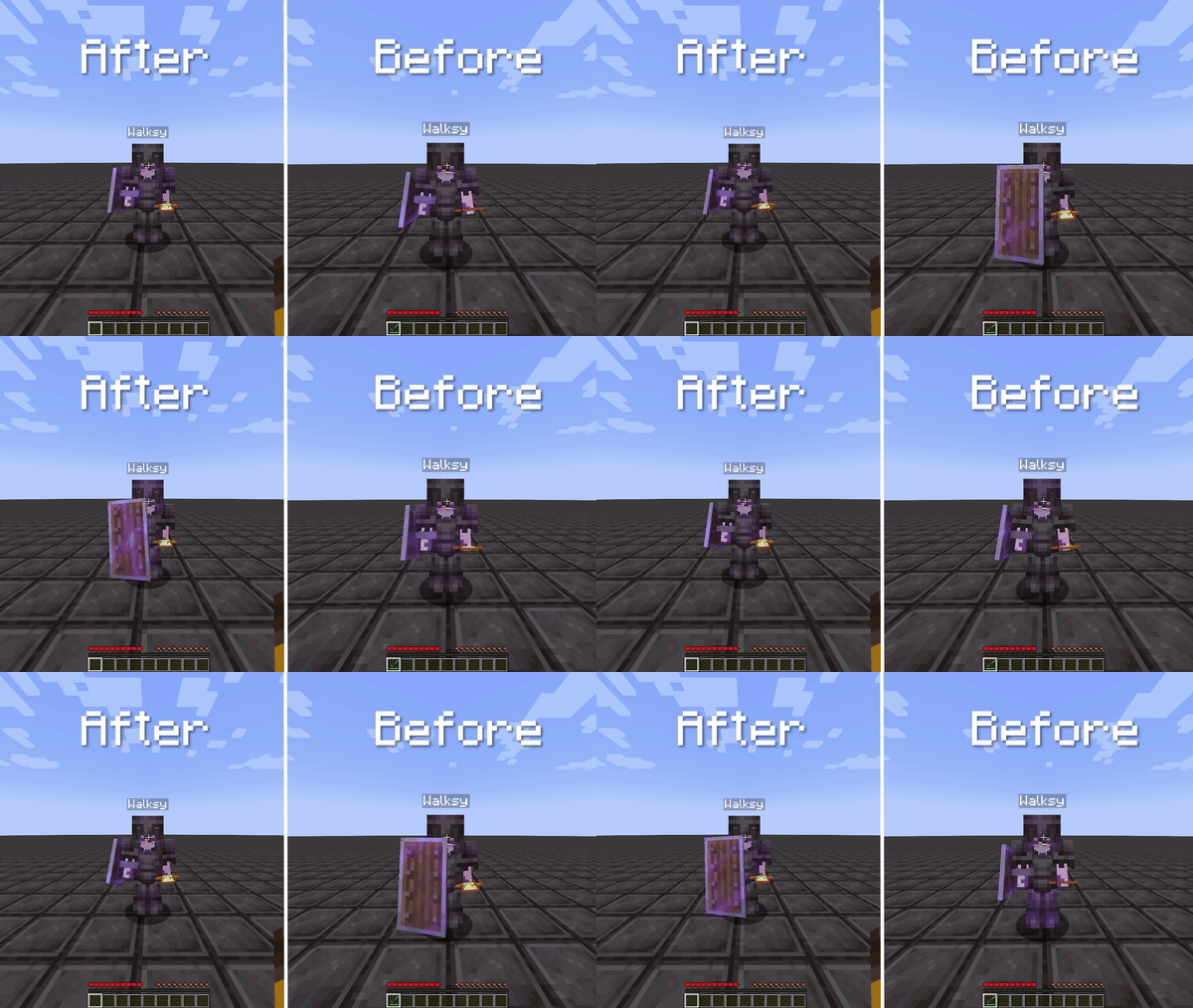
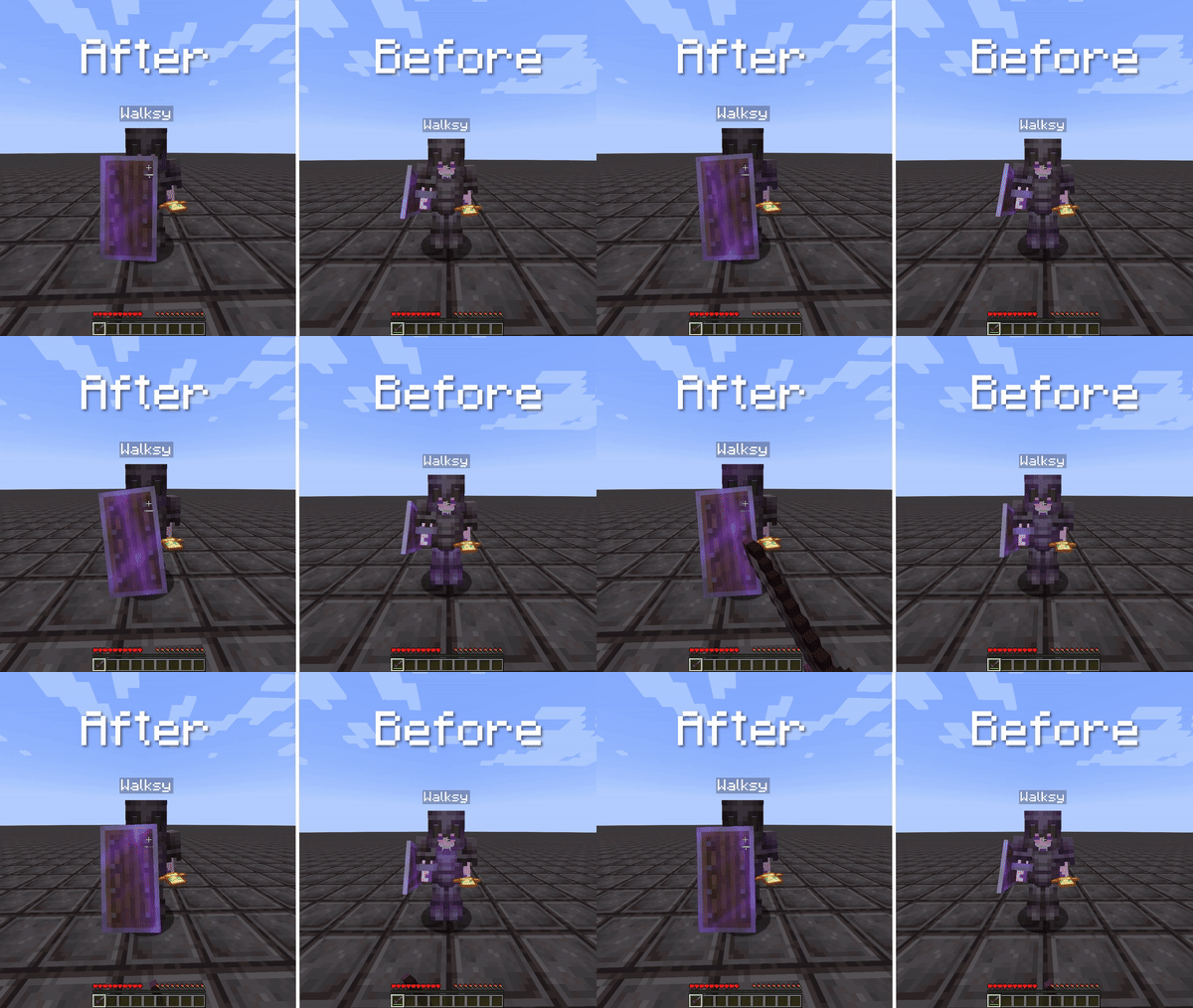
Resolves issues with shield sounds and corrects the animation glitch where the player's shield doesn't display blocking properly.
Screenshots
About this Mod
Complete Shield Fixes!
This mod addresses two Minecraft bugs related to shields. It resolves issues with shield sounds (https://bugs.mojang.com/browse/MC-105068)
and corrects the animation glitch where the player's shield doesn't display blocking properly (https://bugs.mojang.com/browse/MC-238293).
Information:
Shield Sounds
This mod adds shield sounds for the following events:
- If a player's shield gets disabled.
- If a player's shield is being hit / attacked by any damage source. This includes explosions and projectiles.
Shield Blocking
This mod fixes the animation issue with shields where a player is shielding but sometimes doesn't show them blocking. This can be very annoying when PvPing as you
don't know if the player is shielding or not. The video below shows a player shielding and in survival.
This mod also factors in the 5-tick delay from shields. This means it will not show the player is blocking until they actually are blocking. The video below shows a player spam using the shield and occasionally holding it up long enough for the shield to actually show. However, you can disable this using the config screen if you find this un-useful or annoying.

Credits
- Mod: Walksy
- Icon: SakuraFX
Available Versions
How to Install Shield Fixes on Your Client
Install the Mod Loader Locally
Install fabric for your local Minecraft version.
Download the Matching File
Choose the Shield Fixes file for fabric and Minecraft 26.2.
Install Mod
Place the .jar file in your local .minecraft/mods folder and restart Minecraft. No server-side installation is required.
Compatibility
Mod Loaders
Minecraft Versions
26.2, 26.1.2, 26.1.1 (+21 more)
Server-side
✗ UnsupportedRecommended RAM
4 GB(min. 3 GB)Frequently Asked Questions
Does Shield Fixes need to be installed on the Minecraft server?
No. Modrinth marks Shield Fixes as unsupported on the server side. Install it only in your local Minecraft mods folder. Your server can remain unchanged unless the mod page lists an additional dependency.
Which version and loader does Shield Fixes require?
Use a file for fabric and your exact Minecraft version. Supported versions include 26.2, 26.1.2, 26.1.1. Files for different loaders are not interchangeable.
Shield Fixes is not working – what should I check?
First check the Minecraft version, loader version and required dependencies. Put the .jar file in your local .minecraft/mods folder and remove older duplicates. Because this mod is client-side, adding server RAM will not fix it.
Similar Mods



![[TaCZ] Timeless and Classics Zero](https://cdn.modrinth.com/data/SzzJttH8/fd27766d2bb8390d284696b1dbd358f87e081439_96.webp)


Minecraft Server for Your Group
Shield Fixes stays on your client. Host a compatible world for your group.