
Control Craft
Break Newton's rule, Now your machines define gravity!
Screenshots
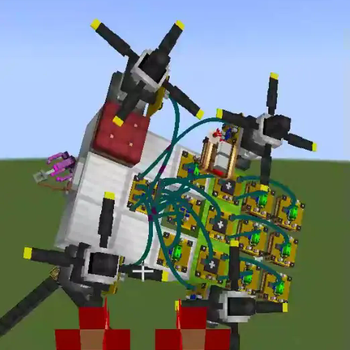
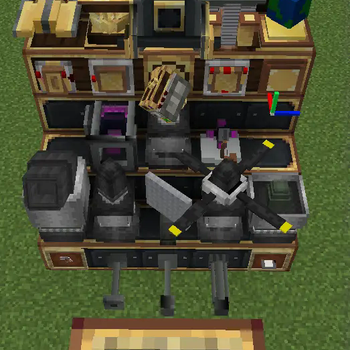
Über diese Mod

What is Control Craft
Precision Engineering for Valkyrien-Skies
Control Craft is a comprehensive expansion for Valkyrien-Skies, designed to transform your airships and mechanical creations with granular physics control and high-performance automation. By integrating modular controllers, adaptive power systems, and hybrid circuitry, Control Craft empowers engineers to build compact, responsive, and intricately orchestrated machines.
Contents:
- Multi-Functional Physics Controllers
- Dynamic/Kinematic Motors & Pistons: Fine-tune rotational/linear motion.
- Adjustable Power Sources
- Propellers & Vector Thrusters: Direct thrust with customizable torque, angle, and thrust directions.
- Flap Bearings/Compact Flap: Responsive flap controls
- Utilities
- Gravitational Anchor: Customize drag, gravity
- Spatial Anchor: Align physics structures with ease
- Camera: Link from thousands of blocks away, get vision from your ships
- Cimulink Circuitry
- Design circuits using familiar components—logic gates, comparators, analog adders, sensors, and even lua scripts! Then compress entire networks into reusable, block-sized modules, replacing big and janky redstone circuits.
Suggest playing with pathouli to view in-game guide!
Notice:
For feedback and issue reporting, please visit our QQ Channel or Discord Server. Make sure to include a description of the problem, along with supporting materials such as videos, crash reports, and detailed reproduction steps. If an issue could be identified through description alone, it would have been resolved already.
Feedback without supporting evidence means NOTHING.
Control Craft QQ Channel:

Guide:
Verfügbare Versionen
Control Craft auf dem Server installieren
Server bestellen
Bestelle einen Minecraft Java Server mit mindestens 3 GB RAM (4 GB empfohlen).
forge Loader setzen
Wähle im Panel unter "Egg" den forge-Loader und die passende Minecraft-Version (1.20.1).
Mod installieren
Öffne den Mod-Browser im Dashboard und suche nach "Control Craft". Klicke "Installieren" – fertig! Alternativ: Lade die .jar via SFTP in den /mods Ordner.
Kompatibilität
Mod-Loader
Minecraft-Versionen
1.20.1
Server-seitig
✓ ErforderlichEmpfohlener RAM
4 GB(min. 3 GB)Häufige Fragen
Control Craft Server crasht beim Start – was tun?
Häufigste Ursache: falsche forge-Version oder zu wenig RAM. Prüfe im Server-Log (latest.log), ob ein "OutOfMemoryError" oder "Mixin"-Fehler auftritt. Bei Mado Hosting: Stelle sicher, dass mindestens 3 GB RAM zugewiesen sind und der Loader zur Mod-Version passt (1.20.1). Über das Panel kannst du den Loader mit einem Klick wechseln.
Ist Control Craft mit forge kompatibel?
Control Craft unterstützt offiziell forge für Minecraft 1.20.1. Im Mado Dashboard werden inkompatible Loader-Kombinationen automatisch erkannt.
Server laggt mit Control Craft – wie optimiere ich die Performance?
Empfohlener RAM: 4 GB (+1 GB pro 8 Spieler). Prüfe mit /spark profiler, ob Control Craft den meisten Tick-Time verbraucht. Häufige Fixes: Server-View-Distance auf 8-10 reduzieren, bei Forge "performant" oder "starlight" als Zusatz-Mod installieren. Bei Mado Hosting läuft dein Server auf NVMe-SSDs mit dedizierten CPU-Kernen für minimale Latenz.
Ähnliche Mods






Modded Server mieten
Installiere Control Craft mit nur einem Klick auf deinem Server.