
Modrinth · Fabric, Forge, NeoForge, Quilt · Client-Mod
Coordinates Display
Coordinates Display ist eine clientseitige Mod. Du installierst sie auf deinem Rechner, auf dem Server ist sie nicht nötig.
A basic mod that displays your Coordinates on the In-game HUD.
- Downloads
- 603.9K
- Autor
- Boxadactle
- Loader
- Fabric, Forge, NeoForge, Quilt
- Minecraft
- 1.14.4 – 26.2
- Aktualisiert
- –
Screenshots
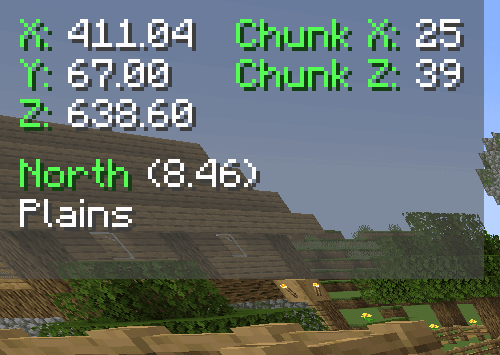
So sieht Coordinates Display aus
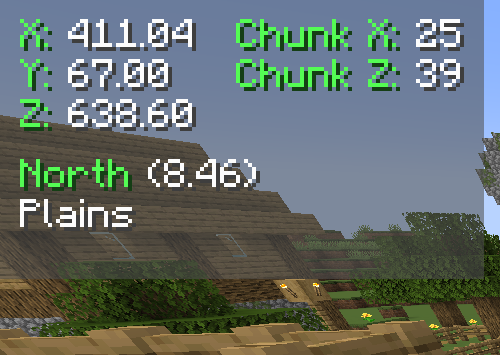
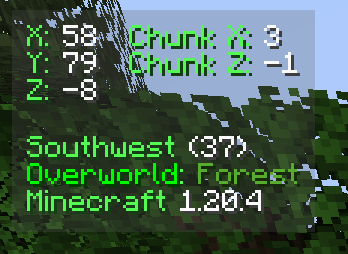
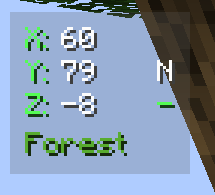
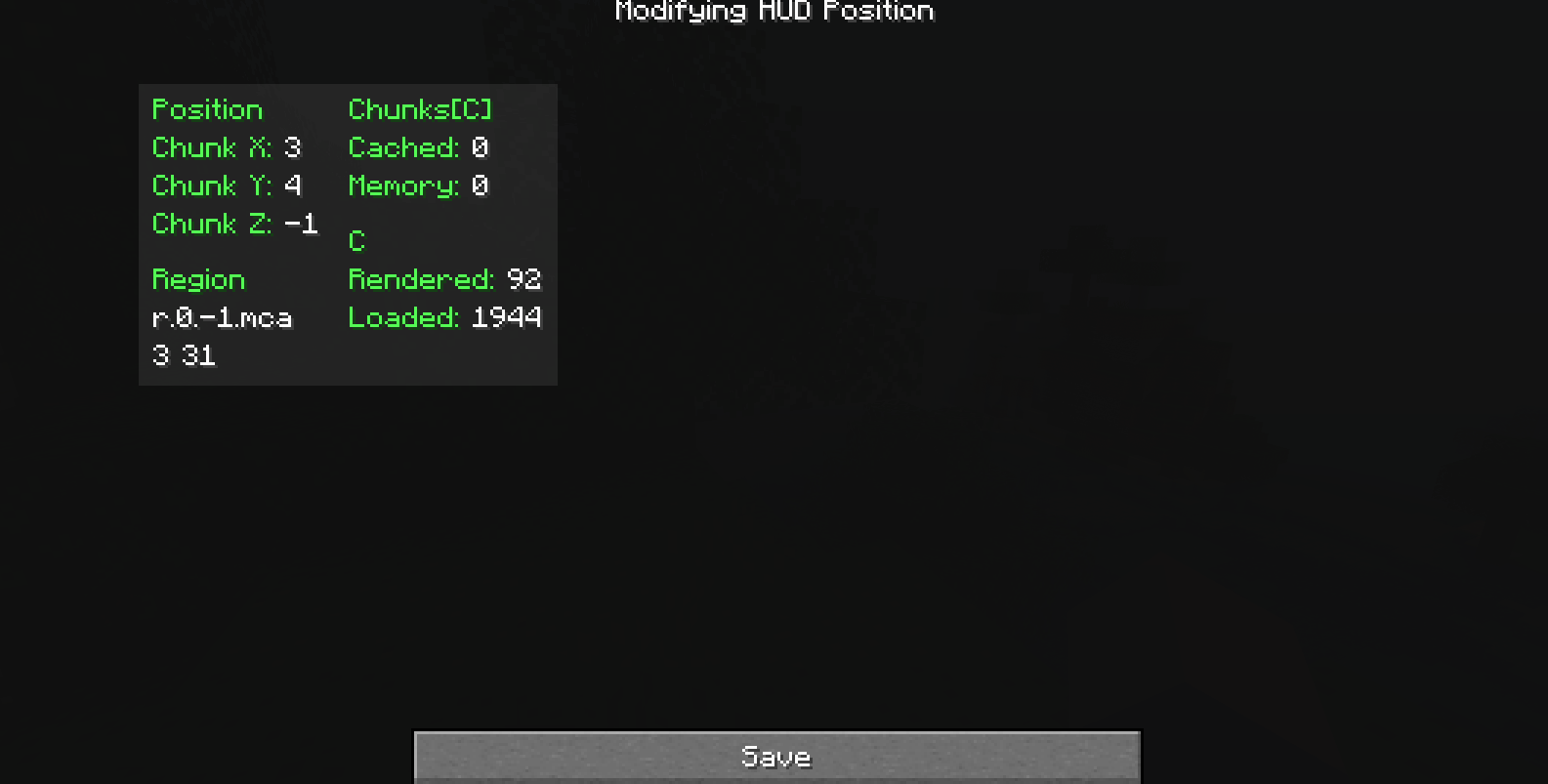
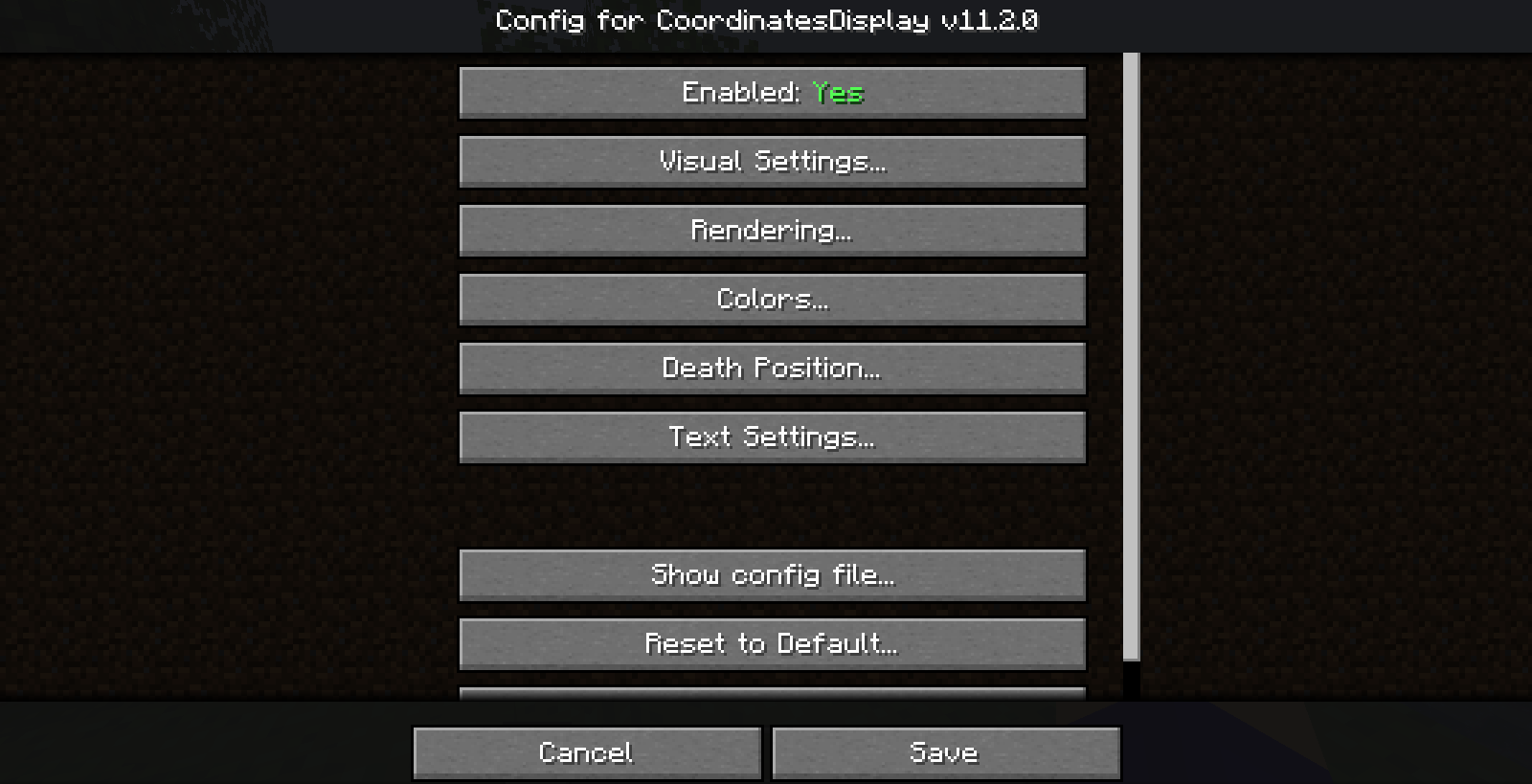
Bilder: Coordinates Display auf Modrinth, vom Projektteam veröffentlicht.
Einrichtung
Coordinates Display auf deinem Client installieren
Clientseitige Mods laufen nur auf deinem Rechner. Mehr Server-RAM ändert an ihrer Leistung nichts.
- 01
Loader lokal installieren
Installiere Fabric oder Forge oder NeoForge oder Quilt für deine Minecraft-Version in deinem Launcher.
- 02
Datei herunterladen
Lade die Coordinates Display-Datei für deinen Loader und exakt deine Minecraft-Version herunter, zum Beispiel 26.2.
- 03
In den Mods-Ordner legen
Lege die .jar-Datei in den lokalen Ordner .minecraft/mods und entferne ältere Duplikate.
- 04
Starten
Starte Minecraft mit dem Loader-Profil. Auf dem Server musst du nichts ändern.
- Auf dem Server
- Nicht nötig
- Auf dem Client
- Erforderlich
- Loader
- Fabric, Forge, NeoForge, Quilt
- Minecraft
- 26.2, 26.1.2, 26.1.1 +32 weitere
- Lizenz
- GNU General Public License v3.0 only
Versionen
Veröffentlichte Versionen
Nimm die Datei, die zu Loader und Minecraft-Version deines Servers passt. Server und Spieler brauchen dieselbe Version.
Coordinates Display · Modrinth- [Fabric] Coordinates Display 2.1.4 for Minecraft 1.19.37. Januar 2023Minecraft 1.19.3 · Fabric
- [Forge] Coordinates Display 2.1.4 for Minecraft 1.19.37. Januar 2023Minecraft 1.19.3 · Forge
Originalbeschreibung des Projektautors


Coordinates Display
Introduction
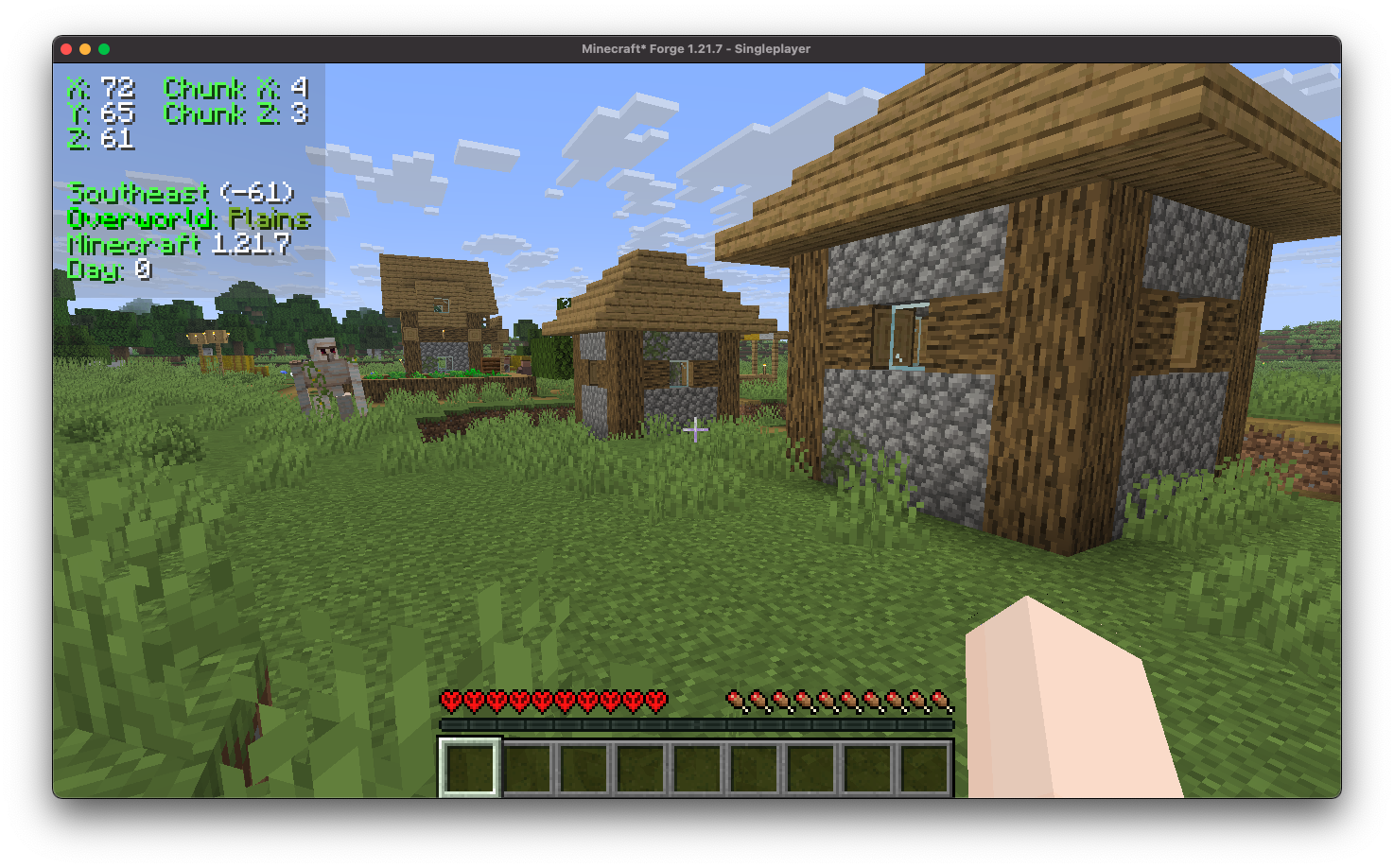
Coordinates Display enhances the client-side experience by incorporating a heads-up display (HUD) that provides detailed information. It includes your precise coordinates within the game world, your current chunk coordinates, the specific direction you are facing, real-time updates on the biome you are currently traversing, and even displays the version of Minecraft you are playing.
Installation/Dependencies
This mod requires BoxLib a Client-side library mod developed by me.
- Install Minecraft Forge/Fabric/Neoforge: Download and install the appropriate modloader for your Minecraft version.
- Download the mod: Download the latest release of Coordinates Display for your specific modloader and Minecraft version
- Download BoxLib: Download the latest release of BoxLib for your specific modloader and Minecaft version
- Place the mod jars: Drop the downloaded jar files into your Minecraft mods folder. The location of this folder varies depending on your operating system.
Fabric Dependencies

Mod Menu is recommended for configuration purposes.
Forge/NeoForge Dependencies
This mod requires BoxLib a Client-side library mod developed by me.
Key Features
1. Multiple ways to render your coordinates
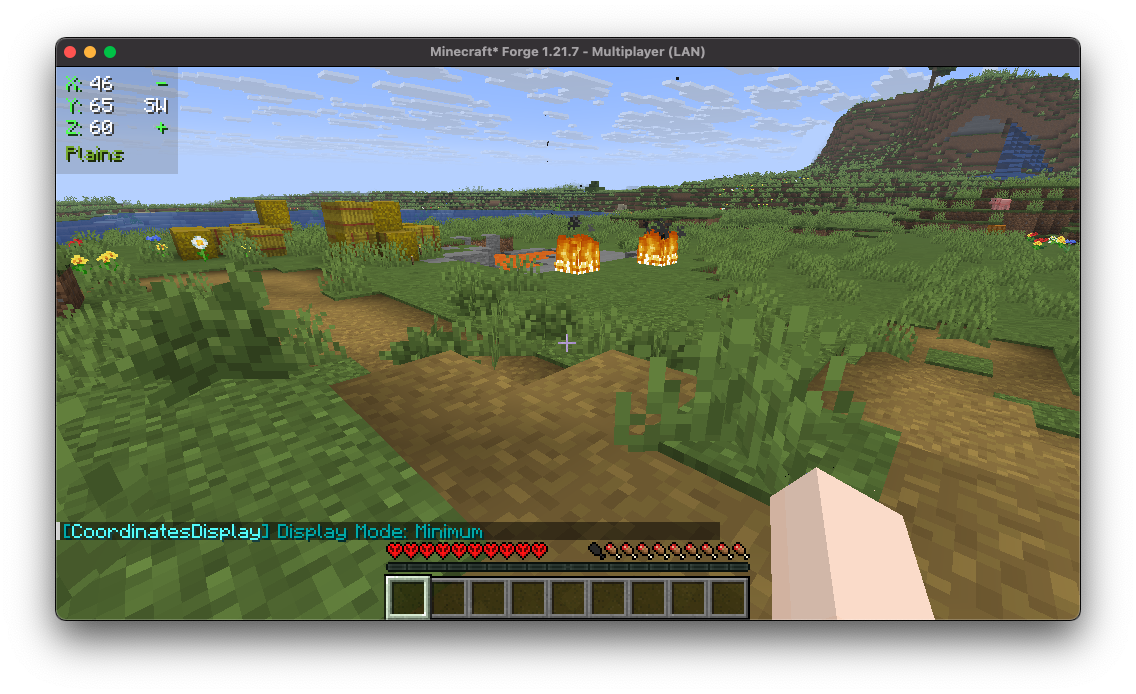
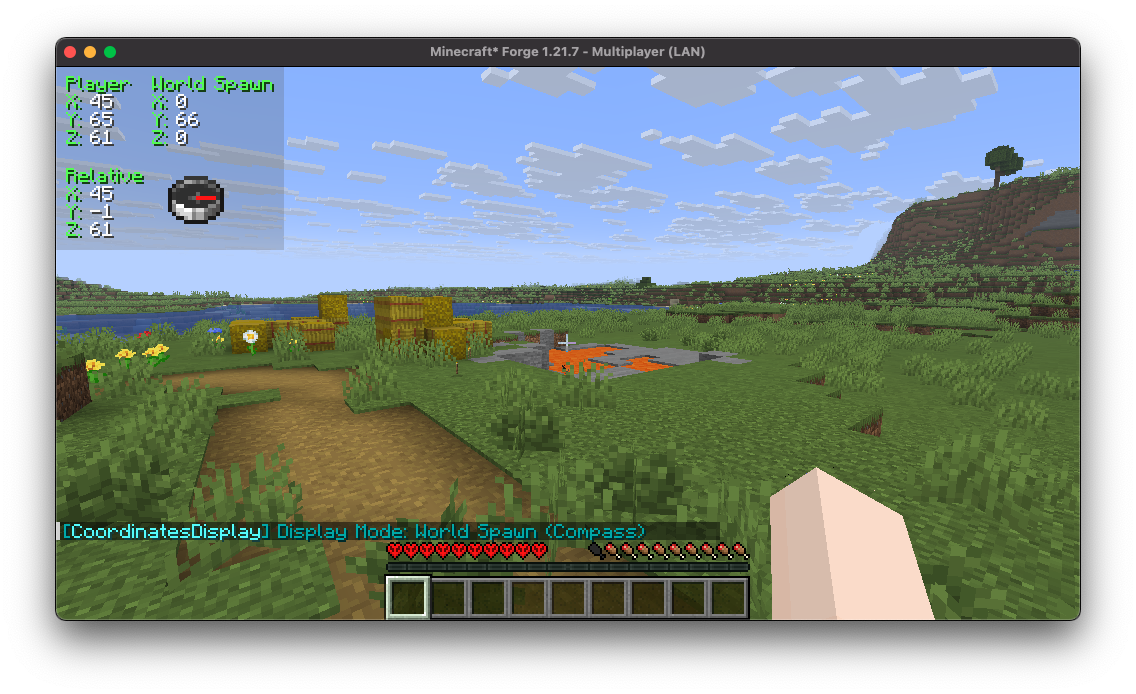
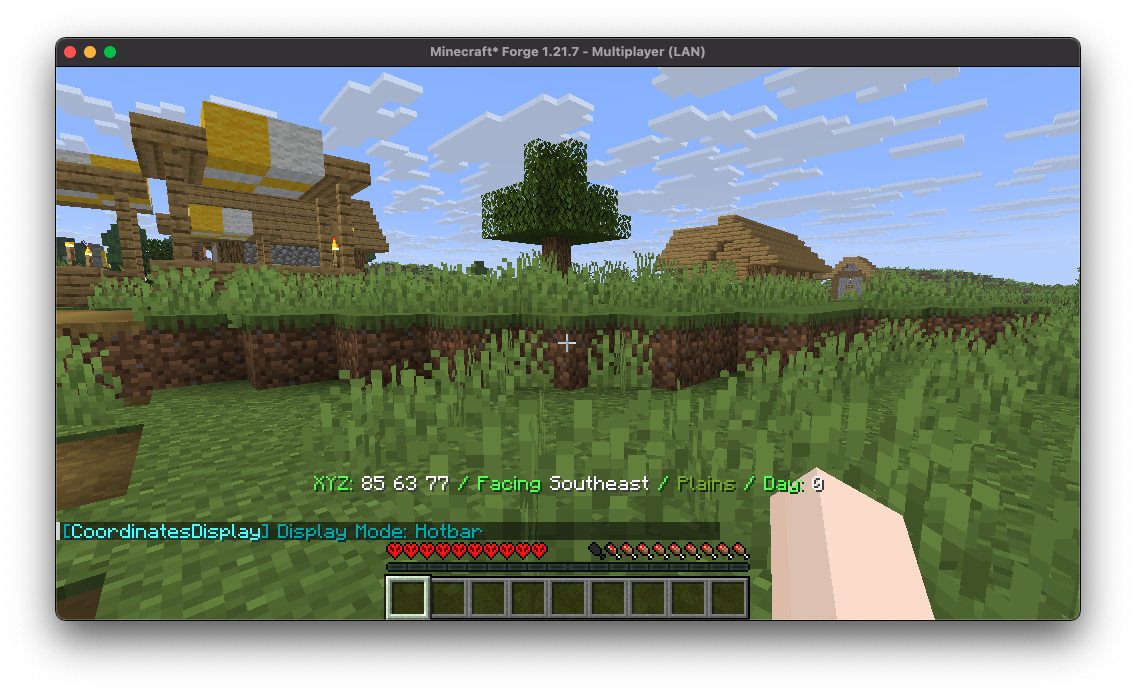
Coordinates Display provides a wide array of diverse "display modes" for you to select from, each tailored to suit various preferences and needs.
2. Highly Configurable
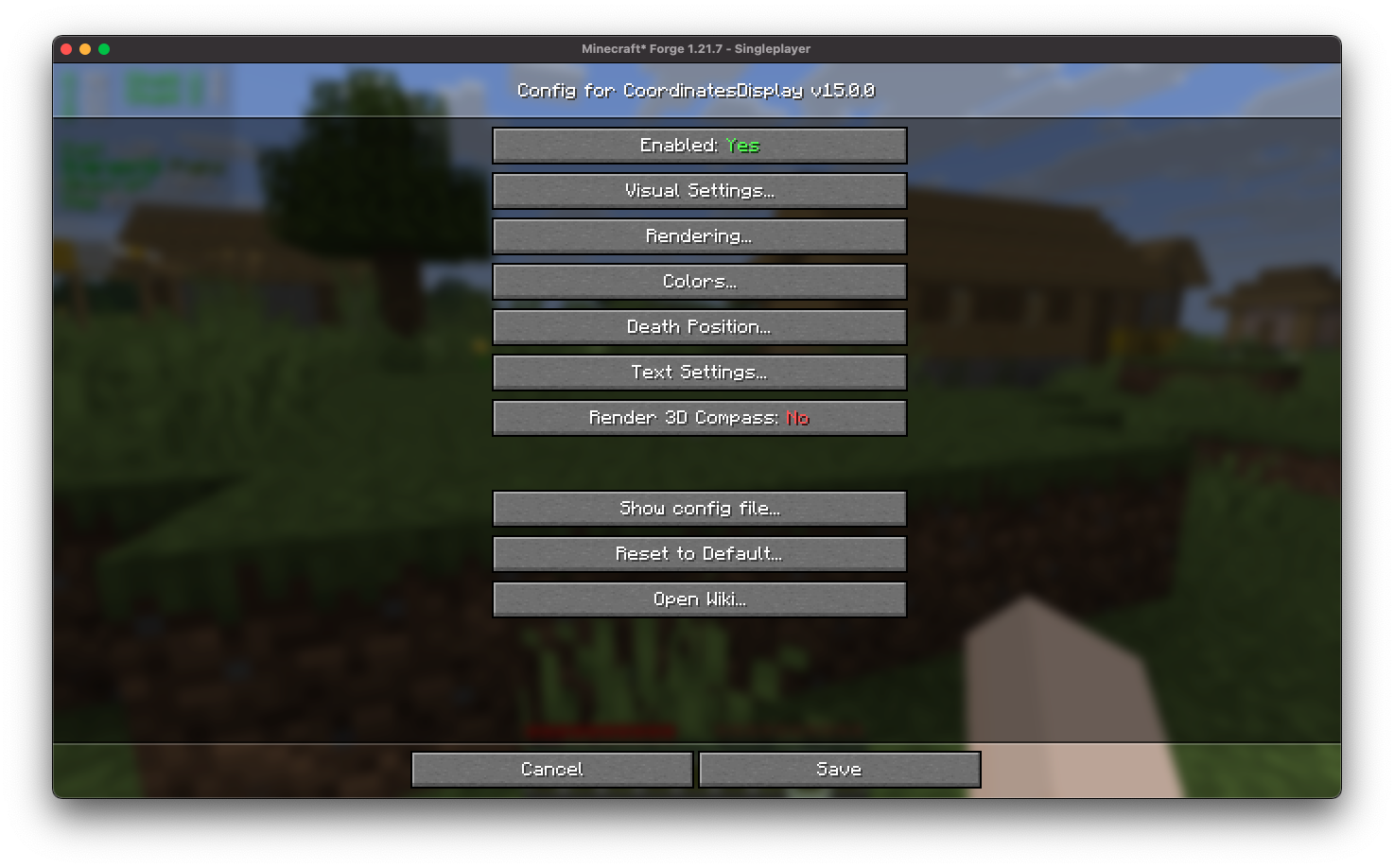
Coordinates Display features an intuitive configuration screen designed for effortless customization, ensuring users can easily adjust settings to tailor their experience according to individual preferences.
3. Easy-to-use Positioning
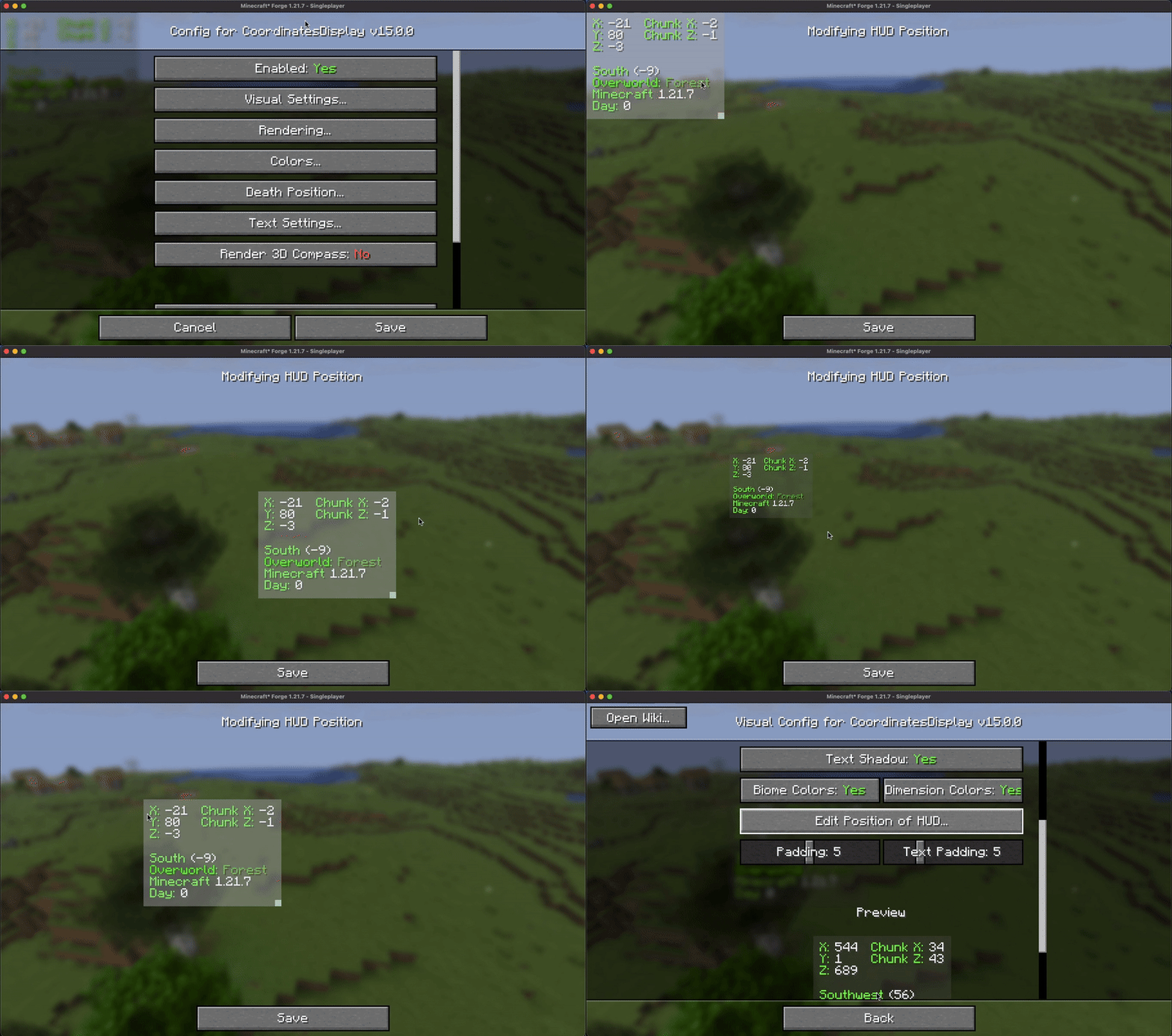
Coordinates Display provides users with a user-friendly HUD position screen, allowing for seamless scaling and adjustment of the coordinates HUD to any desired position across the in-game HUD.
4. Configurable Color
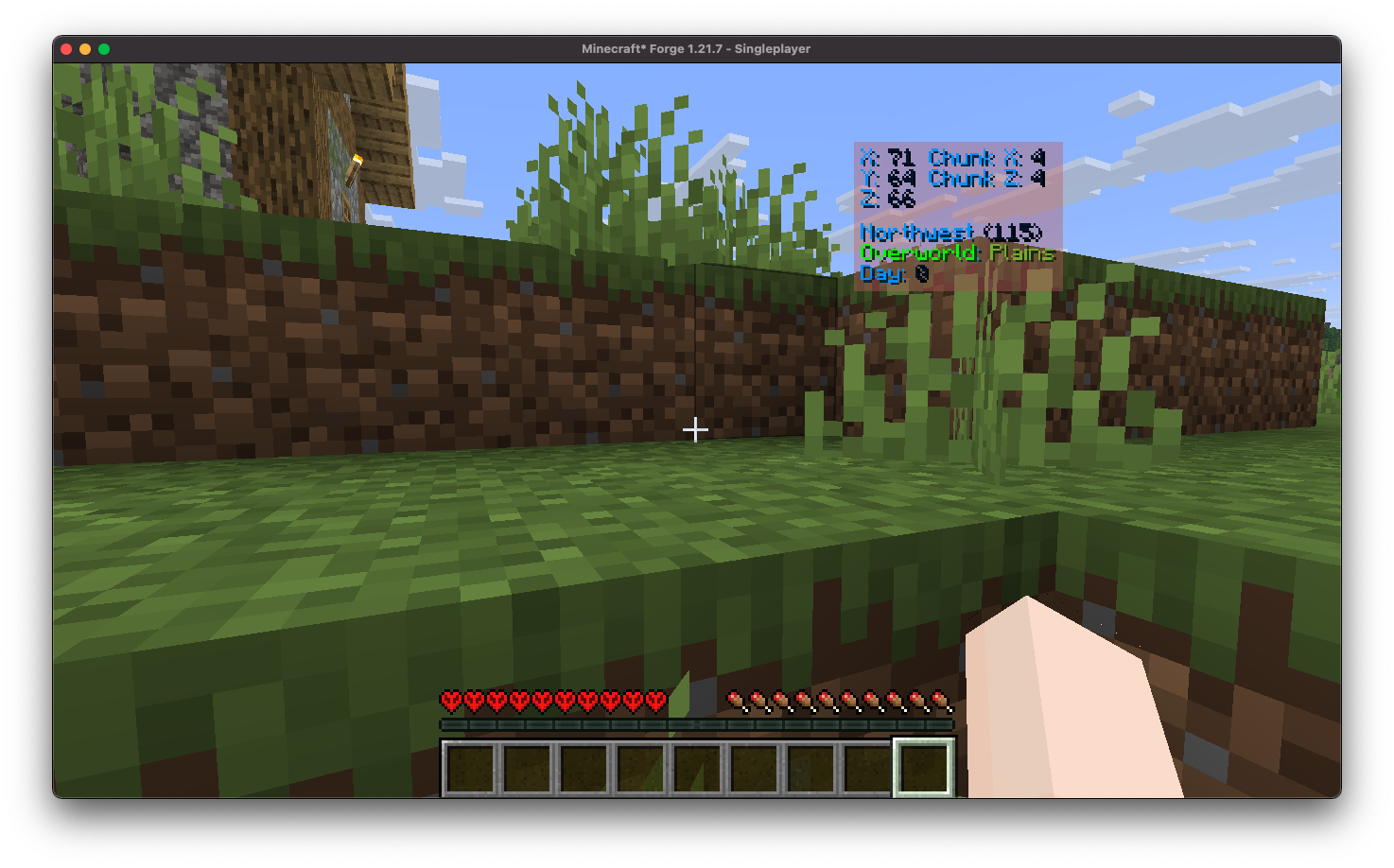
Coordinates Display offers a straightforward way to colorize your HUD by allowing you to effortlessly customize the colors of the displayed text.
5. Death Position Saving
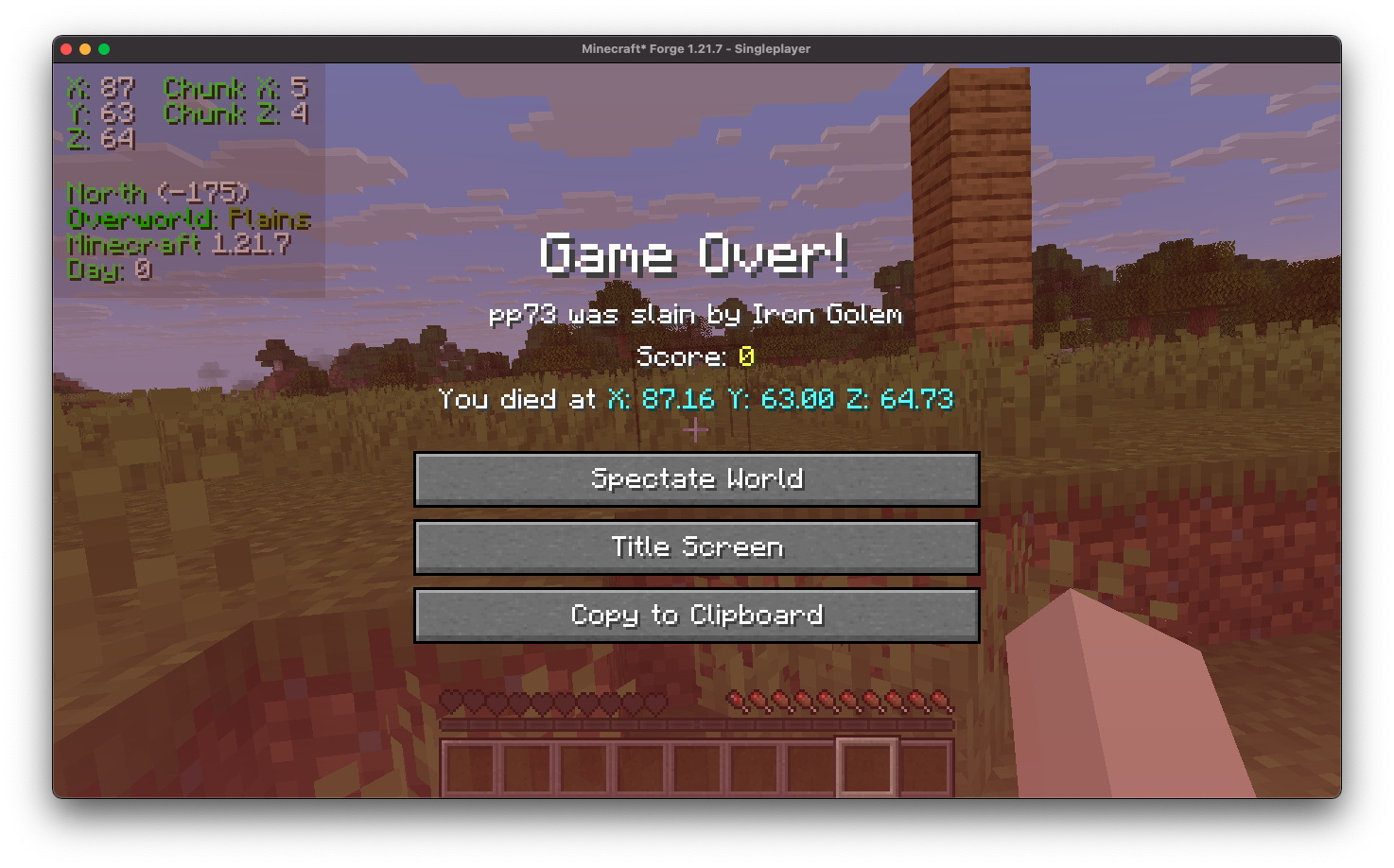
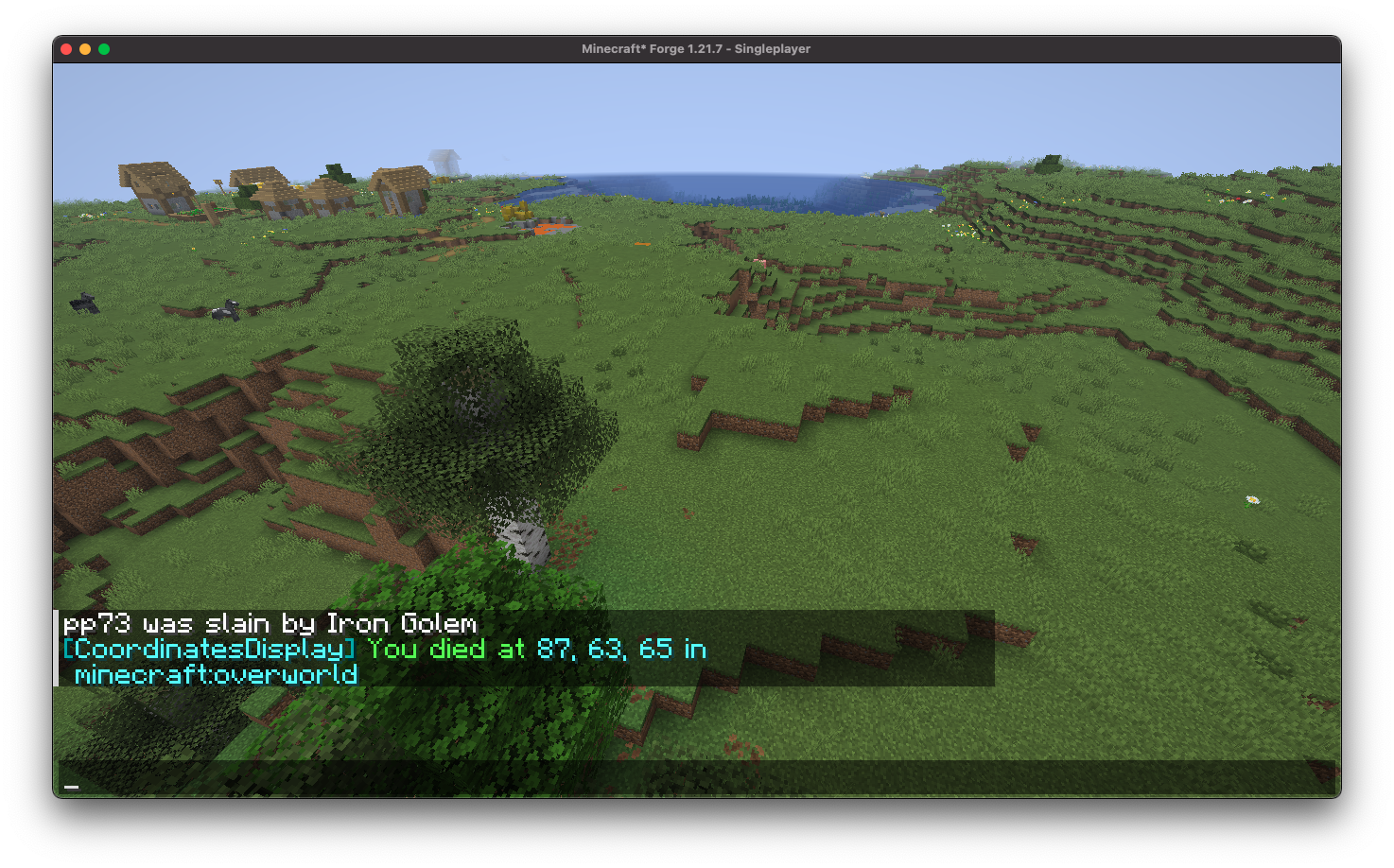
Coordinates Display conveniently showcases your death position directly on the death screen and automatically logs it in the chat upon respawn, ensuring you can easily return to your items.
6. Essential Keybindings
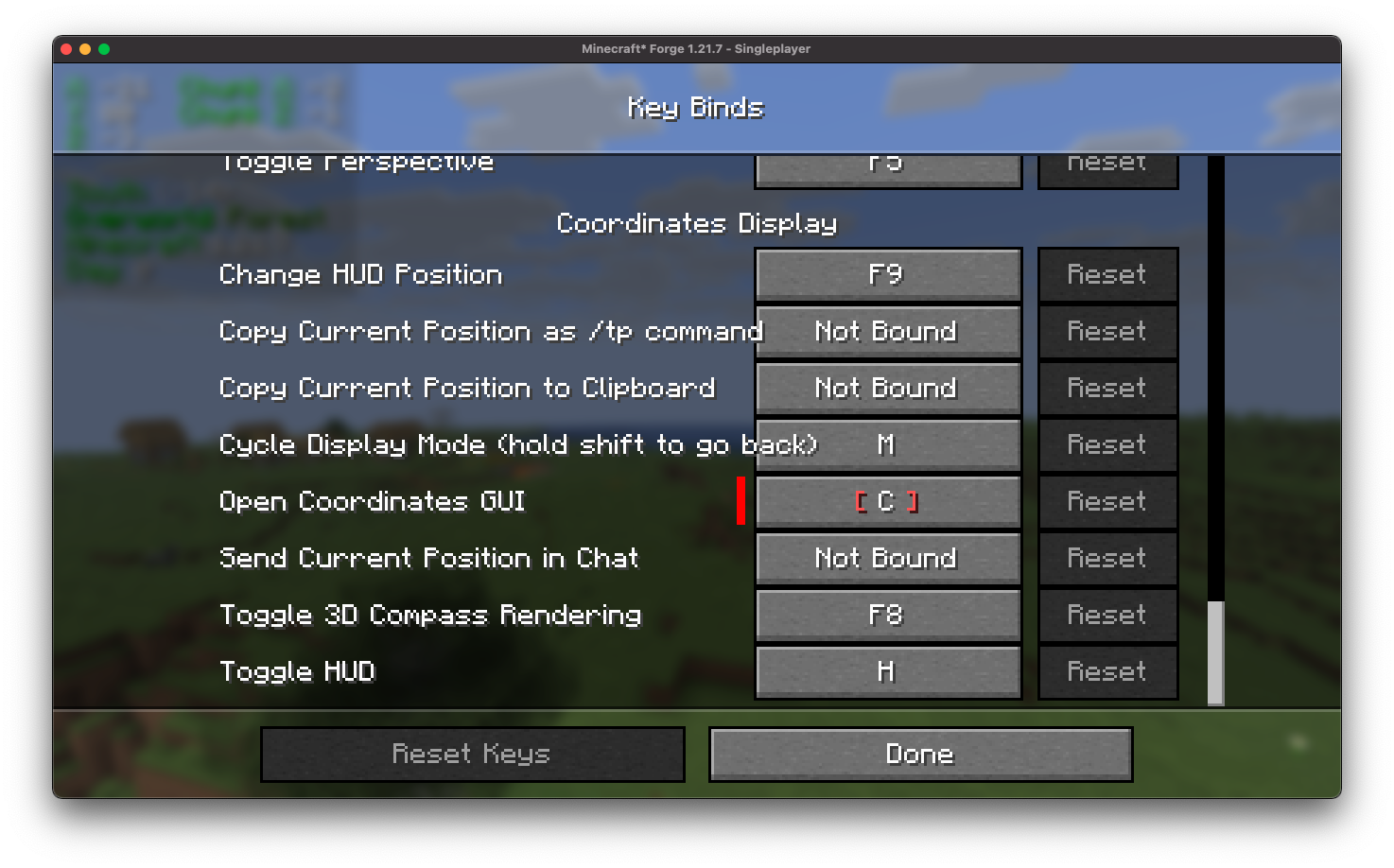
Coordinates Display provides a comprehensive selection of customizable keybindings, designed to better configuration processes and enhance user convenience.
7. Position Marking
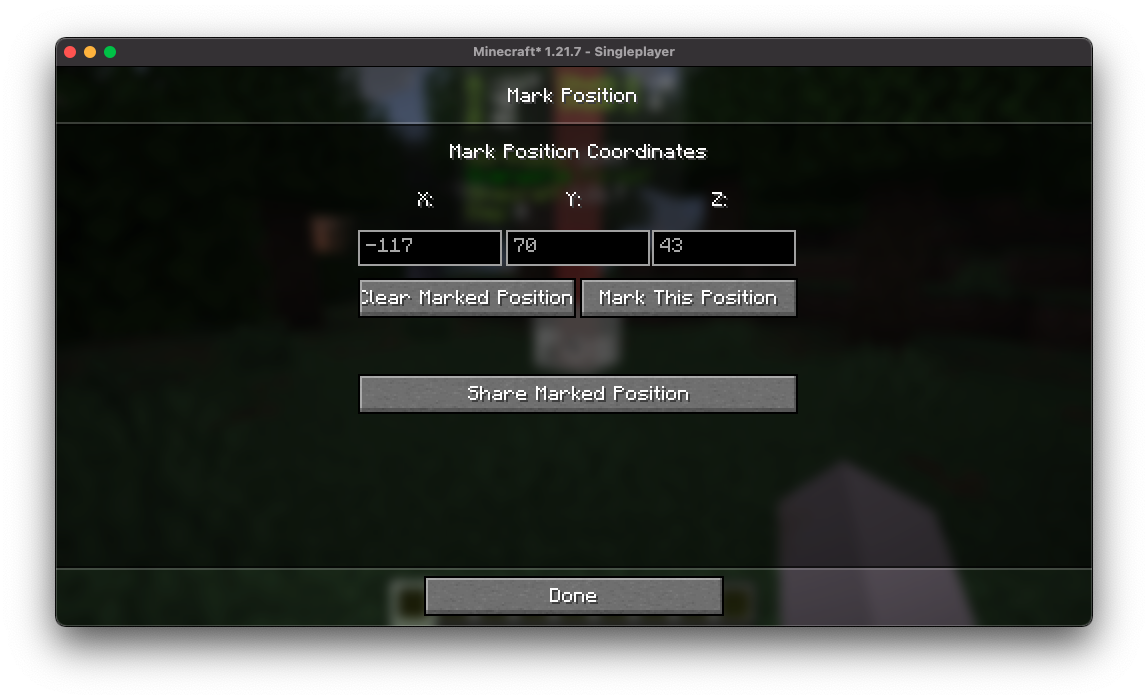
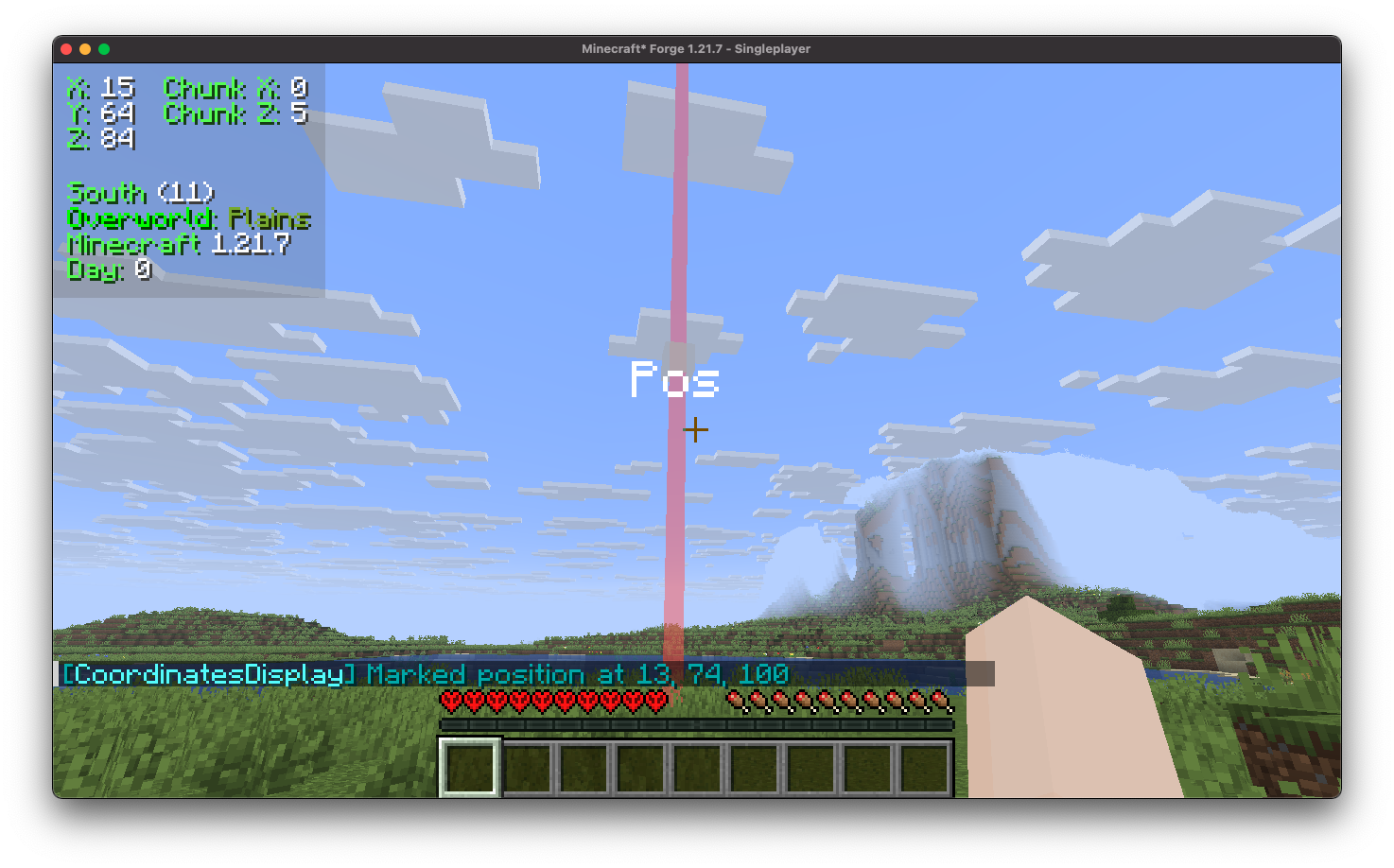
Coordinates Display includes a position marking feature that allows you to easily mark and save specific coordinates, enabling quick navigation back to those locations at any time.
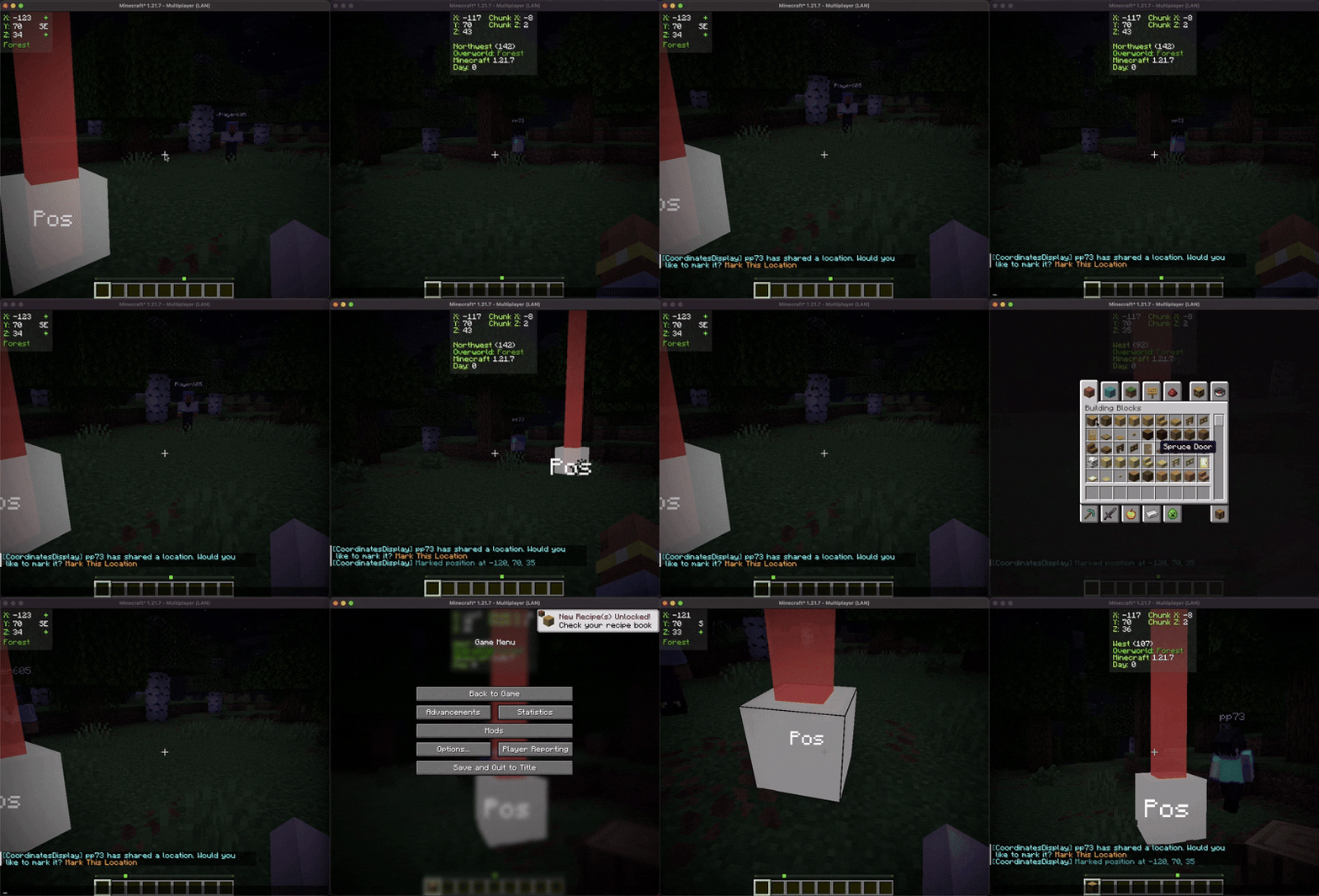
Furthermore, you can share these marked positions with other players, facilitating collaborative exploration and coordination within the game.
Contributing
We encourage contributions! Don't hesitate to open issues or pull requests through our GitHub Repository. Your input helps us improve and evolve.
Translations
We welcome translations! If you're interested in translating this mod, please locate the localization files and submit a pull request. Your contributions help make the mod accessible to more users worldwide.
Support
If you encounter any issues, please open an issue on the GitHub repository.
Building
If you'd like to build this mod on your own machine, follow these steps.
- Download the source code from GitHub (Code -> Download zip)
- Make sure Java is installed
- Extract the zip file onto your local machine, and open the folder.
- Open a terminal prompt in said folder
- Run the command "gradlew build"
- The fabric build will be in "fabric/build/libs"
- The forge build will be in "forge/build/libs"
- The neoforge build will be in "neoforge/build/libs"
Muss Coordinates Display auf dem Minecraft Server installiert werden?
Nein. Modrinth kennzeichnet Coordinates Display serverseitig als nicht unterstützt. Installiere die Mod nur im lokalen Mods-Ordner. Dein Server kann unverändert bleiben, sofern die Projektseite keine zusätzliche Abhängigkeit nennt.
Welche Version und welchen Loader braucht Coordinates Display?
Nutze eine Datei für Fabric, Forge, NeoForge, Quilt und exakt deine Minecraft-Version. Unterstützt werden unter anderem 26.2, 26.1.2, 26.1.1. Dateien für verschiedene Loader sind nicht austauschbar.
Coordinates Display funktioniert nicht – was kann ich prüfen?
Prüfe zuerst Minecraft-Version, Loader-Version und erforderliche Abhängigkeiten. Da die Mod clientseitig ist, löst mehr Server-RAM das Problem nicht.
Ähnliche Mods
Beliebte Mods aus derselben Kategorie
 Server-fähig

Xaero's Minimap
von thexaero
Displays a map of the nearby world terrain, players, mobs, entities in the corner of your screen. Lets you create waypoints which help you find the locations you've marked.
 Server-fähig

Xaero's World Map
von thexaero
Adds a full screen world map which shows you what you have explored in the world. Works great together with Xaero's Minimap.
 Nur Client

Not Enough Animations
von tr7zw
Bringing first-person animations to the third-person
 Nur Client

3D Skin Layers
von tr7zw
Render the player skin layer in 3d!
Mods für deinen eigenen Server gesucht?
Im Katalog findest du Mods, die auf Minecraft Servern laufen.