
Modrinth · Forge, NeoForge
Create: Mechanical Companion auf deinem Minecraft Server
Create: Mechanical Companion läuft auf Minecraft Servern mit Forge oder NeoForge. Bestell deinen Server, stell den Loader im Panel ein und installiere die Mod mit einem Klick im Mod-Browser.
Get ready to explore the world with a mechanical friend! Equippable with new modules that integrate with the classic Create experience!
- Downloads
- 69.6K
- Autor
- MarcosJoestar
- Loader
- Forge, NeoForge
- Minecraft
- 1.20.1 – 1.21.1
- Aktualisiert
- –
Screenshots
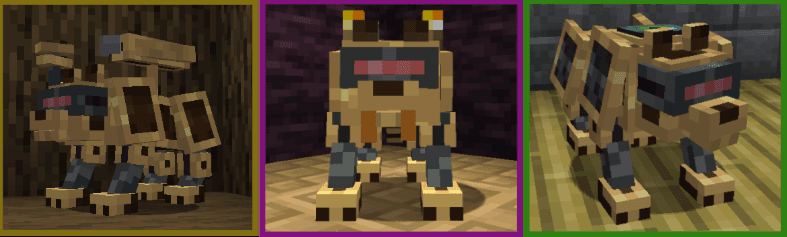
So sieht Create: Mechanical Companion aus


Bilder: Create: Mechanical Companion auf Modrinth, vom Projektteam veröffentlicht.
Einrichtung
Create: Mechanical Companion auf dem Server installieren
Server und Spieler brauchen denselben Loader und dieselbe Minecraft-Version. Sichere die Welt, bevor du Mods hinzufügst oder aktualisierst.
- 01
Konfigurieren
6 GB RAM sind vorausgewählt. Laufzeit und Add-ons wählst du selbst, bezahlt wird per Kreditkarte oder PayPal.
- 02
Loader einstellen
Stell im Panel die Serversoftware auf Forge oder NeoForge und wähl die passende Minecraft-Version, zum Beispiel 1.21.1.
- 03
Mod installieren
Such im Mod-Browser nach „Create: Mechanical Companion“ und installiere die Version für deinen Loader. Alternativ lädst du die .jar per SFTP in den Ordner mods. Erforderliche Abhängigkeiten stehen auf der Projektseite.
- 04
Verbinden
Alle Spieler installieren Create: Mechanical Companion in derselben Version lokal und verbinden sich über die Serveradresse aus dem Panel.
- Auf dem Server
- Erforderlich
- Auf dem Client
- Erforderlich
- Loader
- Forge, NeoForge
- Minecraft
- 1.21.1, 1.20.1
- Lizenz
- MIT License
Das Panel
Mods installieren, Fehler finden.
Echte Screenshots aus dem Mado Panel. Beides ist bei jedem Minecraft Server enthalten.
Mod-Browser
Modrinth und CurseForge direkt im Panel.
Der Browser filtert nach deiner Minecraft-Version. Mods installierst du mit einem Klick, ohne .jar-Dateien hochzuladen.

KI-Crash-Analyse
Wenn ein Mod crasht, liest die Analyse das Log.
Mods scheitern oft an einer falschen Loader-Version, Java-Version oder fehlenden Abhängigkeit. Die Analyse nennt eine wahrscheinliche Ursache und einen Lösungsvorschlag.

Versionen
Veröffentlichte Versionen
Nimm die Datei, die zu Loader und Minecraft-Version deines Servers passt. Server und Spieler brauchen dieselbe Version.
Create: Mechanical Companion · Modrinth- Create: Mechanical Companion 1.9-neoforge-1.21.124. April 2026Minecraft 1.21.1 · NeoForge
- Create: Mechanical Companion 1.8-1.20.124. Oktober 2025Minecraft 1.20.1 · Forge
Originalbeschreibung des Projektautors

Remember to install Create and CuriosAPI and use Forge 47.3.10. or above.
This mod adds a new craftable mob to be with you on your journeys, the Mechanical Wolf!
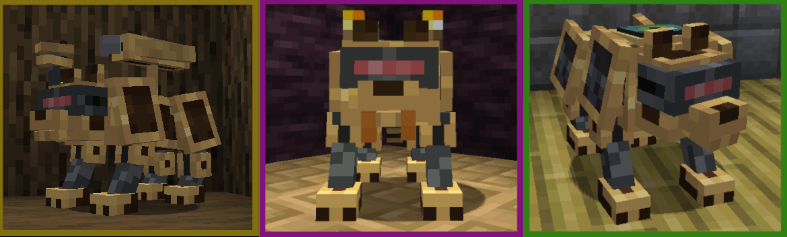
The wolf is summoned by equipping the Mechanical Wolf Link in the Curios Head Slot.
You can right click it to open the module interface or use a wrench to heal it.
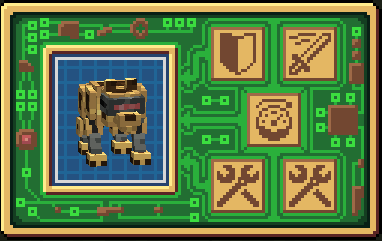
Here you can equip the wolf with the modules that best fit the situation. There are currently 4 module categories:
 Defensive modules
These modules are focused on enhancing the survival capabilities of your wolf.
Reinforced plates
Gives the Mechanical Wolf more health and armor.
Netherite plates
An upgraded version of the reinforced plates that also give fire immunity.
undefined
 Offensive modules
These modules upgrade the the wolf's attack or equip additional weapons.
Smelting Fangs
Adds additional fire damage to the default attack.
Tesla Tail
Shocks whoever attacks the Mechanical Wolf.
Mounted Crossbow
Equips the Mechanical Wolf with a smart crossbow that can only damage its target.
 Movement modules
Enhances the Mechanical Wolf's movement options.
Booster Rocket
Gives the Mechanical Wolf a speed boost with a short cooldown.
Quantum Drive
Gives the Mechanical Wolf teleportation abilities.
 Utility modules
You can equip 2 different modules from this category.
Mob Radar
Pings nearby hostile entity with a glowing effect every few seconds.
Mounted Light
Gives the Mechanical Wolf a portable light. Doesn't work underwater or in dense foliage.
Regenerative Casing
Gives the Mechanical Wolf a slow regeneration effect so you don't have to manually heal it.
NEW FEATURES
Version 1.4.
As of version 1.4. there's a new way to acquire the pieces for the Mechanical Wolf, The Illager Workshop. A map to the Illager Workshop can be found by trading with cartographers or wandering traders.
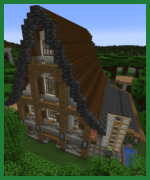
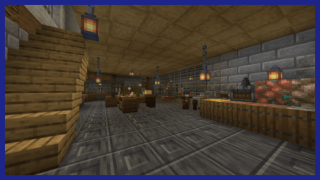
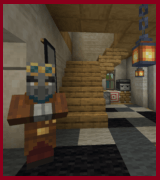
The Illager Workshop introduces two new Illager mobs. The Illager Engineer and the Illager Supervisor.
The Illager Engineer attacks with a wrench, dealing powerful melee damage to whoever gets close.
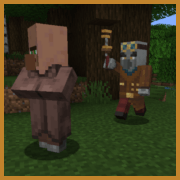
The Illager Supervisor uses a potato cannon to strike from a safe distance. It fires a variery of ammunitions so be prepared for unexpected projectiles!
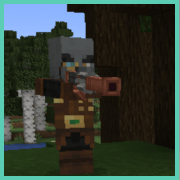
The Illager Workshop is filled with valuable loot and new items essential for the creation of the Mechanical Wolf. It also houses captured villagers and Create blocks, making it a great place to settle once the occupants are cleared out.
Version 1.5
Version 1.5. introduces a new decoration block: the Blueprint Schematic.
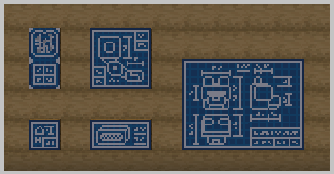
It can be found in Illager Workshops or crafted with schematics.
There are currently five variants, each with a different size 1×1, 1×2, 2×1, 2×2, and 3×4.
Additional features
- The module menu can't be opened by other players.
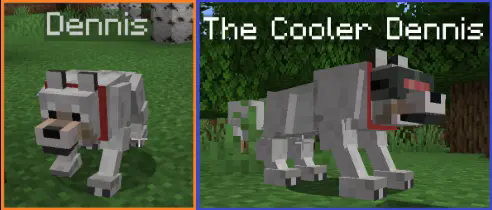
- You can name the Mechanical Wolf using a nametag.
- There are currently 2 easter eggs skins.
FAQ
Q: Does this work with the new version of Create?
A: Yes, it should work on the new and old versions.
Q: Are you going to add additional languages.
A: If you're fluent in a language and want to give me a .json file with the translation I'll be more than happy to add it.
Q: Are you going to add additional easter egg textures?
A: If you have any ideas/textures I'd be glad to add them in the next update.
Check out my other mods!

Want to report bugs, share reviews, suggest features and get updates about the game? Join our official discord channel!

If you enjoy this mod and want to support its development, donations are greatly appreciated ❤️
Create: Mechanical Companion Server crasht beim Start – was tun?
Häufige Ursachen: Loader- oder Minecraft-Version passen nicht zur Mod-Datei, eine Abhängigkeit fehlt oder der RAM reicht nicht. Such im Log (latest.log) nach „OutOfMemoryError“, „Mixin“ oder fehlenden Mods. Bei Mado wertet die KI-Crash-Analyse das Log aus und schlägt eine Ursache vor. Loader und Version änderst du im Panel.
Mit welchem Loader läuft Create: Mechanical Companion?
Laut Modrinth unterstützt Create: Mechanical Companion Forge, NeoForge für Minecraft 1.21.1, 1.20.1.
Wie viel RAM braucht ein Server mit Create: Mechanical Companion?
Als Orientierung 4–6 GB für einen Server mit dieser Mod. Das ist eine Schätzung, keine gemessene Mindestanforderung. Weitere Mods, viele Spieler und große Sichtweiten brauchen mehr. Ob eine Mod die Tick-Zeit belastet, siehst du mit dem spark-Profiler.
Ähnliche Mods
Beliebte Mods aus derselben Kategorie
 Nur Client

[EMF] Entity Model Features
von Traben
EMF is an, OptiFine format, Custom Entity Model replacement mod available for Fabric and Forge.
 Server-fähig

Cobblemon
von CobbledStudios
A Pokémon mod for Fabric and NeoForge
 Server-fähig

Dungeons and Taverns
von NovaWostra
A Structure Datapack adding dungeons, taverns and other structures to find while you explore the world.
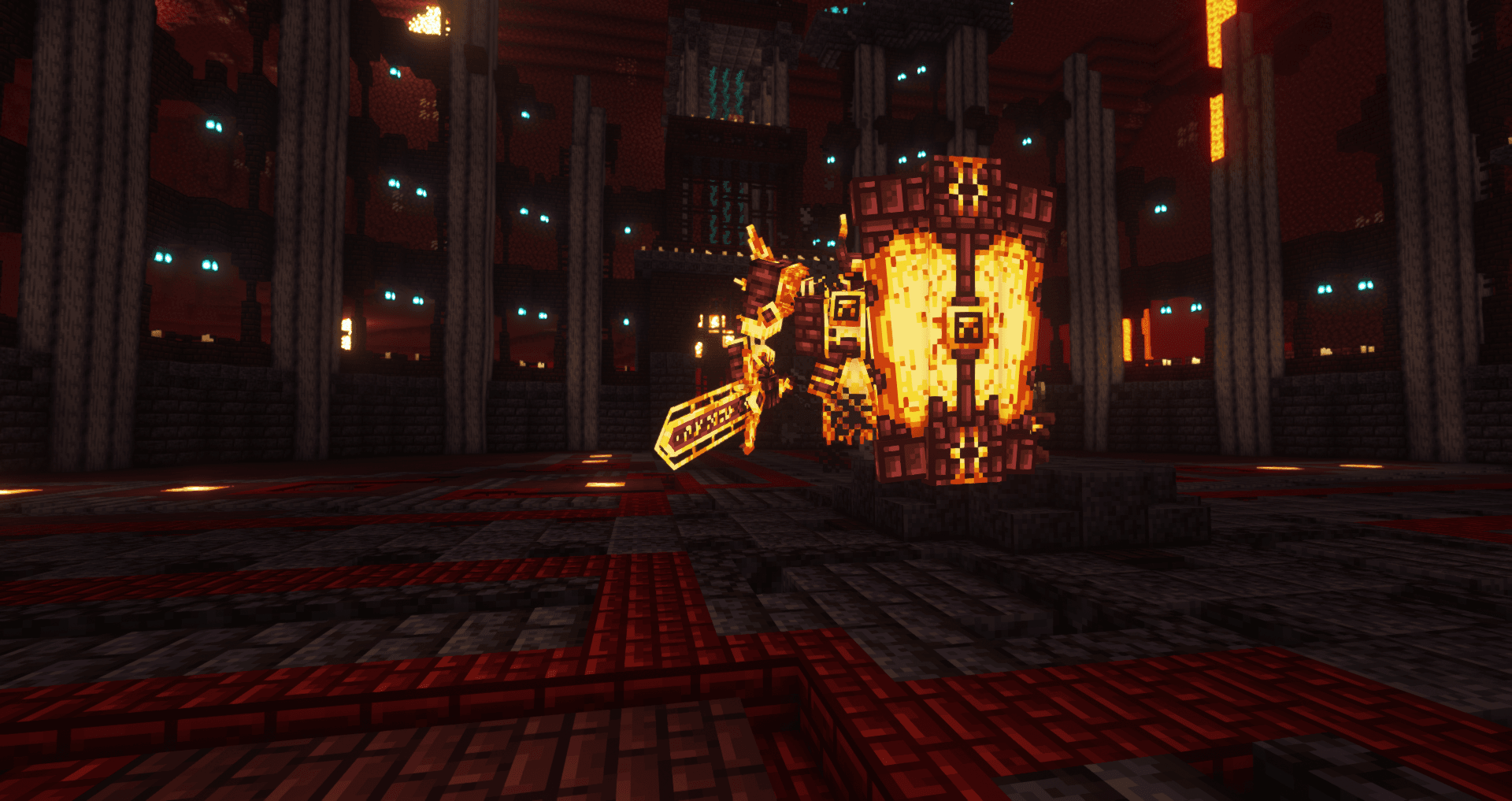 Server-fähig

L_Ender's Cataclysm
von mcl_ender
Cataclysm is a mod that adds difficult dungeons, challenging boss-fights and powerful items.
Bereit für deinen Server mit Create: Mechanical Companion?
6 GB RAM ab 12,00 € im Monat. 35 % auf den 1. Monat mit MADO35.