
CreatureChat™
The Minecraft mod that allows entities to respond naturally using AI!
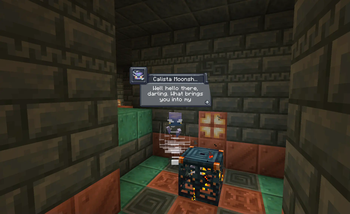
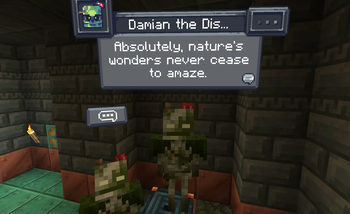
Screenshots
Über diese Mod
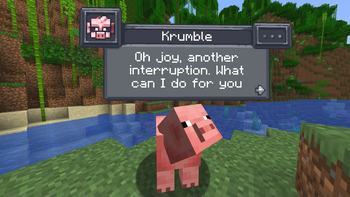
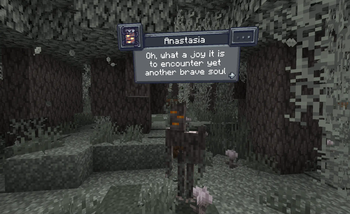
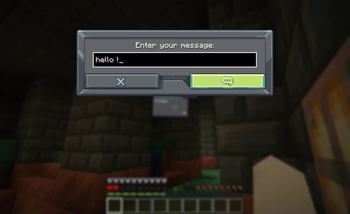
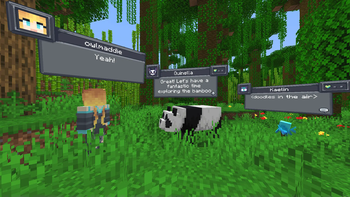
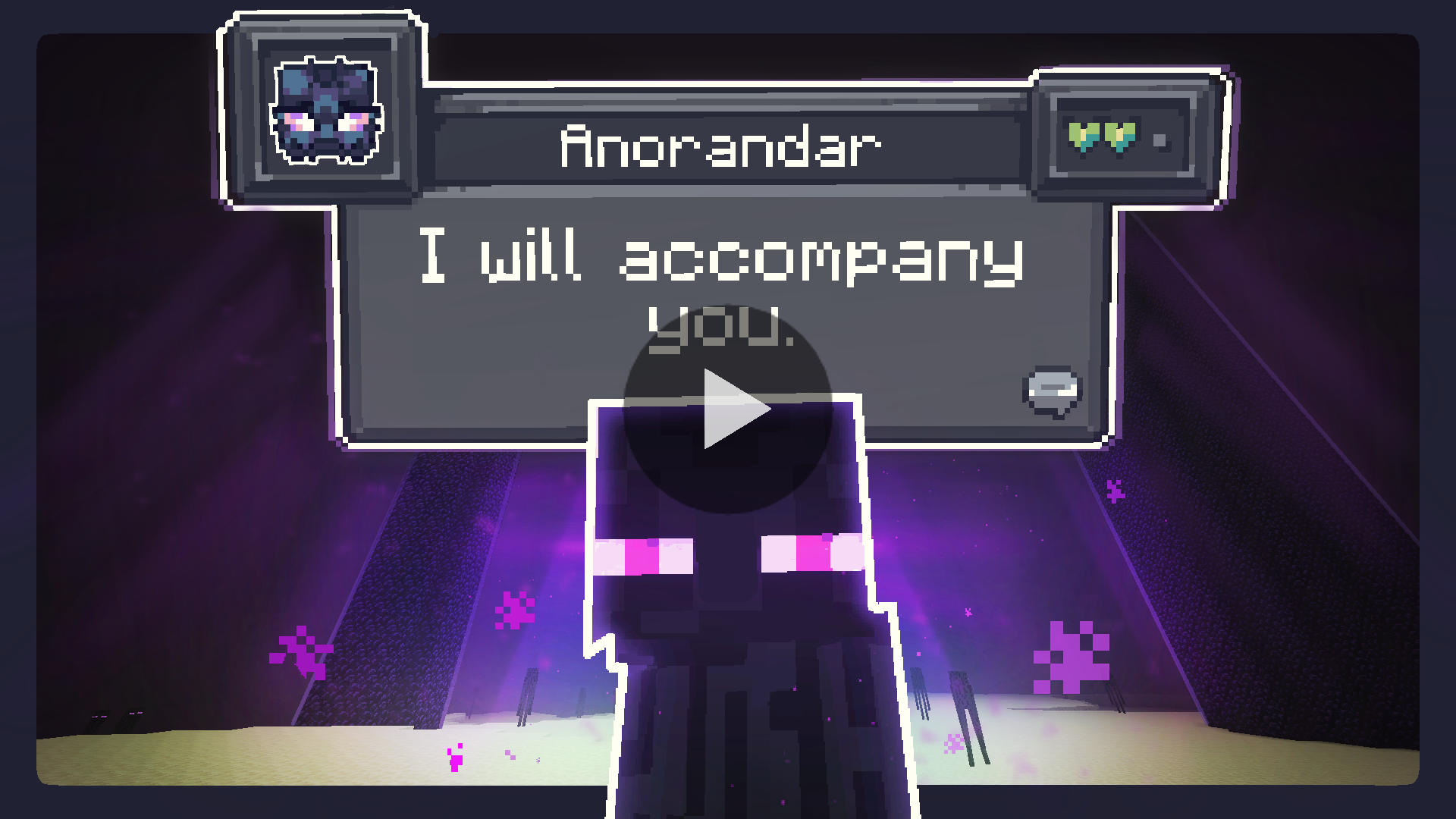
Chat with any mob in Minecraft! All creatures can talk & react using AI!

Features
- AI-Driven Chats: Using ChatGPT or open-source AI models, each conversation is unique and engaging!
- Behaviors: Creatures can make decisions on their own and Follow, Flee, Attack, Protect, and more!
- Reactions: Creatures automatically react to being damaged or receiving items from players.
- Friendship: Track your relationships from friends to foes.
- Multi-Player: Share the experience; conversations sync across server & players.
- Memory: Creatures remember your past interactions, making each chat more personal.
Create meaningful conversations and enduring friendships? A betrayal perhaps?
Installation Instructions
Fabric (Recommended)
Fabric Instructions
- Install Fabric Loader & API: Follow the instructions here.
- Install CreatureChat™ Mod: Download and copy
creaturechat-*.jarandfabric-api-*.jarinto your.minecraft/modsfolder. - Launch Minecraft with the Fabric profile.
- Configure AI: A LLM (large language model) is required for generating text (AI options below)
Forge (with Sinytra Connector)
Forge Instructions
NOTE: Sintra Connector only supports Minecraft 1.20.1
- Install Forge: Download Forge Installer, run it, select "Install client".
- Install Forgified Fabric API: Download Forgified Fabric API and copy the
*.jarinto your.minecraft/modsfolder. - Install Sinytra Connector: Download Sinytra Connector and copy the
*.jarinto your.minecraft/modsfolder. - Install CreatureChat™ Mod: Download and copy
creaturechat-*.jarinto your.minecraft/modsfolder. - Launch Minecraft with the Forge profile.
- Configure AI: A LLM (large language model) is required for generating text (AI options below)
AI Options
Choose AI Option
CreatureChat™ requires an AI / LLM (large language model) to generate text (characters and chat).
- Free & Local: Use open-source and free-to-use LLMs without any API fees. [Difficulty: Hard]
- Bring Your Own Key: Use your own API key from providers like OpenAI or Groq. [Difficulty: Medium]
- Token Shop: Supports CreatureChat™ by purchasing tokens from the developers. [Difficulty: Easy]
1. Free & Local
CreatureChat™ fully supports free and open-source LLMs. To get started:
- An HTTP endpoint compatible with the OpenAI Chat Completion JSON syntax is required. We highly recommend using:
- Set the local HTTP endpoint in-game:
/creaturechat url set "http://ENTER-YOUR-HTTP-ENDPOINT-FROM-LITE-LLM"/creaturechat model set ENTER-MODEL-NAME/creaturechat timeout set 360
- Additional help can be found in the #locall-llm-info channel on our Discord.
2. Bring Your Own Key
For those already using a third-party API (e.g., OpenAI, Groq):
- Integrate your own API key for seamless connectivity.
- Costs depend on the provider’s usage-based pricing model.
- By default, CreatureChat uses the OpenAI endpoint and
gpt-3.5-turbomodel, known for its balance of low cost and fast performance. - Be aware that OpenAI’s developer API does not include free usage. Please review the OpenAI pricing for detailed information.
- To create an OpenAI API key, visit https://platform.openai.com/api-keys, and use the + Create new secret key button.
- Set the API key & model in-game:
/creaturechat key set <YOUR-SECRET-KEY-HERE>/creaturechat model set gpt-3.5-turbo
3. Token Shop
Supports CreatureChat by purchasing tokens from the developers:
- Easy setup with simple token packs, created for CreatureChat users.
- More info is available in the #token-shop channel on our Discord.
- Set the token-shop API key in-game:
/creaturechat key set <YOUR-SECRET-KEY-HERE>
In-game Commands
Configure CreatureChat
- REQUIRED:
/creaturechat key set <key>- Sets the OpenAI API key. This is required for making requests to the LLM.
- OPTIONAL:
/creaturechat url set "<url>"- Sets the URL of the API used to make LLM requests. Defaults to
"https://api.openai.com/v1/chat/completions".
- Sets the URL of the API used to make LLM requests. Defaults to
- OPTIONAL:
/creaturechat model set <model>- Sets the model used for generating responses in chats. Defaults to
gpt-3.5-turbo.
- Sets the model used for generating responses in chats. Defaults to
- OPTIONAL:
/creaturechat timeout set <seconds>- Sets the timeout (in seconds) for API HTTP requests. Defaults to
10seconds.
- Sets the timeout (in seconds) for API HTTP requests. Defaults to
- OPTIONAL:
/creaturechat whitelist <entityType | all | clear>- Show chat bubbles- Shows chat bubbles for the specified entity type or all entities, or clears the whitelist.
- OPTIONAL:
/creaturechat blacklist <entityType | all | clear>- Hide chat bubbles- Hides chat bubbles for the specified entity type or all entities, or clears the blacklist.
- OPTIONAL:
/story set "<story-text>"- Sets a custom story (included in character creation and chat prompts).
- OPTIONAL:
/story display | clear- Display or clear the current story.
Configuration Scope:
- OPTIONAL: You can specify the configuration scope at the end of each command to determine where settings should be applied:
- Default Configuration (
--config default): Applies the configuration universally, unless overridden by a server-specific configuration. - Server-Specific Configuration (
--config server): Applies the configuration only to the server where the command is executed. - If the
--configoption is not specified, thedefaultconfiguration scope is assumed.
- Default Configuration (
License
- Source code: GNU GPL v3
- Non-code assets: CC-BY-NC-SA-4.0

Legal Notices
- CreatureChat™ is an independent project and is not endorsed by Mojang AB, Microsoft Corp., or OpenAI. Minecraft® is a trademark of Mojang AB. ChatGPT® is a trademark of OpenAI OpCo, LLC. All trademarks appear here for identification only.
- CreatureChat™ is a trademark of owlmaddie LLC (registration pending). Factual nominative references such as “Fork of CreatureChat” that do not imply endorsement are allowed; all other uses of the name or logo require prior permission.
Contact & Resources
- Join us on Discord
- Documentation (Source Code)
- Follow Us: YouTube |
Twitter |
TikTok
Verfügbare Versionen
CreatureChat™ auf dem Server installieren
Server bestellen
Bestelle einen Minecraft Java Server mit mindestens 3 GB RAM (4 GB empfohlen).
fabric Loader setzen
Wähle im Panel unter "Egg" den fabric-Loader und die passende Minecraft-Version (1.21.7).
Mod installieren
Öffne den Mod-Browser im Dashboard und suche nach "CreatureChat™". Klicke "Installieren" – fertig! Alternativ: Lade die .jar via SFTP in den /mods Ordner.
Kompatibilität
Mod-Loader
Minecraft-Versionen
1.21.7, 1.21.6, 1.21.5 (+12 weitere)
Server-seitig
✓ ErforderlichEmpfohlener RAM
4 GB(min. 3 GB)Häufige Fragen
CreatureChat™ Server crasht beim Start – was tun?
Häufigste Ursache: falsche fabric-Version oder zu wenig RAM. Prüfe im Server-Log (latest.log), ob ein "OutOfMemoryError" oder "Mixin"-Fehler auftritt. Bei Mado Hosting: Stelle sicher, dass mindestens 3 GB RAM zugewiesen sind und der Loader zur Mod-Version passt (1.21.7). Über das Panel kannst du den Loader mit einem Klick wechseln.
Ist CreatureChat™ mit fabric und forge und neoforge kompatibel?
CreatureChat™ unterstützt offiziell fabric, forge, neoforge für Minecraft 1.21.7, 1.21.6, 1.21.5. Achtung: Forge- und Fabric-Mods sind NICHT untereinander kompatibel – wähle einen Loader und bleibe dabei. Im Mado Dashboard werden inkompatible Loader-Kombinationen automatisch erkannt.
Server laggt mit CreatureChat™ – wie optimiere ich die Performance?
Empfohlener RAM: 4 GB (+1 GB pro 8 Spieler). Prüfe mit /spark profiler, ob CreatureChat™ den meisten Tick-Time verbraucht. Häufige Fixes: Server-View-Distance auf 8-10 reduzieren, bei Forge "performant" oder "starlight" als Zusatz-Mod installieren. Bei Mado Hosting läuft dein Server auf NVMe-SSDs mit dedizierten CPU-Kernen für minimale Latenz.
Ähnliche Mods




Modded Server mieten
Installiere CreatureChat™ mit nur einem Klick auf deinem Server.
Details
- Lizenz
- Creative Commons Attribution Non Commercial Share Alike 4.0 International
- Server-seitig
- Erforderlich