
CreatureChat™
The Minecraft mod that allows entities to respond naturally using AI!
Screenshots
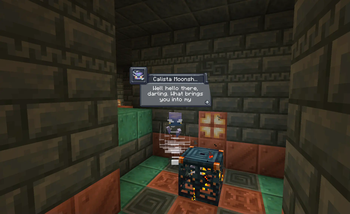
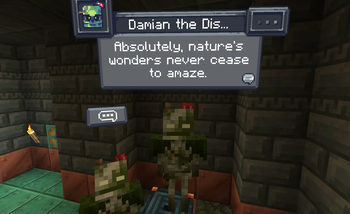
About this Mod
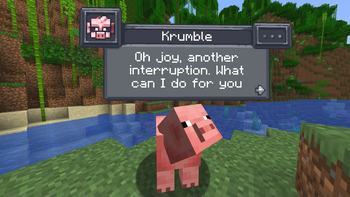
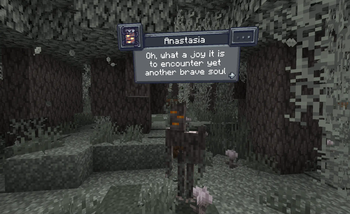
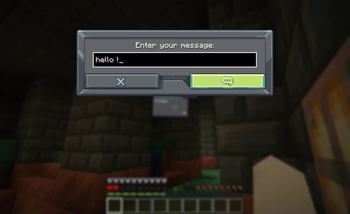
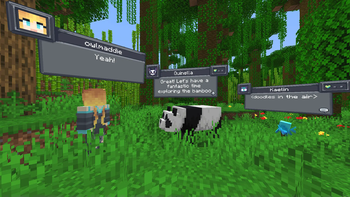
Chat with any mob in Minecraft! All creatures can talk & react using AI!

Features
- AI-Driven Chats: Using ChatGPT or open-source AI models, each conversation is unique and engaging!
- Behaviors: Creatures can make decisions on their own and Follow, Flee, Attack, Protect, and more!
- Reactions: Creatures automatically react to being damaged or receiving items from players.
- Friendship: Track your relationships from friends to foes.
- Multi-Player: Share the experience; conversations sync across server & players.
- Memory: Creatures remember your past interactions, making each chat more personal.
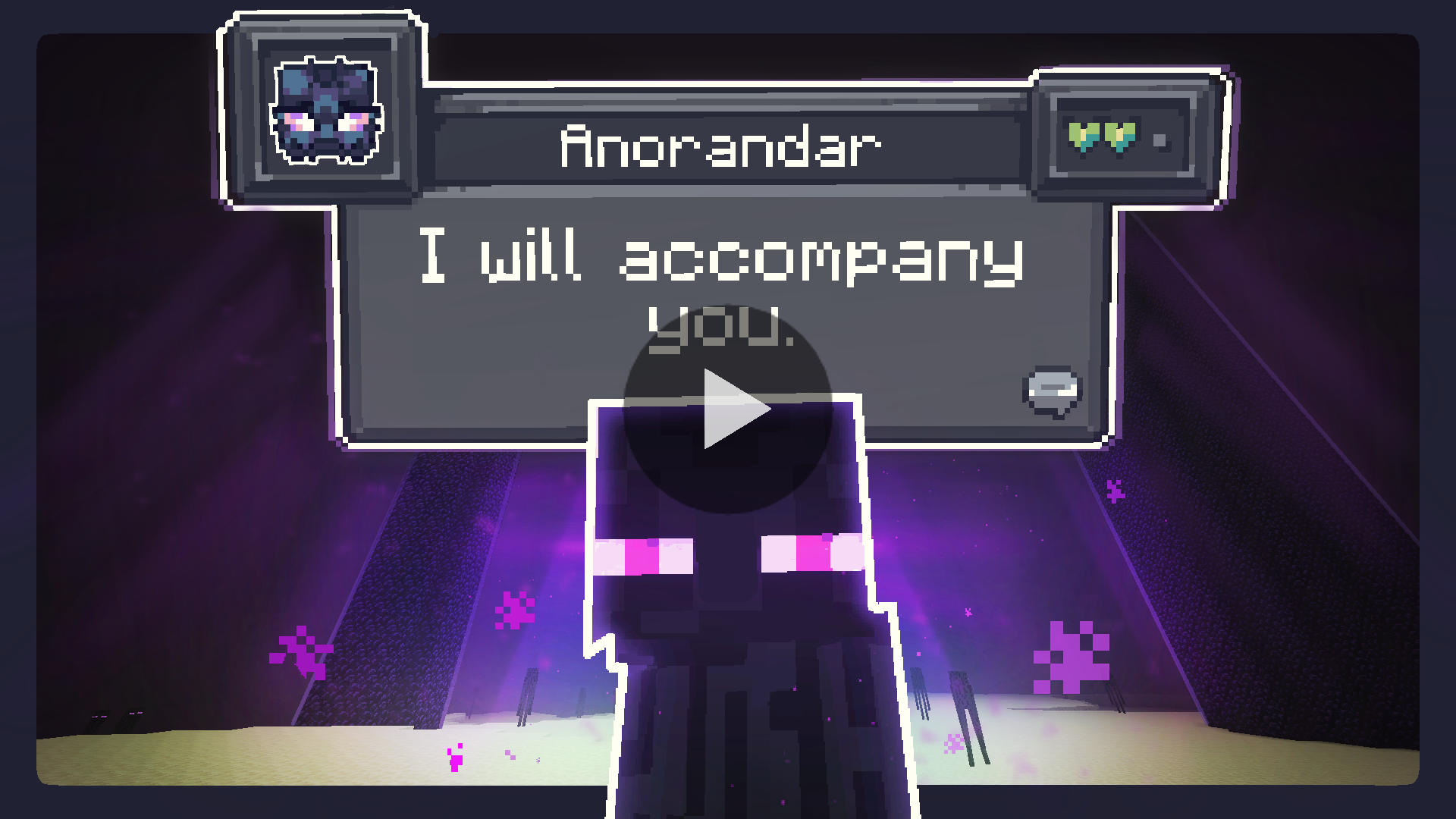
Create meaningful conversations and enduring friendships? A betrayal perhaps?
Installation Instructions
Fabric (Recommended)
Fabric Instructions
- Install Fabric Loader & API: Follow the instructions here.
- Install CreatureChat™ Mod: Download and copy
creaturechat-*.jarandfabric-api-*.jarinto your.minecraft/modsfolder. - Launch Minecraft with the Fabric profile.
- Configure AI: A LLM (large language model) is required for generating text (AI options below)
Forge (with Sinytra Connector)
Forge Instructions
NOTE: Sintra Connector only supports Minecraft 1.20.1
- Install Forge: Download Forge Installer, run it, select "Install client".
- Install Forgified Fabric API: Download Forgified Fabric API and copy the
*.jarinto your.minecraft/modsfolder. - Install Sinytra Connector: Download Sinytra Connector and copy the
*.jarinto your.minecraft/modsfolder. - Install CreatureChat™ Mod: Download and copy
creaturechat-*.jarinto your.minecraft/modsfolder. - Launch Minecraft with the Forge profile.
- Configure AI: A LLM (large language model) is required for generating text (AI options below)
AI Options
Choose AI Option
CreatureChat™ requires an AI / LLM (large language model) to generate text (characters and chat).
- Free & Local: Use open-source and free-to-use LLMs without any API fees. [Difficulty: Hard]
- Bring Your Own Key: Use your own API key from providers like OpenAI or Groq. [Difficulty: Medium]
- Token Shop: Supports CreatureChat™ by purchasing tokens from the developers. [Difficulty: Easy]
1. Free & Local
CreatureChat™ fully supports free and open-source LLMs. To get started:
- An HTTP endpoint compatible with the OpenAI Chat Completion JSON syntax is required. We highly recommend using:
- Set the local HTTP endpoint in-game:
/creaturechat url set "http://ENTER-YOUR-HTTP-ENDPOINT-FROM-LITE-LLM"/creaturechat model set ENTER-MODEL-NAME/creaturechat timeout set 360
- Additional help can be found in the #locall-llm-info channel on our Discord.
2. Bring Your Own Key
For those already using a third-party API (e.g., OpenAI, Groq):
- Integrate your own API key for seamless connectivity.
- Costs depend on the provider’s usage-based pricing model.
- By default, CreatureChat uses the OpenAI endpoint and
gpt-3.5-turbomodel, known for its balance of low cost and fast performance. - Be aware that OpenAI’s developer API does not include free usage. Please review the OpenAI pricing for detailed information.
- To create an OpenAI API key, visit https://platform.openai.com/api-keys, and use the + Create new secret key button.
- Set the API key & model in-game:
/creaturechat key set <YOUR-SECRET-KEY-HERE>/creaturechat model set gpt-3.5-turbo
3. Token Shop
Supports CreatureChat by purchasing tokens from the developers:
- Easy setup with simple token packs, created for CreatureChat users.
- More info is available in the #token-shop channel on our Discord.
- Set the token-shop API key in-game:
/creaturechat key set <YOUR-SECRET-KEY-HERE>
In-game Commands
Configure CreatureChat
- REQUIRED:
/creaturechat key set <key>- Sets the OpenAI API key. This is required for making requests to the LLM.
- OPTIONAL:
/creaturechat url set "<url>"- Sets the URL of the API used to make LLM requests. Defaults to
"https://api.openai.com/v1/chat/completions".
- Sets the URL of the API used to make LLM requests. Defaults to
- OPTIONAL:
/creaturechat model set <model>- Sets the model used for generating responses in chats. Defaults to
gpt-3.5-turbo.
- Sets the model used for generating responses in chats. Defaults to
- OPTIONAL:
/creaturechat timeout set <seconds>- Sets the timeout (in seconds) for API HTTP requests. Defaults to
10seconds.
- Sets the timeout (in seconds) for API HTTP requests. Defaults to
- OPTIONAL:
/creaturechat whitelist <entityType | all | clear>- Show chat bubbles- Shows chat bubbles for the specified entity type or all entities, or clears the whitelist.
- OPTIONAL:
/creaturechat blacklist <entityType | all | clear>- Hide chat bubbles- Hides chat bubbles for the specified entity type or all entities, or clears the blacklist.
- OPTIONAL:
/story set "<story-text>"- Sets a custom story (included in character creation and chat prompts).
- OPTIONAL:
/story display | clear- Display or clear the current story.
Configuration Scope:
- OPTIONAL: You can specify the configuration scope at the end of each command to determine where settings should be applied:
- Default Configuration (
--config default): Applies the configuration universally, unless overridden by a server-specific configuration. - Server-Specific Configuration (
--config server): Applies the configuration only to the server where the command is executed. - If the
--configoption is not specified, thedefaultconfiguration scope is assumed.
- Default Configuration (
License
- Source code: GNU GPL v3
- Non-code assets: CC-BY-NC-SA-4.0

Legal Notices
- CreatureChat™ is an independent project and is not endorsed by Mojang AB, Microsoft Corp., or OpenAI. Minecraft® is a trademark of Mojang AB. ChatGPT® is a trademark of OpenAI OpCo, LLC. All trademarks appear here for identification only.
- CreatureChat™ is a trademark of owlmaddie LLC (registration pending). Factual nominative references such as “Fork of CreatureChat” that do not imply endorsement are allowed; all other uses of the name or logo require prior permission.
Contact & Resources
- Join us on Discord
- Documentation (Source Code)
- Follow Us: YouTube |
Twitter |
TikTok
Available Versions
How to Install CreatureChat™ on Your Server
Order Server
Order a Minecraft Java server with at least 3 GB RAM (4 GB recommended).
Set fabric Loader
In the panel under "Egg", select the fabric loader and matching Minecraft version (1.21.7).
Install Mod
Open the mod browser in the dashboard and search for "CreatureChat™". Click "Install" – done! Alternatively, upload the .jar via SFTP to the /mods folder.
Compatibility
Mod Loaders
Minecraft Versions
1.21.7, 1.21.6, 1.21.5 (+12 more)
Server-side
✓ RequiredRecommended RAM
4 GB(min. 3 GB)Frequently Asked Questions
CreatureChat™ server crashes on startup – what to do?
Most common cause: wrong fabric version or insufficient RAM. Check the server log (latest.log) for "OutOfMemoryError" or "Mixin" errors. With Mado Hosting: ensure at least 3 GB RAM is allocated and the loader matches the mod version (1.21.7). You can switch loaders with one click in the panel.
Is CreatureChat™ compatible with fabric and forge and neoforge?
CreatureChat™ officially supports fabric, forge, neoforge for Minecraft 1.21.7, 1.21.6, 1.21.5. Note: Forge and Fabric mods are NOT cross-compatible – pick one loader and stick with it. The Mado dashboard automatically detects incompatible loader combinations.
Server lagging with CreatureChat™ – how to optimize performance?
Recommended RAM: 4 GB (per 8 players). Use /spark profiler to check if CreatureChat™ consumes the most tick time. Common fixes: reduce server view-distance to 8-10, install "performant" or "starlight" as supplementary mods on Forge. With Mado Hosting, your server runs on NVMe SSDs with dedicated CPU cores for minimal latency.
Similar Mods




Rent Modded Server
Install CreatureChat™ with just one click on your server.
Details
- License
- Creative Commons Attribution Non Commercial Share Alike 4.0 International
- Server-side
- Required