
TW‘s Decorative Food
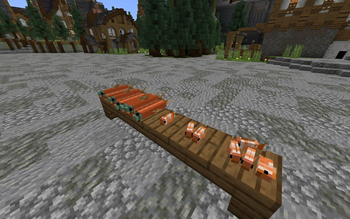
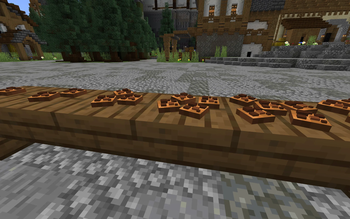
Make the food placeable.Decorate your world!
Screenshots
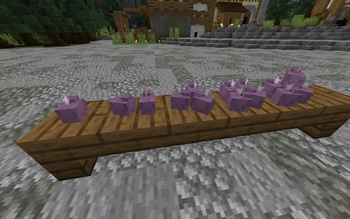
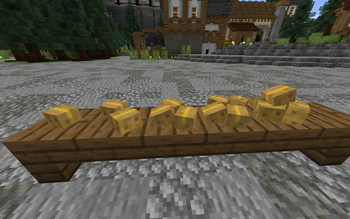
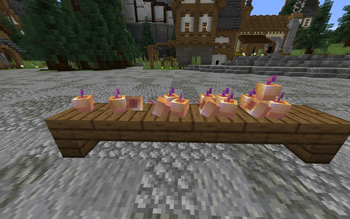
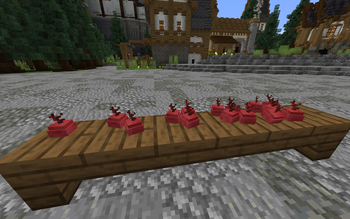
Über diese Mod
TW's Decorative Food
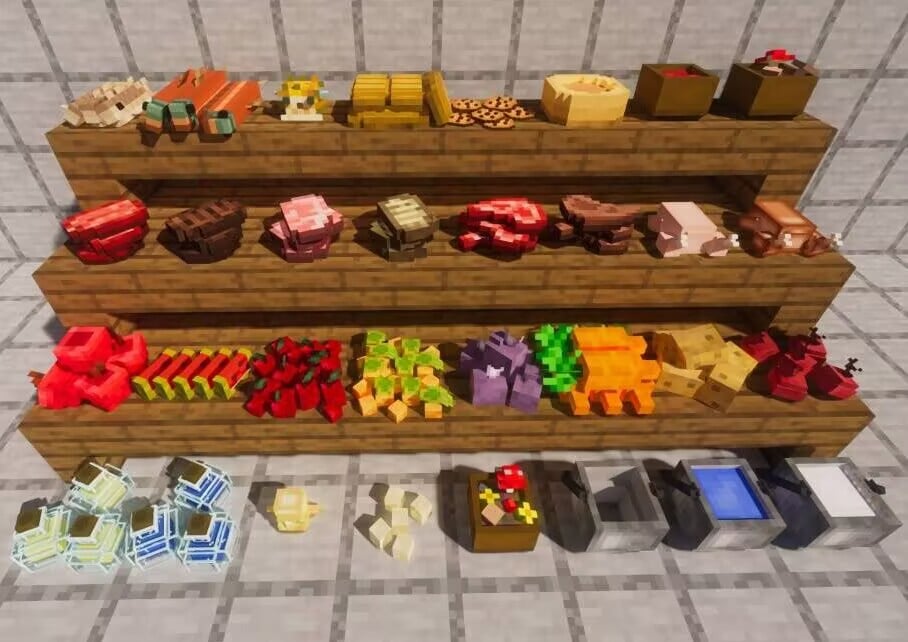
Make your food placeable. Decorate your world with edible blocks — stack your snacks, line up your stews and bottles, and turn a kitchen corner into a proper food display.
Overview
Decorative Food is a lightweight, vanilla-flavored mod that lets food items be placed in the world as 3D blocks. Drop an apple on the table, pile up some bread, or leave a bowl of stew at the counter — everything keeps the original Minecraft pixel-art look and fits right into your builds.
It adds no new game rules and doesn't disturb existing gameplay. The original food items are still real items; they're simply made placeable and stackable on top of one another.
Features
- Place any food as a block — hold the item and right-click a surface, just like placing a normal block.
- Stackable food — sneak-right-click a placed pile with the same food to add one more; each food has its own maximum stack size (apples up to 5, cookies up to 7, etc.).
- Sneak-to-interact — you can still add to / take from a food block while sneaking, so stacking never fights with placing.
- Vanilla art style — models and textures deliberately match the original Minecraft look.
Supported food
The following vanilla items can be placed and stacked (over 45 food types in total):
- Snacks: Cookie, Apple, Melon Slice, Bread, Dried Kelp
- Vegetables: Beetroot, Potato, Baked Potato, Poisonous Potato, Carrot, Sweet Berries, Glow Berries
- Golden foods: Golden Apple, Enchanted Golden Apple, Golden Carrot, Glistering Melon Slice
- Meats: Chicken, Cooked Chicken, Beef, Cooked Beef, Mutton, Cooked Mutton, Porkchop, Cooked Porkchop, Rabbit, Cooked Rabbit
- Fish: Cod, Cooked Cod, Salmon, Cooked Salmon, Pufferfish, Tropical Fish
- Stews & bowls: Rabbit Stew, Mushroom Stew, Beetroot Soup, Suspicious Stew, Bowl
- Buckets: Bucket, Water Bucket, Milk Bucket, Lava Bucket
- Other: Pumpkin Pie, Chorus Fruit, Egg, Spider Eye, Totem of Undying, Potion, Glass Bottle, Honey Bottle
How to use
- Place — hold a food item and right-click on a surface (e.g. the ground or a table).
- Stack — sneak-right-click the placed food with the same item to add one more, up to that food's max.
- Take — sneak-right-click the pile with any other item or an empty hand to pull one food back out.
Verfügbare Versionen
TW‘s Decorative Food auf dem Server installieren
Server bestellen
Bestelle einen Minecraft Java Server mit mindestens 3 GB RAM (4 GB empfohlen).
fabric Loader setzen
Wähle im Panel unter "Egg" den fabric-Loader und die passende Minecraft-Version (1.21.8).
Mod installieren
Öffne den Mod-Browser im Dashboard und suche nach "TW‘s Decorative Food". Klicke "Installieren" – fertig! Alternativ: Lade die .jar via SFTP in den /mods Ordner.
Kompatibilität
Mod-Loader
Minecraft-Versionen
1.21.8, 1.21.5, 1.21.1 (+4 weitere)
Server-seitig
✓ ErforderlichEmpfohlener RAM
4 GB(min. 3 GB)Häufige Fragen
TW‘s Decorative Food Server crasht beim Start – was tun?
Häufigste Ursache: falsche fabric-Version oder zu wenig RAM. Prüfe im Server-Log (latest.log), ob ein "OutOfMemoryError" oder "Mixin"-Fehler auftritt. Bei Mado Hosting: Stelle sicher, dass mindestens 3 GB RAM zugewiesen sind und der Loader zur Mod-Version passt (1.21.8). Über das Panel kannst du den Loader mit einem Klick wechseln.
Ist TW‘s Decorative Food mit fabric und forge und neoforge kompatibel?
TW‘s Decorative Food unterstützt offiziell fabric, forge, neoforge für Minecraft 1.21.8, 1.21.5, 1.21.1. Achtung: Forge- und Fabric-Mods sind NICHT untereinander kompatibel – wähle einen Loader und bleibe dabei. Im Mado Dashboard werden inkompatible Loader-Kombinationen automatisch erkannt.
Server laggt mit TW‘s Decorative Food – wie optimiere ich die Performance?
Empfohlener RAM: 4 GB (+1 GB pro 8 Spieler). Prüfe mit /spark profiler, ob TW‘s Decorative Food den meisten Tick-Time verbraucht. Häufige Fixes: Server-View-Distance auf 8-10 reduzieren, bei Forge "performant" oder "starlight" als Zusatz-Mod installieren. Bei Mado Hosting läuft dein Server auf NVMe-SSDs mit dedizierten CPU-Kernen für minimale Latenz.
Ähnliche Mods

![[ETF] Entity Texture Features](https://cdn.modrinth.com/data/BVzZfTc1/af683d206d50b05258d865b0d6e4aa2f2cee12f2_96.webp)
![[EMF] Entity Model Features](https://cdn.modrinth.com/data/4I1XuqiY/6e5bbd0d06b1741bfdab6c0cfab6de8fdaf0064c_96.webp)



Modded Server mieten
Installiere TW‘s Decorative Food mit nur einem Klick auf deinem Server.