
Early Loading Screen
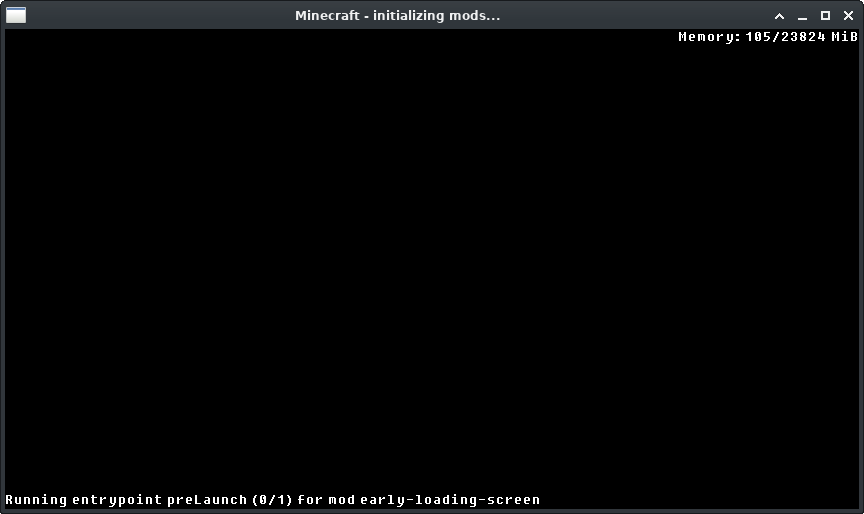
A Fabric mod that shows an early loading screen and display information while the game is loading.
Screenshots
Über diese Mod
Early Loading Screen
A Fabric mod that shows an early loading screen and display information while the game is loading.
Compatibility
This mod has been tested with AOF6 with Prism Launcher and default settings without any issues.
Configuration
All configuration is done in the early-loading-screen.properties file in the config folder.
window_creation_point
Available options: mixinEarly mixinLoad preLaunch mcEarly off
Default: mixinEarly (or mixinLoad if ImmediatelyFast is installed)
This controls the point when the window is created.
The available options above are sorted in order of earliest to latest.
The option mixinEarly does some classloading hacks, use mixinLoad if you have issues with it.
Use off to turn off early screen entirely.
enable_entrypoint_information
Available options: true false
Default: true
This controls whether the entrypoint information is shown on the early screen.
When this is enabled, it will apply patches to the fabric-loader to show entrypoint invocation process.
Disable if you have weird issues with the game launch.
reuse_early_window
Available options: true false
Default: true
Not available on Windows.
This controls whether the early screen is reused as the game window.
enable_mixin_pretransform
Available options: true false
Default: true
This controls whether mixins apply runs early.
Verfügbare Versionen
Early Loading Screen auf deinem Client installieren
Mod-Loader lokal installieren
Installiere fabric für deine lokale Minecraft-Version.
Passende Datei herunterladen
Wähle die Early Loading Screen-Datei für fabric und Minecraft 1.21.4.
Mod installieren
Lege die .jar-Datei in deinem lokalen .minecraft/mods-Ordner ab und starte Minecraft neu. Eine Installation auf dem Server ist nicht nötig.
Kompatibilität
Mod-Loader
Minecraft-Versionen
1.21.4, 1.21.3, 1.21.2 (+11 weitere)
Server-seitig
✗ Nicht unterstütztEmpfohlener RAM
4 GB(min. 3 GB)Häufige Fragen
Muss Early Loading Screen auf dem Minecraft Server installiert werden?
Nein. Modrinth kennzeichnet Early Loading Screen serverseitig als nicht unterstützt. Installiere die Mod nur im lokalen Minecraft-Mods-Ordner. Dein Server kann unverändert bleiben, sofern die Mod-Seite keine zusätzliche Abhängigkeit nennt.
Welche Version und welchen Loader braucht Early Loading Screen?
Nutze eine Datei für fabric und exakt deine Minecraft-Version. Unterstützte Versionen sind unter anderem 1.21.4, 1.21.3, 1.21.2. Loader-Dateien sind nicht untereinander austauschbar.
Early Loading Screen funktioniert nicht – was kann ich prüfen?
Prüfe zuerst Minecraft-Version, Loader-Version und erforderliche Abhängigkeiten. Lege die .jar-Datei im lokalen .minecraft/mods-Ordner ab und entferne ältere Duplikate. Da die Mod clientseitig ist, löst mehr Server-RAM dieses Problem nicht.
Ähnliche Mods




![[ETF] Entity Texture Features](https://cdn.modrinth.com/data/BVzZfTc1/af683d206d50b05258d865b0d6e4aa2f2cee12f2_96.webp)

Minecraft Server für deine Gruppe
Early Loading Screen bleibt auf deinem Client. Hoste dazu eine kompatible Welt für deine Mitspieler.