
Early Loading Screen
A Fabric mod that shows an early loading screen and display information while the game is loading.
Screenshots
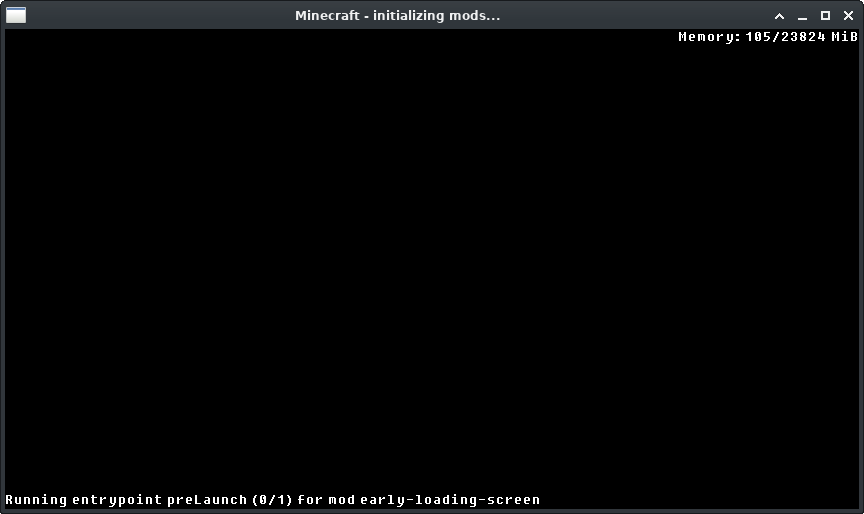
About this Mod
Early Loading Screen
A Fabric mod that shows an early loading screen and display information while the game is loading.
Compatibility
This mod has been tested with AOF6 with Prism Launcher and default settings without any issues.
Configuration
All configuration is done in the early-loading-screen.properties file in the config folder.
window_creation_point
Available options: mixinEarly mixinLoad preLaunch mcEarly off
Default: mixinEarly (or mixinLoad if ImmediatelyFast is installed)
This controls the point when the window is created.
The available options above are sorted in order of earliest to latest.
The option mixinEarly does some classloading hacks, use mixinLoad if you have issues with it.
Use off to turn off early screen entirely.
enable_entrypoint_information
Available options: true false
Default: true
This controls whether the entrypoint information is shown on the early screen.
When this is enabled, it will apply patches to the fabric-loader to show entrypoint invocation process.
Disable if you have weird issues with the game launch.
reuse_early_window
Available options: true false
Default: true
Not available on Windows.
This controls whether the early screen is reused as the game window.
enable_mixin_pretransform
Available options: true false
Default: true
This controls whether mixins apply runs early.
Available Versions
How to Install Early Loading Screen on Your Client
Install the Mod Loader Locally
Install fabric for your local Minecraft version.
Download the Matching File
Choose the Early Loading Screen file for fabric and Minecraft 1.21.4.
Install Mod
Place the .jar file in your local .minecraft/mods folder and restart Minecraft. No server-side installation is required.
Compatibility
Mod Loaders
Minecraft Versions
1.21.4, 1.21.3, 1.21.2 (+11 more)
Server-side
✗ UnsupportedRecommended RAM
4 GB(min. 3 GB)Frequently Asked Questions
Does Early Loading Screen need to be installed on the Minecraft server?
No. Modrinth marks Early Loading Screen as unsupported on the server side. Install it only in your local Minecraft mods folder. Your server can remain unchanged unless the mod page lists an additional dependency.
Which version and loader does Early Loading Screen require?
Use a file for fabric and your exact Minecraft version. Supported versions include 1.21.4, 1.21.3, 1.21.2. Files for different loaders are not interchangeable.
Early Loading Screen is not working – what should I check?
First check the Minecraft version, loader version and required dependencies. Put the .jar file in your local .minecraft/mods folder and remove older duplicates. Because this mod is client-side, adding server RAM will not fix it.
Similar Mods




![[ETF] Entity Texture Features](https://cdn.modrinth.com/data/BVzZfTc1/af683d206d50b05258d865b0d6e4aa2f2cee12f2_96.webp)

Minecraft Server for Your Group
Early Loading Screen stays on your client. Host a compatible world for your group.