Fancy Dyes
Adds special dyes that can be used to customize your equipment.
Über diese Mod
Fancy Dyes
This mod adds special new dyes, that can be used on any armor to change how they look.
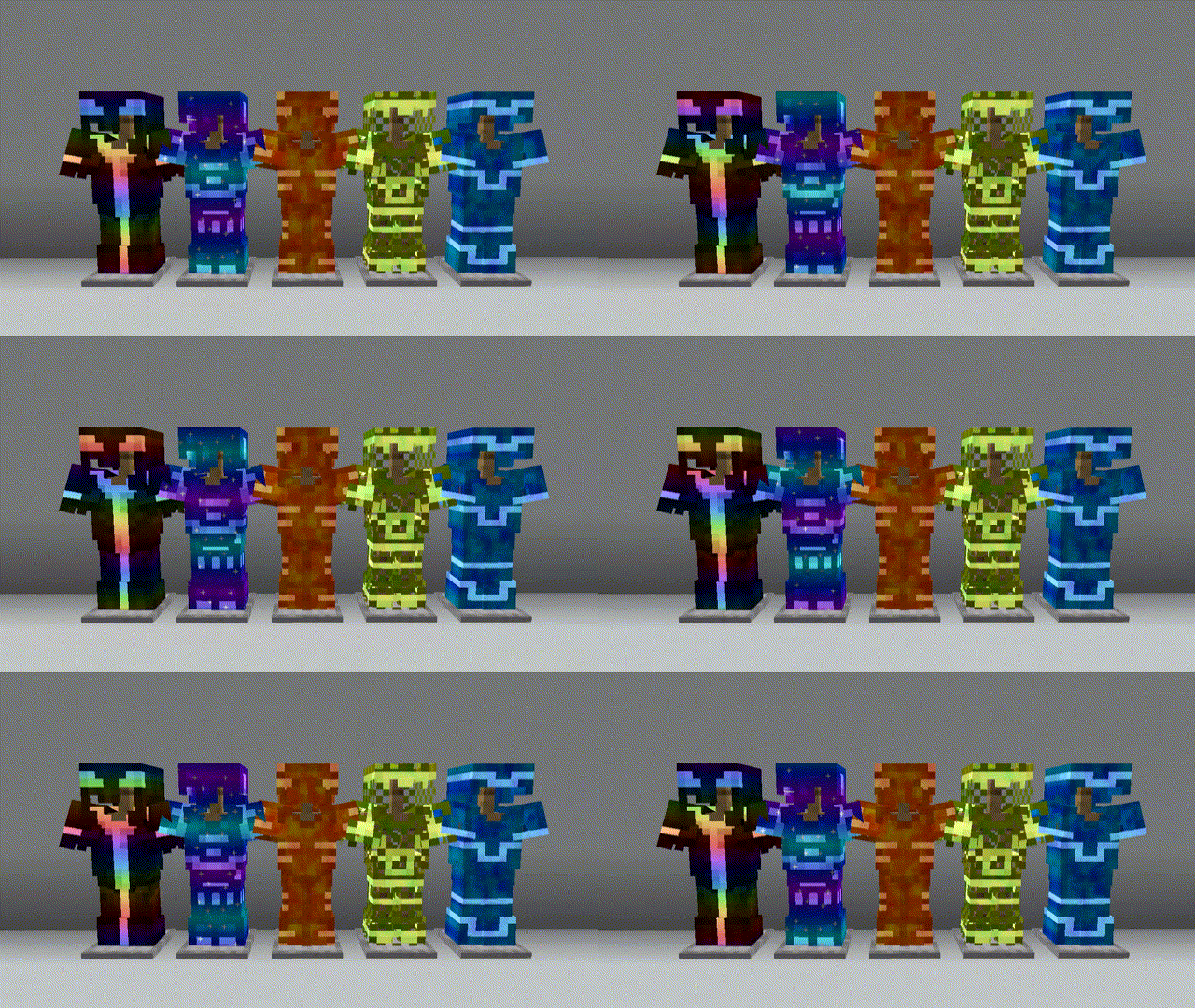
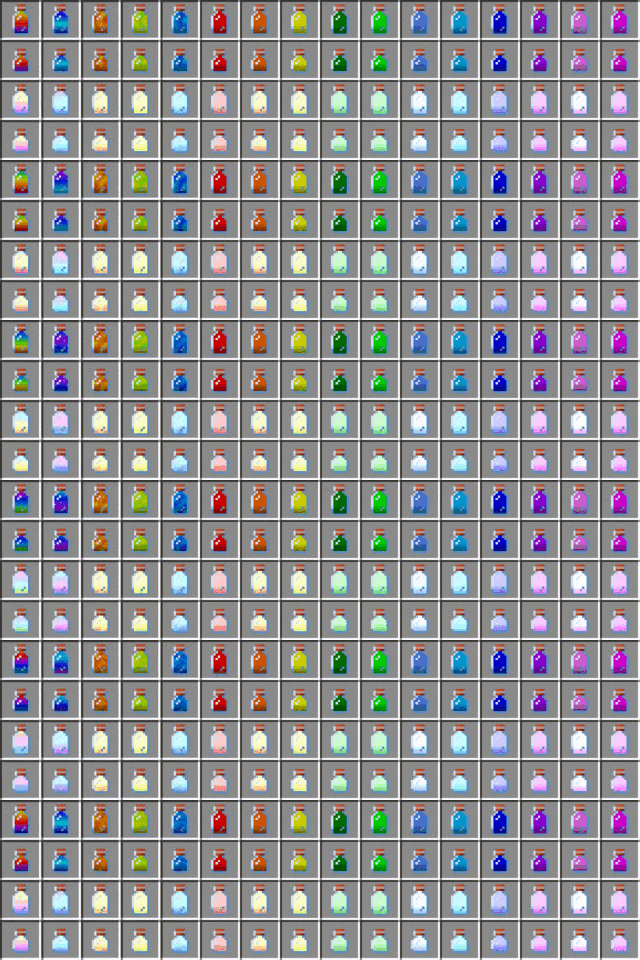
Usage
Crafting Dye
If you're not using some sort of recipe mod, you start off by crafting some dye bottles.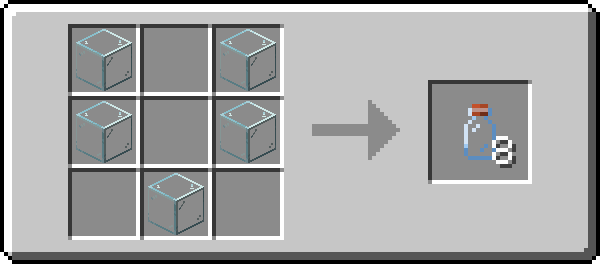
When you craft some, you should get all the dye recipes in your recipe book.
Adding Dye
Dyes are added to armor using a smithing table.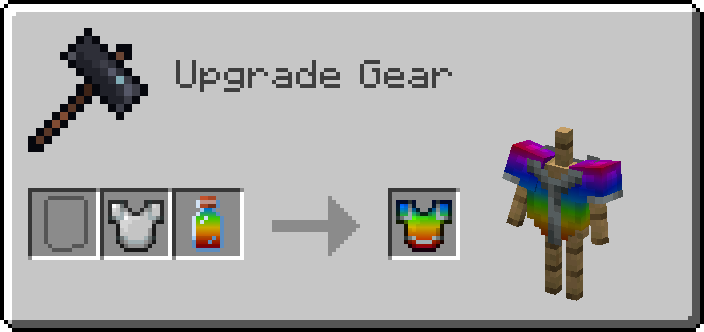
Adding Dye to Armor Trims
To dye the trim, you'll need to put your dye into a Crafting Table to turn it into a small dye.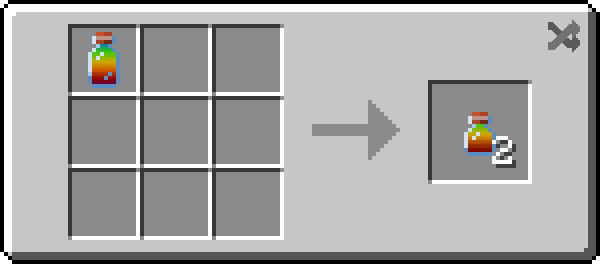
Then you can apply the dye in the same way you would apply a normal one!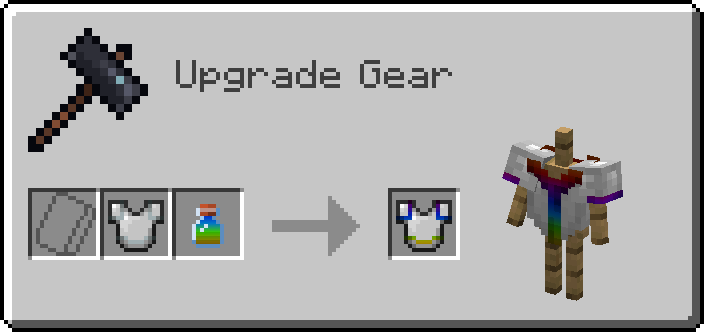
Removing Dye
To remove a dye, simply put an empty bottle into a Smithing Table with the armor to reclaim your dye!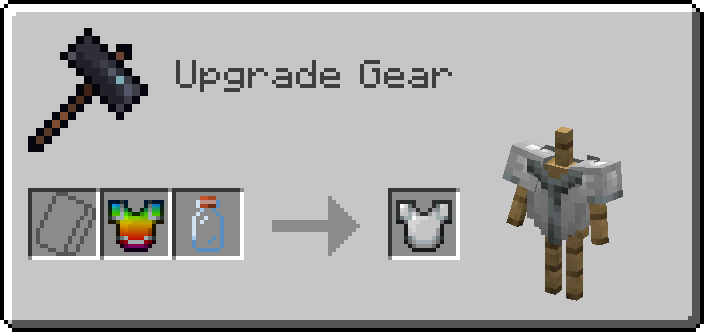
Small dye bottles can used to reclaim dyed armor trims. Small dye bottles are crafted in the same way you craft small dyes.
Compatibility
Shaders
If you use shaders, all dyed items that aren't being rendered in your inventory are invisible. This is probably a fundamental incompatibility, but I may try and revisit this issue in the future.
Modded Armor
It should be compatible with most modded armor that doesn't do anything too crazy. If you find a mod that doesn't work, please let me know!
Verfügbare Versionen
Fancy Dyes auf dem Server installieren
Server bestellen
Bestelle einen Minecraft Java Server mit mindestens 3 GB RAM (4 GB empfohlen).
fabric Loader setzen
Wähle im Panel unter "Egg" den fabric-Loader und die passende Minecraft-Version (1.20.1).
Mod installieren
Öffne den Mod-Browser im Dashboard und suche nach "Fancy Dyes". Klicke "Installieren" – fertig! Alternativ: Lade die .jar via SFTP in den /mods Ordner.
Kompatibilität
Mod-Loader
Minecraft-Versionen
1.20.1, 1.20, 1.19.2 (+1 weitere)
Server-seitig
✓ ErforderlichEmpfohlener RAM
4 GB(min. 3 GB)Häufige Fragen
Fancy Dyes Server crasht beim Start – was tun?
Häufigste Ursache: falsche fabric-Version oder zu wenig RAM. Prüfe im Server-Log (latest.log), ob ein "OutOfMemoryError" oder "Mixin"-Fehler auftritt. Bei Mado Hosting: Stelle sicher, dass mindestens 3 GB RAM zugewiesen sind und der Loader zur Mod-Version passt (1.20.1). Über das Panel kannst du den Loader mit einem Klick wechseln.
Ist Fancy Dyes mit fabric und forge kompatibel?
Fancy Dyes unterstützt offiziell fabric, forge für Minecraft 1.20.1, 1.20, 1.19.2. Achtung: Forge- und Fabric-Mods sind NICHT untereinander kompatibel – wähle einen Loader und bleibe dabei. Im Mado Dashboard werden inkompatible Loader-Kombinationen automatisch erkannt.
Server laggt mit Fancy Dyes – wie optimiere ich die Performance?
Empfohlener RAM: 4 GB (+1 GB pro 8 Spieler). Prüfe mit /spark profiler, ob Fancy Dyes den meisten Tick-Time verbraucht. Häufige Fixes: Server-View-Distance auf 8-10 reduzieren, bei Forge "performant" oder "starlight" als Zusatz-Mod installieren. Bei Mado Hosting läuft dein Server auf NVMe-SSDs mit dedizierten CPU-Kernen für minimale Latenz.
Ähnliche Mods

![[ETF] Entity Texture Features](https://cdn.modrinth.com/data/BVzZfTc1/af683d206d50b05258d865b0d6e4aa2f2cee12f2_96.webp)
![[EMF] Entity Model Features](https://cdn.modrinth.com/data/4I1XuqiY/6e5bbd0d06b1741bfdab6c0cfab6de8fdaf0064c_96.webp)



Modded Server mieten
Installiere Fancy Dyes mit nur einem Klick auf deinem Server.