
Fullbright Plus
Completely disable the whole visual lightning system to make the game as bright as possible while boosting performances.
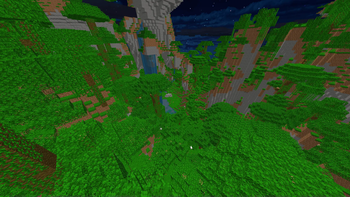
Screenshots
Über diese Mod
Fullbright Plus
Why is this mod better than other Fullbrights?
Other Fullbright mods will modify the gamma value, to make it very high.
This often can just be overrided by users, or can be manually done. These mods do not offer anything special.
Fullbright Plus comes and disable lightning in every part possible, to optimise the CPU and RAM usage.
Why doing light calculations every frame on everything visible on screen, for it to be the maximum value possible
anyway?
What does the mod do and don't?
All actions performed by the mod are visual only. It will not modify any other value than the ones used in the
render classes. Some brightness methods are used for living conditions, and those weren't modified.
- ✅ Disable Block Lightning
- ✅ Disable Entity Lightning
- ✅ Disable Ambient Occlusion
- ✅ Disable Vignette
- ❌ Disable Entity Shadows
- ❌ Disable Optifine's Dynamic Lights (modifies the vanilla game behavior, I won't revert these changes)
How does the mod work?
You can look at every modification made to the
game in the mixin folder,
all documented.
What is the compatibility with other mods?
- ✅ Optifine
- ✅ (Poly)Patcher
If any are missing, or any issue is happening with a single mod,
please open an issue.
Verfügbare Versionen
Fullbright Plus auf deinem Client installieren
Mod-Loader lokal installieren
Installiere forge für deine lokale Minecraft-Version.
Passende Datei herunterladen
Wähle die Fullbright Plus-Datei für forge und Minecraft 1.8.9.
Mod installieren
Lege die .jar-Datei in deinem lokalen .minecraft/mods-Ordner ab und starte Minecraft neu. Eine Installation auf dem Server ist nicht nötig.
Kompatibilität
Mod-Loader
Minecraft-Versionen
1.8.9, 1.8.8
Server-seitig
✗ Nicht unterstütztEmpfohlener RAM
4 GB(min. 3 GB)Häufige Fragen
Muss Fullbright Plus auf dem Minecraft Server installiert werden?
Nein. Modrinth kennzeichnet Fullbright Plus serverseitig als nicht unterstützt. Installiere die Mod nur im lokalen Minecraft-Mods-Ordner. Dein Server kann unverändert bleiben, sofern die Mod-Seite keine zusätzliche Abhängigkeit nennt.
Welche Version und welchen Loader braucht Fullbright Plus?
Nutze eine Datei für forge und exakt deine Minecraft-Version. Unterstützte Versionen sind unter anderem 1.8.9, 1.8.8. Loader-Dateien sind nicht untereinander austauschbar.
Fullbright Plus funktioniert nicht – was kann ich prüfen?
Prüfe zuerst Minecraft-Version, Loader-Version und erforderliche Abhängigkeiten. Lege die .jar-Datei im lokalen .minecraft/mods-Ordner ab und entferne ältere Duplikate. Da die Mod clientseitig ist, löst mehr Server-RAM dieses Problem nicht.
Ähnliche Mods


Minecraft Server für deine Gruppe
Fullbright Plus bleibt auf deinem Client. Hoste dazu eine kompatible Welt für deine Mitspieler.