
Fullbright Plus
Completely disable the whole visual lightning system to make the game as bright as possible while boosting performances.
Screenshots
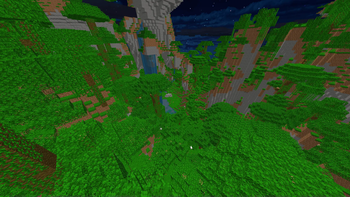
About this Mod
Fullbright Plus
Why is this mod better than other Fullbrights?
Other Fullbright mods will modify the gamma value, to make it very high.
This often can just be overrided by users, or can be manually done. These mods do not offer anything special.
Fullbright Plus comes and disable lightning in every part possible, to optimise the CPU and RAM usage.
Why doing light calculations every frame on everything visible on screen, for it to be the maximum value possible
anyway?
What does the mod do and don't?
All actions performed by the mod are visual only. It will not modify any other value than the ones used in the
render classes. Some brightness methods are used for living conditions, and those weren't modified.
- ✅ Disable Block Lightning
- ✅ Disable Entity Lightning
- ✅ Disable Ambient Occlusion
- ✅ Disable Vignette
- ❌ Disable Entity Shadows
- ❌ Disable Optifine's Dynamic Lights (modifies the vanilla game behavior, I won't revert these changes)
How does the mod work?
You can look at every modification made to the
game in the mixin folder,
all documented.
What is the compatibility with other mods?
- ✅ Optifine
- ✅ (Poly)Patcher
If any are missing, or any issue is happening with a single mod,
please open an issue.
Available Versions
How to Install Fullbright Plus on Your Client
Install the Mod Loader Locally
Install forge for your local Minecraft version.
Download the Matching File
Choose the Fullbright Plus file for forge and Minecraft 1.8.9.
Install Mod
Place the .jar file in your local .minecraft/mods folder and restart Minecraft. No server-side installation is required.
Compatibility
Mod Loaders
Minecraft Versions
1.8.9, 1.8.8
Server-side
✗ UnsupportedRecommended RAM
4 GB(min. 3 GB)Frequently Asked Questions
Does Fullbright Plus need to be installed on the Minecraft server?
No. Modrinth marks Fullbright Plus as unsupported on the server side. Install it only in your local Minecraft mods folder. Your server can remain unchanged unless the mod page lists an additional dependency.
Which version and loader does Fullbright Plus require?
Use a file for forge and your exact Minecraft version. Supported versions include 1.8.9, 1.8.8. Files for different loaders are not interchangeable.
Fullbright Plus is not working – what should I check?
First check the Minecraft version, loader version and required dependencies. Put the .jar file in your local .minecraft/mods folder and remove older duplicates. Because this mod is client-side, adding server RAM will not fix it.
Similar Mods


Minecraft Server for Your Group
Fullbright Plus stays on your client. Host a compatible world for your group.