
Hbm's Nuclear Tech - Hamster Reloaded
This mod is based on the original mod of 1.7.10 by HBMTheBobcat; However now that this mod was never ported up; we've decided to bring a fresh look and active community updating HBM in 1.12.2!
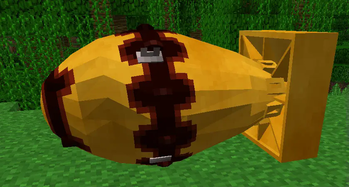
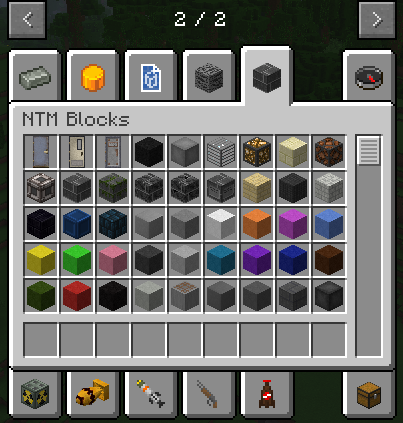
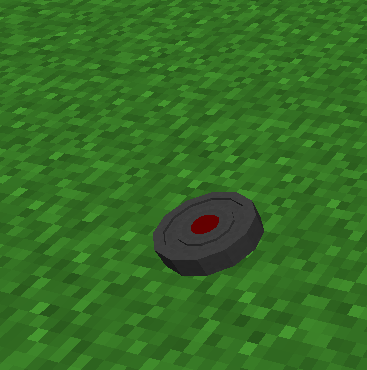
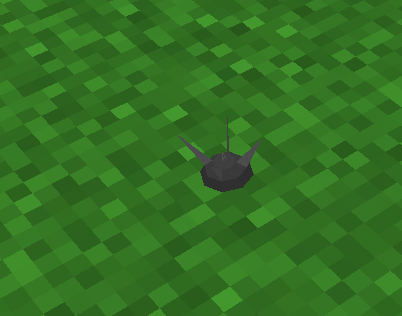
Screenshots
Über diese Mod


GitHub Page:

Discord Server:

YouTube Channel:


A newly Updated HBM Mod for 1.12.2 - Updated by Hamster-systems!
This mod is based on the original mod of 1.7.10 by HBMTheBobcat; However now that this mod was never ported up; we've decided to bring a fresh look and active community updating HBM in 1.12.2!
We plan to customise this mod as much as possible; including YOUR ideas! If you'd like to suggest ideas post them on our GitHub's request feature on the issues page!
Due to the amount and complexity of the recipes of this mod, JEI is strongly recommended.

This mod has many different things; However, the main part of this mod as everyone recognises is the Missiles and bombs; The technology and Science!
This mod goes heavily in depth in a lot of its technology and science giving an amazing experience for you and your friends. However, be careful if your rival or yourself breaks something your lab and reactors could blow up! Especially if a reactor needs water and has no water source!
Will you survive the ever-lasting advanced technology?
This mod adds missiles so you don't just have a block you have to go to a base and place, BUT this allows you to fire from a very long range allowing you to be safe while you send a nuke to a pal.
Some things you will see:
- Nukes
- Missiles
- Weapons
- Huge Machines
- Radiation and a lot of other Hazards

Q: Is this the official 1.12.2 hbm version?
A: No because there is no one "official" 1.12.2 ntm version. Every person that makes a release for 1.12.2 creates their own edition.
Q: Will you add <insert suggestion>?
A: Sure! If we like the suggestion on what to be added and its capable, We will! To suggest one go over to our GitHub and create a **Feture Request**
Q: What are the differences between this mod and NTM Extended?
A: At the moment there are only minor changes and fixes and tweaks however more features are planned later down the line.
Most differences are listed bellow
Tweaks:
-Tweaked some armors strength to take advantage of attribute fixes if it is present within the pack.
-Added Radiation Resistance to some blocks
-Tweaked Radiation resistance of most armor
-Reworked coal and lignite damage system
Compatibility:
-Added Cross compatibility for more mods
Fixes:
-Fixed some chunk generation Bugs
-Added missing crafting recipes to items

This mod does not have any special dependencies, so the installation procedure is the usual:
- Download the .jar file
- Install Forge on your 1.12.2 Minecraft profile
- Launch the game once (or manually create the mods folder)
- Navigate to .minecraft and drop the jar file into the mods folder
Credits
HBM and all the contributors for the original 1.7 Mod
Drillgon for the original 1.12 port
Alcater for a big content update to the orignal 1.12.2 Port
Updates!
Although we will try our best in giving active updates; We do have personal lives and other projects! We will make sure to bring as many of your feature-requested suggestions in the mod pack as quickly as possible!
Verfügbare Versionen
Hbm's Nuclear Tech - Hamster Reloaded auf dem Server installieren
Server bestellen
Bestelle einen Minecraft Java Server mit mindestens 3 GB RAM (4 GB empfohlen).
forge Loader setzen
Wähle im Panel unter "Egg" den forge-Loader und die passende Minecraft-Version (1.12.2).
Mod installieren
Öffne den Mod-Browser im Dashboard und suche nach "Hbm's Nuclear Tech - Hamster Reloaded". Klicke "Installieren" – fertig! Alternativ: Lade die .jar via SFTP in den /mods Ordner.
Kompatibilität
Mod-Loader
Minecraft-Versionen
1.12.2
Server-seitig
✓ ErforderlichEmpfohlener RAM
4 GB(min. 3 GB)Häufige Fragen
Hbm's Nuclear Tech - Hamster Reloaded Server crasht beim Start – was tun?
Häufigste Ursache: falsche forge-Version oder zu wenig RAM. Prüfe im Server-Log (latest.log), ob ein "OutOfMemoryError" oder "Mixin"-Fehler auftritt. Bei Mado Hosting: Stelle sicher, dass mindestens 3 GB RAM zugewiesen sind und der Loader zur Mod-Version passt (1.12.2). Über das Panel kannst du den Loader mit einem Klick wechseln.
Ist Hbm's Nuclear Tech - Hamster Reloaded mit forge kompatibel?
Hbm's Nuclear Tech - Hamster Reloaded unterstützt offiziell forge für Minecraft 1.12.2. Im Mado Dashboard werden inkompatible Loader-Kombinationen automatisch erkannt.
Server laggt mit Hbm's Nuclear Tech - Hamster Reloaded – wie optimiere ich die Performance?
Empfohlener RAM: 4 GB (+1 GB pro 8 Spieler). Prüfe mit /spark profiler, ob Hbm's Nuclear Tech - Hamster Reloaded den meisten Tick-Time verbraucht. Häufige Fixes: Server-View-Distance auf 8-10 reduzieren, bei Forge "performant" oder "starlight" als Zusatz-Mod installieren. Bei Mado Hosting läuft dein Server auf NVMe-SSDs mit dedizierten CPU-Kernen für minimale Latenz.
Ähnliche Mods




Modded Server mieten
Installiere Hbm's Nuclear Tech - Hamster Reloaded mit nur einem Klick auf deinem Server.