
Modrinth · Forge
Hbm's Nuclear Tech - Hamster Reloaded on your Minecraft server
Hbm's Nuclear Tech - Hamster Reloaded runs on Minecraft servers with Forge. Order your server, set the loader in the panel and install the mod with one click in the mod browser.
HBM: Hamster Reloaded brings nuclear reactors, missiles, advanced machinery, radiation and dangerous technology to Minecraft!
- Downloads
- 9.0K
- Author
- Coldalliance
- Loader
- Forge
- Minecraft
- 1.12.2
- Updated
- –
Screenshots
What Hbm's Nuclear Tech - Hamster Reloaded looks like
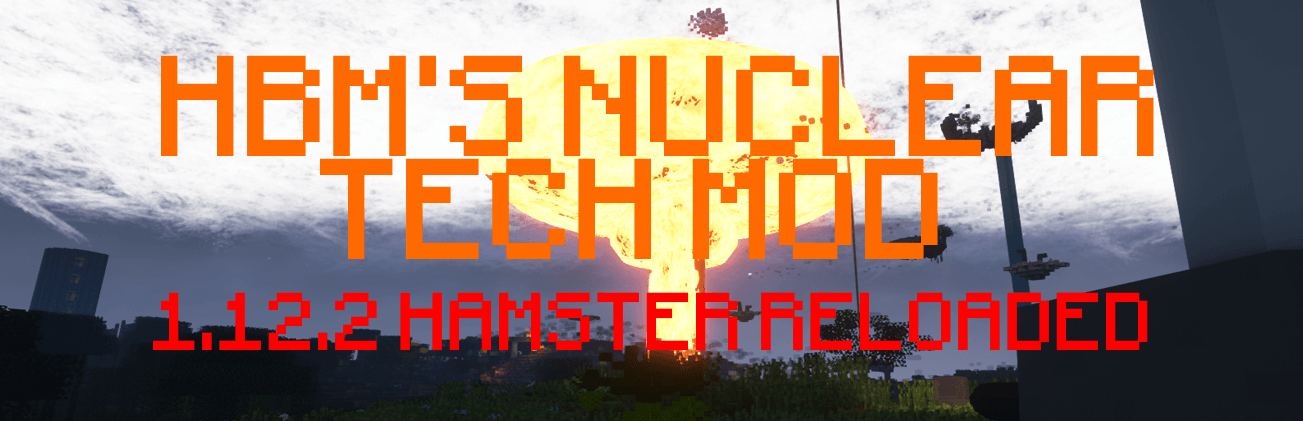
 HBM Nuclear Tech Mod - Hamster Reloaded
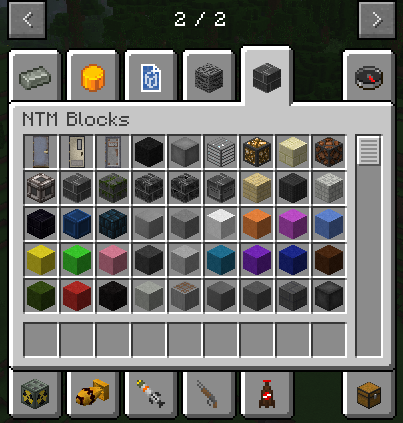 HBM Creative Inventory
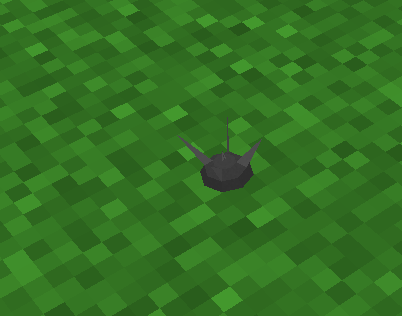 Anti Personnel Mine
 A Dud Bomb
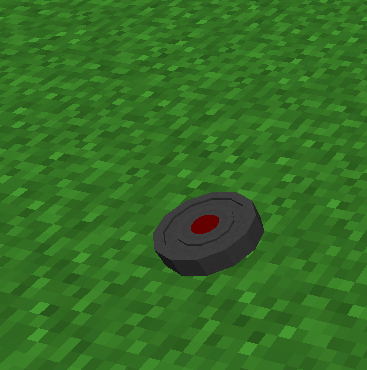 HBM Shrapnel Mine
Images: Hbm's Nuclear Tech - Hamster Reloaded on Modrinth, published by the project team.
Setup
Install Hbm's Nuclear Tech - Hamster Reloaded on your server
The server and players need the same loader and Minecraft version. Back up the world before adding or updating mods.
- 01
Configure
4 GB of RAM is preselected. You choose the term and add-ons and pay by credit card or PayPal.
- 02
Set the loader
In the panel, set the server software to Forge and choose the matching Minecraft version, for example 1.12.2.
- 03
Install the mod
Search the mod browser for “Hbm's Nuclear Tech - Hamster Reloaded” and install the release for your loader. Alternatively, upload the .jar to the mods folder via SFTP. Required dependencies are listed on the project page.
- 04
Connect
Every player installs the same Hbm's Nuclear Tech - Hamster Reloaded release locally and connects using the server address from the panel.
- On the server
- Required
- On the client
- Required
- Loader
- Forge
- Minecraft
- 1.12.2
- License
- GNU General Public License v3.0 only
The panel
Install mods, find errors.
Real screenshots from the Mado panel. Both come with every Minecraft server.
Mod browser
Modrinth and CurseForge, right in the panel.
The browser filters by your Minecraft version. Install mods with one click, without uploading .jar files.

AI crash analysis
When a mod crashes, the analyzer reads the log.
Mods often fail on a wrong loader version, Java version or missing dependency. The analyzer names a likely cause and suggests a fix.

Releases
Published releases
Pick the file that matches your server’s loader and Minecraft version. The server and players need the same release.
Hbm's Nuclear Tech - Hamster Reloaded · ModrinthOriginal description by the project author
☢ HBM: Hamster Reloaded
Server Coming Soon!
Hbm's Nuclear Tech — Hamster Reloaded (HBM:HR)
Engineering, industry, nuclear power and catastrophic consequences.
Minecraft 1.12.2 — Forge
Welcome to HBM: Hamster Reloaded!
HBM: Hamster Reloaded is a community-led continuation of the classic Hbm's Nuclear Tech Mod, developed by Hamster Systems.
Build vast industrial facilities, experiment with radioactive materials, develop sophisticated weapons, launch missiles and harness nuclear energy. From complex processing chains to colossal reactors, every advancement brings new opportunities—and new dangers.
☢ What Can You Do in HBM?
The HBM experience includes:
- Nuclear reactors and power systems — Construct complex facilities and manage the risks of nuclear energy.
- Missiles, bombs and weapons — Develop advanced weaponry, from conventional equipment to devastating nuclear technology.
- Industrial machinery — Refine materials, automate production and build enormous manufacturing systems.
- Radiation and environmental hazards — Handle dangerous substances and deal with the consequences of contamination.
- Science and resource processing — Work through extensive crafting and production chains to reach increasingly powerful technologies.
- Multiplayer chaos — Team up to build a facility—or test your defences against your friends.
Warning: A badly managed reactor can turn your carefully built base into a very expensive crater.
Feature availability varies by Minecraft version and release. The list above describes the wider HBM experience, not a promise that every feature is already playable in 1.21.1.
Installing the 1.12.2 edition
- Install Minecraft Forge for 1.12.2.
- Download the appropriate HBM:HR
.jarfrom the Files tab. - Put the
.jarin your Minecraftmodsfolder. - Start Minecraft using the Forge profile.
Recommended: Just Enough Items (JEI) to navigate the mod's extensive crafting and processing recipes.
💬 Join the Community
We want players, builders and mod developers to help shape the future of Hamster Reloaded.
- 🗂 1.12.2 source: https://github.com/Hamster-Systems/Hbm-s-Nuclear-Tech-GIT
Join our Discord for announcements, development previews, bug discussions and feature ideas.
❓ Frequently Asked Questions
Q: Is HBM:HR the original, official HBM mod?
A: No. Hamster Reloaded is an independently developed community continuation based on the HBM mod and its community ports.
Q: Can you add my feature idea?
A: Suggestions are welcome! Share your idea in our Discord or GitHub page. We review ideas based on feasibility, compatibility and development priorities.
❤️ Credits
HBM:HR would not exist without the original developers, port authors and wider HBM community.
- HbmTheBobcat and contributors — Original Hbm's Nuclear Tech Mod.
- Drillgon — Early Minecraft 1.12.2 port.
- Alcater — Major contributions to the Minecraft 1.12.2 port.
- The wider HBM community — Testing, ideas, feedback and contributions.
- Hamster Systems — HBM: Hamster Reloaded development and maintenance.
HBM: Hamster Reloaded is an independent community project and is not an official release by the original HBM author.
Build bigger. Engineer smarter. Keep the cooling system running.
HBM: Hamster Reloaded — A Hamster Systems project.
Hbm's Nuclear Tech - Hamster Reloaded server crashes on startup – what to do?
Common causes: the loader or Minecraft version does not match the mod file, a dependency is missing, or RAM is too low. Check the log (latest.log) for “OutOfMemoryError”, “Mixin” or missing mods. At Mado, the AI crash analysis reads the log and suggests a cause. You can change the loader and version in the panel.
Which loader does Hbm's Nuclear Tech - Hamster Reloaded run on?
According to Modrinth, Hbm's Nuclear Tech - Hamster Reloaded supports Forge for Minecraft 1.12.2.
How much RAM does a server with Hbm's Nuclear Tech - Hamster Reloaded need?
As guidance, 3–4 GB for a server with this mod. This is an estimate, not a measured minimum. More mods, many players and long view distances need more. The spark profiler shows whether a mod is costing tick time.
Similar mods
Popular mods in the same category
 Server-ready

Xaero's Minimap
by thexaero
Displays a map of the nearby world terrain, players, mobs, entities in the corner of your screen. Lets you create waypoints which help you find the locations you've marked.
 Server-ready

Xaero's World Map
by thexaero
Adds a full screen world map which shows you what you have explored in the world. Works great together with Xaero's Minimap.
 Client only

Not Enough Animations
by tr7zw
Bringing first-person animations to the third-person
 Client only

3D Skin Layers
by tr7zw
Render the player skin layer in 3d!
Ready for your server with Hbm's Nuclear Tech - Hamster Reloaded?
4 GB of RAM from €8.00 per month. 35% off your first month with MADO35.