
Health Indicators
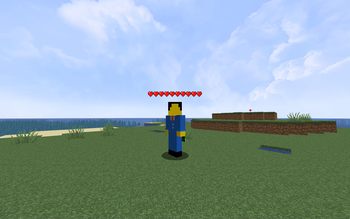
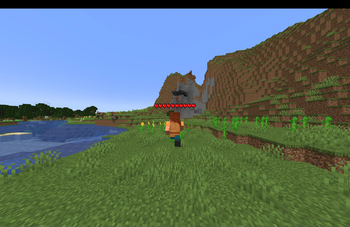
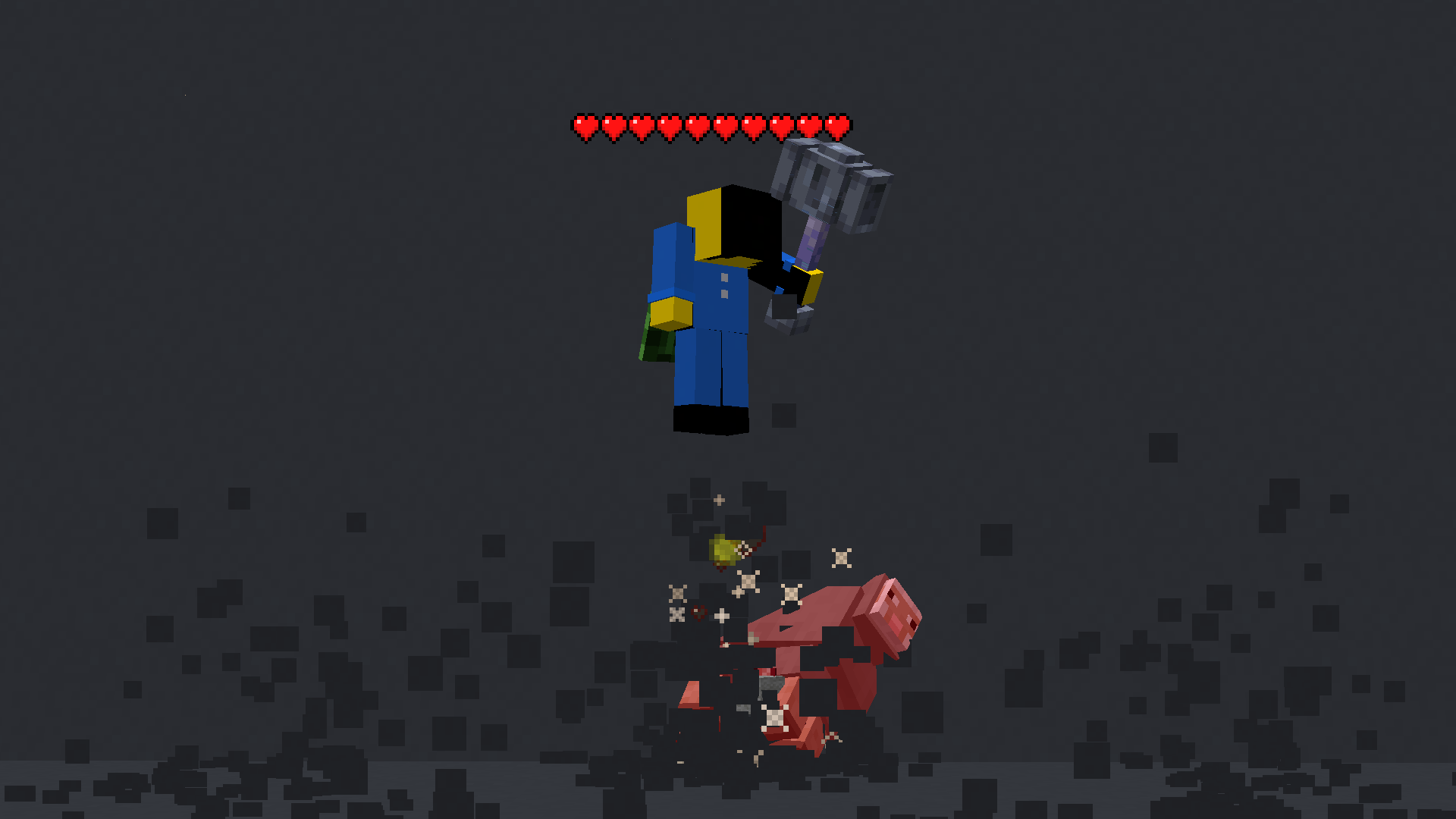
Simple damage indicator mod that shows a floating health bar (or number) above entities. Additional features includes an attack direction indicator
Screenshots
Über diese Mod
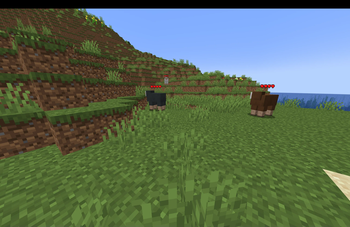
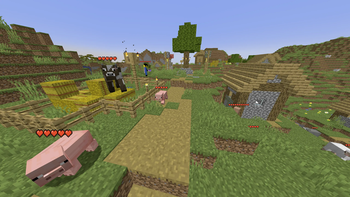
This mod displays other Players and Entities' health above them in the form of a health bar.
Features
This mod displays a highly-configurable health indicator (and optional armor indicator) above all entities that corresponds to their healths. The indicators have the following filters, where you can enable/disable visibility based on:
- Entity Categories (Hostile, Passive, Players, Self)
- Entity Types (eg:
minecraft:pigoraether:aerbunny) - Player Names
- Entities that have been attacked,
- Entities that have been damaged
- Entities that you are looking at
- Entities that are within a certain distance
You can also adjust the
- Size
- Offset
- Indicator Type (Hearts | Number)
- Percentage Based Health
- Text Color
Futher QOL features:
The indicator changes texture and appearance based on the effects the entity has, just like vanilla. The indicator will
- Turn green if the entitiy is Poisoned,
- Black if they are Withering
- Display yellow hearts seperately for Absorption.
- Vibrate if the entity has Regeneration
- Change textures for Hardcore.
All the above can be disabled in the config if you don't like it.
More Details
Mod Keybinds
Note: These are all default keybinds. They can be modified like any other keybind: by going into Options > Controls > Keybinds
- Enable Health Indicator:
Left Arrow - Increase Indicator Offset:
Up Arrow - Decrease Indicator Offset:
Down Arrow - Override Config Filtering:
Right Arrow - Enable Armor Indicator:
Right Shift - Open Config:
I
What attributes can I change in the config?
- Indicator Type: Whether to display a floating health bar (like in the picture) or a numerical value.
- Show Effects: Whether to change the textures of the indicator if the player has poison/wither/regen/freezing effects
- Display offset: The health bar can be raised or lowered in the config. You also have the option to set a keybind to raise/lower it.
- Step size: You can set the step size of the keybind in the config. With this, you can modify the amount the health bar is raised/lowered per click.
- Size of the indicator: The indicator size can be modified in the config.
- Percentage based health: The indicator can display health in percentages instead of a hard value
- Toggle rendering: Health bar rendering can be disabled for specific entity types (Passive, Hostile, Player, Self)
- Indicator can also be toggled to
- Show only after you have hit the entity.
- Show only if you are looking at the entity
- Show only if the entity has been damaged (not at full health)
- Not show for specific mobs/players. This can be set in the blacklist
Verfügbare Versionen
Health Indicators auf deinem Client installieren
Mod-Loader lokal installieren
Installiere fabric für deine lokale Minecraft-Version.
Passende Datei herunterladen
Wähle die Health Indicators-Datei für fabric und Minecraft 26.1.2.
Mod installieren
Lege die .jar-Datei in deinem lokalen .minecraft/mods-Ordner ab und starte Minecraft neu. Eine Installation auf dem Server ist nicht nötig.
Kompatibilität
Mod-Loader
Minecraft-Versionen
26.1.2, 26.1.1, 26.1 (+16 weitere)
Server-seitig
✗ Nicht unterstütztEmpfohlener RAM
4 GB(min. 3 GB)Häufige Fragen
Muss Health Indicators auf dem Minecraft Server installiert werden?
Nein. Modrinth kennzeichnet Health Indicators serverseitig als nicht unterstützt. Installiere die Mod nur im lokalen Minecraft-Mods-Ordner. Dein Server kann unverändert bleiben, sofern die Mod-Seite keine zusätzliche Abhängigkeit nennt.
Welche Version und welchen Loader braucht Health Indicators?
Nutze eine Datei für fabric, neoforge, quilt und exakt deine Minecraft-Version. Unterstützte Versionen sind unter anderem 26.1.2, 26.1.1, 26.1. Loader-Dateien sind nicht untereinander austauschbar.
Health Indicators funktioniert nicht – was kann ich prüfen?
Prüfe zuerst Minecraft-Version, Loader-Version und erforderliche Abhängigkeiten. Lege die .jar-Datei im lokalen .minecraft/mods-Ordner ab und entferne ältere Duplikate. Da die Mod clientseitig ist, löst mehr Server-RAM dieses Problem nicht.
Ähnliche Mods
![[EMF] Entity Model Features](https://cdn.modrinth.com/data/4I1XuqiY/6e5bbd0d06b1741bfdab6c0cfab6de8fdaf0064c_96.webp)


Minecraft Server für deine Gruppe
Health Indicators bleibt auf deinem Client. Hoste dazu eine kompatible Welt für deine Mitspieler.
Details
- Lizenz
- GNU Lesser General Public License v3.0 only
- Server-seitig
- Nicht unterstützt