
HitColor X
[26.2 SUPPORT IS HERE!] Fully Custom Hit Color - Toggle Armor, Body & Trim Tint - Custom Opacity - Hex Support - Presets, lightweight client-side Fabric mod for Minecraft 1.21.11 that lets you fully customize the hurt flash color when entities are hit.
Screenshots

Über diese Mod
◼️ HitColor X ◼️
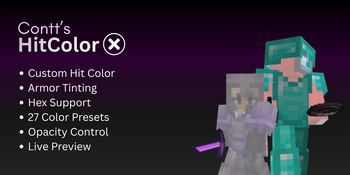
Fully customize the hurt flash color on entities INCLUDING their ARMOR.
Built for PvP players who want clear, personalized visual feedback during combat.
Want this mod for another minecraft version? Want new custom features? Need any help with the mod?

Features
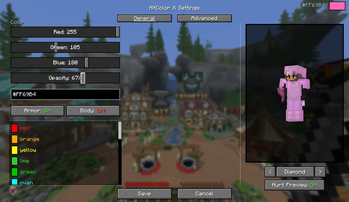
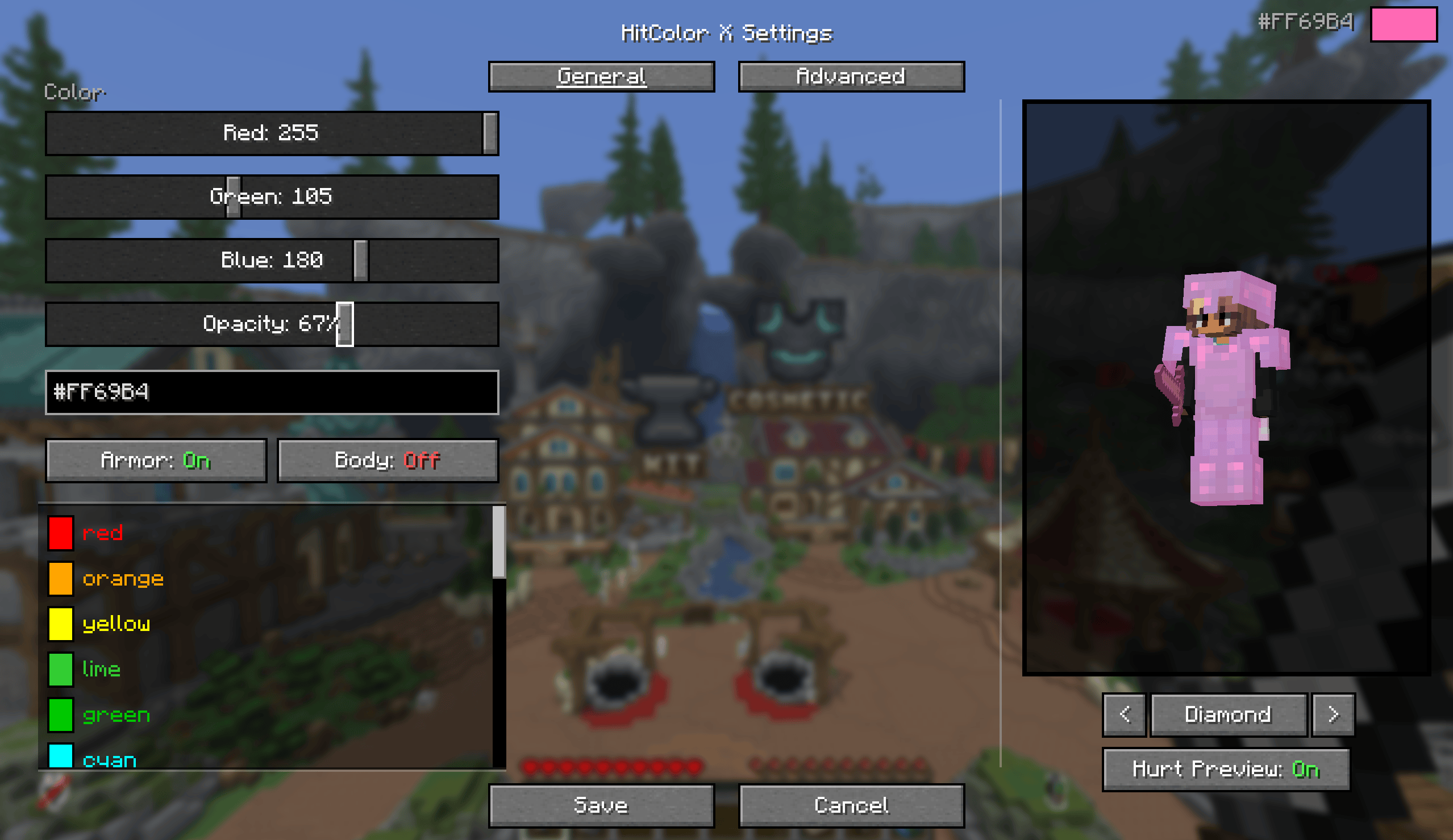
Color picker: RGB sliders, a hex input, or one of 27 built-in presets.
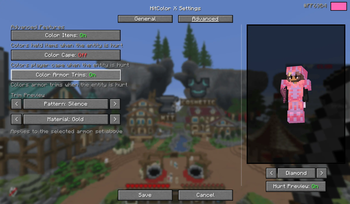
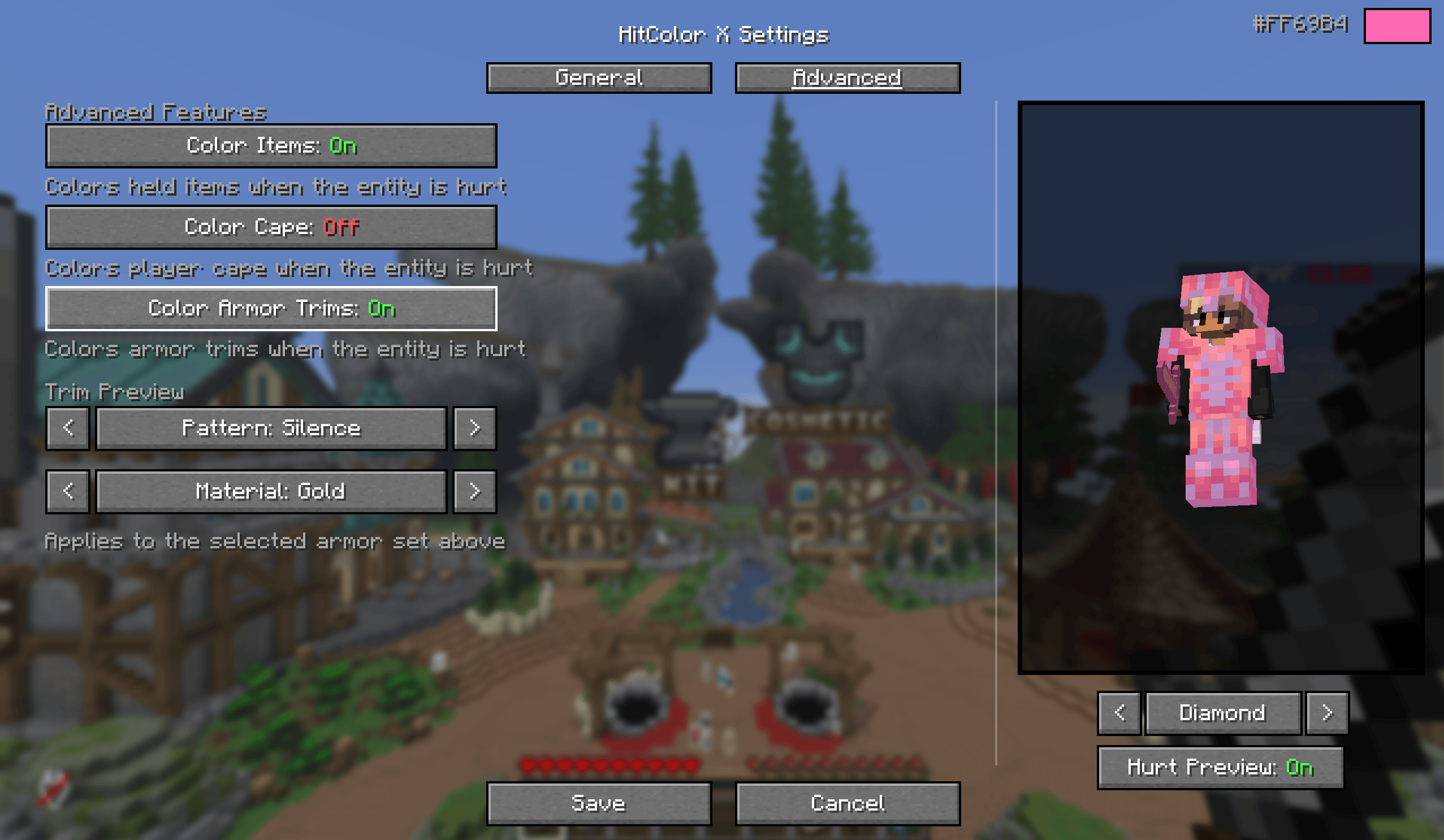
Per-part toggles: body, armor, armor trims, held items, and capes each flash independently. Turn off body and only tint armor, or any other combination.
Opacity slider: 0 to 100%, from no tint at all to fully solid.
Settings screen (needs Mod Menu): live preview using your actual skin while in a world, armor set switcher (Leather through Netherite, with glint) to preview trims and colors, and a hurt-preview toggle so you can compare with the effect on and off. Changes apply instantly.

◼️ In-Game Commands
No ModMenu? No problem. Configure everything via chat commands:
| Command | Description |
|---|---|
/hitcolorx rgb <r> <g> <b> |
Set color by RGB values |
/hitcolorx hex <#RRGGBB> |
Set color by hex code |
/hitcolorx color <preset> |
Use a preset color |
/hitcolorx opacity <0-100> |
Adjust opacity |
/hitcolorx armor <on/off> |
Toggle armor recoloring |
/hitcolorx trims <on/off> |
Toggle armor trim recoloring |
/hitcolorx body <on/off> |
Toggle body recoloring |
/hitcolorx items <on/off> |
Toggle held item recoloring |
/hitcolorx cape <on/off> |
Toggle cape recoloring |
/hitcolorx reset |
Reset to vanilla defaults |
/hitcolorx status |
Show current settings |
◼️ Available Preset Colors
| Color | Name | Color | Name | Color | Name |
|---|---|---|---|---|---|
| 🔴 | red |
🟠 | orange |
🟡 | yellow |
| 🟢 | lime |
🟩 | green |
🩵 | cyan |
| 🔵 | lightblue |
💙 | blue |
🌑 | navy |
| 🟣 | purple |
🫐 | darkpurple |
💗 | hotpink |
| 🌸 | pink |
💜 | magenta |
🪻 | lavender |
| ❤️ | crimson |
🩸 | darkred |
🪸 | coral |
| 🏅 | gold |
🩴 | teal |
🩵 | turquoise |
| 🌿 | lightgreen |
🌲 | darkgreen |
🔷 | darkblue |
| 🩶 | silver |
⬜ | white |
⬛ | black |
◼️ Dependencies
- Required: Fabric API
- Optional: Mod Menu (for the config screen)
Verfügbare Versionen
HitColor X auf deinem Client installieren
Mod-Loader lokal installieren
Installiere fabric für deine lokale Minecraft-Version.
Passende Datei herunterladen
Wähle die HitColor X-Datei für fabric und Minecraft 26.2.
Mod installieren
Lege die .jar-Datei in deinem lokalen .minecraft/mods-Ordner ab und starte Minecraft neu. Eine Installation auf dem Server ist nicht nötig.
Kompatibilität
Mod-Loader
Minecraft-Versionen
26.2, 26.1.2, 26.1.1 (+2 weitere)
Server-seitig
✗ Nicht unterstütztEmpfohlener RAM
4 GB(min. 3 GB)Häufige Fragen
Muss HitColor X auf dem Minecraft Server installiert werden?
Nein. Modrinth kennzeichnet HitColor X serverseitig als nicht unterstützt. Installiere die Mod nur im lokalen Minecraft-Mods-Ordner. Dein Server kann unverändert bleiben, sofern die Mod-Seite keine zusätzliche Abhängigkeit nennt.
Welche Version und welchen Loader braucht HitColor X?
Nutze eine Datei für fabric und exakt deine Minecraft-Version. Unterstützte Versionen sind unter anderem 26.2, 26.1.2, 26.1.1. Loader-Dateien sind nicht untereinander austauschbar.
HitColor X funktioniert nicht – was kann ich prüfen?
Prüfe zuerst Minecraft-Version, Loader-Version und erforderliche Abhängigkeiten. Lege die .jar-Datei im lokalen .minecraft/mods-Ordner ab und entferne ältere Duplikate. Da die Mod clientseitig ist, löst mehr Server-RAM dieses Problem nicht.
Ähnliche Mods

![[ETF] Entity Texture Features](https://cdn.modrinth.com/data/BVzZfTc1/af683d206d50b05258d865b0d6e4aa2f2cee12f2_96.webp)
![[EMF] Entity Model Features](https://cdn.modrinth.com/data/4I1XuqiY/6e5bbd0d06b1741bfdab6c0cfab6de8fdaf0064c_96.webp)



Minecraft Server für deine Gruppe
HitColor X bleibt auf deinem Client. Hoste dazu eine kompatible Welt für deine Mitspieler.