
Hopper Gadgetry
Ready to build smarter, and cheaper contraptions? New hoppers are here to complement your lineup.
Screenshots

Über diese Mod








Hopper Gadgetry expands Minecraft’s item transport with practical hopper-style blocks for cleaner, smarter automation. It adds chutes, ducts, and grated hoppers that help move items exactly where you need them without overcomplicating your builds ⚙️.
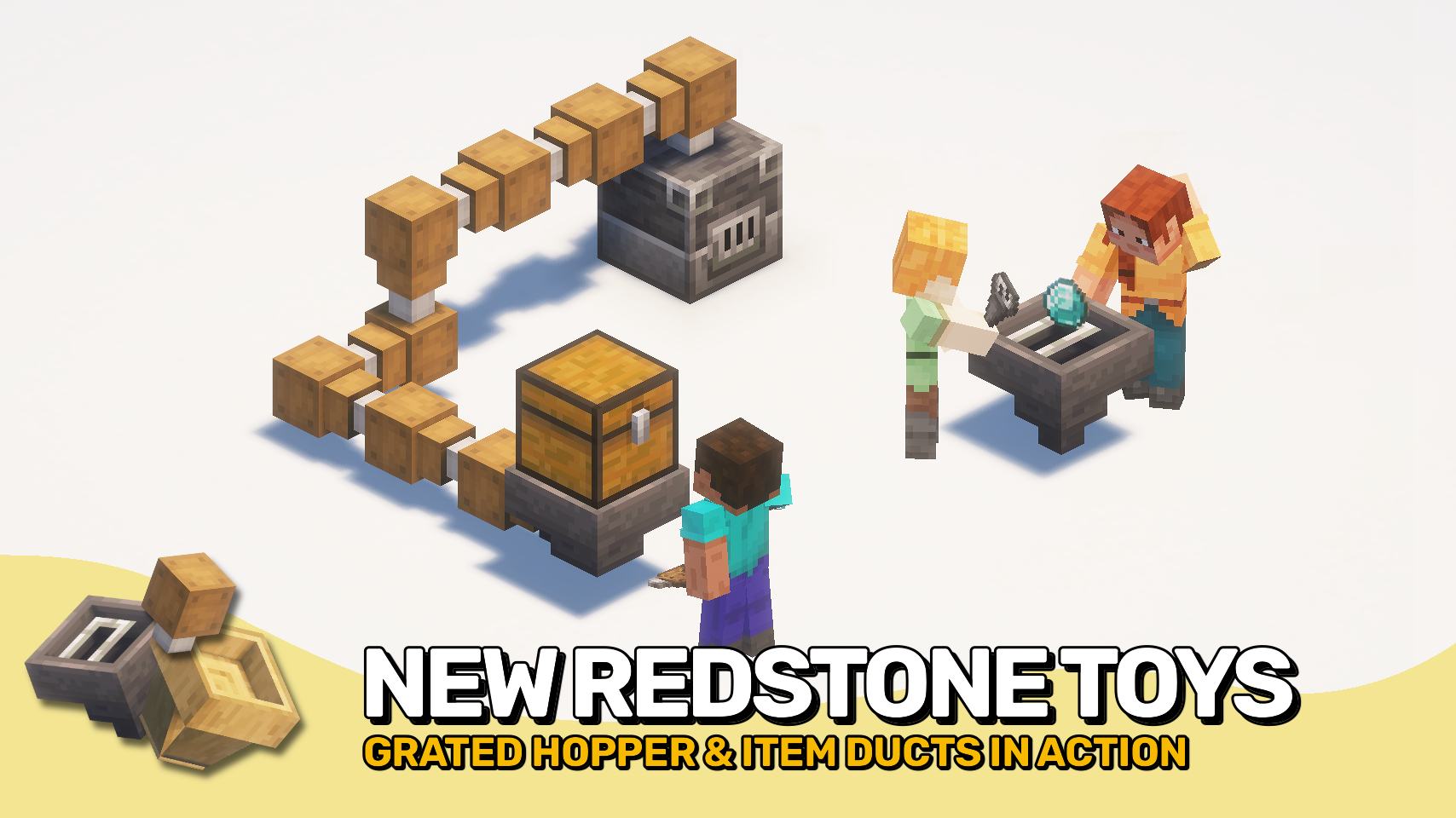
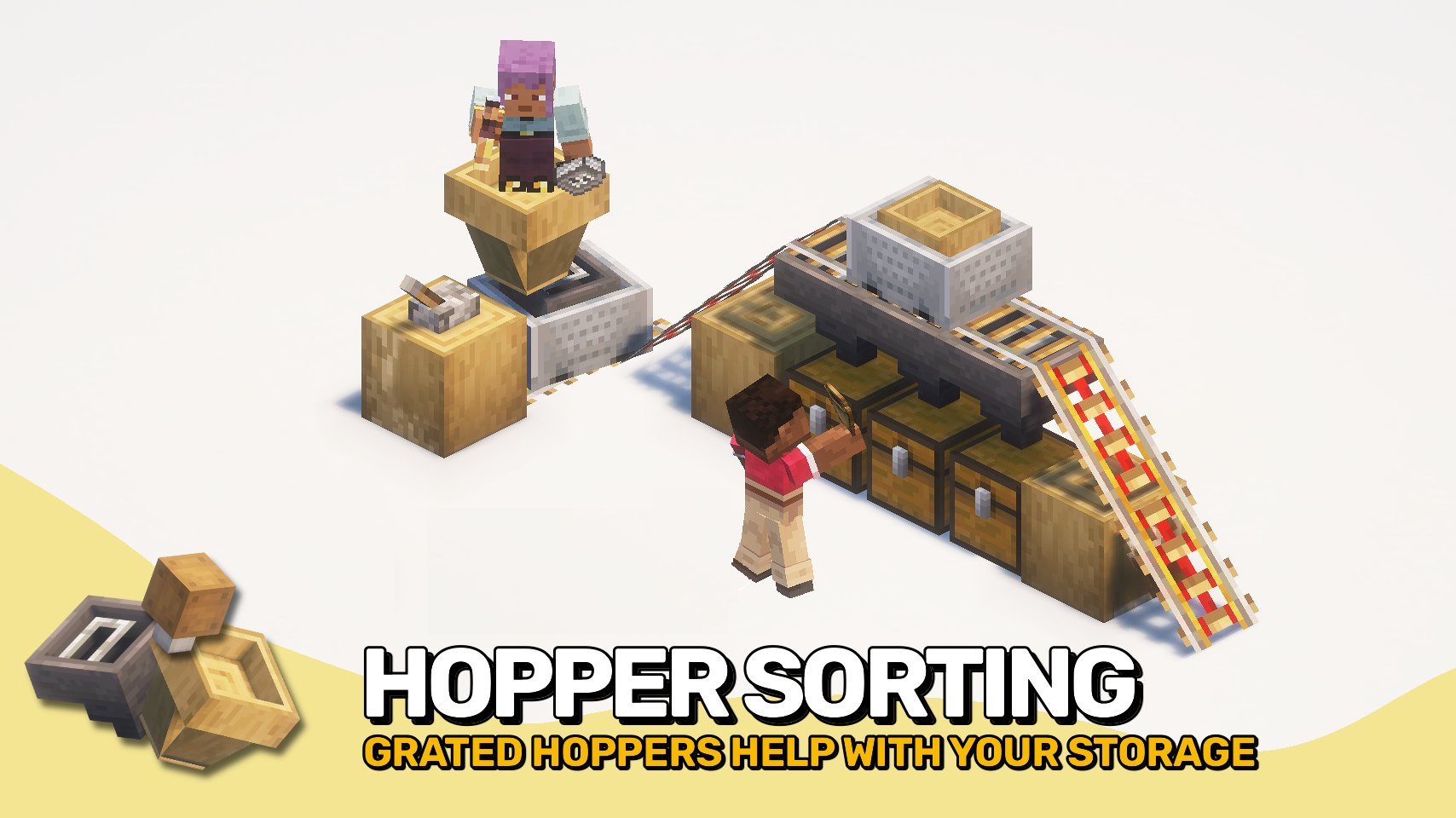
The mod is especially useful for sorting systems, compact farms, and rail-based collection setups. Chutes quickly pass dropped items into containers, ducts move items through directed connections, and grated hoppers add simple item filtering for more controlled collection 🔎.

- ⛓️ Grated Hopper: Filter items so only matching types are collected when slots are set.
- 📦 Duct: Move items into connected containers. Do not pull items or interact with drops. Works in any direction and can be chained.
- ⬇️ Chute: Drop items straight into the container below. No storage, no input, only downward transfer.
- 🚂 Grated Hopper Minecart: Mobile version of the grated hopper with full filtering while moving.
- 🚋 Chute Minecart: Picks up items and deposits them into containers below while moving. Useful for automated cleanup paths.


⏩ INSTALLATION REQUIRED ON CLIENT & REQUIRED ON SERVER
⏩ REQUIRES PUZZLES LIB TO BE INSTALLED (FABRIC & NEOFORGE)
⏩ REQUIRES FABRIC API TO BE INSTALLED (FABRIC)
⏩ REQUIRES FORGE CONFIG API PORT TO BE INSTALLED (FABRIC)

If available for a mod, configuration is possible directly from in-game using the mod menu (requires Mod Menu by Prospector to be installed on Fabric).
For manual configuration using an external text editor all files are found at .minecraft/config, named as MOD_ID-client.toml, MOD_ID-common.toml, or MOD_ID-server.toml, depending on the type of config. Not all types might exist for a mod, if any at all.

🌟 Thanks to the incredibly talended Mim1q for creating all those amazing textures.
🌟 Thanks to FyberOptic for inspiring this project with their Hopper Ducts mod.
🌟 Thanks to Sargunv for inspiring this project with their Composable Automation mod.
 |
 |
|
 |
 |
|
 |
 |
|
 |
 |
|
 |
 |

© 2026 @heyitsfuzs. All rights reserved. This page was last edited on 11 September 2026, at 06:44 (UTC).
Verfügbare Versionen
Hopper Gadgetry auf dem Server installieren
Server bestellen
Bestelle einen Minecraft Java Server mit mindestens 3 GB RAM (4 GB empfohlen).
fabric Loader setzen
Wähle im Panel unter "Egg" den fabric-Loader und die passende Minecraft-Version (26.3).
Mod installieren
Öffne den Mod-Browser im Dashboard und suche nach "Hopper Gadgetry". Klicke "Installieren" – fertig! Alternativ: Lade die .jar via SFTP in den /mods Ordner.
Kompatibilität
Mod-Loader
Minecraft-Versionen
26.3, 26.2, 26.1.2 (+14 weitere)
Server-seitig
✓ ErforderlichEmpfohlener RAM
4 GB(min. 3 GB)Häufige Fragen
Hopper Gadgetry Server crasht beim Start – was tun?
Häufigste Ursache: falsche fabric-Version oder zu wenig RAM. Prüfe im Server-Log (latest.log), ob ein "OutOfMemoryError" oder "Mixin"-Fehler auftritt. Bei Mado Hosting: Stelle sicher, dass mindestens 3 GB RAM zugewiesen sind und der Loader zur Mod-Version passt (26.3). Über das Panel kannst du den Loader mit einem Klick wechseln.
Ist Hopper Gadgetry mit fabric und forge und neoforge kompatibel?
Hopper Gadgetry unterstützt offiziell fabric, forge, neoforge für Minecraft 26.3, 26.2, 26.1.2. Achtung: Forge- und Fabric-Mods sind NICHT untereinander kompatibel – wähle einen Loader und bleibe dabei. Im Mado Dashboard werden inkompatible Loader-Kombinationen automatisch erkannt.
Server laggt mit Hopper Gadgetry – wie optimiere ich die Performance?
Empfohlener RAM: 4 GB (+1 GB pro 8 Spieler). Prüfe mit /spark profiler, ob Hopper Gadgetry den meisten Tick-Time verbraucht. Häufige Fixes: Server-View-Distance auf 8-10 reduzieren, bei Forge "performant" oder "starlight" als Zusatz-Mod installieren. Bei Mado Hosting läuft dein Server auf NVMe-SSDs mit dedizierten CPU-Kernen für minimale Latenz.
Ähnliche Mods


Modded Server mieten
Installiere Hopper Gadgetry mit nur einem Klick auf deinem Server.