
Shulker Box Tooltip
View the contents of shulker boxes from your inventory
Screenshots
Über diese Mod
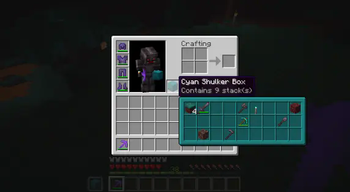
This mod allows you to see a preview window of a shulker box contents when hovering above it in an inventory by pressing shift.
Supports both Fabric and Forge
On Fabric:
Fabric Loader and Fabric API are required
Mod Menu is recommended (but not required) for in-game configuration
Features:
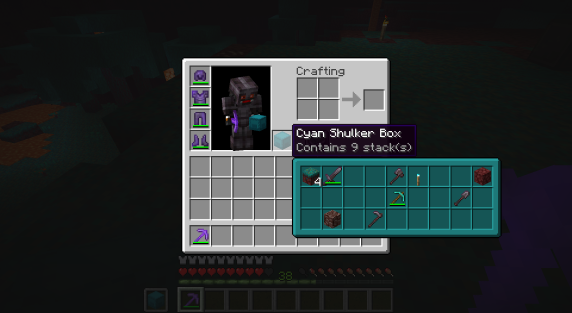
Compact Preview
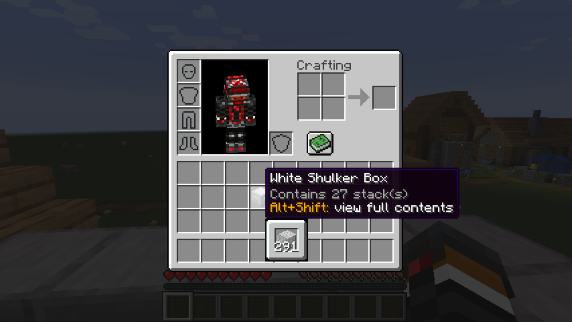
Press shift (by default) while hovering an item.
Full Preview
Press alt+shift (by default) while hovering an item to shows its full contents where each contained stack is displayed in the correct slot.
Other Containers
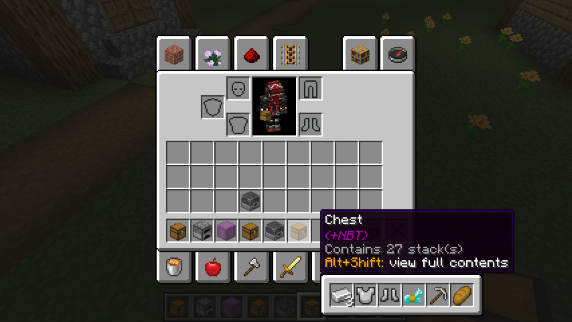
The preview also works with items obtained in creative mode using control + pick block such as chests, furnaces, barrels, etc...
Works with most modded containers as well.
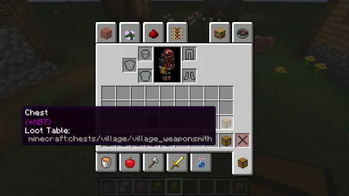
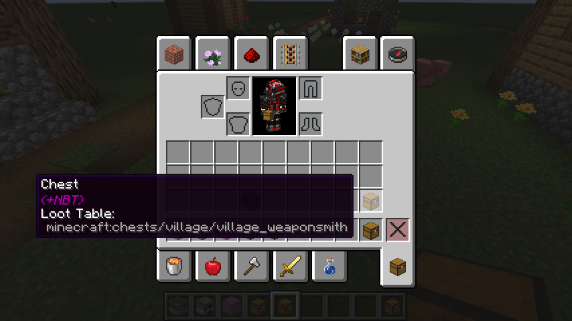
Loot Tables
The name of the loot table is displayed in the tooltip if the hovered item as one.
This option is disabled by default.
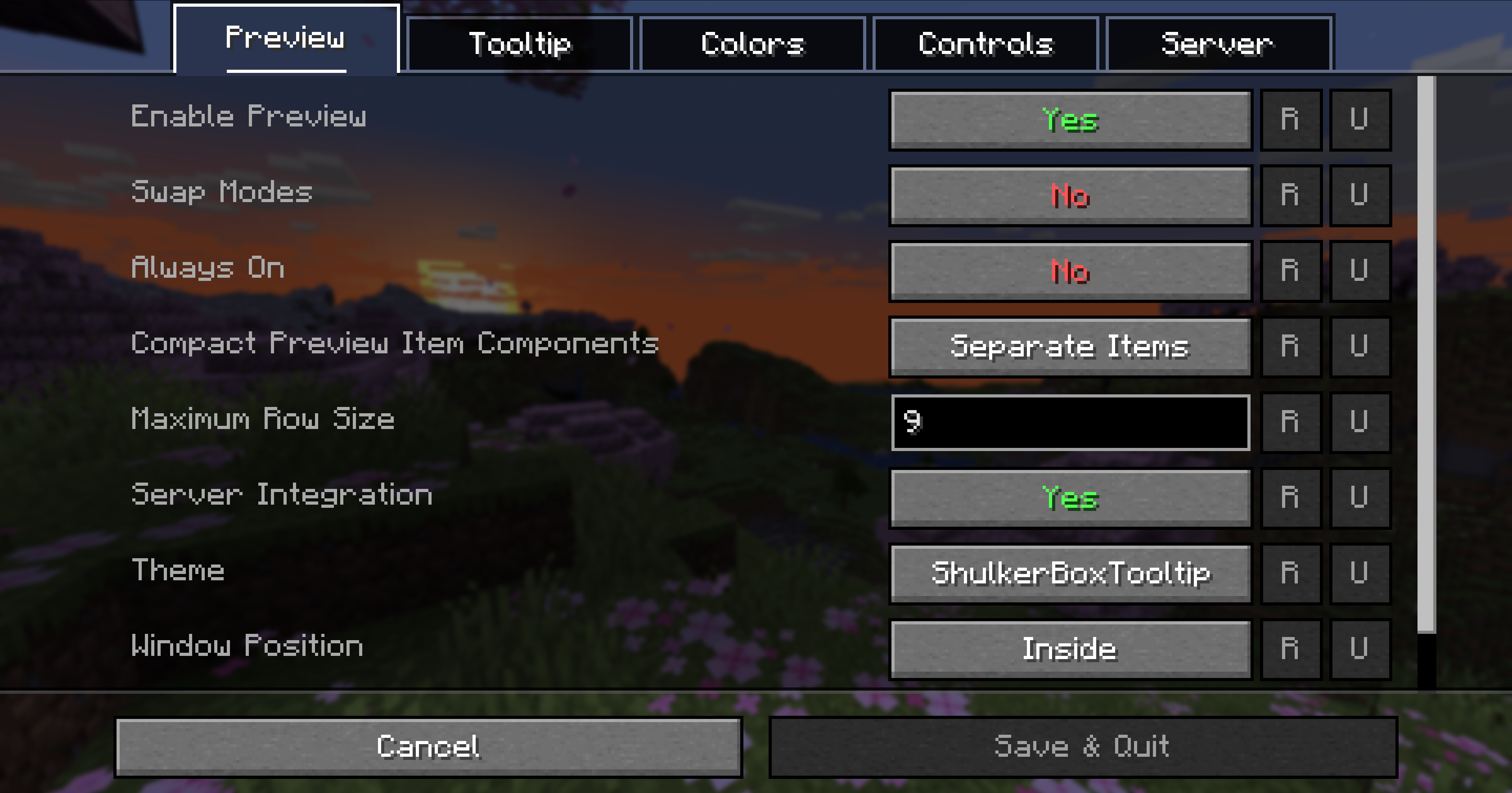
Configurability
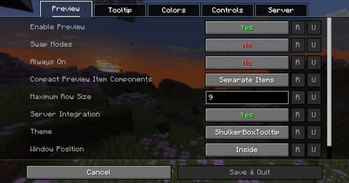
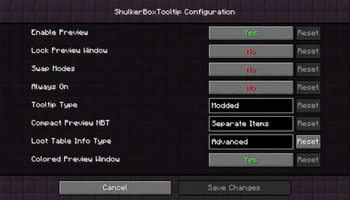
Most aspects of the mod can be configured through the config menu. To access it, in the mod menu select ShulkerBoxTooltip and then click on the gear icon.
See the in game documentation or the wiki for info about each option. The config file can be found at <minecraft folder>/config/shulkerboxtooltip.json5
Colors!
The color of the preview window changes depending on the color of the shulker box, you can disable it in config.
Server support
The mod can also be installed server-side (optional) to provide extra features such as ender chest preview.
Verfügbare Versionen
Shulker Box Tooltip auf dem Server installieren
Server bestellen
Bestelle einen Minecraft Java Server mit mindestens 3 GB RAM (4 GB empfohlen).
fabric Loader setzen
Wähle im Panel unter "Egg" den fabric-Loader und die passende Minecraft-Version (26.3).
Mod installieren
Öffne den Mod-Browser im Dashboard und suche nach "Shulker Box Tooltip". Klicke "Installieren" – fertig! Alternativ: Lade die .jar via SFTP in den /mods Ordner.
Kompatibilität
Mod-Loader
Minecraft-Versionen
26.3, 26.2, 26.1.2 (+26 weitere)
Server-seitig
~ OptionalEmpfohlener RAM
4 GB(min. 3 GB)Häufige Fragen
Shulker Box Tooltip Server crasht beim Start – was tun?
Häufigste Ursache: falsche fabric-Version oder zu wenig RAM. Prüfe im Server-Log (latest.log), ob ein "OutOfMemoryError" oder "Mixin"-Fehler auftritt. Bei Mado Hosting: Stelle sicher, dass mindestens 3 GB RAM zugewiesen sind und der Loader zur Mod-Version passt (26.3). Über das Panel kannst du den Loader mit einem Klick wechseln.
Ist Shulker Box Tooltip mit fabric und forge und neoforge kompatibel?
Shulker Box Tooltip unterstützt offiziell fabric, forge, neoforge für Minecraft 26.3, 26.2, 26.1.2. Achtung: Forge- und Fabric-Mods sind NICHT untereinander kompatibel – wähle einen Loader und bleibe dabei. Im Mado Dashboard werden inkompatible Loader-Kombinationen automatisch erkannt.
Server laggt mit Shulker Box Tooltip – wie optimiere ich die Performance?
Empfohlener RAM: 4 GB (+1 GB pro 8 Spieler). Prüfe mit /spark profiler, ob Shulker Box Tooltip den meisten Tick-Time verbraucht. Häufige Fixes: Server-View-Distance auf 8-10 reduzieren, bei Forge "performant" oder "starlight" als Zusatz-Mod installieren. Bei Mado Hosting läuft dein Server auf NVMe-SSDs mit dedizierten CPU-Kernen für minimale Latenz.
Ähnliche Mods


Modded Server mieten
Installiere Shulker Box Tooltip mit nur einem Klick auf deinem Server.