

Modrinth · Fabric, Forge, NeoForge, Quilt · Client-Mod
Inventory Profiles Next
Inventory Profiles Next ist eine clientseitige Mod. Du installierst sie auf deinem Rechner, auf dem Server ist sie nicht nötig.
Take control over your inventory. Sort. Move matching Items. Throw all. Locked slots. Gear sets! And much more.
- Downloads
- 42.7M
- Autor
- blackd
- Loader
- Fabric, Forge, NeoForge, Quilt
- Minecraft
- 1.14.1 – 26.3
- Aktualisiert
- –
Einrichtung
Inventory Profiles Next auf deinem Client installieren
Clientseitige Mods laufen nur auf deinem Rechner. Mehr Server-RAM ändert an ihrer Leistung nichts.
- 01
Loader lokal installieren
Installiere Fabric oder Forge oder NeoForge oder Quilt für deine Minecraft-Version in deinem Launcher.
- 02
Datei herunterladen
Lade die Inventory Profiles Next-Datei für deinen Loader und exakt deine Minecraft-Version herunter, zum Beispiel 26.3.
- 03
In den Mods-Ordner legen
Lege die .jar-Datei in den lokalen Ordner .minecraft/mods und entferne ältere Duplikate.
- 04
Starten
Starte Minecraft mit dem Loader-Profil. Auf dem Server musst du nichts ändern.
- Auf dem Server
- Nicht nötig
- Auf dem Client
- Erforderlich
- Loader
- Fabric, Forge, NeoForge, Quilt
- Minecraft
- 26.3, 26.2, 26.1.2 +69 weitere
- Lizenz
- GNU Affero General Public License v3.0 or later
Versionen
Veröffentlichte Versionen
Nimm die Datei, die zu Loader und Minecraft-Version deines Servers passt. Server und Spieler brauchen dieselbe Version.
Inventory Profiles Next · Modrinth- Inventory Profiles Next 2.3.8 for neoforge 26.327. September 2026Minecraft 26.3 · NeoForge
- Inventory Profiles Next 2.3.8 for neoforge 26.227. September 2026Minecraft 26.2 · NeoForge
- Inventory Profiles Next 2.3.8 for neoforge 26.127. September 2026Minecraft 26.1, 26.1.1, 26.1.2 · NeoForge
- Inventory Profiles Next 2.3.8 for forge 26.327. September 2026Minecraft 26.3 · Forge
- Inventory Profiles Next 2.3.8 for forge 26.227. September 2026Minecraft 26.2 · Forge
Originalbeschreibung des Projektautors





|
This mod will:
|
|
|
This mod IS NOT drop in replacement of Inventory Tweaks
|
Like the mod? Consider buying me a coffee.

How-To
Dependencies
Fabric
Forge
WARNING
Due to multiple Quilt specific crashes and one item duplication Quilt support is now defined as fallows:
This mod will work on Quilt using the offered Fabric compatibility.
Any problems that are not reproducible on Fabric will be addressed with very low priority.
Contributing
If something doesn't work, please file an issue here
If you speak another language and would like to help to translate it, you can do so here
If you're a Kotlin developer and want to contribute, please see the source
License
This mod is distributed under AGPL v3 license
Muss Inventory Profiles Next auf dem Minecraft Server installiert werden?
Nein. Modrinth kennzeichnet Inventory Profiles Next serverseitig als nicht unterstützt. Installiere die Mod nur im lokalen Mods-Ordner. Dein Server kann unverändert bleiben, sofern die Projektseite keine zusätzliche Abhängigkeit nennt.
Welche Version und welchen Loader braucht Inventory Profiles Next?
Nutze eine Datei für Fabric, Forge, NeoForge, Quilt und exakt deine Minecraft-Version. Unterstützt werden unter anderem 26.3, 26.2, 26.1.2. Dateien für verschiedene Loader sind nicht austauschbar.
Inventory Profiles Next funktioniert nicht – was kann ich prüfen?
Prüfe zuerst Minecraft-Version, Loader-Version und erforderliche Abhängigkeiten. Da die Mod clientseitig ist, löst mehr Server-RAM das Problem nicht.
Ähnliche Mods
Beliebte Mods aus derselben Kategorie
 Nur Client

Mouse Tweaks
von YaLTeR
Enhances inventory management by adding various functions to the mouse buttons.
 Server-fähig

Clumps
von jaredlll08
Clumps XP orbs together to reduce lag
 Server-fähig

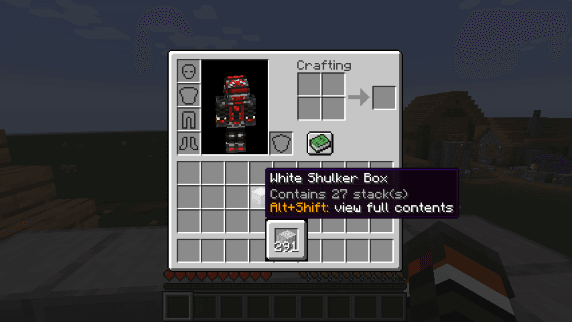
Shulker Box Tooltip
von MisterPeModder
View the contents of shulker boxes from your inventory
 Server-fähig

Supplementaries
von MehVahdJukaar
Vanilla+ additions: Jars, signposts, faucets, weather vanes spring launchers, sconces, planters, lights, decoration and automation
Mods für deinen eigenen Server gesucht?
Im Katalog findest du Mods, die auf Minecraft Servern laufen.