
HubExtended
CustomCosmetics is a client-side companion mod designed exclusively for the PokéHub Minecraft server.
Screenshots
Über diese Mod
CustomCosmetics is a client-side companion mod designed exclusively for the PokéHub Minecraft server. It enhances the cosmetic experience by providing a polished, interactive in-game interface that connects directly to the server's cosmetic system.
Features:
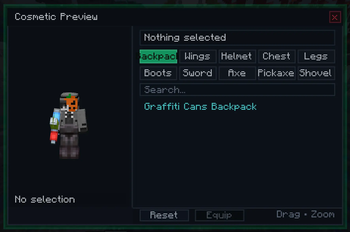
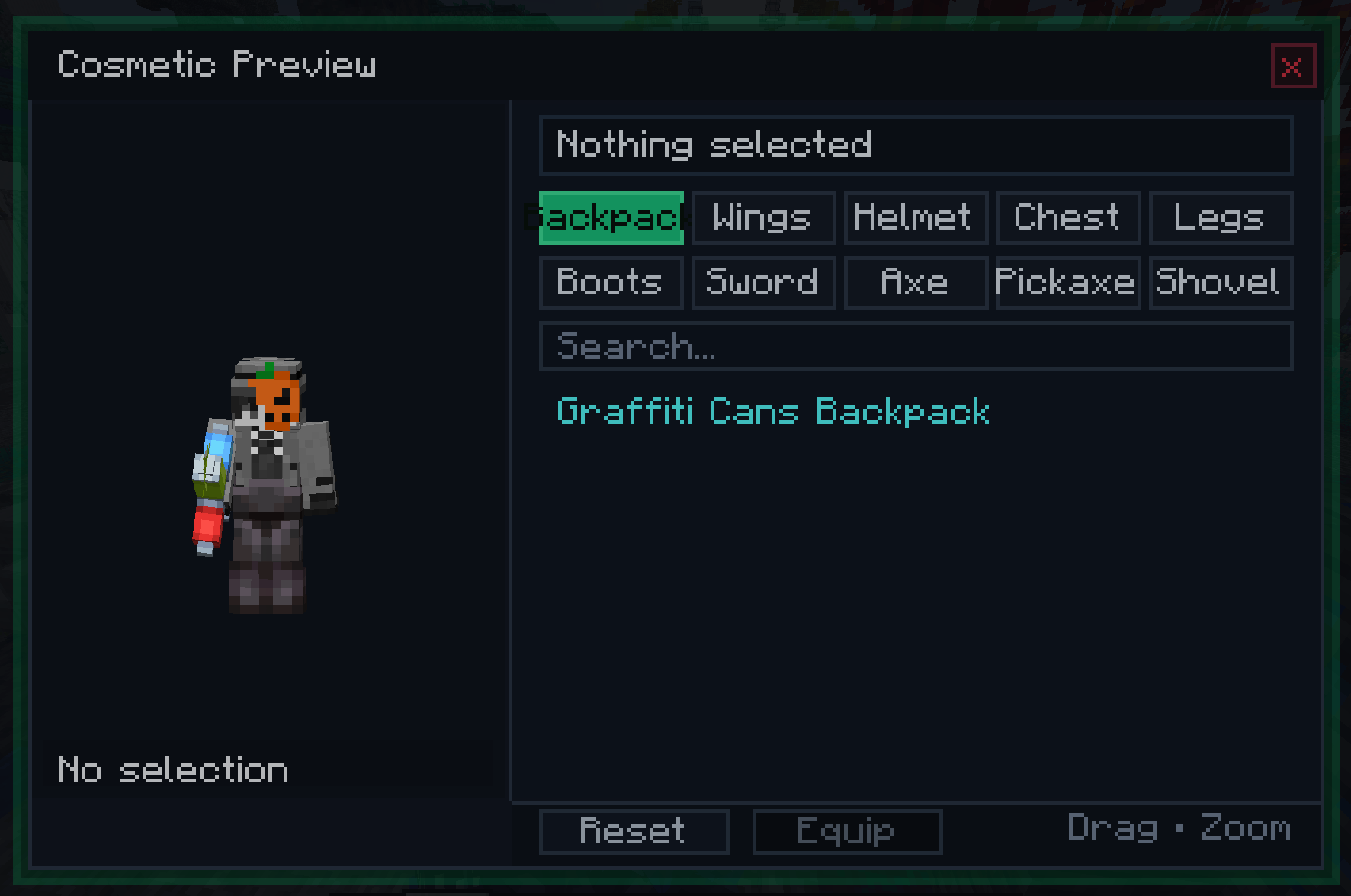
Custom Cosmetic Menu — Opens with a configurable keybind (default: C). Displays all available cosmetics organized into tabs: Backpack and Wings.
Live Player Preview — A real-time 3D render of your own character is displayed inside the menu. You can drag to rotate and scroll to zoom, letting you see exactly how a cosmetic looks on your skin before equipping it.
Server-Synced Cosmetic List — The list of available cosmetics is fetched directly from the PokéHub server when you log in, so it always reflects the current season's offerings without requiring a mod update.
Search & Scroll — A built-in search bar filters cosmetics by name in real time. A scrollable list with a visible scrollbar handles large cosmetic catalogs cleanly.
Backpack & Wings Rendering — Equipped cosmetics are rendered as a custom layer directly on your player model in the world, visible to other players who also have the mod installed.
Optional Client Installation — The mod is not required to join PokéHub. Players without it simply won't see cosmetics rendered on others or have access to the GUI. No crashes, no errors for vanilla or other-modded clients.
Packet-Based Sync — Cosmetic state (item, position offsets, rotation, scale) is sent from the server to each client individually, allowing per-cosmetic positioning adjustments configured server-side.
Without this mod, cosmetics on PokéHub are managed through server commands with no visual feedback. With CustomCosmetics installed, you get a dedicated menu that shows you every available cosmetic, lets you preview it on your character in real time, and equips it instantly — all without leaving the game or typing a single command.
Verfügbare Versionen
HubExtended auf deinem Client installieren
Mod-Loader lokal installieren
Installiere fabric für deine lokale Minecraft-Version.
Passende Datei herunterladen
Wähle die HubExtended-Datei für fabric und Minecraft 1.21.1.
Mod installieren
Lege die .jar-Datei in deinem lokalen .minecraft/mods-Ordner ab und starte Minecraft neu. Eine Installation auf dem Server ist nicht nötig.
Kompatibilität
Mod-Loader
Minecraft-Versionen
1.21.1
Server-seitig
✗ Nicht unterstütztEmpfohlener RAM
4 GB(min. 3 GB)Häufige Fragen
Muss HubExtended auf dem Minecraft Server installiert werden?
Nein. Modrinth kennzeichnet HubExtended serverseitig als nicht unterstützt. Installiere die Mod nur im lokalen Minecraft-Mods-Ordner. Dein Server kann unverändert bleiben, sofern die Mod-Seite keine zusätzliche Abhängigkeit nennt.
Welche Version und welchen Loader braucht HubExtended?
Nutze eine Datei für fabric und exakt deine Minecraft-Version. Unterstützte Versionen sind unter anderem 1.21.1. Loader-Dateien sind nicht untereinander austauschbar.
HubExtended funktioniert nicht – was kann ich prüfen?
Prüfe zuerst Minecraft-Version, Loader-Version und erforderliche Abhängigkeiten. Lege die .jar-Datei im lokalen .minecraft/mods-Ordner ab und entferne ältere Duplikate. Da die Mod clientseitig ist, löst mehr Server-RAM dieses Problem nicht.
Ähnliche Mods




Minecraft Server für deine Gruppe
HubExtended bleibt auf deinem Client. Hoste dazu eine kompatible Welt für deine Mitspieler.