
HubExtended
CustomCosmetics is a client-side companion mod designed exclusively for the PokéHub Minecraft server.
Screenshots
About this Mod
CustomCosmetics is a client-side companion mod designed exclusively for the PokéHub Minecraft server. It enhances the cosmetic experience by providing a polished, interactive in-game interface that connects directly to the server's cosmetic system.
Features:
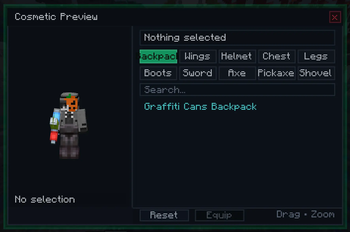
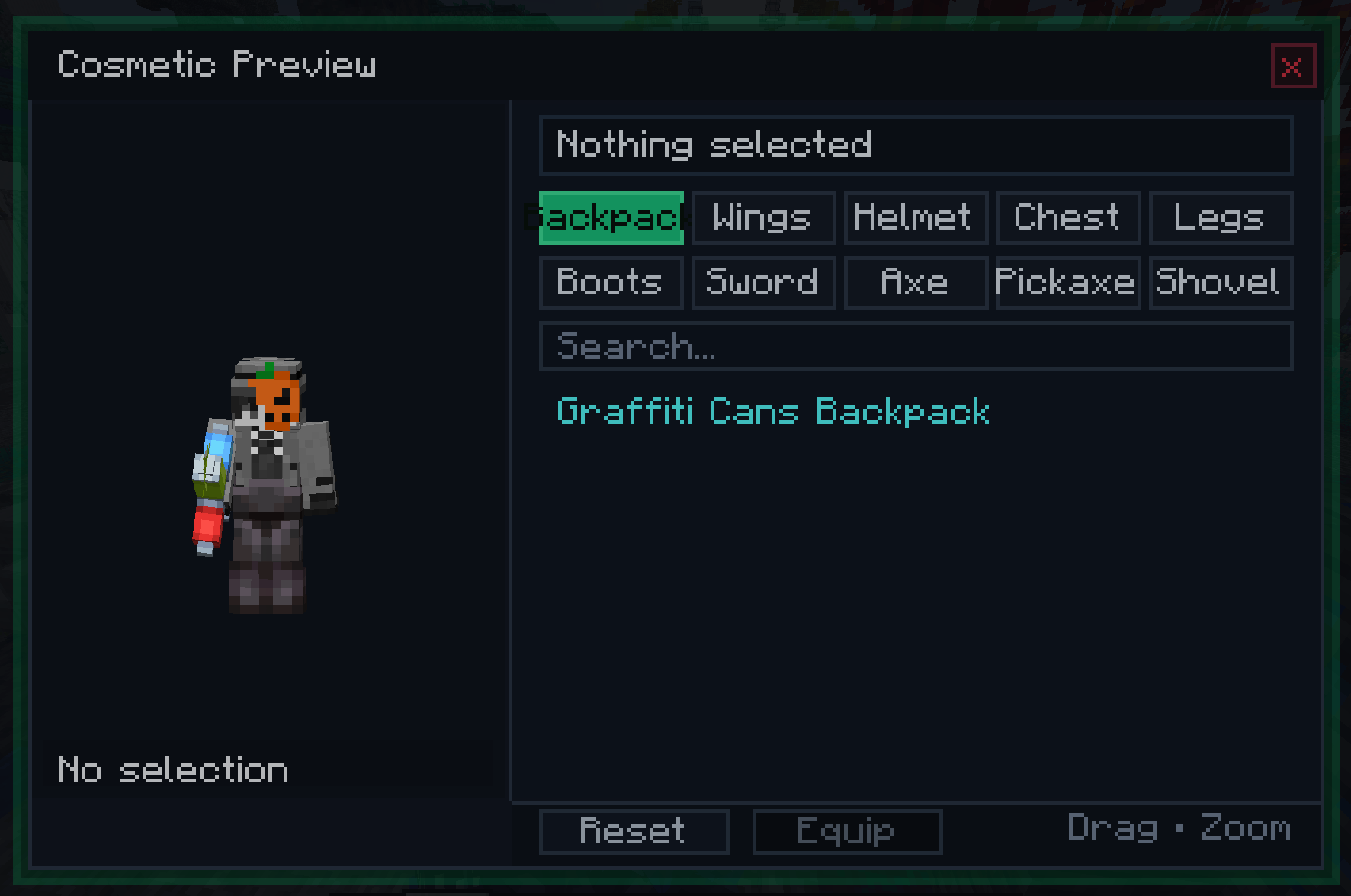
Custom Cosmetic Menu — Opens with a configurable keybind (default: C). Displays all available cosmetics organized into tabs: Backpack and Wings.
Live Player Preview — A real-time 3D render of your own character is displayed inside the menu. You can drag to rotate and scroll to zoom, letting you see exactly how a cosmetic looks on your skin before equipping it.
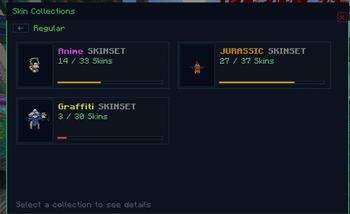
Server-Synced Cosmetic List — The list of available cosmetics is fetched directly from the PokéHub server when you log in, so it always reflects the current season's offerings without requiring a mod update.
Search & Scroll — A built-in search bar filters cosmetics by name in real time. A scrollable list with a visible scrollbar handles large cosmetic catalogs cleanly.
Backpack & Wings Rendering — Equipped cosmetics are rendered as a custom layer directly on your player model in the world, visible to other players who also have the mod installed.
Optional Client Installation — The mod is not required to join PokéHub. Players without it simply won't see cosmetics rendered on others or have access to the GUI. No crashes, no errors for vanilla or other-modded clients.
Packet-Based Sync — Cosmetic state (item, position offsets, rotation, scale) is sent from the server to each client individually, allowing per-cosmetic positioning adjustments configured server-side.
Without this mod, cosmetics on PokéHub are managed through server commands with no visual feedback. With CustomCosmetics installed, you get a dedicated menu that shows you every available cosmetic, lets you preview it on your character in real time, and equips it instantly — all without leaving the game or typing a single command.
Available Versions
How to Install HubExtended on Your Client
Install the Mod Loader Locally
Install fabric for your local Minecraft version.
Download the Matching File
Choose the HubExtended file for fabric and Minecraft 1.21.1.
Install Mod
Place the .jar file in your local .minecraft/mods folder and restart Minecraft. No server-side installation is required.
Compatibility
Mod Loaders
Minecraft Versions
1.21.1
Server-side
✗ UnsupportedRecommended RAM
4 GB(min. 3 GB)Frequently Asked Questions
Does HubExtended need to be installed on the Minecraft server?
No. Modrinth marks HubExtended as unsupported on the server side. Install it only in your local Minecraft mods folder. Your server can remain unchanged unless the mod page lists an additional dependency.
Which version and loader does HubExtended require?
Use a file for fabric and your exact Minecraft version. Supported versions include 1.21.1. Files for different loaders are not interchangeable.
HubExtended is not working – what should I check?
First check the Minecraft version, loader version and required dependencies. Put the .jar file in your local .minecraft/mods folder and remove older duplicates. Because this mod is client-side, adding server RAM will not fix it.
Similar Mods




Minecraft Server for Your Group
HubExtended stays on your client. Host a compatible world for your group.