
Create: Hypertubes
Travel arround the world with tubes!
Über diese Mod

Create: Hypertubes
This mod is currently in active development and is compatible with both Create 0.5.1 and 6.0.x. Features may change, and bugs are expected. Please report any issues on my GitHub!
Welcome to Create: Hypertubes!
Ever wanted to build a transportation network in Minecraft similar to ones in Satisfactory? Create: Hypertubes is an addon for the Create mod, inspired by Satisfactory Hypertubes, allowing you to construct intricate and seamless tube systems for moving players and entities with ease. Hypertubes offer a new way to travel in your Minecraft world.
With an intuitive building system, you can design elegant and fun hypertubes with many curves to travel through, or build long, efficient straightaway tubes to power your logistics network! The options are limitless.
Traveling
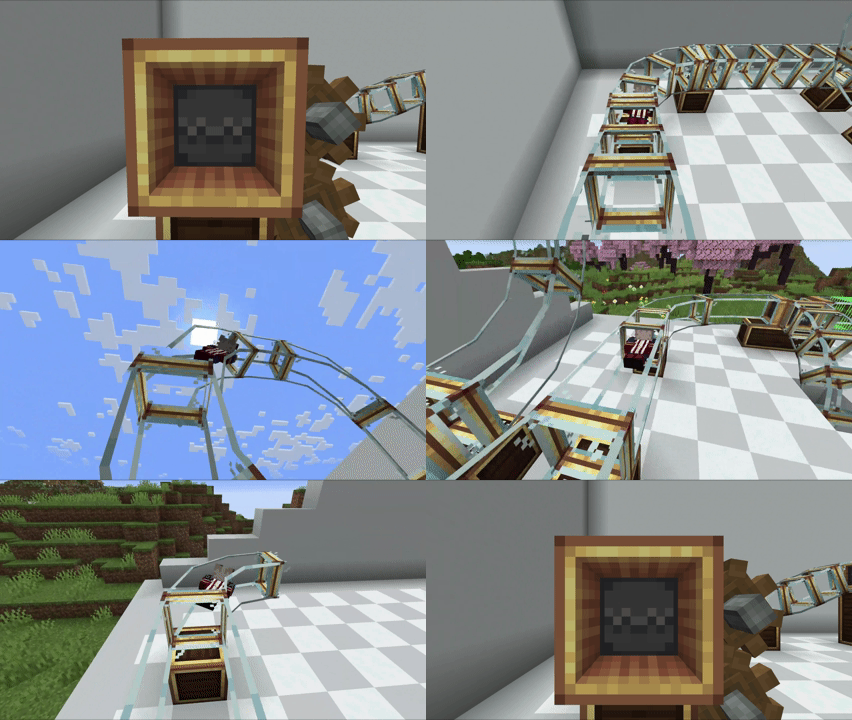
Jump into a Hypertube Entrance and and be thrown across your world
(You can enable FPV in the config files)
Placing Tubes
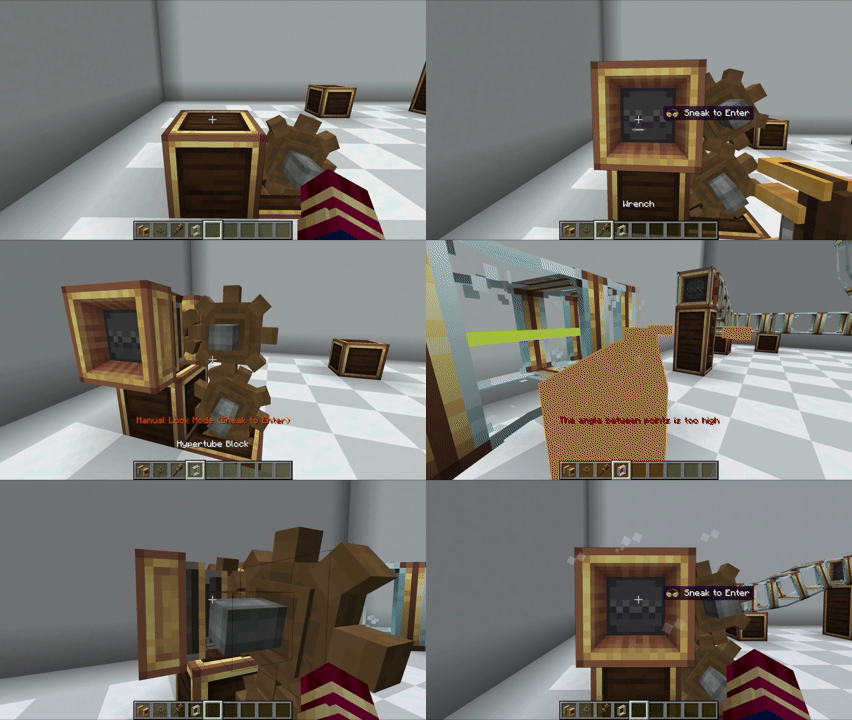
The components are designed to integrate smoothly into your existing Create progression, making it easy to get your Hypertube network up and running. Getting your network running is as simple as it gets: just power a Hypertube Entrance with a cogwheel and you're ready to go.
Hypertube Entrance Modes
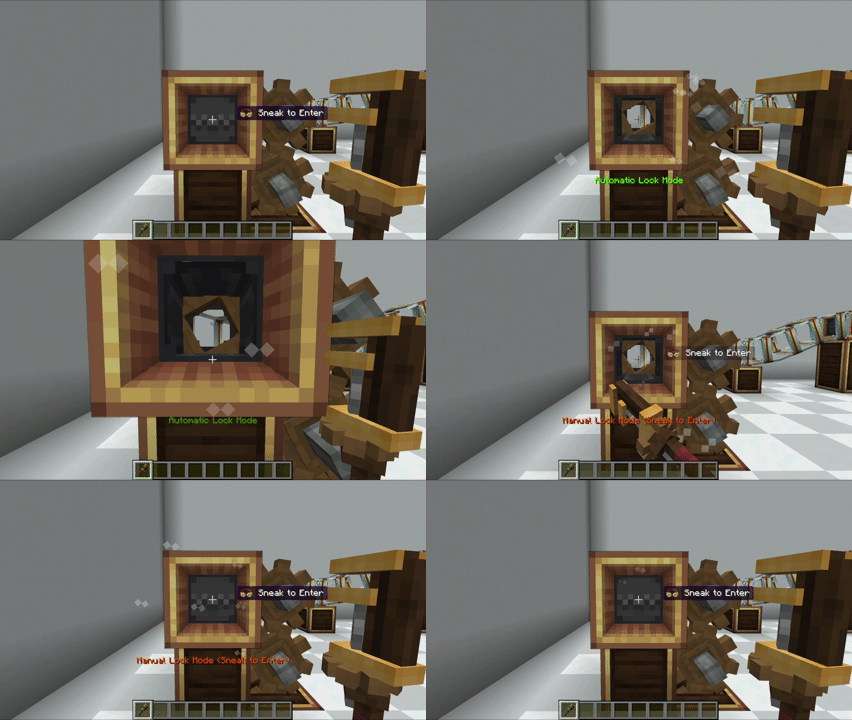
You can modify the Hypertube Entrance with a wrench to select your preferred mode!
If you're using Automatic Lock Mode, you can sneak to avoid being pulled into the tube
Fish and Villagers
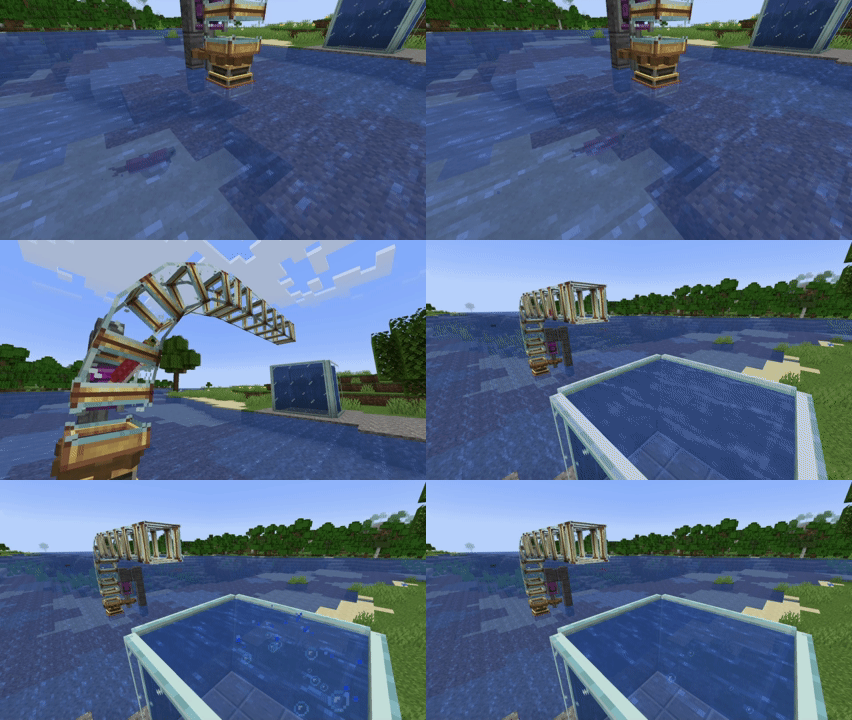
With version 0.2.0, fish and villagers can now travel through the tubes!
Just turn on Automatic Lock Mode and watch them go :)
Visual customization
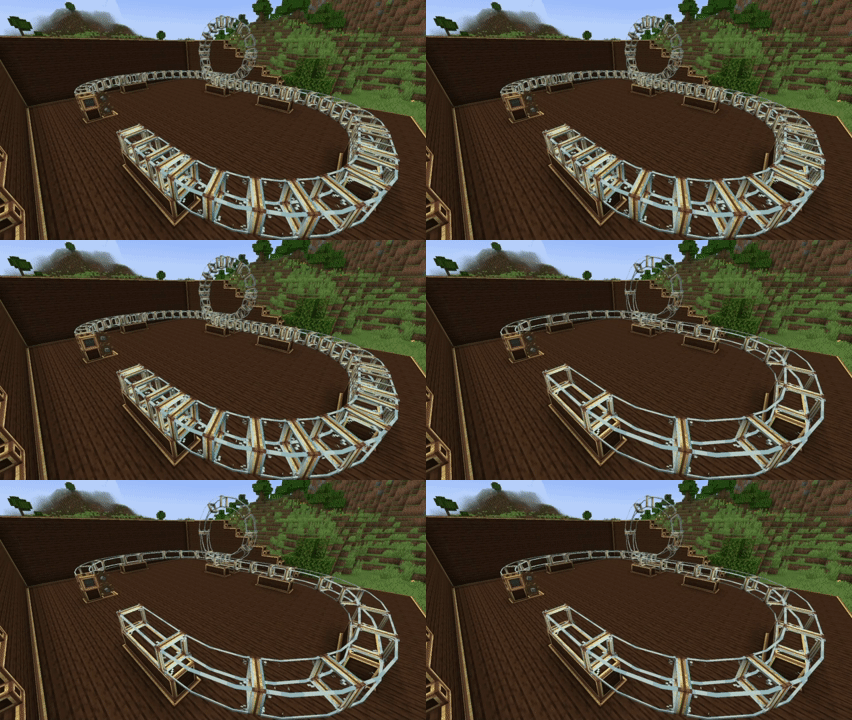
You can customize tube connections just by using a Wrench!
(This is just the first step toward the customization milestone, any suggestions or help are welcome!)
Automatization
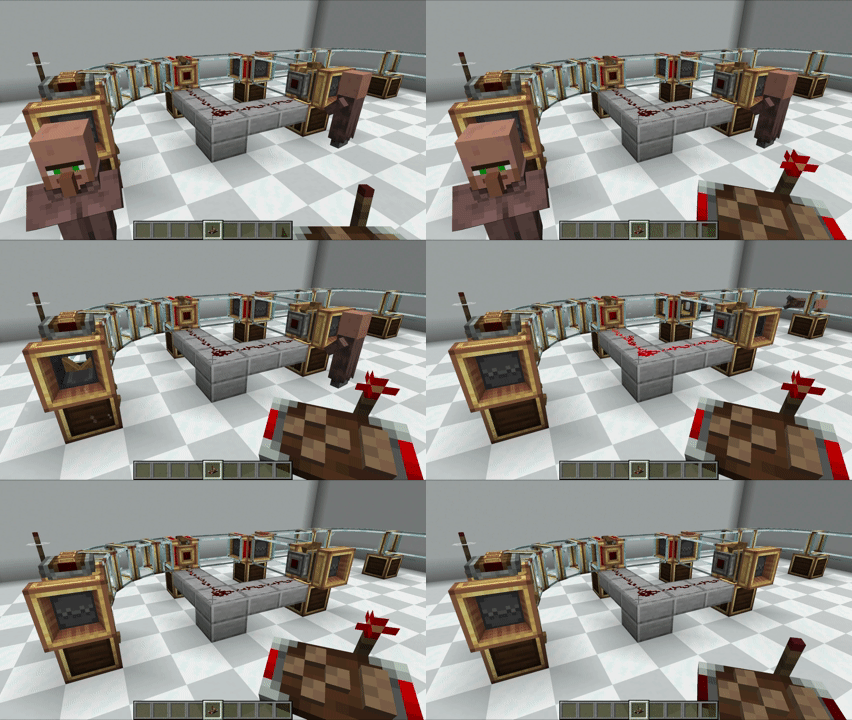
You can automatize tube behavior or detects travellers with Attachments!
Planned Features:
- [ ] Colored tubes ands customizations
- Tube Collision
- Tube Accelerator
- Tube Splitter/Junction
- Hypertube Cannon (Ficsit aproves)
- Fish will be able to travel through the tubes 🦈
- Redstone Automation
- And the other mobs will be able too!
We Need Your Feedback!
This mod is a work in progress, and your feedback is crucial! If you encounter any bugs or have suggestions for new features, please let me know:
- github.com/PedroRok/CreateHypertubes/issues - Report bugs and suggest features here!
Want to support the project?
If you enjoyed this project and appreciate my work, feel free to support me, it really helps me keep going ❤️
- ko-fi.com/pedrorok - Every donation makes a difference!
If you have any questions, suggestions, or just want to show off your contraptions, you can find me in the Cafeteria Development guild!

Verfügbare Versionen
Create: Hypertubes auf dem Server installieren
Server bestellen
Bestelle einen Minecraft Java Server mit mindestens 4 GB RAM (6 GB empfohlen).
forge Loader setzen
Wähle im Panel unter "Egg" den forge-Loader und die passende Minecraft-Version (1.21.1).
Mod installieren
Öffne den Mod-Browser im Dashboard und suche nach "Create: Hypertubes". Klicke "Installieren" – fertig! Alternativ: Lade die .jar via SFTP in den /mods Ordner.
Kompatibilität
Mod-Loader
Minecraft-Versionen
1.21.1, 1.20.6, 1.20.5 (+4 weitere)
Server-seitig
✓ ErforderlichEmpfohlener RAM
6 GB(min. 4 GB)Häufige Fragen
Create: Hypertubes Server crasht beim Start – was tun?
Häufigste Ursache: falsche forge-Version oder zu wenig RAM. Prüfe im Server-Log (latest.log), ob ein "OutOfMemoryError" oder "Mixin"-Fehler auftritt. Bei Mado Hosting: Stelle sicher, dass mindestens 4 GB RAM zugewiesen sind und der Loader zur Mod-Version passt (1.21.1). Über das Panel kannst du den Loader mit einem Klick wechseln.
Ist Create: Hypertubes mit forge und neoforge kompatibel?
Create: Hypertubes unterstützt offiziell forge, neoforge für Minecraft 1.21.1, 1.20.6, 1.20.5. Im Mado Dashboard werden inkompatible Loader-Kombinationen automatisch erkannt.
Server laggt mit Create: Hypertubes – wie optimiere ich die Performance?
Empfohlener RAM: 6 GB (+1 GB pro 5 Spieler). Prüfe mit /spark profiler, ob Create: Hypertubes den meisten Tick-Time verbraucht. Häufige Fixes: Server-View-Distance auf 8-10 reduzieren, bei Forge "performant" oder "starlight" als Zusatz-Mod installieren. Bei Mado Hosting läuft dein Server auf NVMe-SSDs mit dedizierten CPU-Kernen für minimale Latenz.
Ähnliche Mods


Modded Server mieten
Installiere Create: Hypertubes mit nur einem Klick auf deinem Server.