
Modrinth · Fabric, Forge, NeoForge
IBE Editor auf deinem Minecraft Server
IBE Editor läuft auf Minecraft Servern mit Fabric oder Forge oder NeoForge. Bestell deinen Server, stell den Loader im Panel ein und installiere die Mod mit einem Klick im Mod-Browser.
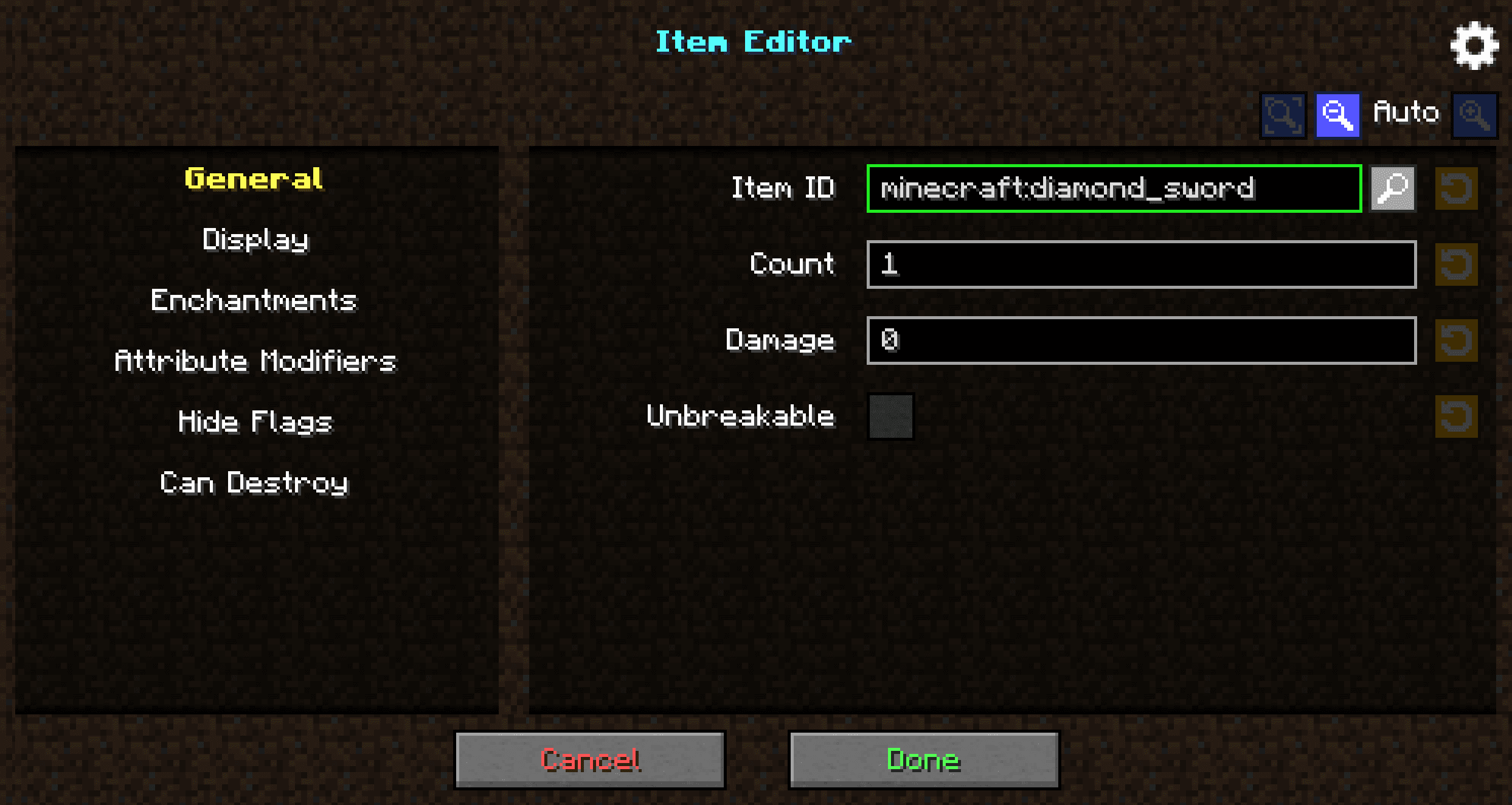
Simple GUI Mod to edit an item, a block or an entity in your current world
- Downloads
- 2.2M
- Autor
- skyecodes
- Loader
- Fabric, Forge, NeoForge
- Minecraft
- 1.16 – 1.20.4
- Aktualisiert
- –
Screenshots
So sieht IBE Editor aus
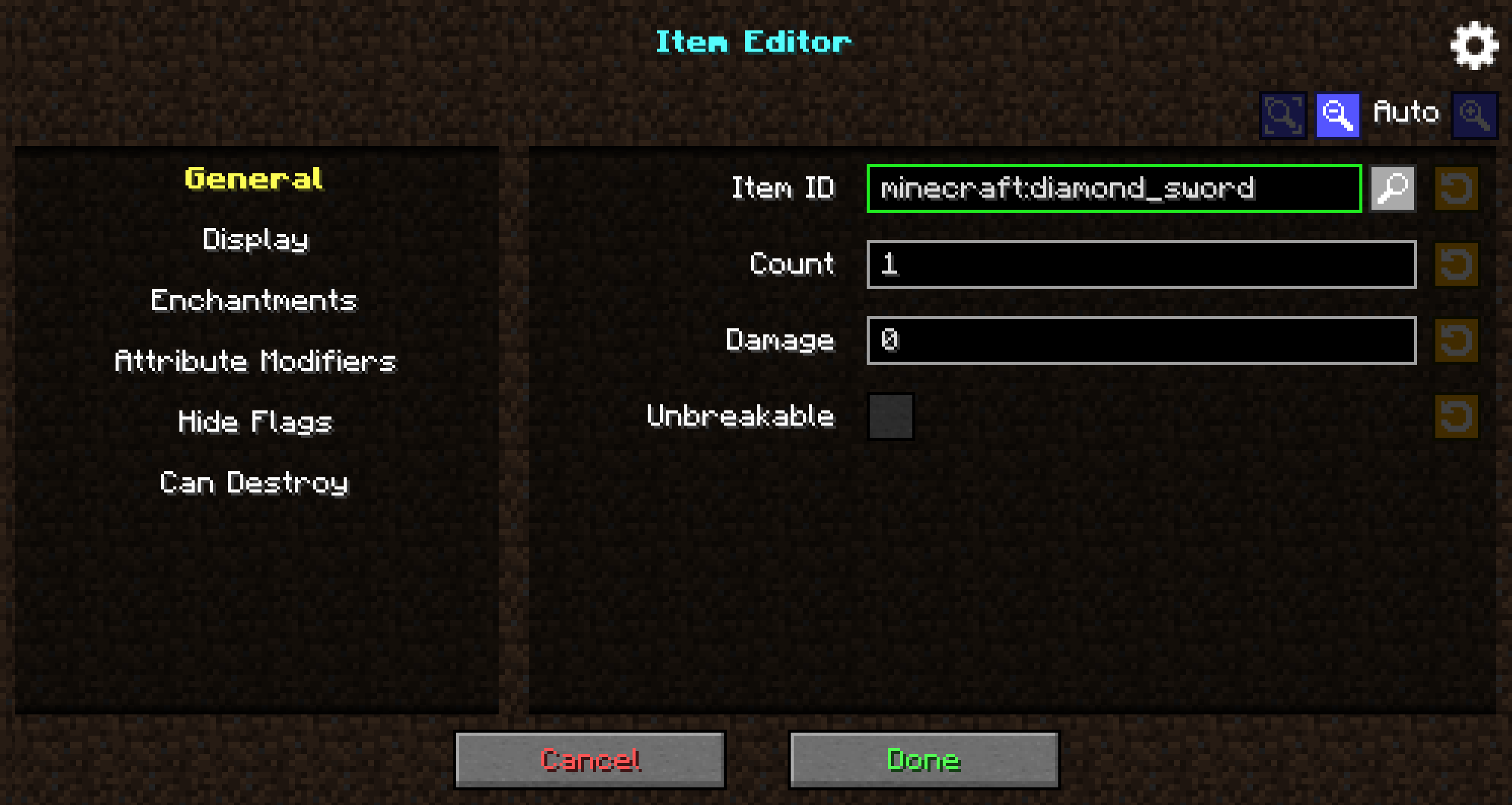
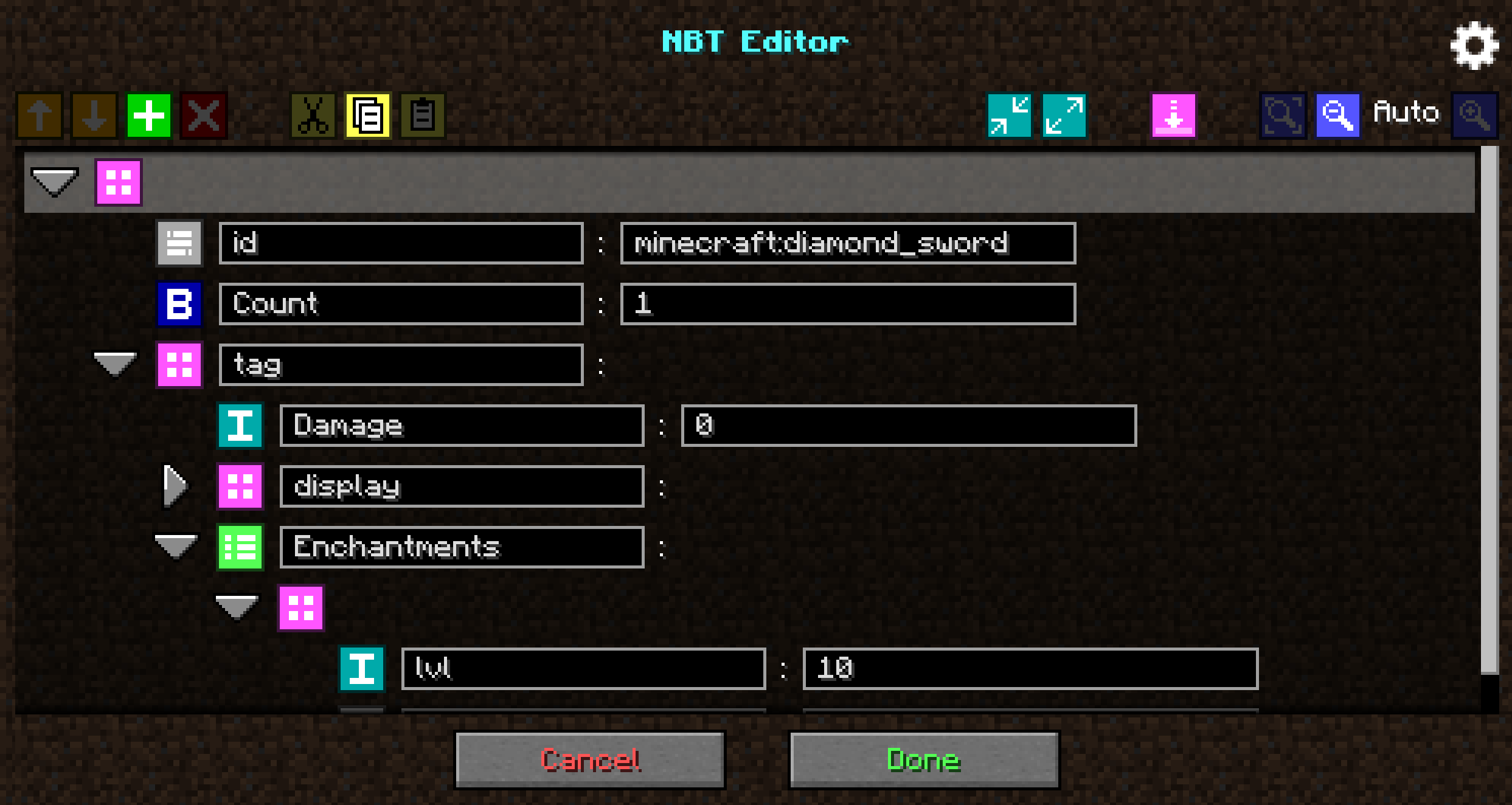
Bilder: IBE Editor auf Modrinth, vom Projektteam veröffentlicht.
Einrichtung
IBE Editor auf dem Server installieren
Server und Spieler brauchen denselben Loader und dieselbe Minecraft-Version. Sichere die Welt, bevor du Mods hinzufügst oder aktualisierst.
- 01
Konfigurieren
4 GB RAM sind vorausgewählt. Laufzeit und Add-ons wählst du selbst, bezahlt wird per Kreditkarte oder PayPal.
- 02
Loader einstellen
Stell im Panel die Serversoftware auf Fabric oder Forge oder NeoForge und wähl die passende Minecraft-Version, zum Beispiel 1.20.4.
- 03
Mod installieren
Such im Mod-Browser nach „IBE Editor“ und installiere die Version für deinen Loader. Alternativ lädst du die .jar per SFTP in den Ordner mods. Erforderliche Abhängigkeiten stehen auf der Projektseite.
- 04
Verbinden
IBE Editor ist auf dem Client optional. Spieler verbinden sich über die Serveradresse aus dem Panel.
- Auf dem Server
- Optional
- Auf dem Client
- Optional
- Loader
- Fabric, Forge, NeoForge
- Minecraft
- 1.20.4, 1.20.2, 1.20.1 +17 weitere
- Lizenz
- MIT License
Das Panel
Mods installieren, Fehler finden.
Echte Screenshots aus dem Mado Panel. Beides ist bei jedem Minecraft Server enthalten.
Mod-Browser
Modrinth und CurseForge direkt im Panel.
Der Browser filtert nach deiner Minecraft-Version. Mods installierst du mit einem Klick, ohne .jar-Dateien hochzuladen.

KI-Crash-Analyse
Wenn ein Mod crasht, liest die Analyse das Log.
Mods scheitern oft an einer falschen Loader-Version, Java-Version oder fehlenden Abhängigkeit. Die Analyse nennt eine wahrscheinliche Ursache und einen Lösungsvorschlag.

Versionen
Veröffentlichte Versionen
Nimm die Datei, die zu Loader und Minecraft-Version deines Servers passt. Server und Spieler brauchen dieselbe Version.
IBE Editor · Modrinth- IBE Editor v2.2.8 for Forge 1.2030. Dezember 2023Minecraft 1.20, 1.20.1 · Forge
- IBE Editor v2.2.8 for Fabric 1.2030. Dezember 2023Minecraft 1.20, 1.20.1 · Fabric
- IBE Editor v2.2.8 for NeoForge 1.20.230. Dezember 2023Minecraft 1.20.2 · NeoForge
- IBE Editor v2.2.8 for Forge 1.20.230. Dezember 2023Minecraft 1.20.2 · Forge
- IBE Editor v2.2.8 for Fabric 1.20.230. Dezember 2023Minecraft 1.20.2 · Fabric
Originalbeschreibung des Projektautors







A simple GUI mod to edit an item, a block or an entity in your current world.
Update (October 31st 2024):
After almost 8 years of maintaining IBE Editor, I will pause this project indefinitely.
Recent updates (read: the replacement of NBT by Components in 1.20.5) have made it impossible to simply maintain the mod without having to rewrite a large portion of it. That combined with the fast release cycle, the mod is already a few versions behind, and I am simply not able to keep up with the pace.
I am also not as invested into the mod as I used to be because I don't even use it myself anymore. This project started back in 2017 as a little tool I created to help me to create custom items in adventure maps. I decided to share it with the community and eventually a lot of people started using it, which I did not expect.
I'm sorry to disappoint you, I know you all wanted an update, but I don't want to lie to you, it won't be coming (at least, not from me).
The GitHub repository has been archived. Anyone is free to fork the project or to make their own spin based on it.Thank you all for your support,
Skye
For help with installation, usage and configuration of the mod, see the IBE Editor wiki.
You can also join us on Discord!
Download the mod
Important: the mod does not support Minecraft 1.20.5 and above due to the new component system.
The mod is available to download on CurseForge, Modrinth and GitHub.
It is compatible with both Forge and Fabric mod loaders.
The Fabric version of the mod requires Fabric API.
Features
This mod is primarily aimed at server admins and map makers. It allows you to edit anything on your item, block or entity, directly in the game using a simple user interface.
The default keybinds are I for the Item Editor, N for the NBT Editor and R for the SNBT Editor.
Item Editor
- Name, Lore with formatting
- Enchantments
- Attribute Modifiers
- Hide Flags
- Can place on / Can destroy
- Potion effects
Block Editor
- Block state
- Container name, lock code
Entity Editor
- Name
- Health
- Misc attributes : Invulnerable, Silent, Glowing, No gravity, Fire
NBT Editor
- Can edit items, block entities and entities
- Add, remove, edit tags
- Cut, copy, paste tags
SNBT Editor
- Can edit items, block entities and entities
- Text formatting
IBE Editor Server crasht beim Start – was tun?
Häufige Ursachen: Loader- oder Minecraft-Version passen nicht zur Mod-Datei, eine Abhängigkeit fehlt oder der RAM reicht nicht. Such im Log (latest.log) nach „OutOfMemoryError“, „Mixin“ oder fehlenden Mods. Bei Mado wertet die KI-Crash-Analyse das Log aus und schlägt eine Ursache vor. Loader und Version änderst du im Panel.
Mit welchem Loader läuft IBE Editor?
Laut Modrinth unterstützt IBE Editor Fabric, Forge, NeoForge für Minecraft 1.20.4, 1.20.2, 1.20.1. Forge- und Fabric-Dateien sind nicht untereinander austauschbar: Wähl einen Loader für Server und Clients.
Wie viel RAM braucht ein Server mit IBE Editor?
Als Orientierung 3–4 GB für einen Server mit dieser Mod. Das ist eine Schätzung, keine gemessene Mindestanforderung. Weitere Mods, viele Spieler und große Sichtweiten brauchen mehr. Ob eine Mod die Tick-Zeit belastet, siehst du mit dem spark-Profiler.
Ähnliche Mods
Beliebte Mods aus derselben Kategorie
 Server-fähig

FerriteCore
von malte0811
Memory usage optimizations
 Nur Client

Mod Menu
von Prospector
Adds a mod menu to view the list of mods you have installed.
 Server-fähig

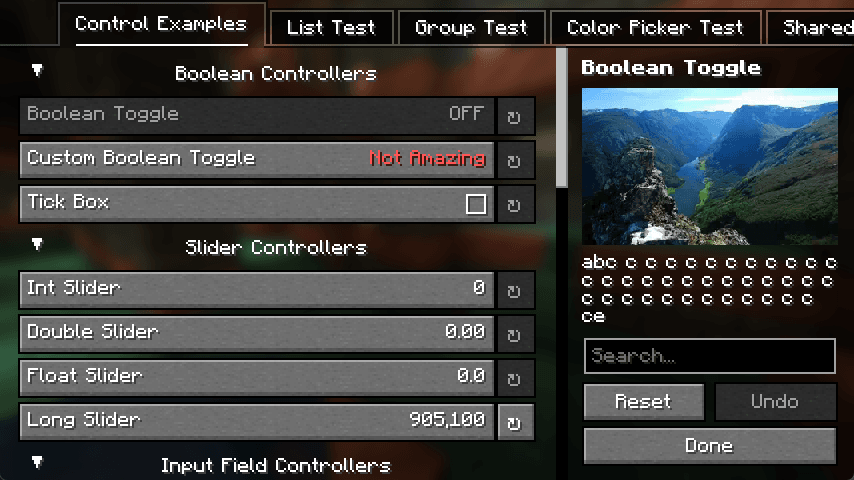
YetAnotherConfigLib (YACL)
von isxander
A builder-based configuration library for Minecraft!
 Server-fähig

Xaero's Minimap
von thexaero
Displays a map of the nearby world terrain, players, mobs, entities in the corner of your screen. Lets you create waypoints which help you find the locations you've marked.
Bereit für deinen Server mit IBE Editor?
4 GB RAM ab 8,00 € im Monat. 35 % auf den 1. Monat mit MADO35.