
Inspecio
A Minecraft mod which adds more tooltips.
Über diese Mod
Inspecio



Better and more tooltips on items!
What's this mod?
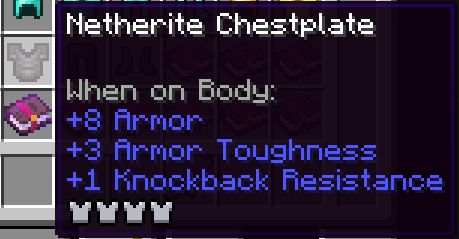
Inspecio adds new tooltips to items like shulker boxes, filled map, fish bucket, armor, food, banner patterns, etc.
Some of those are just replacement to the vanilla "text" tooltip with a more fancy one, others are extra information for the user!
Most of the mod is configurable, some parts can be enabled/disabled to your heart's desire!
Pictures
Armor tooltip
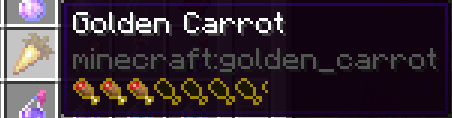
Food tooltip
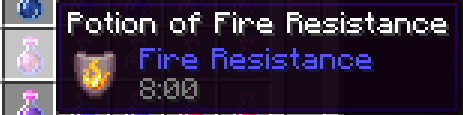
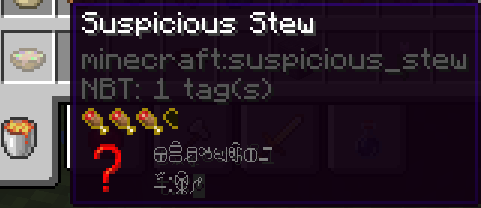
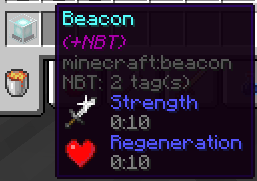
Effects tooltips
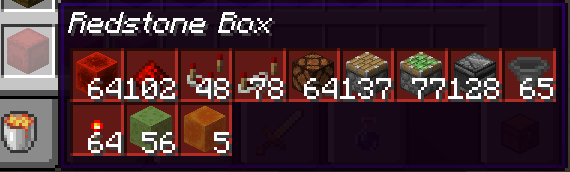
Shulker Box tooltips (and other storage blocks)
Normal:
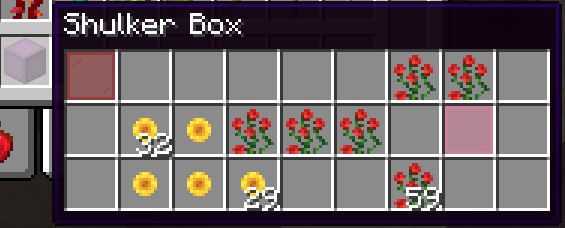
Colored:
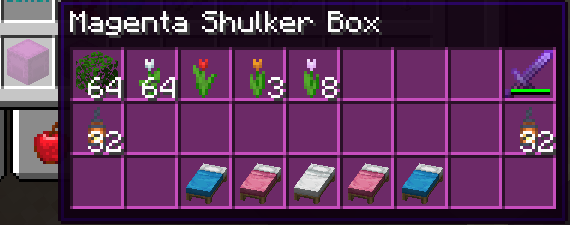
Compact:
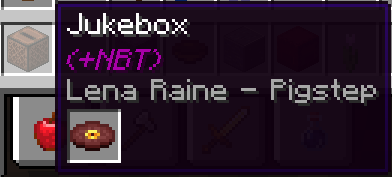
Jukebox tooltip
Loot Table Tooltip

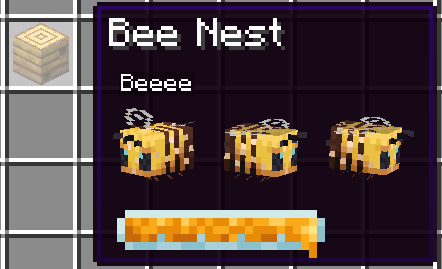
Bee Hive Tooltip
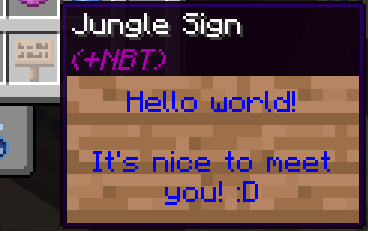
Sign Tooltip
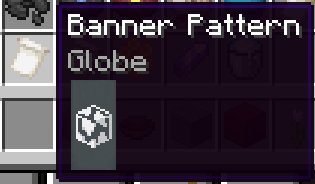
Banner Pattern
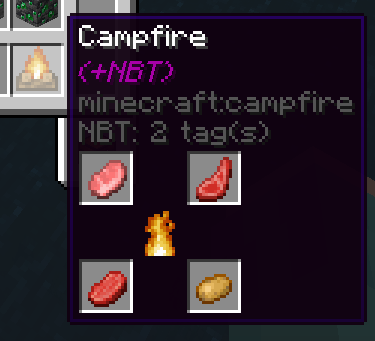
Campfire
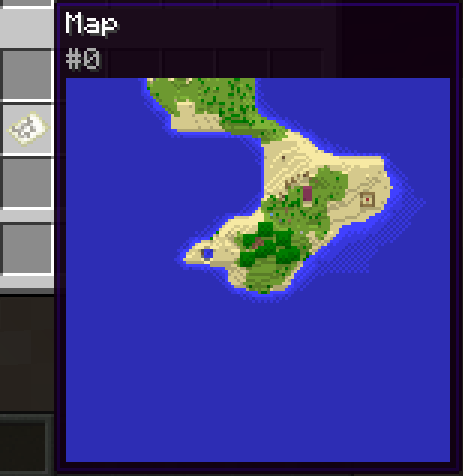
Filled Map
Entities
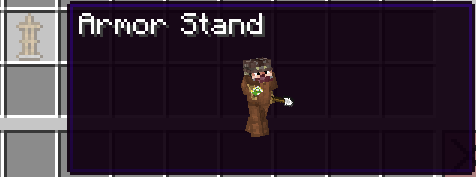
Armor Stand
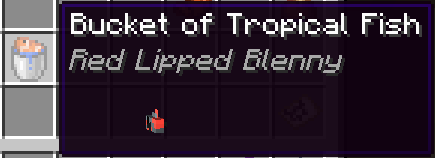
Bucket of Fish
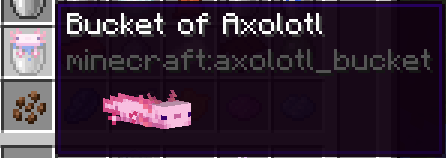
Bucket of Axolotl
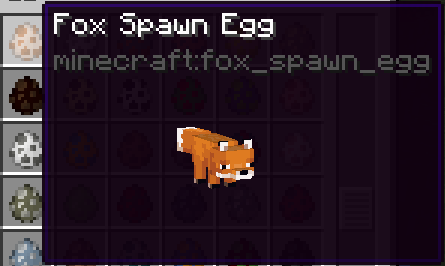
Spawn Eggs
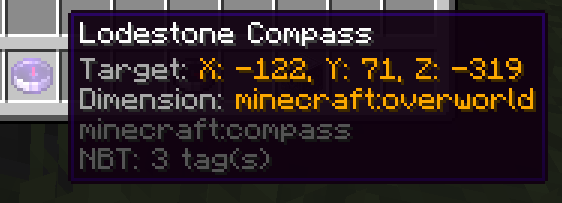
Lodestone Compass
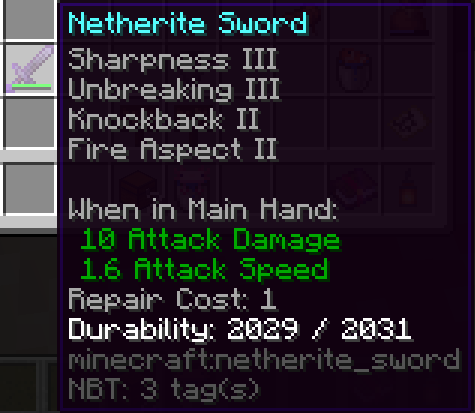
Repair Cost
Configuration
The configuration file of the mod is located in <minecraft directory>/config/inspecio.json.
You can use the command /inspecio config to manage configuration.
Here's the default configuration:
{
  "jukebox": "fancy",
  "sign": "fancy",
  "advanced_tooltips": {
    "repair_cost": true,
    "lodestone_coords": false
  },
  "filled_map": {
    "enabled": true,
    "show_player_icon": false
  },
  "food": {
    "hunger": true,
    "saturation": "merged"
  },
  "containers": {
    "campfire": true,
    "storage": {
      "enabled": true,
      "compact": false,
      "loot_table": true
    },
    "shulker_box": {
      "enabled": true,
      "compact": false,
      "loot_table": true,
      "color": true
    },
    "chiseled_bookshelf": {
      "enabled": true,
      "compact": false,
      "loot_table": true,
      "block_render": true
    }
  },
  "effects": {
    "food": true,
    "hidden_motion": true,
    "hidden_effect_mode": "enchantment",
    "beacon": true,
    "potions": true,
    "tipped_arrows": true,
    "spectral_arrow": true
  },
  "entities": {
    "fish_bucket": {
      "enabled": true,
      "always_show_name": false,
      "spin": true
    },
    "spawn_egg": {
      "enabled": true,
      "always_show_name": false,
      "spin": true
    },
    "pufferfish_puff_state": 2,
    "armor_stand": {
      "enabled": true,
      "always_show_name": false,
      "spin": true
    },
    "bee": {
      "enabled": true,
      "always_show_name": false,
      "spin": true,
      "show_honey_level": true
    },
    "mob_spawner": {
      "enabled": true,
      "always_show_name": false,
      "spin": true
    }
  },
  "armor": true,
  "banner_pattern": true,
  "painting": true
}
Here's a list of each configuration entries and what they do:
armor(bool) -trueif the display of the armor bar on armor items is enabled, orfalseotherwise.banner_pattern(bool) -trueif the display of the pattern in the tooltip of banner patterns is enabled, orfalseotherwise.painting(bool) -trueif the painting should be previewed in the tooltip of a painting item that has a known variant, orfalseotherwise.advanced_tooltipsrepair_cost(bool) -trueif the display the repair cost value is enabled, orfalseotherwise.lodestone_coords(bool) -trueif a display of the lodestone coordinates on lodestone compass is enabled, orfalseotherwise.
containerscampfire(bool) -trueif the display of a special tooltip on campfires which hold custom NBT is enabled, orfalseotherwise.storageenabled(bool) -trueif the inventory of storage items like chests, barrels, etc. should be shown in the tooltip, orfalseotherwise.compact(bool) -trueif the inventory should be compacted to take as little space as possible, orfalseotherwise.loot_table(bool) -trueif the loot table identifier should be displayed in the tooltip if specified, orfalseotherwise.
shulker_boxenabled(bool) -trueif the inventory of shulker boxes should be shown in the tooltip, orfalseotherwise.compact(bool) -trueif the inventory should be compacted to take as little space as possible, orfalseotherwise.loot_table(bool) -trueif the loot table identifier should be displayed in the tooltip if specified, orfalseotherwise.color(bool) -trueif the inventory tooltip should be colored the same as the shulker box, orfalseotherwise.
chiseled_bookshelfenabled(bool) -trueif the inventory of chiseled bookshelves should be shown in the tooltip, orfalseotherwise.compact(bool) -trueif the inventory should be compacted to take as little space as possible, orfalseotherwise.loot_table(bool) -trueif the loot table identifier should be displayed in the tooltip if specified, orfalseotherwise.block_render(bool) -trueif the tooltip of chiseled bookshelves should display the block form instead of a standard inventory, orfalseotherwise.
effectspotions(bool) -trueif replacing the effect tooltips with a fancy one on potion items is enabled, orfalseotherwise.tipped_arrows(bool) -trueif replacing the effect tooltips with a fancy one on tipped arrows is enabled, orfalseotherwise.spectral_arrow(bool) -trueif replacing the effect tooltips with a fancy one on spectral arrow item is enabled, orfalseotherwise.food(bool) -trueif adding effect tooltips on food items is enabled, orfalseotherwise.hidden_motion(bool) -trueif using obfuscated text for hidden effect tooltips is enabled, orfalseotherwise.hidden_effect_mode(string) -"enchantment"will display the obfuscated text for hidden effect tooltips with the enchantment font,"obfuscated"will use the normal font.beacon(bool) -trueif adding a tooltip with the primary and secondary effects (if they exist) is enabled, orfalseotherwise.
entitiesarmor_standenabled(bool) -trueif armor stand tooltip should be displayed, orfalseotherwise.always_show_name(bool) -trueif the name of an armor stand should always be shown, orfalseotherwise and use the CTRL key instead.spin(bool) -trueif the armor stand spin in the tooltip, orfalseotherwise
beeenabled(bool) -trueif displaying the bees in the beehive tooltip is enabled, orfalseotherwise.always_show_name(bool) -trueif the name of the bees should always be shown, orfalseotherwise and use the CTRL key instead.spin(bool) -trueif the bees spin in the tooltip, orfalseotherwise.show_honey_level(bool)trueif the honey level should be shown, orfalseotherwise.
fish_bucketenabled(bool) -trueif fish bucket tooltips should display the entity they hold, orfalseotherwise.spin(bool) -trueif the entity spins in the tooltip, orfalseotherwise.
mob_spawnerenabled(bool) -trueif mob spawner tooltips should display the entity they hold, orfalseotherwise.always_show_name(bool) -trueif the name of the hold entity should always be shown, orfalseotherwise.spin(bool) -trueif the entity spins in the tooltip, orfalseotherwise.
spawn_eggenabled(bool) -trueif spawn egg tooltips should display the entity they hold, orfalseotherwise.always_show_name(bool) -trueif the name of the hold entity should always be shown, orfalseotherwise.spin(bool) -trueif the entity spins in the tooltip, orfalseotherwise.
pufferfish_puff_state(int) - the pufferfish puff state, between 0 and 2 inclusive.
filled_mapenabled(bool) -trueif filled map tooltips should display the map, orfalseotherwise.show_player_icon(bool) -trueif show the player icon on filled map tooltips, orfalseotherwise.
foodhunger(bool) -trueif hunger bar should be displayed on food items, orfalseotherwise.saturation(string) -"disabled"does nothing,"merged"adds the saturation bar as an outline to the hunger bar,"separated"adds its own saturation bar.
jukebox(string) -"disabled"does nothing,"fast"will add the inserted disc name if possible in the tooltip of jukeboxes,"fancy"will display the disc item as well.sign(string) -"disabled"does nothing,"fast"will add the sign content as text tooltip if possible,"fancy"will add a fancy sign tooltip if possible.
Verfügbare Versionen
Inspecio auf dem Server installieren
Server bestellen
Bestelle einen Minecraft Java Server mit mindestens 3 GB RAM (4 GB empfohlen).
fabric Loader setzen
Wähle im Panel unter "Egg" den fabric-Loader und die passende Minecraft-Version (1.20.1).
Mod installieren
Öffne den Mod-Browser im Dashboard und suche nach "Inspecio". Klicke "Installieren" – fertig! Alternativ: Lade die .jar via SFTP in den /mods Ordner.
Kompatibilität
Mod-Loader
Minecraft-Versionen
1.20.1, 1.20, 1.19.4 (+24 weitere)
Server-seitig
~ OptionalEmpfohlener RAM
4 GB(min. 3 GB)Häufige Fragen
Inspecio Server crasht beim Start – was tun?
Häufigste Ursache: falsche fabric-Version oder zu wenig RAM. Prüfe im Server-Log (latest.log), ob ein "OutOfMemoryError" oder "Mixin"-Fehler auftritt. Bei Mado Hosting: Stelle sicher, dass mindestens 3 GB RAM zugewiesen sind und der Loader zur Mod-Version passt (1.20.1). Über das Panel kannst du den Loader mit einem Klick wechseln.
Ist Inspecio mit fabric und quilt kompatibel?
Inspecio unterstützt offiziell fabric, quilt für Minecraft 1.20.1, 1.20, 1.19.4. Im Mado Dashboard werden inkompatible Loader-Kombinationen automatisch erkannt.
Server laggt mit Inspecio – wie optimiere ich die Performance?
Empfohlener RAM: 4 GB (+1 GB pro 8 Spieler). Prüfe mit /spark profiler, ob Inspecio den meisten Tick-Time verbraucht. Häufige Fixes: Server-View-Distance auf 8-10 reduzieren, bei Forge "performant" oder "starlight" als Zusatz-Mod installieren. Bei Mado Hosting läuft dein Server auf NVMe-SSDs mit dedizierten CPU-Kernen für minimale Latenz.
Ähnliche Mods

![[ETF] Entity Texture Features](https://cdn.modrinth.com/data/BVzZfTc1/af683d206d50b05258d865b0d6e4aa2f2cee12f2_96.webp)
![[EMF] Entity Model Features](https://cdn.modrinth.com/data/4I1XuqiY/6e5bbd0d06b1741bfdab6c0cfab6de8fdaf0064c_96.webp)



Modded Server mieten
Installiere Inspecio mit nur einem Klick auf deinem Server.