Modrinth · Fabric, Forge, NeoForge
Legends & Myths (Cobblemon) auf deinem Minecraft Server
Legends & Myths (Cobblemon) läuft auf Minecraft Servern mit Fabric oder Forge oder NeoForge. Bestell deinen Server, stell den Loader im Panel ein und installiere die Mod mit einem Klick im Mod-Browser.
A data pack that adds legendary and mythical Pokémon to the game. Explore new buildings and Pokemon, gain new experiences in your adventures.
- Downloads
- 696.6K
- Autor
- Multifruit
- Loader
- Fabric, Forge, NeoForge
- Minecraft
- 1.20.1 – 1.21.1
- Aktualisiert
- –
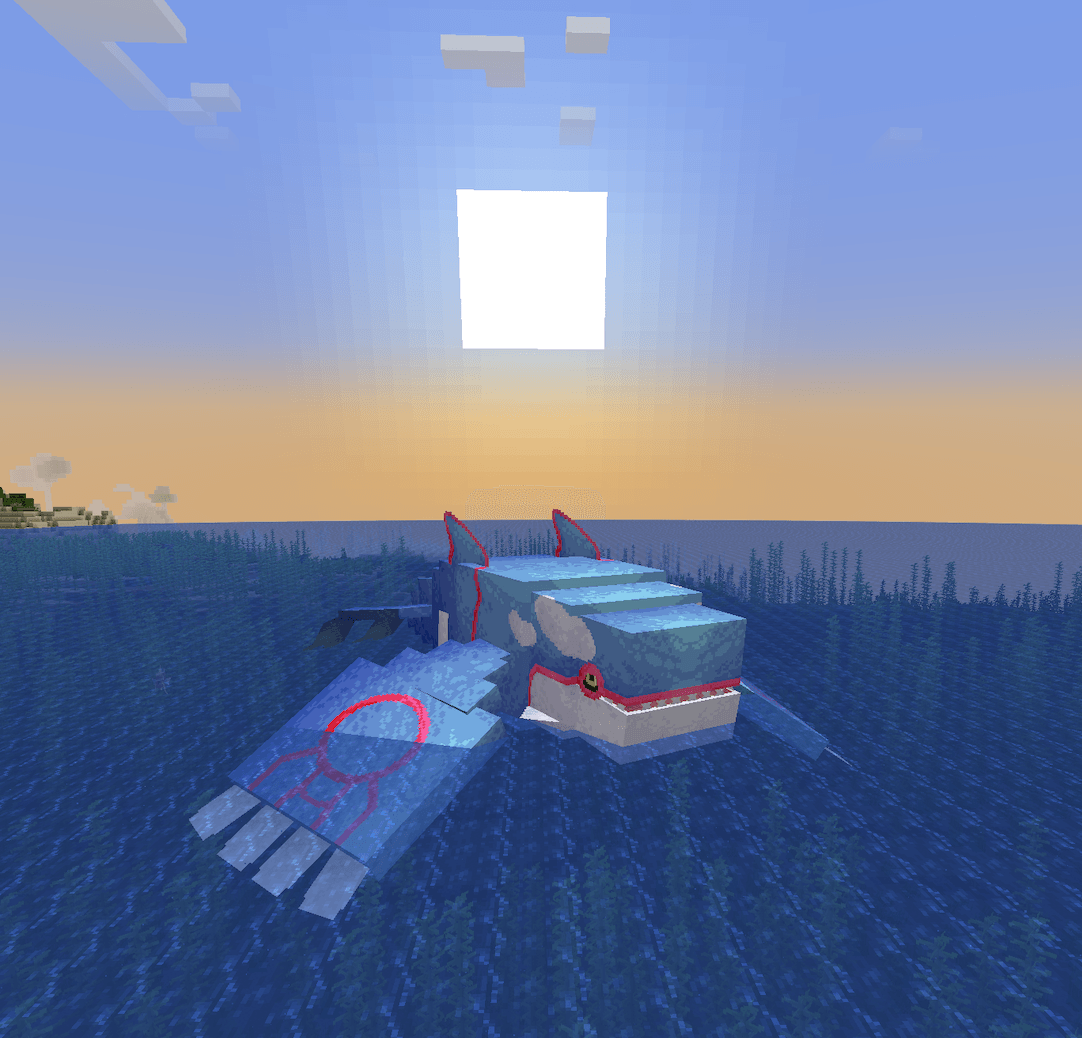
Screenshots
So sieht Legends & Myths (Cobblemon) aus


Bilder: Legends & Myths (Cobblemon) auf Modrinth, vom Projektteam veröffentlicht.
Einrichtung
Legends & Myths (Cobblemon) auf dem Server installieren
Server und Spieler brauchen denselben Loader und dieselbe Minecraft-Version. Sichere die Welt, bevor du Mods hinzufügst oder aktualisierst.
- 01
Konfigurieren
6 GB RAM sind vorausgewählt. Laufzeit und Add-ons wählst du selbst, bezahlt wird per Kreditkarte oder PayPal.
- 02
Loader einstellen
Stell im Panel die Serversoftware auf Fabric oder Forge oder NeoForge und wähl die passende Minecraft-Version, zum Beispiel 1.21.1.
- 03
Mod installieren
Such im Mod-Browser nach „Legends & Myths (Cobblemon)“ und installiere die Version für deinen Loader. Alternativ lädst du die .jar per SFTP in den Ordner mods. Erforderliche Abhängigkeiten stehen auf der Projektseite.
- 04
Verbinden
Legends & Myths (Cobblemon) ist auf dem Client optional. Spieler verbinden sich über die Serveradresse aus dem Panel.
- Auf dem Server
- Erforderlich
- Auf dem Client
- Optional
- Loader
- Fabric, Forge, NeoForge
- Minecraft
- 1.21.1, 1.20.1
- Lizenz
- Creative Commons Attribution Non Commercial 4.0 International
Das Panel
Mods installieren, Fehler finden.
Echte Screenshots aus dem Mado Panel. Beides ist bei jedem Minecraft Server enthalten.
Mod-Browser
Modrinth und CurseForge direkt im Panel.
Der Browser filtert nach deiner Minecraft-Version. Mods installierst du mit einem Klick, ohne .jar-Dateien hochzuladen.

KI-Crash-Analyse
Wenn ein Mod crasht, liest die Analyse das Log.
Mods scheitern oft an einer falschen Loader-Version, Java-Version oder fehlenden Abhängigkeit. Die Analyse nennt eine wahrscheinliche Ursache und einen Lösungsvorschlag.

Versionen
Veröffentlichte Versionen
Nimm die Datei, die zu Loader und Minecraft-Version deines Servers passt. Server und Spieler brauchen dieselbe Version.
Legends & Myths (Cobblemon) · Modrinth- Port to 1.7 23. November 2025Minecraft 1.21.1 · datapack
- Legends & Myths | Version 3 |[Beyond Origins]20. Juni 2025Minecraft 1.21.1 · Fabric, Forge, NeoForge
- Ver_26. August 2024Minecraft 1.20.1 · datapack
Originalbeschreibung des Projektautors
L&M IS PAUSED FOR INDEFINITE PERIOD OF TIME
FAQ:
What does Legends & Myths do?
Datapack for Cobblemon which adds legenadry and mythical pokemons to the game. Every legendary/mythical pokemon from datapack have unique structure where they spawn.
For datapack and resourcepack to work
(ONLY IF USING DATAPACK FORMAT)
Install the resourcepack and datapack files
Put it datapack file into the "datapacks" folder of your world
Put resourcepack file inside of your resourcepacks
Turn on the resourcepack
How to change Deoxys' form?
You have to go to the end in order to change it's forms (no items needed)
How to change Silvally's type?
You have to give it a gem. Based on gem held the typing of your Silvally will change
Which pokemons added?
- Deoxys (All 4 forms)
- Glastrier
- Calyrex (No forms yet)
- Keldeo (Only one form)
- Regirock
- Registeel
- Regice
- Regieleki
- Regidrago
- Regigigas
- Kyogre (Donated model by: Karlo)
- Kyurem (No other forms yet)
- Genesect (No drives yet and can't be obtained in the survival)
- Latias
- Latios
- Meloetta (Only one form)
- Type: Null (From: Pokemans Pack [Cobblemon])
- Silvally (All types) (From: Pokemans Pack [Cobblemon])
- Magearna (Only default colour)
We AREN'T Myths and Legends
Legends & Myths and Myths and Legends are two different modifications!
Which format is better to use Mod/Datapack?
Datapck is more stable version of this modification since it was focused for datapack format and thus has less visual bugs.
Links
Discord server: https://discord.gg/FExcyJSB
Discord thread: https://discord.com/channels/934267676354834442/1270303327665786891
Discord help thread: https://discord.com/channels/934267676354834442/1270304029259464767
Legends & Myths (Cobblemon) Server crasht beim Start – was tun?
Häufige Ursachen: Loader- oder Minecraft-Version passen nicht zur Mod-Datei, eine Abhängigkeit fehlt oder der RAM reicht nicht. Such im Log (latest.log) nach „OutOfMemoryError“, „Mixin“ oder fehlenden Mods. Bei Mado wertet die KI-Crash-Analyse das Log aus und schlägt eine Ursache vor. Loader und Version änderst du im Panel.
Mit welchem Loader läuft Legends & Myths (Cobblemon)?
Laut Modrinth unterstützt Legends & Myths (Cobblemon) Fabric, Forge, NeoForge für Minecraft 1.21.1, 1.20.1. Forge- und Fabric-Dateien sind nicht untereinander austauschbar: Wähl einen Loader für Server und Clients.
Wie viel RAM braucht ein Server mit Legends & Myths (Cobblemon)?
Als Orientierung 4–6 GB für einen Server mit dieser Mod. Das ist eine Schätzung, keine gemessene Mindestanforderung. Weitere Mods, viele Spieler und große Sichtweiten brauchen mehr. Ob eine Mod die Tick-Zeit belastet, siehst du mit dem spark-Profiler.
Ähnliche Mods
Beliebte Mods aus derselben Kategorie
 Server-fähig

Xaero's Minimap
von thexaero
Displays a map of the nearby world terrain, players, mobs, entities in the corner of your screen. Lets you create waypoints which help you find the locations you've marked.
 Server-fähig

Xaero's World Map
von thexaero
Adds a full screen world map which shows you what you have explored in the world. Works great together with Xaero's Minimap.
 Nur Client

Not Enough Animations
von tr7zw
Bringing first-person animations to the third-person
 Nur Client

3D Skin Layers
von tr7zw
Render the player skin layer in 3d!
Bereit für deinen Server mit Legends & Myths (Cobblemon)?
6 GB RAM ab 12,00 € im Monat. 35 % auf den 1. Monat mit MADO35.