
Lighty
The Light Overlay Mod with a twist!
Screenshots
Über diese Mod
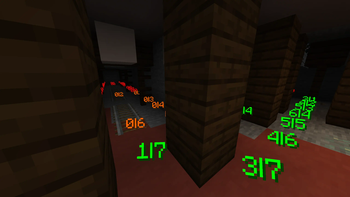
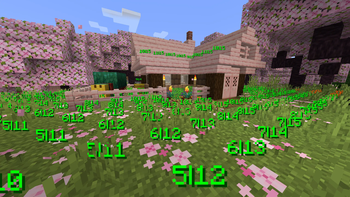
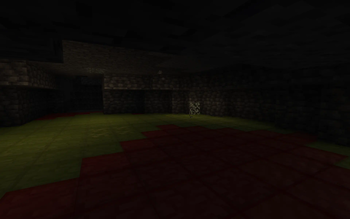
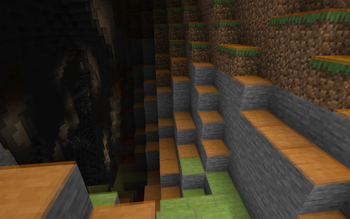
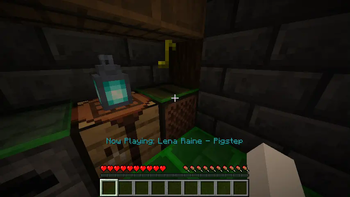
Instead of rendering crosses or numbers on the top face of blocks, Lighty takes a different approach - It renders a transparent carpet-like block on top! Or, new in version 1.1.0 - Renders the actual light level numbers, but Lighty Style!
Make sure to check out the Gallery for some pictures!
Configuration
- To activate the overlay, press
F7and choose the desired mode. This key is configurable in the key binds menu. - As of version 1.2.0, you can quickly toggle the light overlay on or off using
F8! This key is configurable in the key binds menu. - As of version 1.3.0, you can change the "red"/"orange" threshold in the new config menu (accessible using
F7). Useful for those that want to light their places up aesthetically, or maybe you are playing with some mods that change the mobs spawning rules.
Meaning of colors:
- Green: No mobs can spawn here!
- Orange: If the sun goes down, Mobs will spawn! Be careful!
- Red: Mobs can spawn here!
If you have some ideas for this mod, feel free to open a new Codeberg Issue!
If you like this mod, consider following the project to get notified about new updates!
This mod was inspired by LightLevel.
Verfügbare Versionen
Lighty auf deinem Client installieren
Mod-Loader lokal installieren
Installiere bta-babric für deine lokale Minecraft-Version.
Passende Datei herunterladen
Wähle die Lighty-Datei für bta-babric und Minecraft 26.3.
Mod installieren
Lege die .jar-Datei in deinem lokalen .minecraft/mods-Ordner ab und starte Minecraft neu. Eine Installation auf dem Server ist nicht nötig.
Kompatibilität
Mod-Loader
Minecraft-Versionen
26.3, 26.2, 26.1.2 (+66 weitere)
Server-seitig
✗ Nicht unterstütztEmpfohlener RAM
4 GB(min. 3 GB)Häufige Fragen
Muss Lighty auf dem Minecraft Server installiert werden?
Nein. Modrinth kennzeichnet Lighty serverseitig als nicht unterstützt. Installiere die Mod nur im lokalen Minecraft-Mods-Ordner. Dein Server kann unverändert bleiben, sofern die Mod-Seite keine zusätzliche Abhängigkeit nennt.
Welche Version und welchen Loader braucht Lighty?
Nutze eine Datei für bta-babric, fabric, forge, neoforge, quilt und exakt deine Minecraft-Version. Unterstützte Versionen sind unter anderem 26.3, 26.2, 26.1.2. Loader-Dateien sind nicht untereinander austauschbar.
Lighty funktioniert nicht – was kann ich prüfen?
Prüfe zuerst Minecraft-Version, Loader-Version und erforderliche Abhängigkeiten. Lege die .jar-Datei im lokalen .minecraft/mods-Ordner ab und entferne ältere Duplikate. Da die Mod clientseitig ist, löst mehr Server-RAM dieses Problem nicht.
Ähnliche Mods




![[ETF] Entity Texture Features](https://cdn.modrinth.com/data/BVzZfTc1/af683d206d50b05258d865b0d6e4aa2f2cee12f2_96.webp)

Minecraft Server für deine Gruppe
Lighty bleibt auf deinem Client. Hoste dazu eine kompatible Welt für deine Mitspieler.