
Lighty
The Light Overlay Mod with a twist!
Screenshots
About this Mod
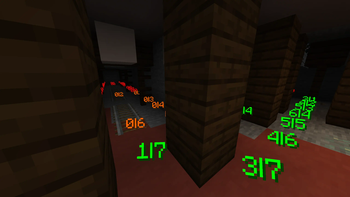
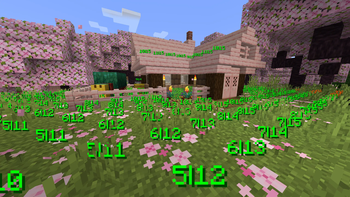
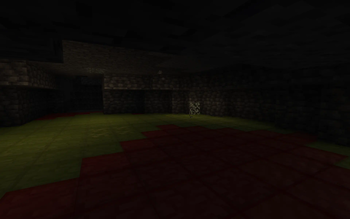
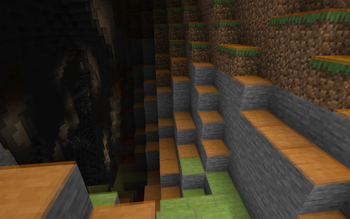
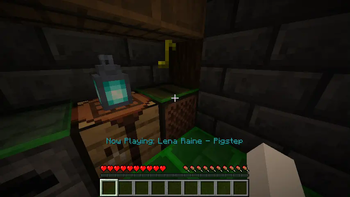
Instead of rendering crosses or numbers on the top face of blocks, Lighty takes a different approach - It renders a transparent carpet-like block on top! Or, new in version 1.1.0 - Renders the actual light level numbers, but Lighty Style!
Make sure to check out the Gallery for some pictures!
Configuration
- To activate the overlay, press
F7and choose the desired mode. This key is configurable in the key binds menu. - As of version 1.2.0, you can quickly toggle the light overlay on or off using
F8! This key is configurable in the key binds menu. - As of version 1.3.0, you can change the "red"/"orange" threshold in the new config menu (accessible using
F7). Useful for those that want to light their places up aesthetically, or maybe you are playing with some mods that change the mobs spawning rules.
Meaning of colors:
- Green: No mobs can spawn here!
- Orange: If the sun goes down, Mobs will spawn! Be careful!
- Red: Mobs can spawn here!
If you have some ideas for this mod, feel free to open a new Codeberg Issue!
If you like this mod, consider following the project to get notified about new updates!
This mod was inspired by LightLevel.
Available Versions
How to Install Lighty on Your Client
Install the Mod Loader Locally
Install bta-babric for your local Minecraft version.
Download the Matching File
Choose the Lighty file for bta-babric and Minecraft 26.3.
Install Mod
Place the .jar file in your local .minecraft/mods folder and restart Minecraft. No server-side installation is required.
Compatibility
Mod Loaders
Minecraft Versions
26.3, 26.2, 26.1.2 (+66 more)
Server-side
✗ UnsupportedRecommended RAM
4 GB(min. 3 GB)Frequently Asked Questions
Does Lighty need to be installed on the Minecraft server?
No. Modrinth marks Lighty as unsupported on the server side. Install it only in your local Minecraft mods folder. Your server can remain unchanged unless the mod page lists an additional dependency.
Which version and loader does Lighty require?
Use a file for bta-babric, fabric, forge, neoforge, quilt and your exact Minecraft version. Supported versions include 26.3, 26.2, 26.1.2. Files for different loaders are not interchangeable.
Lighty is not working – what should I check?
First check the Minecraft version, loader version and required dependencies. Put the .jar file in your local .minecraft/mods folder and remove older duplicates. Because this mod is client-side, adding server RAM will not fix it.
Similar Mods




![[ETF] Entity Texture Features](https://cdn.modrinth.com/data/BVzZfTc1/af683d206d50b05258d865b0d6e4aa2f2cee12f2_96.webp)

Minecraft Server for Your Group
Lighty stays on your client. Host a compatible world for your group.