Litematica-Printer-Easyplace-Extension
This is Litematica Printer, but it tweaks easyPlaceMode instead of offering separate printing mode options. The main purpose of this printer is building most of the redstone contraption safely, without activating it.
Über diese Mod
This is litematica printer (easyPlace extension), which tweaks EasyPlace behavior!
Printer requires Litematica, Malilib, Fabric API to operate.
Printer tries to follow the most recent version of each releases.
Basically, printer will only work when you see the placement, and uses EasyPlace.
You can use easyPlaceToggle and easyPlaceUseKey to use litematica's EasyPlace feature.
If you want hand-free activation, you can set easyPlaceUseKey to None, and enable Allow Empty Keybinds by advanced setting.
This printer offers several complicated macro actions, such as Bedrock Breaking, Inventory Matching, Clearing Fluids / Snow, etc, but its not guaranteed to work!
The main feature is 'Accurate Redstone Contraption Placement'. This means, printer will avoid placing block that will activate redstone contraptions.
Sample gif
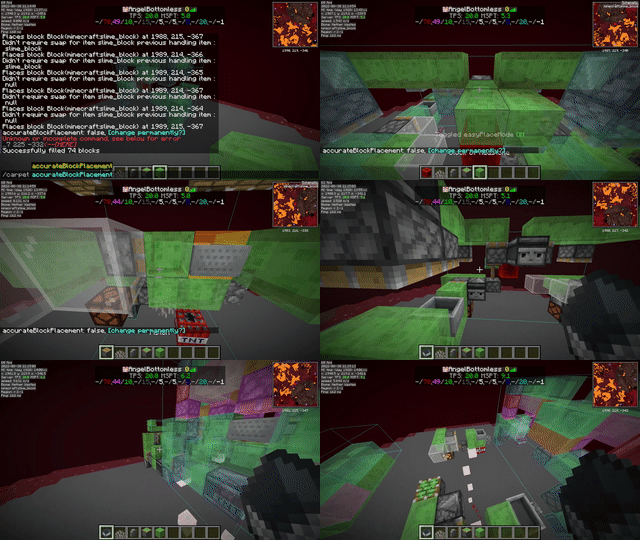
Most of the features are documented in ReadMe.
printerOff - Disables Extension and use normal EasyPlace feature instead.
easyPlaceMode++ - Disables Area Printing option and use Fake Rotation instead.
printerModeFakeRotation - Uses Fake Rotation to place block correctly.
printerAccurateBlockPlacement - If Carpet Extra's AccurateBlockPlacement is enabled, you can try this.
Verfügbare Versionen
Litematica-Printer-Easyplace-Extension auf deinem Client installieren
Mod-Loader lokal installieren
Installiere fabric für deine lokale Minecraft-Version.
Passende Datei herunterladen
Wähle die Litematica-Printer-Easyplace-Extension-Datei für fabric und Minecraft 1.21.1.
Mod installieren
Lege die .jar-Datei in deinem lokalen .minecraft/mods-Ordner ab und starte Minecraft neu. Eine Installation auf dem Server ist nicht nötig.
Kompatibilität
Mod-Loader
Minecraft-Versionen
1.21.1, 1.21, 1.20.6 (+21 weitere)
Server-seitig
✗ Nicht unterstütztEmpfohlener RAM
4 GB(min. 3 GB)Häufige Fragen
Muss Litematica-Printer-Easyplace-Extension auf dem Minecraft Server installiert werden?
Nein. Modrinth kennzeichnet Litematica-Printer-Easyplace-Extension serverseitig als nicht unterstützt. Installiere die Mod nur im lokalen Minecraft-Mods-Ordner. Dein Server kann unverändert bleiben, sofern die Mod-Seite keine zusätzliche Abhängigkeit nennt.
Welche Version und welchen Loader braucht Litematica-Printer-Easyplace-Extension?
Nutze eine Datei für fabric und exakt deine Minecraft-Version. Unterstützte Versionen sind unter anderem 1.21.1, 1.21, 1.20.6. Loader-Dateien sind nicht untereinander austauschbar.
Litematica-Printer-Easyplace-Extension funktioniert nicht – was kann ich prüfen?
Prüfe zuerst Minecraft-Version, Loader-Version und erforderliche Abhängigkeiten. Lege die .jar-Datei im lokalen .minecraft/mods-Ordner ab und entferne ältere Duplikate. Da die Mod clientseitig ist, löst mehr Server-RAM dieses Problem nicht.
Ähnliche Mods




![[ETF] Entity Texture Features](https://cdn.modrinth.com/data/BVzZfTc1/af683d206d50b05258d865b0d6e4aa2f2cee12f2_96.webp)

Minecraft Server für deine Gruppe
Litematica-Printer-Easyplace-Extension bleibt auf deinem Client. Hoste dazu eine kompatible Welt für deine Mitspieler.