
Modrinth · Fabric, Forge, NeoForge, Quilt
Lithosphere auf deinem Minecraft Server
Lithosphere läuft auf Minecraft Servern mit Fabric oder Forge oder NeoForge oder Quilt. Bestell deinen Server, stell den Loader im Panel ein und installiere die Mod mit einem Klick im Mod-Browser.
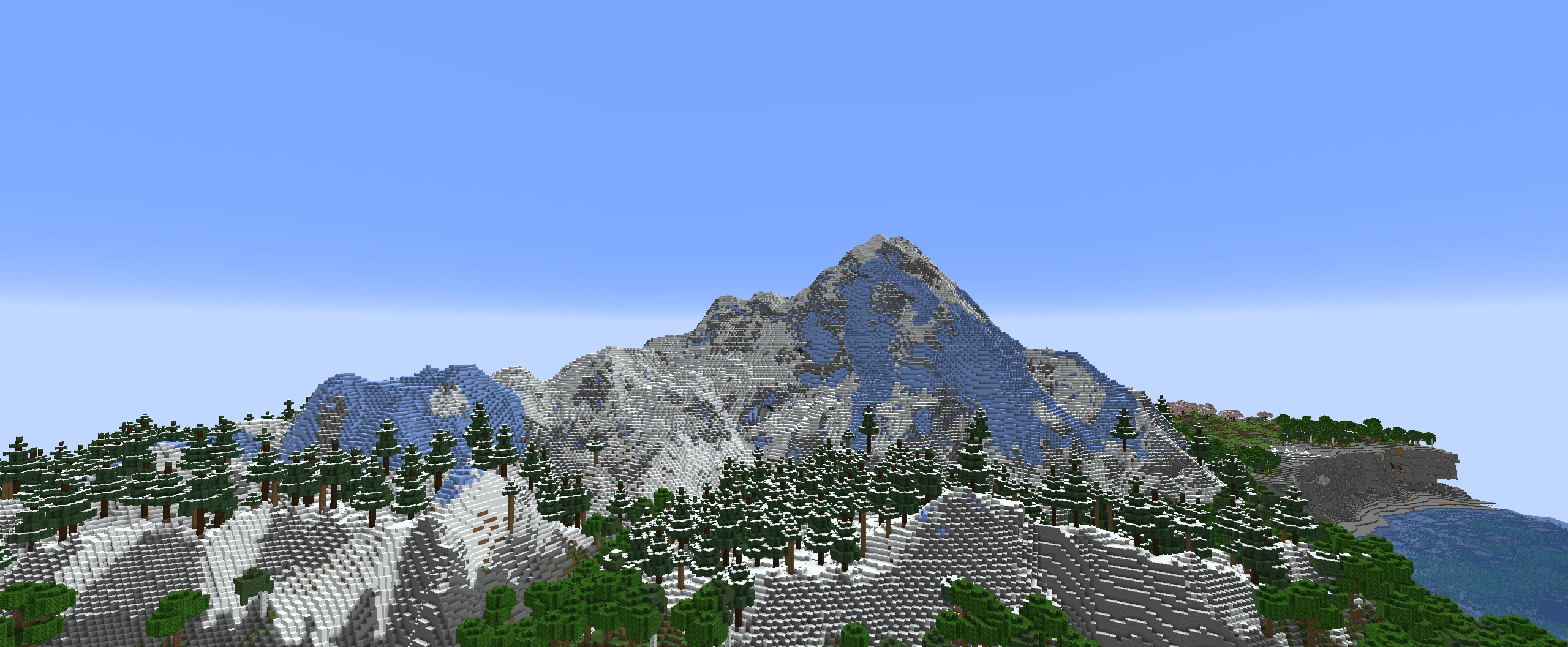
Lithosphere aims to change the overworld worldgen to be more cinematic, polished and beautiful.
- Downloads
- 1.3M
- Autor
- Jayzet
- Loader
- Fabric, Forge, NeoForge, Quilt
- Minecraft
- 1.19 – 26.3
- Aktualisiert
- –
Screenshots
So sieht Lithosphere aus


Bilder: Lithosphere auf Modrinth, vom Projektteam veröffentlicht.
Einrichtung
Lithosphere auf dem Server installieren
Server und Spieler brauchen denselben Loader und dieselbe Minecraft-Version. Sichere die Welt, bevor du Mods hinzufügst oder aktualisierst.
- 01
Konfigurieren
6 GB RAM sind vorausgewählt. Laufzeit und Add-ons wählst du selbst, bezahlt wird per Kreditkarte oder PayPal.
- 02
Loader einstellen
Stell im Panel die Serversoftware auf Fabric oder Forge oder NeoForge oder Quilt und wähl die passende Minecraft-Version, zum Beispiel 26.3.
- 03
Mod installieren
Such im Mod-Browser nach „Lithosphere“ und installiere die Version für deinen Loader. Alternativ lädst du die .jar per SFTP in den Ordner mods. Erforderliche Abhängigkeiten stehen auf der Projektseite.
- 04
Verbinden
Lithosphere ist auf dem Client optional. Spieler verbinden sich über die Serveradresse aus dem Panel.
- Auf dem Server
- Erforderlich
- Auf dem Client
- Optional
- Loader
- Fabric, Forge, NeoForge, Quilt
- Minecraft
- 26.3, 26.2, 26.1.2 +26 weitere
- Lizenz
- LicenseRef-All-Rights-Reserved
Das Panel
Mods installieren, Fehler finden.
Echte Screenshots aus dem Mado Panel. Beides ist bei jedem Minecraft Server enthalten.
Mod-Browser
Modrinth und CurseForge direkt im Panel.
Der Browser filtert nach deiner Minecraft-Version. Mods installierst du mit einem Klick, ohne .jar-Dateien hochzuladen.

KI-Crash-Analyse
Wenn ein Mod crasht, liest die Analyse das Log.
Mods scheitern oft an einer falschen Loader-Version, Java-Version oder fehlenden Abhängigkeit. Die Analyse nennt eine wahrscheinliche Ursache und einen Lösungsvorschlag.

Versionen
Veröffentlichte Versionen
Nimm die Datei, die zu Loader und Minecraft-Version deines Servers passt. Server und Spieler brauchen dieselbe Version.
Lithosphere · Modrinth- 1.910. November 2026Minecraft 26.1.2, 26.1.1, 26.1, 1.21.11, 1.21.10, 1.21.9, 1.21.8, 1.21.7, 1.21.6, 1.21.5, 1.21.4, 1.21.3, 1.21.2, 1.21.1, 1.21, 26.2, 26.3 · Fabric, Forge, NeoForge, Quilt
- 1.910. November 2026Minecraft 26.1.2, 26.1.1, 26.1, 1.21.11, 1.21.10, 1.21.9, 1.21.8, 1.21.7, 1.21.6, 1.21.5, 1.21.4, 1.21.3, 1.21.2, 1.21.1, 1.21, 26.2, 26.3 · datapack
- 1.8.228. August 2026Minecraft 1.20, 1.20.1, 1.20.2, 1.20.3, 1.20.4, 1.20.5, 1.20.6, 1.21, 1.21.1, 1.21.10, 1.21.11, 1.21.2, 1.21.3, 1.21.4, 1.21.5, 1.21.6, 1.21.7, 1.21.8, 1.21.9, 26.1, 26.1.1, 26.1.2, 26.2 · Fabric, Forge, NeoForge, Quilt
- 1.8.228. August 2026Minecraft 1.20, 1.20.1, 1.20.2, 1.20.3, 1.20.4, 1.20.5, 1.20.6, 1.21, 1.21.1, 1.21.10, 1.21.11, 1.21.2, 1.21.3, 1.21.4, 1.21.5, 1.21.6, 1.21.7, 1.21.8, 1.21.9, 26.1, 26.1.1, 26.1.2, 26.2 · datapack
- lithosphere 1.225. Juni 2024Minecraft 1.19, 1.19.1, 1.19.2, 1.19.3, 1.19.4, 1.20, 1.20.1, 1.20.2, 1.20.3, 1.20.4, 1.20.5, 1.20.6, 1.21 · Fabric, Forge, Quilt
Originalbeschreibung des Projektautors
Lithosphere aims to change the overworld worldgen to be more cinematic, polished and beautiful.
Compatability
Most worldgen mods (like Biomes O' Plenty, Nature's Spirit, ...) should be compatible, but lithosphere changes the deafult noise_settings so worldgen datapacks that change the overworld will be incompatible.
Datapacks that change the noise_settings files can be made compatible by changing their noise_settings to refer to Lithosphere's final_density.
Recommendations
- I highly recommend using C2ME for improved chunkgen speeds
- Voxy/Distant Horizons/Nvidium
- Noisium
- Steep surface fix
Feedback, questions or screenshots
If you have some questions, suggestions or feedback, or just want to post some of your screenshots of Lithosphere you can ask/post these on discord!
Features
Continents and deeper oceans
The overworld consists of some gigantic and some smaller continents, these are seperated by deep oceans where occasional islands and archipelagos can be found.
Gradual coasts and steep cliffs
The coastlines are mostly covered in large beaches, that gradually transition into the ocean, but there are also steep cliffs near mountainous regions. These cliffs have a more realistic shape to them, than the vanilla stony shores.
Mountainous Regions
The "Onion Ring" mountains in vanilla are gone, and replaced with more cinematic looking mountain ranges, that are less pointy. These new mountains can be much higher than in vanilla.
Karst
You can find karst regions, that can sometimes look just like the Monument Valley in Arizona, or Ha Long Bay in Vietnam!
Rivers and river valleys
Rivers are much less common and carve valleys through mountainous regions. They also won't get cut off by some weird terrain generation like in some places in vanilla.
Lakes
Big lakes can sometimes appear anywhere in your world. It's quite common to also find some islands generating in them.
Unique swamp placement and terrain
Swamps now generate seperately from windswept biomes and are often located in lower regions..
Smoother terrain
The weird terrain layers and facture splines from vanilla are gone and replaced with overall smoother height transitions.
Overhauled cave generation
It's quite rare to find caves reaching the surface, but when they do, they'll most likely lead to a bigger cave system
Larger temperature and humidity regions
The size of the temperature and humidity noises has been increased to make biomes bigger and less condensed. But biomes in this datapack should still be more varied than they are like in the vanilla large biomes setting.
Lithosphere Server crasht beim Start – was tun?
Häufige Ursachen: Loader- oder Minecraft-Version passen nicht zur Mod-Datei, eine Abhängigkeit fehlt oder der RAM reicht nicht. Such im Log (latest.log) nach „OutOfMemoryError“, „Mixin“ oder fehlenden Mods. Bei Mado wertet die KI-Crash-Analyse das Log aus und schlägt eine Ursache vor. Loader und Version änderst du im Panel.
Mit welchem Loader läuft Lithosphere?
Laut Modrinth unterstützt Lithosphere Fabric, Forge, NeoForge, Quilt für Minecraft 26.3, 26.2, 26.1.2. Forge- und Fabric-Dateien sind nicht untereinander austauschbar: Wähl einen Loader für Server und Clients.
Wie viel RAM braucht ein Server mit Lithosphere?
Als Orientierung 4–6 GB für einen Server mit dieser Mod. Das ist eine Schätzung, keine gemessene Mindestanforderung. Weitere Mods, viele Spieler und große Sichtweiten brauchen mehr. Ob eine Mod die Tick-Zeit belastet, siehst du mit dem spark-Profiler.
Ähnliche Mods
Beliebte Mods aus derselben Kategorie
 Server-fähig
TerraBlender
von Adubbz
A library mod for adding biomes in a simple and compatible manner!
 Server-fähig

Biomes O' Plenty
von Forstride
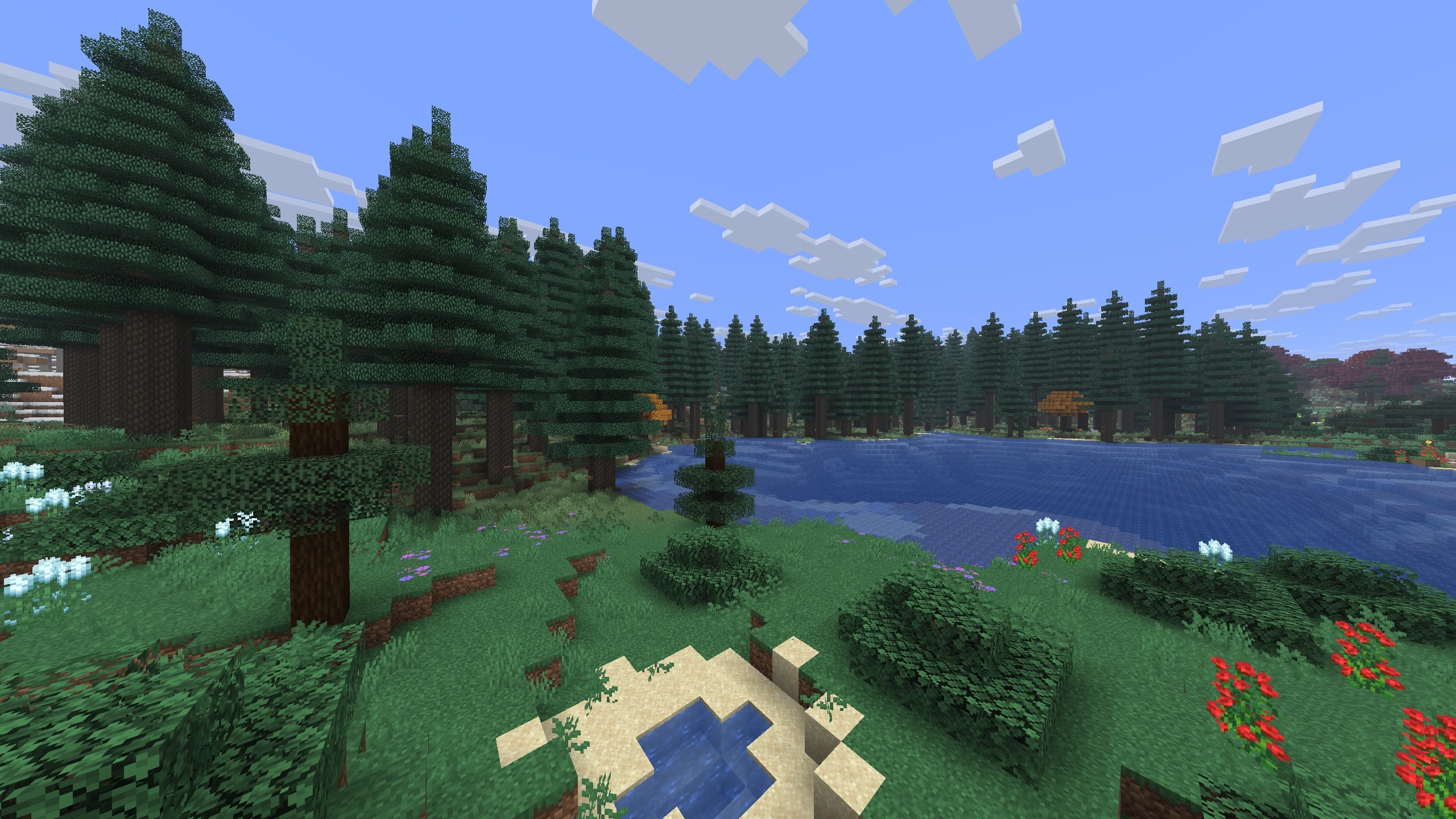
Adds 50+ unique biomes to enhance your world, with new trees, flowers, and more!
 Server-fähig

Cobblemon
von CobbledStudios
A Pokémon mod for Fabric and NeoForge
 Server-fähig

YUNG's API
von YUNGNICKYOUNG
Library mod for YUNG's mods.
Bereit für deinen Server mit Lithosphere?
6 GB RAM ab 12,00 € im Monat. 35 % auf den 1. Monat mit MADO35.