
Logistics: Automation
A modern logistics and pipe mod with authentic in-pipe item motion, mod interoperability, and request/autocrafting systems.
Screenshots
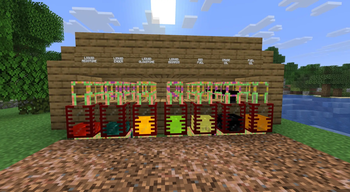
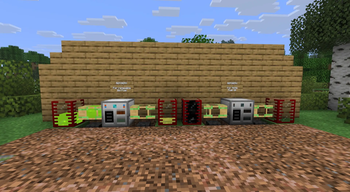
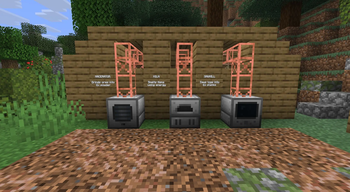
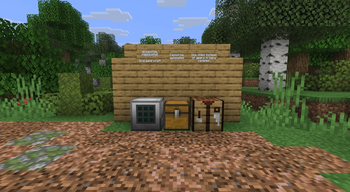

Über diese Mod
Logistics – Pipes, Routing & Automation
A modern, BuildCraft-inspired logistics system for Fabric Minecraft.
Logistics brings classic item transportation back to Minecraft — with visible in-pipe movement, tiered progression, and deep network automation. Inspired by BuildCraft and Logistics Pipes, the mod focuses on clear, physical systems that are easy to understand, fun to design, and powerful to scale.
Join the Discord — questions, support, and showing off your logistics systems.
Community Screenshots
Want to be featured? I’m looking for community screenshots to help refresh the Logistics mod pages. If you’ve built something cool with the mod — pipe networks, quarries, automation setups, survival bases, clean builds, or beautifully cursed spaghetti — share it in the Discord #showcase channel: https://discord.gg/94DP3CVNVt
🚚 Tier 1: Mechanical Pipes
Simple, dumb pipes that just move items. No item awareness — they do their job every time regardless of what's flowing through them.
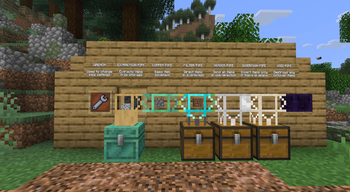
- Stone Transport Pipe – very slow backbone connectivity with random routing
- Copper Transport Pipe – standard backbone with random routing
- Item Extractor Pipe – pull items from adjacent inventories (wrench-configurable, requires power)
- Item Merger Pipe – converge multiple inputs to a single output
- Golden Transport Pipe – accelerate item transit when powered by redstone
- Item Passthrough Pipe – connects only to pipes; bypasses inventories
- Item Void Pipe – delete unwanted items
🧠 Tier 2: Smart Pipes
Item-aware pipes that inspect contents and make routing decisions.
- Item Filter Pipe – route specific items to specific destinations
- Item Insertion Pipe – prefer inventories with available space
🌐 Tier 3: Network Logistics
Your inventories become abstract resources. Pipes advertise contents, fulfill requests, and automate crafting across your entire network.
Pipes:
- Basic Logistics Pipe – network backbone; accepts and deposits addressed items with optional filtering
- Provider Logistics Pipe – connects to adjacent inventories and advertises their contents to the network
- Requester Logistics Pipe – request specific items from the network on demand
- Supplier Logistics Pipe – keep a target inventory stocked with configured items
- Crafting Logistics Pipe – automate crafting recipes fulfilled by the network
- Process Logistics Pipe – route in-progress crafting jobs to dedicated machines
- Satellite Logistics Pipe – remote output point for routing items to distant destinations
- Chassis Pipes (MkI–MkV) – modular pipes with swappable logistics module slots
Modules (slot into Chassis Pipes):
- Provider Module (I–II) – advertise adjacent inventory contents at different tiers
- Extractor Module (I–III) – pull items from inventories at increasing speeds
- Passive / Active Supplier Module – push stock to requesters automatically
- Crafter Module (I–III) – fulfill crafting requests at increasing speeds
- Quicksort Module – route items by type to sorted destinations
- Terminus Module – mark a pipe as a terminal endpoint
- Sink / Polymorphic / Enchantment / Mod Sink Module – accept overflow with varying match rules
⚡ Power
RF energy generation and distribution using the Team Reborn Energy standard.
- Redstone Engine – simple, safe, steady power; never overheats
- Stirling Engine – fuel-powered with heat management; shuts down safely on overheat
- Creative Engine – infinite power for testing and creative mode
🏭 Automation
- Macerator – grind ores, gems, and materials into fine dusts for smelting and crafting
- Kiln – RF-powered electric furnace for any vanilla smelting recipe
- Laser Quarry – automated 16×16 mining with energy-scaled speed and automatic frame construction
🔧 Tools
- Wrench – configure pipe connections and machine facing
- Marking Fluid – color-code your pipe networks for visual organization
Compatibility
Works with any mod using Fabric's Transfer API (ItemStorage). JEI integration for recipe viewing.
Machines that process materials and automate your resource chain.
- Macerator – grind ores, gems, and materials into fine dusts; doubles ore output and unlocks new crafting ingredients (iron dust, diamond dust, wood pulp, flour, and more)
- Kiln – RF-powered electric furnace; smelts any vanilla smelting recipe without fuel
- Laser Quarry – automated 16×16 mining with a configurable frame and energy-scaled speed
🔧 Tools
- Wrench – configure pipes and machines in-world
- Marking Fluid – color-code your pipe networks for visual organization
💬 Community
Join the Discord → — questions, support, and showing off your logistics systems.
Report bugs on GitHub Issues.
🛠 Current Status
Logistics is in active development (0.2.x).
Core systems are stable and actively expanding:
- Pipe transport and routing
- Modular pipe roles
- Quarry-based world mining
- Copper weathering and visual network segmentation
Expect ongoing balance passes, polish, and new systems.
🧭 Planned Directions
- Advanced routing logic and smarter networks
- Request and provider systems
- Autocrafting and logistics workflows
- Additional harvesting systems (inspired by classic Forestry-style automation)
- Fluids and expanded world interaction
- Upgrades, control blocks, and monitoring tools
- Planned NeoForge support after Minecraft 26
🧠 Why Logistics?
If you enjoy:
- Designing visible, understandable automation
- Classic modded-Minecraft logistics gameplay
- Systems that scale naturally from simple to powerful
Logistics gives you a strong, modern foundation for building real transport and automation networks — from a single chest to full quarry-driven factories.
📦 Installation
- Install Fabric Loader (Minecraft 1.21+)
- Install Fabric API
- Drop the Logistics
.jarinto yourmods/folder - Launch Minecraft
🐞 Issues & Feedback
This mod is under active development — feedback matters.
Report issues or suggestions here:
https://github.com/Indemnity83/logistics/issues
Please include:
- Minecraft version
- Fabric Loader version
- Logistics version
Verfügbare Versionen
Logistics: Automation auf dem Server installieren
Server bestellen
Bestelle einen Minecraft Java Server mit mindestens 3 GB RAM (4 GB empfohlen).
fabric Loader setzen
Wähle im Panel unter "Egg" den fabric-Loader und die passende Minecraft-Version (26.3).
Mod installieren
Öffne den Mod-Browser im Dashboard und suche nach "Logistics: Automation". Klicke "Installieren" – fertig! Alternativ: Lade die .jar via SFTP in den /mods Ordner.
Kompatibilität
Mod-Loader
Minecraft-Versionen
26.3, 26.2, 26.2-pre-5 (+44 weitere)
Server-seitig
✓ ErforderlichEmpfohlener RAM
4 GB(min. 3 GB)Häufige Fragen
Logistics: Automation Server crasht beim Start – was tun?
Häufigste Ursache: falsche fabric-Version oder zu wenig RAM. Prüfe im Server-Log (latest.log), ob ein "OutOfMemoryError" oder "Mixin"-Fehler auftritt. Bei Mado Hosting: Stelle sicher, dass mindestens 3 GB RAM zugewiesen sind und der Loader zur Mod-Version passt (26.3). Über das Panel kannst du den Loader mit einem Klick wechseln.
Ist Logistics: Automation mit fabric und neoforge kompatibel?
Logistics: Automation unterstützt offiziell fabric, neoforge für Minecraft 26.3, 26.2, 26.2-pre-5. Im Mado Dashboard werden inkompatible Loader-Kombinationen automatisch erkannt.
Server laggt mit Logistics: Automation – wie optimiere ich die Performance?
Empfohlener RAM: 4 GB (+1 GB pro 8 Spieler). Prüfe mit /spark profiler, ob Logistics: Automation den meisten Tick-Time verbraucht. Häufige Fixes: Server-View-Distance auf 8-10 reduzieren, bei Forge "performant" oder "starlight" als Zusatz-Mod installieren. Bei Mado Hosting läuft dein Server auf NVMe-SSDs mit dedizierten CPU-Kernen für minimale Latenz.
Ähnliche Mods


Modded Server mieten
Installiere Logistics: Automation mit nur einem Klick auf deinem Server.